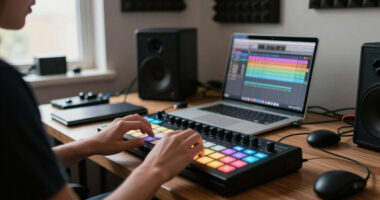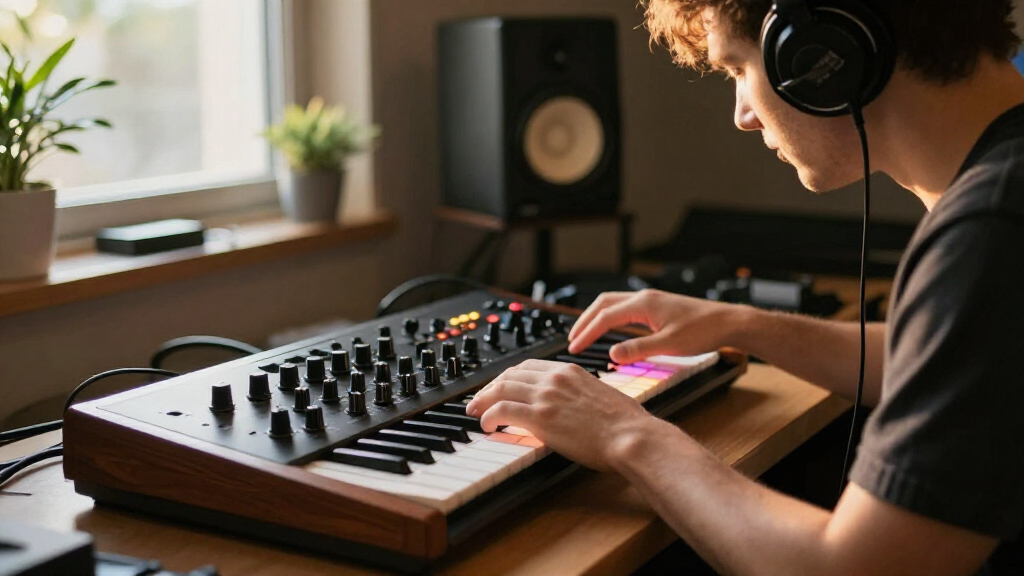
For music production, I’d choose the Arturia MiniLab 3 as the best overall MIDI controller in this lineup: its keyboard, pads, and hands-on controls suit a range of studio tasks. The Akai MPK Mini Plus is a stronger fit if you want 37 keys, while the Novation Launch Control XL 3 favors mixing and parameter control over playing notes. The main tradeoff is whether you need keys, pads, or faders—and how much desk space and setup complexity you’ll accept. A compact controller can speed up a focused workflow, but a single device rarely replaces a keyboard and a dedicated mixer surface equally well. Read on for the full breakdown and help matching each controller to your production style.

Get audio and creator gear delivered free with Prime
- Fast, free delivery on millions of items
- Prime Video, Amazon Music and more included
- Member-only deals all year
Complete the kit


Key Takeaways
- The MiniLab 3 is the most balanced pick because it combines keys, pads, and hands-on controls, while the Launch Control XL 3 is more specialized for mixing and the Launchpad Mini MK3 for grid-based performance.
- Key count changes how you compose. The 25-key options save space, but the MPK Mini Plus and Oxygen Pro Mini offer more room to play phrases without shifting octaves as often.
- Pad controllers serve different jobs. The LPD8 and STARRYPAD focus on compact triggering, while the Launchpad Mini MK3 and Fender Motion 32 offer grid-oriented workflows.
- Standalone sound is a meaningful distinction. The MPK Mini Play MK3 can suit a setup where a computer-free option matters; most other picks depend on connected software or gear for sound.
- Buying a second controller can be smarter than buying one oversized device. A keyboard for notes plus a focused pad or fader surface may fit a production workflow better than expecting one controller to cover every task.
| Akai Professional MPK Mini IV 25-Key USB-C MIDI Keyboard Controller, Black |  | Best All-Round Compact Keyboard Controller | Keys: 25 velocity-sensitive mini keys | Pads: 8 velocity- and pressure-sensitive MPC pads with RGB feedback | Knobs: 8 assignable 360° knobs | VIEW LATEST PRICE | See Our Full Breakdown |
| Akai Professional LPD8 USB MIDI Pad Controller |  | Best Compact Pad-and-Knob Controller | Pads: 8 velocity-sensitive RGB-backlit drum pads | Knobs: 8 assignable Q-Link knobs | Presets: 4 programmable preset slots | VIEW LATEST PRICE | See Our Full Breakdown |
| Novation Launch Control XL 3 USB MIDI Control Surface |  | Best for Mixing and DAW Parameter Control | Connectivity: USB Type-C | MIDI I/O: MIDI In, Out, and Out2/Thru; 5-pin MIDI | Controls: 8 faders, 24 endless encoders, and 16 customizable buttons | VIEW LATEST PRICE | See Our Full Breakdown |
| Novation Launchpad Mini MK3 MIDI Grid Controller |  | Best for Ableton Clip Launching | Pads: 64 RGB pads | Connectivity: USB-C | Custom modes: 3 | VIEW LATEST PRICE | See Our Full Breakdown |
| Arturia MiniLab 3 25-Key MIDI Controller, White |  | Best Compact Controller for Hands-On Instrument Shaping | Keys: 25 velocity-sensitive slim synth-action keys | Pads: 8 velocity- and pressure-sensitive pads with RGB backlighting | Controls: 8 rotary encoders, 4 faders, and 2 capacitive touch sensors | VIEW LATEST PRICE | See Our Full Breakdown |
| Akai Professional MIDImix USB MIDI Mixer Controller |  | Best for Hands-On DAW Mixing | Connectivity: USB | Channel faders: 8 | Master fader: 1 | VIEW LATEST PRICE | See Our Full Breakdown |
| Donner DMK 25 Pro USB-C MIDI Keyboard Controller, 25 Keys, 8 Drum Pads, OLED Display, Black |  | Best for Guided, Mobile-Friendly Production | Keys: 25 | Drum pads: 8 | Connectivity: USB-C | VIEW LATEST PRICE | See Our Full Breakdown |
| Akai Professional APC Key 25 MK2 USB MIDI Keyboard Controller |  | Best for Ableton Clip Launching | Keys: 25 velocity-sensitive mini keys | Pads: 40 RGB backlit pads | Rotary knobs: 8 assignable 360-degree knobs | VIEW LATEST PRICE | See Our Full Breakdown |
| Donner STARRYPAD USB MIDI Pad Controller |  | Best Dedicated Drum Pad Controller | Pads: 16 pads with 3 switchable banks, up to 48 assignable pads | Pad material: Silicone | Pad lighting: 7 colors | VIEW LATEST PRICE | See Our Full Breakdown |
| Akai Professional MPK Mini Plus 37-Key USB MIDI Keyboard Controller |  | Best for Hardware-Connected Production | Keys: 37 velocity-sensitive mini keys | Connectivity: USB, MIDI I/O, and CV/Gate | Pads: 8 RGB MPC pads | VIEW LATEST PRICE | See Our Full Breakdown |
| Korg nanoKEY2 25-Key USB MIDI Controller, Black |  | Best for Minimal Laptop Setups | Keys: 25 | Connectivity: USB | Dimensions: 14.6 × 3.7 × 1.6 in | VIEW LATEST PRICE | See Our Full Breakdown |
| Akai Professional MPK Mini Play MK3 25-Key USB MIDI Keyboard Controller |  | Best Standalone Practice Controller | Keys: 25; Gen 2 dynamic mini keybed | Drum pads: 8 velocity-sensitive, backlit MPC pads | Knobs: 4 assignable rotary encoder knobs | VIEW LATEST PRICE | See Our Full Breakdown |
| Fender Motion 32 Production and Performance Controller |  | Best for Pad-Based Composition | Pads: 32 RGB polyphonic FATAR pads | Connectivity: USB | Compatibility: PC and Mac; compatible with any DAW | VIEW LATEST PRICE | See Our Full Breakdown |
| M-Audio Oxygen Pro Mini 32-Key USB MIDI Keyboard Controller |  | Best Feature-Rich Compact Keyboard | Keys: 32 velocity-sensitive, semi-weighted mini keys | Drum pads: 8 RGB backlit, velocity-sensitive pads with Note Repeat | Controls: 4 assignable knobs, buttons, and faders | VIEW LATEST PRICE | See Our Full Breakdown |
| Fender Motion 16 Pad Production and Performance Controller |  | Best Compact Pad Controller for Songwriting | Pads: 16 RGB polyphonic FATAR pads | Controller type: MIDI percussion controller | Connectivity: USB | VIEW LATEST PRICE | See Our Full Breakdown |
| MIDI controllers for music production | Connectivity | Pads | Included software | Keys |
|---|---|---|---|---|
| Akai Professional MPK Mini IV | USB-C and full-size MIDI Out | 8 velocity- and pressure-sensitive MPC pads with RGB feedback | Studio Instrument Collection with 1,000+ sounds; Ableton Live Lite 12; 30-day Melodics trial; 2 months of Splice | 25 velocity-sensitive mini keys |
| Akai Professional LPD8 USB MID | USB | 8 velocity-sensitive RGB-backlit drum pads | — | — |
| Novation Launch Control XL 3 U | USB Type-C | — | — | — |
| Novation Launchpad Mini MK3 MI | USB-C | 64 RGB pads | — | — |
| Arturia MiniLab 3 25-Key MIDI | USB | 8 velocity- and pressure-sensitive pads with RGB backlighting | Ableton Live Lite, Analog Lab Intro, and UVI Model D | 25 velocity-sensitive slim synth-action keys |
| Akai Professional MIDImix USB | USB | — | Ableton Live Lite | — |
| Donner DMK 25 Pro USB-C MIDI K | USB-C | — | — | 25 |
| Akai Professional APC Key 25 M | USB | 40 RGB backlit pads | — | 25 velocity-sensitive mini keys |
| Donner STARRYPAD USB MIDI Pad | USB-C and MIDI in/out | 16 pads with 3 switchable banks, up to 48 assignable pads | Melodics courses and Cubase LE | — |
| Akai Professional MPK Mini Plu | USB, MIDI I/O, and CV/Gate | 8 RGB MPC pads | MPC Beats and a Komplete 15 Select bundle choice | 37 velocity-sensitive mini keys |
| Korg nanoKEY2 25-Key USB MIDI | USB | — | — | 25 |
| Akai Professional MPK Mini Pla | — | — | MPC Beats, AIR Music Tech instruments, and Melodics lessons | 25; Gen 2 dynamic mini keybed |
| Fender Motion 32 Production an | USB | 32 RGB polyphonic FATAR pads | Perpetual Fender Studio Pro license | — |
| M-Audio Oxygen Pro Mini 32-Key | — | — | MPC Beats, Ableton Live Lite, AIR Music Tech virtual instruments, and MPC Expansion Packs | 32 velocity-sensitive, semi-weighted mini keys |
| Fender Motion 16 Pad Productio | USB | 16 RGB polyphonic FATAR pads | Perpetual Fender Studio Pro license | — |
More Details on Our Top Picks
Akai Professional MPK Mini IV 25-Key USB-C MIDI Keyboard Controller, Black
The MPK Mini IV is my strongest pick for a compact production setup that needs both playable keys and beat-making controls. Its 25 velocity-sensitive mini keys sit alongside pressure-sensitive MPC pads, eight knobs, and a full-color display, so I can shape sounds and trigger parts without relying on a mouse for every move. Compared with the Arturia MiniLab 3, it adds a full-size MIDI Out and more elaborate performance modes, including Chord and Scale, while the MiniLab supplies four faders and touch sensors. The tradeoff is familiar: the MPK’s mini keys limit comfortable two-handed playing, and USB-powered operation ties it to a host device. I’d choose it for a flexible laptop-based rig, not as a replacement for a larger keyboard.
Pros:- Combines velocity-sensitive mini keys with pressure-sensitive, RGB-lit pads.
- Eight assignable knobs and DAW-mapped transport controls support hands-on production.
- Chord and Scale modes and an arpeggiator offer useful performance options.
- Full-size MIDI Out supports connections beyond a computer-based setup.
Cons:- The 25-key mini layout can feel cramped for extended or two-handed playing.
- USB-powered operation requires a connected device.
Best for: Laptop producers who want one portable controller for playing melodies, tapping drum parts, and adjusting software instruments.
Not ideal for: Keyboard players who need full-size keys or a wider range, and performers who need the controller to run without a connected host.
- Keys:25 velocity-sensitive mini keys
- Pads:8 velocity- and pressure-sensitive MPC pads with RGB feedback
- Knobs:8 assignable 360° knobs
- Connectivity:USB-C and full-size MIDI Out
- Display:Full-color screen
- Performance features:Arpeggiator with Pattern, Freeze, and Mutate functions; Chord and Scale modes
- Compatible platforms:Mac, Windows, and mobile setups
- Included software:Studio Instrument Collection with 1,000+ sounds; Ableton Live Lite 12; 30-day Melodics trial; 2 months of Splice
Our verdict“Choose the MPK Mini IV if you want the broadest mix of compact keyboard, pads, and performance controls in this group.”
Akai Professional LPD8 USB MIDI Pad Controller
The LPD8 makes sense when I want a small surface for finger drumming and software adjustments, not a keyboard in miniature. Its eight velocity-sensitive RGB pads and eight assignable knobs cover sample triggering and parameter changes in a footprint that is easy to pack. Compared with the Novation Launchpad Mini MK3, the LPD8 trades a 64-pad grid built around clip launching for a smaller set of pads plus dedicated knobs. That makes it more suited to tweaking sounds while producing, but less useful for launching many clips or building a large grid-based performance. Four preset slots help recall mappings, though preset creation and management depend on a computer. I’d pick it as a focused companion controller; buyers wanting keys, faders, or standalone operation should choose another kind of device.
Pros:- Eight velocity-sensitive RGB pads provide clear feedback while triggering sounds.
- Eight assignable knobs add direct control over software parameters.
- Compact, lightweight build fits easily into a laptop bag.
- USB operation works with Mac and Windows without driver installation.
Cons:- Eight pads are limiting for large sample banks or clip-launching workflows.
- Preset creation and management require a computer.
- USB-powered operation depends on a connected host device.
Best for: Producers with a laptop-based setup who want portable drum pads and assignable knobs for samples, instruments, or effects.
Not ideal for: Musicians who need keys, a large clip-launching grid, extensive fader control, or a controller that works without a computer.
- Pads:8 velocity-sensitive RGB-backlit drum pads
- Knobs:8 assignable Q-Link knobs
- Presets:4 programmable preset slots
- Connectivity:USB
- Power:USB-powered
- Compatible platforms:Mac and Windows
- Dimensions:3.24 × 12.12 × 1.32 in (D × W × H)
- Weight:0.4 kg
- Materials:Metal and plastic
Our verdict“Pick the LPD8 when portability and a simple pad-and-knob workflow matter more than keys or a larger performance grid.”
Novation Launch Control XL 3 USB MIDI Control Surface
When production means balancing tracks, shaping plugin settings, and controlling external gear, the Launch Control XL 3 offers a more purposeful layout than the keyboard-and-pad options here. I get eight 60 mm faders, 24 endless encoders, and 16 customizable buttons, with an OLED display to show feedback. Compared with the Arturia MiniLab 3, it gives up keys and drum pads in exchange for far more dedicated mixing controls; it is a control surface, not a note-entry controller. Its MIDI In, Out, and Out2/Thru connections also make it a better fit for hardware-inclusive rigs than USB-only controllers. Up to 15 custom modes allow different mappings, but setting them up takes more planning than using a compact all-in-one keyboard. The plastic housing may also feel less substantial than a metal-bodied surface.
Pros:- Eight 60 mm faders provide direct control over track levels and other mapped parameters.
- Twenty-four endless encoders and 16 customizable buttons support detailed DAW workflows.
- MIDI In, Out, and Out2/Thru allow connections to external hardware.
- OLED display and up to 15 custom modes aid feedback and flexible mapping.
Cons:- No keys or drum pads for playing notes and triggering samples.
- Plastic construction may feel less substantial than a metal control surface.
- Computer-based workflows require a USB connection.
Best for: Producers who mix in a DAW or control plugins and external MIDI gear with dedicated faders, encoders, and custom mappings.
Not ideal for: Players who need keys or drum pads for entering notes, or anyone seeking a simple plug-in-and-play keyboard controller.
- Connectivity:USB Type-C
- MIDI I/O:MIDI In, Out, and Out2/Thru; 5-pin MIDI
- Controls:8 faders, 24 endless encoders, and 16 customizable buttons
- Display:OLED
- Custom modes:Up to 15
- Supported software:Ableton Live, Logic Pro, Cubase, HUI, and FL Studio
- Compatible devices:PC, synthesizer, and groovebox
- Material:Plastic
- Weight:2.1 lb
Our verdict“Choose the Launch Control XL 3 if hands-on mixing and hardware MIDI control matter more to your workflow than playing keys or pads.”
Novation Launchpad Mini MK3 MIDI Grid Controller
The Launchpad Mini MK3 is the clearest choice here for launching clips and scenes rather than playing notes. Its 64 RGB pads give Ableton Live users a broad visual grid for triggering parts, while Stop, Solo, and Mute controls support quick arrangement changes. Compared with the Akai LPD8, it offers many more launch points but no assignable knobs for shaping plugin or instrument parameters. That distinction matters: the Launchpad is a performance grid, not a general-purpose control surface. Three customizable modes and Logic Pro Live Loops support add flexibility, although its strongest fit remains an Ableton-centered workflow. The USB bus-powered design keeps the setup compact, but it still needs a connected computer and won’t replace a keyboard controller for melodic input.
Pros:- Sixty RGB pads provide a clear grid for clip and scene launching.
- Dedicated Stop, Solo, and Mute controls support quick session changes.
- Three customizable modes allow additional MIDI mappings.
- Compact USB-C bus-powered design suits portable setups.
Cons:- Its layout is geared mainly toward Ableton Live-style clip workflows.
- It has no keys, knobs, or faders for broader instrument and mix control.
- USB connection is required for operation.
Best for: Ableton Live producers and performers who want a compact grid for launching clips and scenes, with Logic Pro Live Loops as another supported use.
Not ideal for: Producers who need keys, rotary controls, faders, or a controller suited to broad DAW parameter editing.
- Pads:64 RGB pads
- Connectivity:USB-C
- Custom modes:3
- Controls:Stop, Solo, and Mute
- Supported software:Ableton Live and Logic Pro
- Platforms:Mac and Windows
- Power:USB bus-powered
- Color:Black
Our verdict“Choose the Launchpad Mini MK3 if clip launching is central to your production workflow and note-playing controls are not your priority.”
Arturia MiniLab 3 25-Key MIDI Controller, White
The MiniLab 3 suits producers who want a compact keyboard but expect to do more than enter notes. Along with 25 velocity-sensitive slim keys, it offers eight encoders, four faders, touch sensors for pitch and modulation, and a mini display with a clickable browsing knob. Compared with the Akai MPK Mini IV, the MiniLab’s four faders and browsing controls favor hands-on sound selection and parameter shaping, while the Akai adds pressure-sensitive MPC pads, a full-color screen, and full-size MIDI Out. The MiniLab’s eight pads support expressive triggering, but its shorter keyboard range remains a constraint for wider parts. Its plastic body keeps the package manageable, though it may feel less substantial than some alternatives. I’d choose it for software-focused production where compact keys and varied controls matter more than a large pad array.
Pros:- Velocity-sensitive keys and pressure-sensitive RGB pads support expressive note and drum input.
- Eight encoders and four faders offer varied hands-on control of software.
- Pitch and modulation touch sensors add performance control without separate wheels.
- Built-in arpeggiator, mini display, and clickable browsing knob support a more direct workflow.
Cons:- The 25-key layout limits the range available for playing parts.
- Plastic construction may feel less substantial than metal alternatives.
Best for: Software producers who want a compact keyboard with faders, encoders, touch pitch and modulation controls, and built-in browsing features.
Not ideal for: Players who need a wider keyboard range, extensive drum-pad layouts, or a metal-bodied controller.
- Keys:25 velocity-sensitive slim synth-action keys
- Pads:8 velocity- and pressure-sensitive pads with RGB backlighting
- Controls:8 rotary encoders, 4 faders, and 2 capacitive touch sensors
- Additional features:Built-in arpeggiator, mini display, clickable browsing knob, and MIDI Out
- Connectivity:USB
- Compatible platforms:Mac and Windows 10
- Included software:Ableton Live Lite, Analog Lab Intro, and UVI Model D
- Dimensions:8.6 × 14 × 2.1 in (D × W × H)
- Weight:3.1 lb
Our verdict“Pick the MiniLab 3 if you want compact keys with a useful mix of faders, encoders, and performance controls for software production.”
Akai Professional MIDImix USB MIDI Mixer Controller
The MIDImix is the clearest choice here for producers who want to shape a mix with physical faders rather than perform notes or trigger clips. Its eight channel faders and master fader give each track a dedicated level control, while 24 assignable knobs and 16 buttons add access to other mixer functions. Compared with the Akai Professional APC Key 25 MK2, which combines keys with a clip-launching grid, the MIDImix devotes its surface to mixing and processing. That focus is useful when mouse-based level changes slow down a session, but it makes the unit less versatile for playing melodies or launching clips. One-to-one Ableton Live mapping and included Live Lite help it fit that workflow quickly. It still depends on a computer and compatible DAW, and its listed platform compatibility is limited to older OS versions.
Pros:- Eight channel faders and a master fader support direct, hands-on mix adjustments.
- Twenty-four assignable knobs and 16 buttons add control beyond track levels.
- One-to-one Ableton Live mapping reduces setup for that DAW.
- Compact, lightweight metal construction suits portable studio setups.
Cons:- Requires a computer and compatible DAW; it does not generate sound on its own.
- Listed compatibility names Mac OS Mojave 10.14 and Windows 7, so buyers should check support for their current system.
- Its mixing-focused layout has no keyboard or clip-launching pad grid.
Best for: Ableton Live producers who want dedicated physical channel and master faders for balancing tracks and controlling mixer functions.
Not ideal for: Players seeking a keyboard, drum-pad performance surface, or a controller for standalone use; this unit needs a computer and DAW and offers no note-playing keys.
- Connectivity:USB
- Channel faders:8
- Master fader:1
- Control knobs:24
- Buttons:16
- Ableton Live integration:One-to-one mapping
- Included software:Ableton Live Lite
- Materials:Metal
Our verdict“Choose the MIDImix if dedicated DAW mixer controls matter more to your workflow than keys or performance pads.”
Donner DMK 25 Pro USB-C MIDI Keyboard Controller, 25 Keys, 8 Drum Pads, OLED Display, Black
The DMK 25 Pro suits newer producers who want a compact keyboard with built-in prompts and performance aids, rather than a bare-bones note input device. Its 25 keys and eight drum pads cover basic melody and beat entry, while the OLED display, 16 smart scales, chord functions, arpeggiator, and note repeat offer ways to work through ideas without relying on keyboard theory alone. Compared with the Akai Professional MPK Mini Plus, it puts more emphasis on learning content and compatibility with phones and tablets; the MPK Mini Plus instead brings a longer 37-key range, a built-in sequencer, and MIDI and CV/Gate connections. The Donner’s USB-C connection and included courses make it an approachable starter setup, but its 25-key span can feel limiting as arrangements grow. It also needs a connected device and DAW to make sound, and some mobile setups may need a separate adapter.
Pros:- Combines 25 keys with eight pads for basic melodic and rhythmic input.
- Smart scales, chord functions, arpeggiator, and note repeat support idea creation.
- USB-C connectivity works with compatible computers and mobile devices.
- OLED display and included 40 keyboard teaching courses support a guided learning workflow.
Cons:- Requires a connected device running DAW software to produce sound.
- The 25-key range is narrower than the 37-key MPK Mini Plus.
- Some mobile device connections may require a separately purchased adapter.
Best for: New producers who want a portable 25-key controller with scale and chord aids, drum pads, and learning content for computer or mobile DAW sessions.
Not ideal for: Keyboard players needing a wider playing range or producers seeking a standalone sequencer or broad hardware connections; the DMK 25 Pro has 25 keys and depends on a connected device.
- Keys:25
- Drum pads:8
- Connectivity:USB-C
- Display:OLED
- Smart scales:16
- Performance controls:Arpeggio, note repeat, and chord functions
- Compatible devices:PC, smartphone, and tablet
- Included learning content:40 keyboard teaching courses
Our verdict“Pick the DMK 25 Pro if you want a compact starter controller with learning aids and mobile compatibility, not a wider keyboard or standalone sequencing.”
Akai Professional APC Key 25 MK2 USB MIDI Keyboard Controller
The APC Key 25 MK2 is the strongest fit in this group for an Ableton producer who wants to play notes and launch clips from one compact surface. Its 40 RGB pads provide a visual grid for triggering clips, while 25 velocity-sensitive mini keys handle melodies and bass lines. Eight assignable knobs add access to track parameters or macros, so this combines more performance tasks than the fader-focused Akai Professional MIDImix. The MIDImix is the better match for hands-on channel balancing; the APC Key 25 MK2 wins when session launching and note entry share priority. Pre-mapped Ableton Live controls and included Live Lite make that workflow especially direct. The tradeoff is the compact keybed: mini keys are less spacious for two-handed playing than the 37-key MPK Mini Plus, and the included product details list Mac and PC compatibility without the broader hardware connections found on that model.
Pros:- Forty RGB pads provide a clear clip-launching surface for Ableton sessions.
- Velocity-sensitive mini keys allow expressive note entry in a compact footprint.
- Eight assignable rotary knobs control effects, track parameters, or Ableton macros.
- USB-powered plug-and-play setup and Ableton pre-mapping keep the workflow straightforward.
Cons:- Mini keys provide less room for comfortable playing than a larger keyboard.
- The 25-key range is narrower than the 37-key Akai Professional MPK Mini Plus.
- A carrying bag is not included.
Best for: Ableton Live producers who want a compact controller for launching clips, entering notes, and adjusting track parameters from one device.
Not ideal for: Players who need full-size keys, a wider keyboard range, or dedicated mixer faders; this model prioritizes a clip grid and uses mini keys.
- Keys:25 velocity-sensitive mini keys
- Pads:40 RGB backlit pads
- Rotary knobs:8 assignable 360-degree knobs
- Connectivity:USB
- Compatible platforms:Mac and PC
- Ableton Live integration:Pre-mapped controls
- Power:USB-powered
- Additional controls:Octave up/down, sustain, transport controls, and directional arrows
Our verdict“Choose the APC Key 25 MK2 if Ableton clip launching and compact note entry are your priorities, and skip it if you need a roomy keyboard or dedicated faders.”
Donner STARRYPAD USB MIDI Pad Controller
The STARRYPAD is the pad-first option for producers who already have a keyboard and want a separate surface for finger drumming, sample triggering, or rhythm programming. Its 16 velocity-sensitive silicone pads can switch among three banks, giving up to 48 assignable pad locations without expanding the physical footprint. Tap Tempo and Note Repeat make it more rhythm-oriented than the keyboard-and-pad Akai Professional APC Key 25 MK2, which pairs its grid with keys and puts greater emphasis on Ableton clip launching. The STARRYPAD also adds MIDI in/out, which can connect it to compatible external MIDI gear as well as a computer. The tradeoff is specialization: there are no keys, and two faders, two knobs, and three buttons offer less broad control than the MIDImix’s 24 knobs and nine faders. It still needs DAW software to produce sound.
Pros:- Three switchable banks expand 16 physical pads to as many as 48 assignable locations.
- Velocity-sensitive pads offer customizable curves and adjustable lighting.
- USB-C and MIDI in/out support computer-based and compatible external MIDI setups.
- Tap Tempo and low-latency Note Repeat support rhythm programming.
Cons:- Requires DAW software to produce sound and does not function as a standalone instrument.
- No keyboard is included, so melodic note entry requires another controller or input method.
- Connecting to an iPhone or iPad requires a separately purchased Apple Lightning to USB adapter.
Best for: Beatmakers who already own a keyboard and want velocity-sensitive pads, bank switching, and MIDI connections for rhythm-focused production.
Not ideal for: Producers seeking one controller for both keyboard playing and pad work, or those who need extensive mixer controls; this unit has no keys and only a small set of knobs and faders.
- Pads:16 pads with 3 switchable banks, up to 48 assignable pads
- Pad material:Silicone
- Pad lighting:7 colors
- Controls:2 faders, 2 knobs, 3 buttons, and Shift key
- Connectivity:USB-C and MIDI in/out
- Compatible platforms:Android, iOS, Mac, and Windows
- Included software:Melodics courses and Cubase LE
- Power and sound:USB-powered; DAW software required to produce sound
Our verdict“Choose the STARRYPAD as a dedicated rhythm and sample-triggering surface, especially if you already have keys and want MIDI I/O.”
Akai Professional MPK Mini Plus 37-Key USB MIDI Keyboard Controller
The MPK Mini Plus makes the most sense for producers who have outgrown a 25-key controller and want one compact unit to connect with both a computer and external music gear. Its 37 velocity-sensitive mini keys provide a three-octave range, giving more room for parts than the DMK 25 Pro or APC Key 25 MK2. The built-in 64-step sequencer adds a way to build drum and melodic or chord patterns without keeping a DAW in the foreground, while USB, MIDI I/O, and CV/Gate open paths to computers, MIDI hardware, and modular gear. That connection range sets it apart from the more Ableton-focused APC Key 25 MK2. The compromise is the keybed: 37 mini keys broaden the playing range but are not full-size keys. Its USB connection is also required for computer use, so it is not a cable-free setup.
Pros:- Thirty-seven keys provide three octaves for parts that exceed a 25-key controller’s range.
- USB, MIDI I/O, and CV/Gate support computer, MIDI hardware, and modular connections.
- Built-in 64-step sequencer supports drum and melodic or chord pattern creation.
- Eight RGB pads, assignable knobs, arpeggiator, and DAW controls add hands-on functions.
Cons:- Mini keys are less spacious than full-size keys for players used to a traditional keyboard.
- USB is required for computer connectivity.
- Its eight pads do not provide the large clip-launching grid found on the APC Key 25 MK2.
Best for: Producers who want a compact 37-key controller with sequencing and connections for a computer, external MIDI equipment, or modular gear.
Not ideal for: Players who need full-size keys, or producers who mainly want a dedicated Ableton clip grid; the MPK Mini Plus uses mini keys and has eight pads rather than a large launch matrix.
- Keys:37 velocity-sensitive mini keys
- Connectivity:USB, MIDI I/O, and CV/Gate
- Pads:8 RGB MPC pads
- Assignable knobs:8
- Sequencer:64-step, with one drum track and one melodic or chord track
- Included software:MPC Beats and a Komplete 15 Select bundle choice
- Features:Built-in arpeggiator, digital display, and DAW transport controls
- Software platforms:Windows and Mac OS
Our verdict“Pick the MPK Mini Plus if you need a wider compact key range, onboard sequencing, and connections to external or modular gear.”
Korg nanoKEY2 25-Key USB MIDI Controller, Black
The Korg nanoKEY2 is the most stripped-back keyboard choice here: its slim, low-profile body is easy to fit beside a laptop when desk space or portability matters more than extensive controls. Its 25 velocity-sensitive keys have tuned response and spacing intended to reduce misplayed notes, while the sustain button adds a useful option for piano parts. Compared with the Akai MPK Mini Play MK3, it gives up pads, onboard sounds, and battery-powered standalone use, but keeps the setup simpler and more focused on entering notes into a computer. The tradeoff is a limited two-octave range and a listed 0.5-meter USB cable, which can restrict placement. I’d pick it for compact laptop production, not as an all-in-one performance controller.
Pros:- Slim, low-profile body suits crowded desks and portable laptop setups
- Velocity-sensitive keys provide dynamic MIDI input
- Key spacing is designed to help reduce wrong notes
- Sustain button supports piano-style playing without a separate pedal
Cons:- 25 keys limit range and make two-handed playing difficult
- Listed 0.5-meter USB cable may limit controller placement
- Lacks pads, knobs, and onboard sounds found on more feature-rich options
Best for: Laptop producers who want a slim, straightforward keyboard for entering melodies and basic piano parts at a desk or on the go.
Not ideal for: Beatmakers who want pads and assignable controls, or keyboard players who need more than 25 keys for two-handed parts.
- Keys:25
- Connectivity:USB
- Dimensions:14.6 × 3.7 × 1.6 in
- Weight:16 oz
- Compatibility:Laptop; Mac and x86_64 platforms
- Supported software:Ableton Live
- Warranty:1 year
Our verdict“Choose the nanoKEY2 if compact note entry matters more than a broad key range or hands-on production controls.”
Akai Professional MPK Mini Play MK3 25-Key USB MIDI Keyboard Controller
The MPK Mini Play MK3 is the strongest choice in this group for making music away from a computer. Its built-in speaker, battery operation, and more than 128 onboard sounds let you play without opening a DAW, while USB MIDI mode, eight velocity-sensitive pads, and four assignable knobs bring it back into a production setup. Compared with the Korg nanoKEY2, it is far more self-contained and offers drum input, though the nanoKEY2 is the slimmer option for a minimal laptop rig. The OLED display and included software also help bridge standalone playing and computer-based work. The compromises are the mini keybed, batteries that are not included, and a speaker that may not suit quiet practice; headphones connect through the 1/8-inch output.
Pros:- Built-in speaker and battery operation support standalone playing
- More than 128 onboard instruments and drum kits provide sounds without a computer
- Eight velocity-sensitive pads add expressive beat input
- OLED display, assignable knobs, and bundled software support computer production
Cons:- Mini keys may feel cramped for players accustomed to full-size keyboards
- Batteries are not included
- Built-in speaker may not suit quiet practice, making headphones useful
Best for: Mobile producers and beginners who want to practice or sketch parts without a computer, then use the same controller for USB MIDI production.
Not ideal for: Players who need full-size keys, a wide keyboard range, or quiet standalone practice without headphones.
- Keys:25; Gen 2 dynamic mini keybed
- Drum pads:8 velocity-sensitive, backlit MPC pads
- Knobs:4 assignable rotary encoder knobs
- Display:OLED
- Onboard sounds:Over 128 instruments and drum kits
- Battery life:14+ hours
- Connectivity and audio:USB; 1/8 in headphone output
- Compatibility:Mac and Windows
- Included software:MPC Beats, AIR Music Tech instruments, and Melodics lessons
Our verdict“Pick the MPK Mini Play MK3 if standalone sound and portability matter as much as DAW control.”
Fender Motion 32 Production and Performance Controller
The Fender Motion 32 takes a different route from keyboard-first controllers: its 32 RGB polyphonic FATAR pads are designed for drums, chords, melodies, and sequences, so a producer can build parts without relying on conventional piano keys. Illuminated encoders and touch strips add performance control, while the included perpetual Fender Studio Pro license gives the controller a defined software pairing. Against the Fender Motion 16, the Motion 32 offers twice as many pads, which gives more room for playable layouts and note assignments; the smaller model may suit a tighter surface or simpler pad workflow. This is not a substitute for a keyboard if you prefer traditional key playing. It also depends on a PC or Mac and a USB connection, so it is not a standalone instrument.
Pros:- 32 polyphonic pads support drums, chords, melodies, and sequences
- RGB illumination helps distinguish pad functions and layouts
- Illuminated encoders and touch strips provide hands-on control
- Perpetual Fender Studio Pro license is included, with other DAW compatibility
Cons:- Pad-based layout does not provide conventional keyboard keys
- Requires a PC or Mac and USB connection
- Fender Studio Pro integration may be less useful to producers committed to another DAW
Best for: DAW-based producers who prefer composing and performing with pads and want a larger layout for chords, melodies, drums, and sequences.
Not ideal for: Keyboard players seeking piano-style keys or musicians who need a standalone, battery-powered controller.
- Pads:32 RGB polyphonic FATAR pads
- Connectivity:USB
- Compatibility:PC and Mac; compatible with any DAW
- Included software:Perpetual Fender Studio Pro license
- Dimensions:15 × 7 × 1 in
- Weight:2.5 lb
- Warranty:2 years
Our verdict“Choose the Motion 32 if you want a broad pad surface for composing and performing inside a computer-based DAW.”
M-Audio Oxygen Pro Mini 32-Key USB MIDI Keyboard Controller
The M-Audio Oxygen Pro Mini is the most control-dense keyboard in this batch: it combines 32 velocity-sensitive, semi-weighted mini keys with eight RGB pads, four assignable knobs, buttons and faders, plus pitch and modulation wheels. The OLED screen and DAW auto-mapping reduce the friction of assigning controls, while the arpeggiator and Note Repeat give beatmaking and melodic patterns more immediate variation. Compared with the Korg nanoKEY2, it takes more desk space but offers a wider range and far more production controls; unlike the MPK Mini Play MK3, it does not have onboard sounds or standalone battery operation. Its USB-powered design is simple, but the mini keys and plastic construction are real compromises for players who prioritize a full-size feel or a more substantial build.
Pros:- 32 velocity-sensitive, semi-weighted mini keys offer more range than 25-key options
- Eight RGB pads include velocity response and Note Repeat
- OLED screen supports DAW auto-mapping and control selection
- Arpeggiator, pitch and mod wheels, and sustain pedal input expand performance options
Cons:- Mini keys may feel cramped for players who prefer full-size keys
- Plastic construction may feel less substantial than a heavier-duty controller
- USB power means it is not a standalone instrument
Best for: Compact-studio producers who want a keyboard, drum pads, DAW-mapped controls, and bundled software in one USB-powered unit.
Not ideal for: Pianists who need full-size keys or mobile musicians who want onboard sounds and standalone battery-powered operation.
- Keys:32 velocity-sensitive, semi-weighted mini keys
- Drum pads:8 RGB backlit, velocity-sensitive pads with Note Repeat
- Controls:4 assignable knobs, buttons, and faders
- Connectivity and power:USB; USB-powered
- Display:OLED screen
- Additional features:Arpeggiator, pitch and mod wheels, sustain pedal input, and NKS integration
- Compatible platforms:Mac and Windows
- Included software:MPC Beats, Ableton Live Lite, AIR Music Tech virtual instruments, and MPC Expansion Packs
Our verdict“Pick the Oxygen Pro Mini if you want the broadest mix of keyboard, pad, and DAW-control features in a compact production setup.”
Fender Motion 16 Pad Production and Performance Controller
The Fender Motion 16 brings the Motion series’ polyphonic pad approach to a smaller surface, with 16 RGB FATAR pads for drums, chords, melodies, and scales. Its illuminated encoders and touch strips give producers more hands-on control than a basic pad grid, and the perpetual Fender Studio Pro license offers a ready software match. Compared with the Motion 32, this model takes up less space but provides fewer pads for expanded layouts or larger banks of sounds. It also differs from the M-Audio Oxygen Pro Mini: the Oxygen is the better fit for anyone who wants conventional keys, while the Motion 16 favors pad-led composition and performance. It remains computer-dependent over USB, and its Fender software integration is most relevant to users of that environment.
Pros:- 16 RGB polyphonic FATAR pads support drums, chords, melodies, and scales
- Illuminated encoders and touch strips provide hands-on production control
- Works with any DAW on PC or Mac
- Perpetual Fender Studio Pro license is included
Cons:- No conventional keyboard keys for piano-style playing
- Requires a USB connection and computer
- Fender Studio Pro integration is specific to Fender’s software
Best for: Songwriters and beatmakers who prefer composing with pads and want a compact controller for drums, chords, melodies, and sequencing.
Not ideal for: Keyboard-focused producers who want piano-style keys, or performers who need a standalone controller without a computer and USB connection.
- Pads:16 RGB polyphonic FATAR pads
- Controller type:MIDI percussion controller
- Connectivity:USB
- Compatible platforms:Mac OS X and Windows
- Dimensions:12 × 7 × 1 in
- Weight:2.1 lb
- Included software:Perpetual Fender Studio Pro license
- Warranty:2-year manufacturer warranty
Our verdict“Choose the Motion 16 if you want a compact, pad-led songwriting controller and do not need the Motion 32’s larger pad layout.”
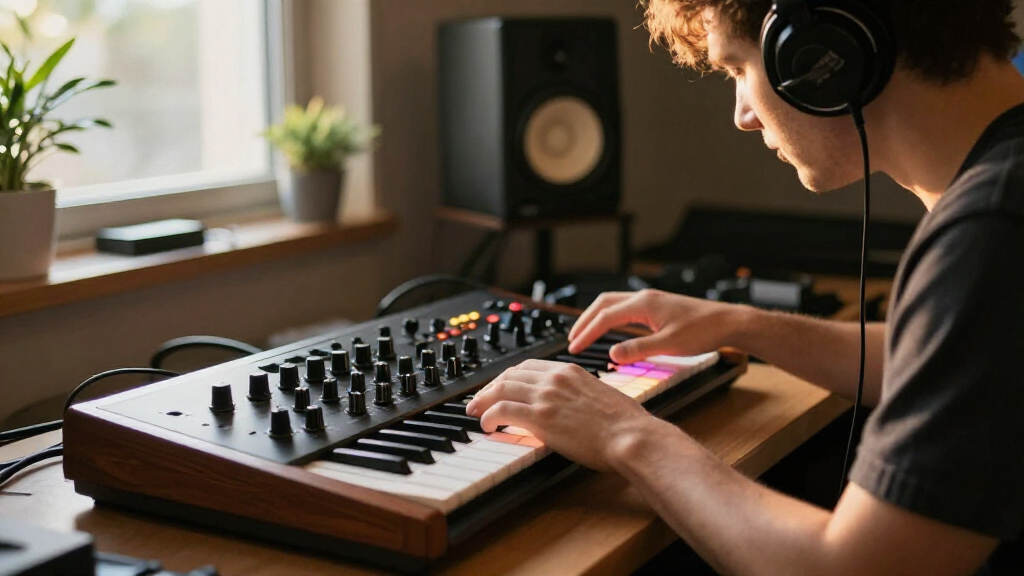
How We Picked
I ranked these controllers by how well their controls support common music-production tasks: entering notes, triggering drums and clips, shaping software instruments, and adjusting mixes. I also weighed layout, portability, build and connection practicality, and whether the control scheme is likely to remain useful as a setup grows. A controller with a clear role can be a better choice than one with more controls that a buyer will rarely use.
The order favors versatility for a typical producer, then gives specialized devices credit when their focused layout can improve a particular workflow. Keyboard models are judged against one another by playing range and added controls; pad grids and mixer surfaces are compared by the jobs they make easier, not by key count. I also account for tradeoffs: a compact layout may save space but limit playing range, while specialized hardware can leave gaps if it is the only controller in a studio.
| MIDI controllers for music production | Connectivity |
|---|---|
| Akai Professional MPK Mini IV | USB-C and full-size MIDI Out |
| Akai Professional LPD8 USB MID | USB |
| Novation Launch Control XL 3 U | USB Type-C |
| Novation Launchpad Mini MK3 MI | USB-C |
| Arturia MiniLab 3 25-Key MIDI | USB |
| Akai Professional MIDImix USB | USB |
| Donner DMK 25 Pro USB-C MIDI K | USB-C |
| Akai Professional APC Key 25 M | USB |
| Donner STARRYPAD USB MIDI Pad | USB-C and MIDI in/out |
| Akai Professional MPK Mini Plu | USB, MIDI I/O, and CV/Gate |
| Korg nanoKEY2 25-Key USB MIDI | USB |
| Akai Professional MPK Mini Pla | — |
| Fender Motion 32 Production an | USB |
| M-Audio Oxygen Pro Mini 32-Key | — |
| Fender Motion 16 Pad Productio | USB |
Factors to Consider When Choosing MIDI Controllers For Music Production
Before choosing a controller, map your most frequent action in the DAW: playing notes, tapping drum parts, launching clips, or changing mix parameters. That single decision often matters more than the total number of controls. The points below can help you avoid paying for a layout that does not match the way you make music.
Choose Controls Around Your Main Production Task
Start by listing the actions you repeat during a typical session, rather than counting the features on a product page. A keyboard is the natural starting point for melodies, chords, and bass lines; pads suit finger drumming and quick triggers; faders and knobs help when you want to shape levels or plug-in parameters without reaching for a mouse. Grid controllers can make clip-based writing feel direct, but they are not substitutes for a playable keyboard. A common mistake is buying a pad-heavy controller because it looks versatile, then discovering that note entry is still awkward. If your workflow changes by project, favor a hybrid layout or plan for a second, complementary device.
Treat Key Count as a Workflow Choice
A compact 25-key controller fits a crowded desk and is easy to carry, but it can require frequent octave changes when arranging two-handed parts. More keys give you extra playing room; they do not automatically make a controller better if you mostly enter short phrases or program notes with a mouse. Think about the parts you actually play: sustained chords and melodic lines benefit more from range than single-note bass or drum work. Also check whether the key feel and velocity response suit your playing, since a larger keyboard with an uncomfortable action may not improve your sessions. If you are unsure, count how often you currently shift octaves or split parts across tracks before selecting a key range.
Check DAW Fit Before Counting Controls
Knobs, faders, transport buttons, and pads help only when your DAW or plug-ins can use them in a way that matches your habits. Check the manufacturer’s current compatibility information and setup instructions for your exact software version before purchase. MIDI mapping can make a basic control surface useful, but custom assignments take time and may need repeating across projects or instruments. Avoid assuming that a product’s bundled software or presets cover every tool in your setup. If you rely on one particular DAW, prioritize a controller whose integration supports the tasks you perform most often; if you switch between programs, simple, assignable controls may be more useful than a narrow preset layout.
Balance Desk Space, Portability, and Expandability
Measure the space around your keyboard, mouse, audio interface, and monitor before choosing a larger surface. A compact unit can stay within reach during recording, while a wider controller may need a permanent place on the desk. Portability also includes cables, power needs, and how quickly you can reconnect the device—not just its dimensions. If you expect your setup to grow, consider whether a focused controller can sit alongside existing hardware instead of replacing it. A frequent overspend is paying for more controls than your available workspace can accommodate, then leaving those controls out of reach.
Decide Whether One Device or a Pair Makes More Sense
Hybrid controllers are appealing because they cover several tasks, but combining keys, pads, and knobs in a small footprint means each section has limited space. If you mainly play parts and occasionally trigger drums, a keyboard with a few pads may be enough. If you build tracks around clips or make detailed mix changes, a dedicated grid or fader surface can feel more direct than a crowded all-in-one layout. Two compact devices can also be easier to position and upgrade separately, though they add cables and setup steps. Compare the cost and desk footprint of a focused pair with the compromise of one hybrid controller before deciding.
Separate MIDI Control from Sound Generation
A MIDI controller typically sends performance or control data; it does not necessarily produce sound on its own. That distinction matters if you want to practice without opening a computer or connecting another sound source. A controller with built-in sounds can fill that role, while a standard controller depends on a DAW, virtual instrument, or compatible external module. Check what “standalone” means for the particular model, including which sounds and connections are available without a computer. If your goal is studio production, software may be enough; for a portable practice setup, self-contained sound can matter more than an extra row of knobs.
Frequently Asked Questions
Should I buy a keyboard controller or a pad controller first?
Choose a keyboard first if you write melodies, chords, bass lines, or play virtual instruments in real time. A pad controller is the better first purchase if your main work involves drum hits, clip launching, or triggering samples, and you are comfortable entering notes another way. In this roundup, hybrid keyboards can cover some pad tasks, while dedicated grid and pad units give those actions more space. Consider which action you currently perform most slowly in your DAW. Buy for that bottleneck rather than for a hypothetical future workflow.
Will a MIDI controller work with my DAW without manual mapping?
Compatibility and ready-made control depend on both the controller and the DAW, so do not assume every knob or button will be assigned automatically. Check the manufacturer’s software support page for your DAW version and the functions covered by its integration. Basic MIDI note input often works across many programs, while transport, mixer, and plug-in control may need setup. If you switch DAWs, look for assignable controls and clear setup documentation rather than relying only on a preset profile. A little mapping can be worthwhile, but it should be part of your buying decision.
Is a 25-key controller enough for writing full songs?
It can be enough for sketching, bass lines, short melodies, and one-handed parts, especially if you are happy to change octaves or edit notes in the DAW. It may feel restrictive when you play wider chord voicings, two-handed parts, or arrangements that span a broad register. A longer keyboard offers more playing room, though it occupies more space and may not help much if you mainly program notes. Compare your usual musical range with the keys you need at once, not just the number of tracks in a song. If you regularly shift octaves mid-phrase, more keys are likely to make composing smoother.
Can I use a MIDI controller without a computer?
Only if the controller has its own sound source or is connected to another device that can receive MIDI and generate audio. Most controllers in this category are control surfaces rather than self-contained instruments, so they need a DAW, software instrument, or compatible hardware sound module. The MPK Mini Play MK3 is the lineup’s option to examine if computer-free sound is a priority. Check the manual for what functions remain available when disconnected from a computer, since controls and sounds can differ by setup. If you want a portable production rig, account for headphones, power, and any required sound-generating gear too.
Is it better to buy one hybrid controller or separate keyboard and mixer controls?
A hybrid controller saves desk space and simplifies a first setup, but its small control sections can limit how comfortably you play or mix. Separate devices give each task a more suitable layout and let you replace or upgrade one part at a time. The tradeoff is extra hardware, more desk space, and potentially more mapping. If you mainly compose with keys and only adjust a few parameters, a hybrid is a sensible starting point. If mixing, clip launching, or finger drumming is central to your process, a dedicated surface may reduce friction more than a crowded all-in-one.
Conclusion
For most producers seeking one flexible starting point, I recommend the Arturia MiniLab 3 as best overall; it balances note entry with hands-on controls. The Akai LPD8 is a practical best-value choice for buyers who mainly need compact drum and sample triggering, while the Novation Launch Control XL 3 is my best premium-style workflow pick for detailed hands-on control of mixes and parameters. For beginners who want a keyboard-centered setup, I’d start with the Akai MPK Mini IV and choose the MPK Mini Play MK3 instead if built-in sound matters. For specific needs, choose the MPK Mini Plus for more playing range, the Launchpad Mini MK3 for grid-based clip work, or the Oxygen Pro Mini when a 32-key format suits your desk and playing style. Match the controller to the action you do most, and treat specialized gear as a focused tool rather than a universal replacement.
Black Friday Picks

Sony WH-1000XM6 Wireless Noise-Canceling Headphones, Black
As an affiliate, we earn on qualifying purchases.