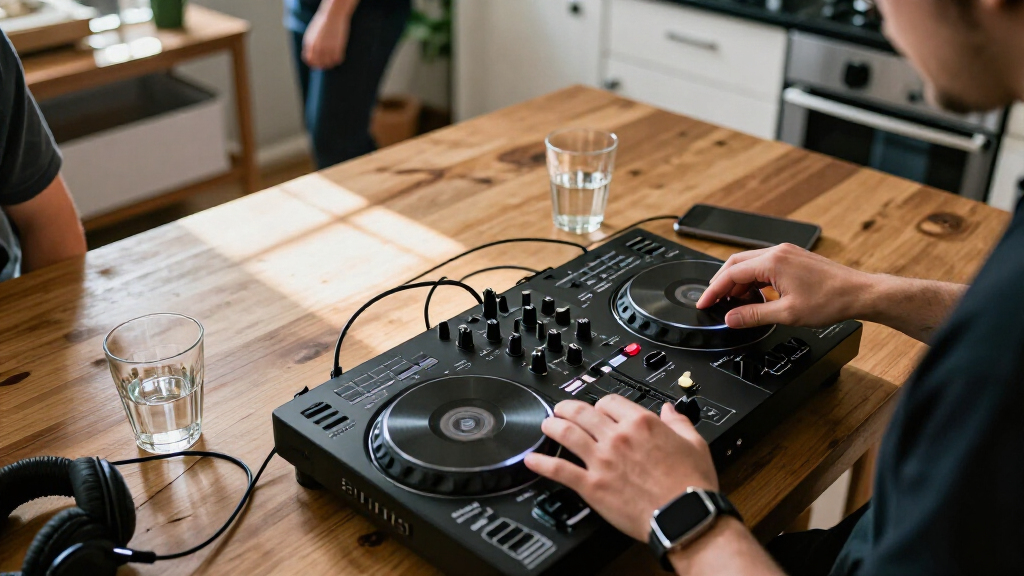
Wireless DJ controllers range from phone-connected compact decks to full standalone systems, and they do not all remove the same cables. I rank the Numark Mixstream Pro Go as the best overall because its battery-powered standalone design supports mixing without a laptop. The Denon DJ PRIME GO+ is a stronger fit for DJs who want a portable standalone setup, while the Hercules DJControl Mix suits phone-first casual mixing. The main tradeoff is between genuine independence from a computer and smaller, more affordable controllers that still rely on a phone or tablet. Read on for the full breakdown of how each option fits different setups and skill levels.

Get audio and creator gear delivered free with Prime
- Fast, free delivery on millions of items
- Prime Video, Amazon Music and more included
- Member-only deals all year
Complete the kit


Key Takeaways
- Standalone operation separates the most self-sufficient picks: the Numark Mixstream Pro Go and Denon DJ PRIME GO+ can run without a laptop, unlike the laptop- and mobile-connected controllers.
- Wireless does not always mean cable-free: phone-based Hercules models use wireless links for control, but buyers still need to plan for device power, audio output, and speaker connections.
- The Numark Mixstream Pro Go is the strongest all-around portability choice because it combines battery operation with standalone mixing; the PRIME GO+ is the more premium portable alternative.
- The two Pioneer DJ DDJ-FLX4 versions share the same core controller proposition: buyers should compare the listed finish and package details rather than expect a different wireless capability.
- Beginner needs split by setup: the Hercules DJControl Inpulse 200 MK3 favors learning on a computer, while the Hercules DJControl Mix models favor compact smartphone sessions.
| Pioneer DJ DDJ-FLX4 2-Channel DJ Controller, White |  | Best for Learning on a Computer or Phone | Channels: 2 | Decks: 2 | Performance pads: 16 | VIEW LATEST PRICE | See Our Full Breakdown |
| Numark MixTrack Go Compact Bluetooth DJ Controller with Stems Control |  | Best for Lightweight Bluetooth MIDI Portability | Decks: 2 | Weight: 1.1 pounds | Dimensions: 3.67 x 12.76 x 1.57 inches | VIEW LATEST PRICE | See Our Full Breakdown |
| Hercules DJControl Mix Bluetooth Wireless DJ Controller for Smartphones |  | Best for Smartphone-First Mixing | Decks: 2 | Connectivity: Bluetooth | Compatible devices: Android and iOS smartphones and tablets | VIEW LATEST PRICE | See Our Full Breakdown |
| Numark Mixstream Pro Go Portable DJ Controller |  | Best for Laptop-Free Portable Sets | Decks: 2 | Screen: 7-inch HD touchscreen | Battery: Rechargeable lithium-ion, included | VIEW LATEST PRICE | See Our Full Breakdown |
| Denon DJ SC LIVE 4 Standalone DJ Controller |  | Best for Four-Deck Standalone Mixing | Channels: 4 | Display: 7-inch touchscreen | Connectivity: Wi-Fi, Bluetooth, 2 USB inputs, SD card slot | VIEW LATEST PRICE | See Our Full Breakdown |
| Pioneer DJ DDJ-FLX4 2-Channel DJ Controller with 16 Performance Pads, Graphite |  | Best Overall for Software-Based Mixing | Channels: 2 | Performance pads: 16 | Connectivity: USB, Bluetooth | VIEW LATEST PRICE | See Our Full Breakdown |
| Hercules DJControl Inpulse 200 MK3 2-Deck DJ Controller |  | Best for Learning Beatmatching | Decks: 2 | Weight: 2.2 pounds | Dimensions: 15.6 × 10.4 × 3.7 inches | VIEW LATEST PRICE | See Our Full Breakdown |
| Denon DJ PRIME GO+ Standalone Portable DJ Controller |  | Best Standalone Wireless Setup | Model: PRIMEGO+ | Weight: 8.11 pounds | Dimensions: 16.2 × 10.8 × 2.1 inches | VIEW LATEST PRICE | See Our Full Breakdown |
| Hercules DJControl Mix Ultra Mobile DJ Controller for iOS and Android |  | Best for Phone-Based Wireless Sets | Connectivity: Bluetooth Low Energy (LE) | Compatible devices: Smartphones and tablets | Platforms: iOS, Android | VIEW LATEST PRICE | See Our Full Breakdown |
| Numark Party Mix III 2-Deck DJ Controller with Bluetooth MIDI and Built-In Lights |  | Best for Casual Parties | Decks: 2 | Connectivity: Bluetooth MIDI, USB-C | Lighting: Beat-synchronized LED light show | VIEW LATEST PRICE | See Our Full Breakdown |
| wireless DJ controller | Weight | Connectivity | Decks | Dimensions |
|---|---|---|---|---|
| Pioneer DJ DDJ-FLX4 2-Channel | 2.8 kg | USB, Bluetooth | 2 | — |
| Numark MixTrack Go Compact Blu | 1.1 pounds | Bluetooth MIDI, USB-C | 2 | 3.67 x 12.76 x 1.57 inches |
| Hercules DJControl Mix Bluetoo | 2.1 pounds | Bluetooth | 2 | — |
| Numark Mixstream Pro Go Portab | 9.24 pounds | Wi-Fi and Bluetooth | 2 | 11.81 x 22.24 x 2.91 inches |
| Denon DJ SC LIVE 4 Standalone | 13.6 pounds | Wi-Fi, Bluetooth, 2 USB inputs, SD card slot | — | — |
| Pioneer DJ DDJ-FLX4 2-Channel | 2.8 kg | USB, Bluetooth | — | 21.3 × 13.3 × 5.1 in |
| Hercules DJControl Inpulse 200 | 2.2 pounds | — | 2 | 15.6 × 10.4 × 3.7 inches |
| Denon DJ PRIME GO+ Standalone | 8.11 pounds | — | — | 16.2 × 10.8 × 2.1 inches |
| Hercules DJControl Mix Ultra M | 3.9 pounds | Bluetooth Low Energy (LE) | — | — |
| Numark Party Mix III 2-Deck DJ | — | Bluetooth MIDI, USB-C | 2 | — |
More Details on Our Top Picks
Pioneer DJ DDJ-FLX4 2-Channel DJ Controller, White
The DDJ-FLX4 is my pick for learners who want a familiar two-deck layout that can grow with their software setup. Smart Fader helps smooth tempo and volume changes between tracks, while Smart CFX and 16 performance pads provide ways to add effects and trigger cues. Compared with the phone-first Hercules DJControl Mix, the FLX4 is a more flexible choice for computer-based mixing as well as mobile use. Its built-in sound card also supports headphone monitoring and speaker output, which makes basic practice and streaming setups easier to arrange.
The tradeoff is a focused two-channel, two-deck design: it leaves less room for layered, multi-deck mixing than the Denon SC LIVE 4. Bluetooth is listed, but the supplied details do not explain what it handles, so I would not choose this controller on the assumption of wireless audio. It suits beginners seeking a compact, software-led setup, not DJs who need standalone operation.
Pros:- Smart Fader can help beginners make smoother tempo and volume changes.
- Sixteen pads support Hot Cue, Pad FX, Beat Jump, and Sampler modes.
- Works with computers and mobile devices across supported platforms.
- Built-in sound card supports headphone monitoring and speaker output.
Cons:- Two channels and two decks offer less room for advanced layered mixing than the Denon SC LIVE 4.
- Bluetooth is listed, but its specific function is not explained in the supplied product details.
Best for: New DJs who want guided transition tools and the option to practice with supported computer or mobile DJ software.
Not ideal for: DJs who need a laptop-free controller, four-deck mixing, or clearly specified wireless audio features.
- Channels:2
- Decks:2
- Performance pads:16
- Connectivity:USB, Bluetooth
- Compatible platforms:Android, Windows, iOS, PC, Mac
- Supported software:Serato, rekordbox
- Weight:2.8 kg
- Included component:USB cable
Our verdict“Choose the DDJ-FLX4 if you want a beginner-friendly two-deck controller for supported computer or mobile software rather than standalone performance.”
Numark MixTrack Go Compact Bluetooth DJ Controller with Stems Control
The MixTrack Go is the most travel-minded pick here for DJs who want physical controls without carrying a larger controller. At 1.1 pounds, it is far easier to pack than the Denon SC LIVE 4, and Bluetooth MIDI plus USB-C power can keep a compatible portable setup simple. Dedicated Stems and effects controls add hands-on options that the smartphone-focused Hercules DJControl Mix does not list in its feature set. Separate main and headphone outputs also let you cue tracks while sending audio to another listening device.
This is still a controller, not a standalone player: you need a compatible phone, tablet, or computer running DJ software. Its 1/8-inch outputs are less suited to professional PA connections than the balanced XLR outputs on the Numark Mixstream Pro Go. I would pick it for compact practice and casual portable mixing, but skip it if your priority is rugged venue connections or an all-in-one system.
Pros:- Lightweight body is easier to carry than larger options such as the Denon SC LIVE 4.
- Bluetooth MIDI and USB-C power support a portable setup with compatible devices.
- Dedicated controls for Stems, effects, and track transitions.
- Separate main and headphone outputs support cueing while mixing.
Cons:- Requires a separate computer or mobile device and compatible DJ software.
- Main and headphone connections are 1/8-inch, limiting direct use with some PA setups.
Best for: Mobile DJs and learners who already have a compatible device and want a particularly lightweight controller with Bluetooth MIDI.
Not ideal for: Performers who need standalone playback, balanced XLR outputs, or a controller that works without separate DJ software and a host device.
- Decks:2
- Weight:1.1 pounds
- Dimensions:3.67 x 12.76 x 1.57 inches
- Connectivity:Bluetooth MIDI, USB-C
- Audio outputs:1/8-inch main output and 1/8-inch headphone output
- Compatible software:Serato DJ Lite/Pro, Algoriddim djay, VirtualDJ
- Power source:USB
- Included accessories:USB-C cable, smartphone/tablet stand, 1/8-inch to stereo RCA adapter
Our verdict“Pick the MixTrack Go if low carry weight and Bluetooth MIDI matter more than standalone playback or venue-ready output connections.”
Hercules DJControl Mix Bluetooth Wireless DJ Controller for Smartphones
The Hercules DJControl Mix is built around one clear idea: use a phone or tablet as the center of a basic DJ setup. Its Bluetooth connection, two-deck controls, and included foldable smartphone stand make it a natural fit for casual practice or small, portable sessions using the djay app. Compared with the Numark MixTrack Go, it is less focused on adding named Stems and effects controls, but its included stand makes the phone-based setup feel more complete out of the box.
That focus also narrows its audience. Compatibility centers on iOS and Android devices, and the supplied details do not list the separate main and headphone outputs found on the MixTrack Go. Buyers seeking a computer-led setup, more connection choices, or the laptop-free streaming and touchscreen features of the Numark Mixstream Pro Go should look elsewhere. I see this as a straightforward mobile controller, not an expandable performance hub.
Pros:- Designed for mixing with compatible iOS and Android smartphones and tablets.
- Bluetooth connectivity supports a mobile-focused setup.
- Includes a foldable smartphone stand.
- Physical jog wheels, faders, knobs, and pads provide hands-on control.
Cons:- Compatibility is focused on iOS and Android devices.
- Supplied details do not list dedicated main and headphone audio outputs like the MixTrack Go.
- Does not offer the standalone touchscreen and streaming setup of the Numark Mixstream Pro Go.
Best for: Phone and tablet users who want physical two-deck controls and an included stand for mixing with compatible DJ software.
Not ideal for: Computer-first DJs or performers who need specified professional outputs, standalone playback, or broader platform support.
- Decks:2
- Connectivity:Bluetooth
- Compatible devices:Android and iOS smartphones and tablets
- Supported software:djay, DJUCED
- Controls:Jog wheels, faders, knobs, and pads
- Weight:2.1 pounds
- Materials:Plastic and metal
- Included components:DJ deck, USB cable, user manual
Our verdict“Choose the DJControl Mix for accessible phone-based mixing with physical controls, but not for a computer-centered or standalone rig.”
Numark Mixstream Pro Go Portable DJ Controller
The Mixstream Pro Go is my strongest choice here for playing without a laptop: its battery power, touchscreen, Wi-Fi, and built-in speakers make it a self-contained two-deck system. It can draw music from streaming and local media sources, while Bluetooth audio input adds another way to bring sound into a set. Compared with the Denon SC LIVE 4, it is lighter and has a rechargeable battery, making it better suited to locations where power access is limited. Balanced XLR main outputs also give it a more venue-ready connection option than the compact MixTrack Go.
Its portability has limits: at 9.24 pounds and over 22 inches wide, it is not a pocket-sized controller. Standalone Stems require tracks to be pre-rendered with Engine DJ Desktop, and the listed Stems function requires a one-time software license purchase. I would choose it for flexible, laptop-free two-deck sets, but the SC LIVE 4 suits buyers who want four decks.
Pros:- Standalone operation avoids the need for a laptop during performance.
- Rechargeable battery and built-in speakers support portable sets.
- Supports Wi-Fi streaming and playback from USB drives, SD cards, Dropbox, and Bluetooth sources.
- Balanced XLR and RCA main outputs suit a range of speaker setups.
Cons:- Standalone Stems require tracks to be pre-rendered with Engine DJ Desktop.
- Stems functionality requires a one-time software license purchase.
- Larger and heavier than phone-first options such as the Hercules DJControl Mix.
Best for: Mobile and event DJs who want a rechargeable, laptop-free two-deck system with onboard speakers, Wi-Fi, and multiple media sources.
Not ideal for: DJs who need four-deck control, a very small travel controller, or standalone Stems without advance preparation and a software license.
- Decks:2
- Screen:7-inch HD touchscreen
- Battery:Rechargeable lithium-ion, included
- Connectivity:Wi-Fi and Bluetooth
- Inputs:Bluetooth audio in, 2 USB ports, SD media slot, 1/4-inch microphone input
- Outputs:Balanced XLR and RCA main outputs; 1/4-inch and 1/8-inch headphone outputs
- Weight:9.24 pounds
- Dimensions:11.81 x 22.24 x 2.91 inches
Our verdict“Pick the Mixstream Pro Go for portable, laptop-free two-deck performances, unless you need four decks or a smaller controller.”
Denon DJ SC LIVE 4 Standalone DJ Controller
The SC LIVE 4 is the most capable option in this batch for DJs who want four-deck control without a laptop. Engine DJ OS, a 7-inch touchscreen, built-in speakers, and wireless streaming support a self-contained workflow, while XLR outputs and two combo inputs make it more adaptable to a venue setup than the two-deck Mixstream Pro Go. It also supports Serato DJ and VirtualDJ, giving software users another route beyond standalone operation. For performers who layer tracks or need extra channels for varied sets, those four decks matter more than the smaller controllers’ lighter carry weight.
The tradeoff is a corded, 13.6-pound unit, so it is less convenient to move around than the battery-powered Mixstream Pro Go. The supplied details list wireless streaming, but not a rechargeable battery. Stem separation also requires a one-time software license purchase. I would choose this for a more involved, fixed or event-based rig—not for someone seeking the simplest phone-powered controller.
Pros:- Four-channel standalone operation supports more layered sets than the two-deck Mixstream Pro Go.
- 7-inch touchscreen and built-in speakers support laptop-free operation.
- Wireless streaming and support for Serato DJ and VirtualDJ offer multiple workflows.
- XLR, 1/4-inch TRS, RCA, and combo inputs provide flexible audio connections.
Cons:- Corded power makes it less independent from an outlet than the battery-powered Mixstream Pro Go.
- At 13.6 pounds, it is heavier to transport than the two-deck portable alternatives.
- Stem separation requires a one-time software license purchase.
Best for: Working DJs who want four-deck standalone mixing, wireless streaming, and venue-oriented audio connections in one controller.
Not ideal for: Traveling DJs who prioritize battery operation and low weight, or beginners who only need a basic two-deck mobile setup.
- Channels:4
- Display:7-inch touchscreen
- Connectivity:Wi-Fi, Bluetooth, 2 USB inputs, SD card slot
- Audio outputs:RCA, 1/4-inch TRS, XLR
- Audio inputs:RCA, 2 XLR/1/4-inch combo inputs
- Built-in speakers:Yes
- Power source:Corded electric
- Weight:13.6 pounds
Our verdict“Choose the SC LIVE 4 if you need four-deck standalone capability and flexible venue connections more than battery-powered portability.”
Pioneer DJ DDJ-FLX4 2-Channel DJ Controller with 16 Performance Pads, Graphite
I’d put the DDJ-FLX4 first for buyers who want a familiar two-channel layout that can work across computers, phones, and tablets. Its Smart Fader can make basic transitions easier to learn, while 16 pads offer more room for performance features than the Hercules DJControl Inpulse 200 MK3’s eight. Bluetooth is listed for connectivity, but this is not a standalone controller: it still depends on a compatible device and DJ software. That makes it less self-contained than the Denon DJ PRIME GO+, which can run without a laptop and has balanced XLR outputs. The FLX4’s tradeoff is its two-channel limit, so DJs who expect to mix more decks or need a battery-powered setup should look elsewhere. For a flexible software-first starting point, though, it has the broadest platform support in this group.
Pros:- Smart Fader offers a guided route into basic transitions.
- Sixteen performance pads provide more hands-on options than the Inpulse 200 MK3’s eight.
- Compatible with Android, iOS, Windows, and Mac.
- Built-in sound card supports a compact software-based setup.
Cons:- Two channels limit room for expanding into larger multi-deck mixes.
- Requires a compatible computer or mobile device and DJ software rather than operating as a standalone system.
- Bluetooth connectivity does not make it a battery-powered controller.
Best for: New and developing DJs who want a portable two-channel controller that can work with a computer, phone, or tablet and several supported DJ apps.
Not ideal for: DJs who need standalone operation, more than two channels, or professional balanced XLR outputs.
- Channels:2
- Performance pads:16
- Connectivity:USB, Bluetooth
- Compatible platforms:Android, Windows, iOS, Mac
- Compatible software:djay, rekordbox, Serato DJ Pro
- Dimensions:21.3 × 13.3 × 5.1 in
- Weight:2.8 kg
- Color:Graphite
Our verdict“Choose the DDJ-FLX4 if you want a flexible, software-based two-channel controller; choose the PRIME GO+ instead if you need standalone, battery-powered mixing.”
Hercules DJControl Inpulse 200 MK3 2-Deck DJ Controller
The Inpulse 200 MK3 makes the most sense for learners who want visible guidance while matching tracks. Its Beatmatch light guides can help beginners follow timing and tempo cues, and included tutorials and DJ software create a clearer learning path than the more open-ended Hercules DJControl Mix Ultra. The compact 2.2-pound body is also easier to carry than the larger Pioneer DJ DDJ-FLX4. It adds stem separation for vocal-and-instrumental mashups, but its eight pads and two-deck design leave less room for hands-on performance than the FLX4’s 16 pads. This is a software-dependent controller, not a wireless standalone rig; the listed hardware interface includes USB and 3.5 mm audio connections, rather than Bluetooth. I’d choose it for guided practice, not for DJs who need battery operation or a more expandable setup.
Pros:- Beatmatch light guides give beginners visual help aligning tracks.
- Bundled DJUCED software and tutorials support a guided learning process.
- Stem separation enables vocal and instrumental combinations.
- At 2.2 pounds, it is lighter than the DDJ-FLX4.
Cons:- Two-deck design limits more involved multi-deck mixes.
- Eight performance pads offer fewer controls than the DDJ-FLX4’s 16.
- The listed connections are USB and 3.5 mm audio, not Bluetooth wireless operation.
Best for: First-time DJs who want guided beatmatching practice, bundled tutorials, and a small controller for learning at home.
Not ideal for: Performers seeking a battery-powered or Bluetooth-wireless controller, more than two decks, or a larger pad set.
- Decks:2
- Weight:2.2 pounds
- Dimensions:15.6 × 10.4 × 3.7 inches
- Performance pads:8 pads with 4 modes
- Audio outputs:Master speakers and headphone monitoring
- Hardware interface:3.5 mm audio, USB
- Software:DJUCED and Serato DJ Lite
- Color:Black
Our verdict“Pick the Inpulse 200 MK3 for guided beatmatching lessons and portable practice, but skip it if wireless operation or room to expand matters most.”
Denon DJ PRIME GO+ Standalone Portable DJ Controller
The PRIME GO+ is the clear choice here for DJs who want to leave a laptop behind. Its battery-powered standalone design, Engine DJ OS, and built-in Wi-Fi streaming give it a different role from the Pioneer DJ DDJ-FLX4, which relies on a connected device and DJ software. Music can also come from SD cards and USB drives, while balanced XLR, booth, and RCA outputs suit a broader range of sound systems than the Numark Party Mix III’s RCA-only main output. Bluetooth I/O adds another connection option, but this model is heavier than the smaller phone-focused Hercules DJControl Mix Ultra. There are practical catches: the supplied details don’t state battery runtime, and standalone Stems require pre-rendering in Engine DJ Desktop plus a one-time software license purchase. I’d favor it for mobile gigs, not casual practice on a tight, light setup.
Pros:- Standalone Engine DJ operation avoids dependence on a laptop during a set.
- Battery power and built-in Wi-Fi support portable performance and streaming workflows.
- Balanced XLR, booth, and RCA outputs provide more connection options than the Party Mix III.
- Bluetooth I/O, USB, and SD-card library support add source flexibility.
Cons:- Battery runtime is not specified in the provided product details.
- Standalone Stems require pre-rendering and a one-time software license purchase.
- At 8.11 pounds, it is heavier than the phone-focused Mix Ultra.
Best for: Mobile and event DJs who need a standalone controller with battery power, Wi-Fi music access, and professional PA connections.
Not ideal for: Beginners seeking an inexpensive-feeling, laptop-based learning controller or buyers who need a clearly specified battery runtime and the lightest possible setup.
- Model:PRIMEGO+
- Weight:8.11 pounds
- Dimensions:16.2 × 10.8 × 2.1 inches
- Power source:Battery; 4 included lithium-ion batteries
- Audio outputs:Balanced XLR, 1/4-inch booth, RCA main
- Audio inputs:AUX, 2 microphone combo jack inputs
- Connector types:USB Type B, USB A
- Streaming services:Apple Music, Amazon Music Unlimited, TIDAL, Beatport, Beatsource, SoundCloud GO+
Our verdict“Choose the PRIME GO+ if you need laptop-free mobile DJing with pro audio connections, and accept the extra weight and Stems setup requirements.”
Hercules DJControl Mix Ultra Mobile DJ Controller for iOS and Android
For a genuinely phone-centered setup, the DJControl Mix Ultra is a better match than the Pioneer DJ DDJ-FLX4: Bluetooth LE connects it to iOS or Android devices, and the rechargeable battery is rated for up to 10 hours. Touch-sensitive jog wheels and 16 pads bring familiar hands-on controls to a mobile DJ set, while djay and Neural Mix support mobile-focused mixing. The tradeoff is that the phone or tablet remains central to the setup; unlike the Denon DJ PRIME GO+, this is not a standalone controller with its own music library system and professional XLR outputs. Its listed weight of 3.9 pounds also makes “ultra mobile” more about the phone-first workflow than the lightest hardware in this batch. I’d pick it for social gatherings and portable sets built around a smart device, but not for laptop-free independence.
Pros:- Bluetooth LE supports a phone- or tablet-centered wireless setup.
- Rechargeable battery is rated for up to 10 hours of use.
- Sixteen pads and touch-sensitive jog wheels provide hands-on control.
- Supports iOS and Android with the djay app and Neural Mix.
Cons:- Depends on a compatible smartphone or tablet rather than running standalone like the PRIME GO+.
- The listed 3.9-pound weight is heavier than the 2.2-pound Inpulse 200 MK3.
- Mobile app support is more limited than the DDJ-FLX4’s listed computer and mobile platform compatibility.
Best for: DJs who want to mix from an iPhone, iPad, or Android device at gatherings and value Bluetooth LE plus rechargeable battery operation.
Not ideal for: Performers who need standalone music playback, professional balanced outputs, or a controller designed for computer-based software workflows.
- Connectivity:Bluetooth Low Energy (LE)
- Compatible devices:Smartphones and tablets
- Platforms:iOS, Android
- Supported software:djay
- Battery life:Up to 10 hours
- Controls:Touch-sensitive jog wheels, buttons, dial, 16 pads
- Weight:3.9 pounds
- Warranty:One year
Our verdict“Choose the Mix Ultra for Bluetooth-connected sets built around a phone or tablet, not for standalone gigs or a computer-first setup.”
Numark Party Mix III 2-Deck DJ Controller with Bluetooth MIDI and Built-In Lights
The Party Mix III suits casual party mixing better than the more practice-oriented Hercules DJControl Inpulse 200 MK3. Its beat-synchronized LED lights add atmosphere without separate lighting gear, and Bluetooth MIDI supports compatible mobile devices alongside USB-C. Eight pads per deck, a three-band EQ, filter knobs, and real-time Stems controls give beginners useful ways to shape a set. Its audio connections are a notable limit: the RCA main output and 1/8-inch headphone jack offer fewer professional hookup options than the Denon DJ PRIME GO+’s balanced XLR and booth outputs. It is also USB-powered, so Bluetooth MIDI should not be mistaken for a fully battery-powered wireless system. I’d choose this compact controller for home use and informal gatherings, but not for DJs who need standalone playback or robust venue connections.
Pros:- Beat-synchronized LED lights add visual effects without extra lighting equipment.
- Bluetooth MIDI supports compatible mobile devices, with USB-C also available.
- Eight pads per deck and real-time Stems controls offer hands-on performance options.
- Three-band EQ and channel filter knobs provide basic mix shaping.
Cons:- USB-powered operation means Bluetooth MIDI does not make it a battery-powered wireless rig.
- RCA main and 1/8-inch headphone outputs are less flexible than the PRIME GO+’s professional connections.
- Beginner and casual focus makes it a poor fit for standalone or more advanced performance needs.
Best for: Beginner and casual DJs who want a compact controller with built-in party lighting for home sessions and informal gatherings.
Not ideal for: Gigging DJs who need standalone operation, battery power, or balanced outputs for professional sound systems.
- Decks:2
- Connectivity:Bluetooth MIDI, USB-C
- Lighting:Beat-synchronized LED light show
- Performance pads:8 per deck
- Mixer controls:3-band EQ, channel Filter knobs, crossfader
- Audio outputs:RCA main output, 1/8-inch headphone output
- Power source:USB
- Compatible software:Serato DJ Lite, Algoriddim djay
Our verdict“Pick the Party Mix III for casual sets where built-in lights and straightforward controls matter more than battery-powered or professional connectivity.”
How We Picked
I compared the ten controllers by how much freedom they offer from a laptop, what devices and software they rely on, and how practical they are to carry and set up. I also weighed control layout, learning support, built-in features, and whether the design suits practice, casual parties, or more demanding DJ use. A wireless connection alone did not earn a high rank: buyers also need a workable way to power the gear and send sound to speakers.
The ranking favors products that combine useful portability with fewer setup dependencies. The Numark Mixstream Pro Go leads for its battery-powered standalone approach, while the Denon DJ PRIME GO+ earns a premium role for portable standalone use. Phone-focused Hercules models rank well for compact convenience but sit below standalone systems for independence; traditional computer controllers remain sensible choices for learners and software-based setups, not for buyers seeking a fully self-contained rig. The two FLX4 listings are treated as close alternatives, and the more specialized or entry-focused options rank according to their narrower use cases.
| wireless DJ controller | Connectivity |
|---|---|
| Pioneer DJ DDJ-FLX4 2-Channel | USB, Bluetooth |
| Numark MixTrack Go Compact Blu | Bluetooth MIDI, USB-C |
| Hercules DJControl Mix Bluetoo | Bluetooth |
| Numark Mixstream Pro Go Portab | Wi-Fi and Bluetooth |
| Denon DJ SC LIVE 4 Standalone | Wi-Fi, Bluetooth, 2 USB inputs, SD card slot |
| Pioneer DJ DDJ-FLX4 2-Channel | USB, Bluetooth |
| Hercules DJControl Inpulse 200 | — |
| Denon DJ PRIME GO+ Standalone | — |
| Hercules DJControl Mix Ultra M | Bluetooth Low Energy (LE) |
| Numark Party Mix III 2-Deck DJ | Bluetooth MIDI, USB-C |
Factors to Consider When Choosing Wireless DJ Controllers
Before choosing a controller, decide what you mean by “wireless.” That word can describe a wireless connection to a phone, battery-powered operation, or a setup that plays without a computer; these are different benefits. I would start with the devices you already own and the places you plan to play, then work through the factors below.
Separate Wireless Control From Standalone DJing
A controller may connect to a phone or tablet wirelessly while still depending on that device to run the DJ software. A standalone controller can perform more of that work itself, reducing reliance on a separate screen or computer. Neither approach is automatically better: mobile control can keep a casual setup small, while standalone operation can make a gig setup less dependent on a laptop. Check the product’s supported apps and operating systems before purchase, since wireless compatibility is not universal. Also confirm whether the advertised wireless feature covers audio, control data, or both. Treat “wireless” as a specific connection claim, not a promise that every part of the rig works without cables.
Plan the Whole Signal Path, Not Just the Controller
A controller can mix tracks without giving you a cable-free route to an audience. Speakers, headphones, device charging, and sometimes an audio adapter still need a place in the setup. Before buying, map how sound leaves the controller or mobile device and reaches your intended speakers. Bluetooth audio can add delay, which may make cueing and beatmatching harder, so check whether a wired output is available for performance. A compact wireless controller may be easy to carry but still need more supporting gear than a battery-powered standalone unit. This checklist helps prevent a common surprise: bringing a wireless controller to a location that has no suitable audio connection.
Match Portability to Your Actual Sessions
Small size matters most when the controller regularly travels in a backpack or gets used in limited spaces. For home practice, larger controls may be easier to operate and more comfortable over long sessions. Battery-powered models reduce dependence on a nearby outlet, but runtime claims and the power needs of connected phones or speakers affect real-world convenience. Think about the full carried kit, including device, cables, headphones, and audio accessories—not only the controller’s footprint. If you mostly play at home, paying for maximum portability may bring little benefit. If you mix outdoors or move between locations, power independence can matter more than extra control surface.
Choose Controls That Fit Your Learning Style
New DJs should look for a layout that makes essential tasks easy to find: cueing, tempo adjustment, track browsing, and basic effects. Guided lessons or assistive features can help build skills, but they do not replace practice with timing and phrasing. A phone-first model can lower the setup barrier for casual exploration, while a computer controller may offer a more familiar path into established DJ software. Check whether the control layout matches the app you intend to use; compact designs sometimes combine functions to save space. More controls are not automatically better if they make the first sessions harder. Prioritize a clear path from learning the basics to using the features you expect to need later.
Check Software, Streaming, and Library Dependencies
Wireless DJ setups often depend on an app, an account, or a supported music source, and those requirements can change what you can play. Confirm that your preferred device and operating system are supported and that your existing library can be accessed in the intended software. Streaming availability may vary by service, region, and subscription, so do not assume a controller includes access to every catalog. Offline preparation is especially useful when playing away from reliable internet. Also check how tracks are analyzed and stored, since a large library may need setup time before a session. Choose around the music sources you can depend on, not a feature label alone.
Pay More for Independence Only If You Need It
Standalone hardware can justify a larger investment when avoiding a laptop is a regular need, not an occasional preference. A phone-connected controller may be a better fit when portability and casual use matter more than a self-contained workflow. Compare what the extra cost buys in practical terms: battery operation, built-in playback options, more direct controls, or reduced setup dependencies. Avoid paying for features that overlap with equipment you already own, such as a capable tablet or a reliable computer-based DJ setup. At the same time, a very small controller can become limiting if you expect to play longer sets or develop more hands-on control. Choose the least complicated system that supports the sessions you actually plan to do.
Frequently Asked Questions
Does a wireless DJ controller work without a laptop?
Some do, but “wireless” by itself does not mean laptop-free. Phone-connected controllers commonly rely on a compatible mobile device and DJ app, while standalone models handle more of the mixing directly on the unit. In this lineup, the Numark Mixstream Pro Go and Denon DJ PRIME GO+ are the clearest choices for laptop-independent operation. You may still need headphones, speakers, or power accessories depending on where you play. Check the exact product workflow and audio connections before treating any setup as fully self-contained.
Can I use a wireless DJ controller with Bluetooth speakers?
It depends on the controller, app, and audio route, so buyers should verify support rather than assume any Bluetooth speaker will work. Wireless audio can introduce latency, making it harder to cue and synchronize tracks accurately. For practice or casual playback, that delay may be acceptable; for performance, a wired audio connection is usually the safer choice when available. Also confirm whether the controller sends audio over Bluetooth or only uses a wireless connection for control. The distinction can determine whether your existing speaker is compatible at all.
Should I choose a phone-connected controller or a standalone model?
Choose a phone-connected controller if you want a compact way to explore mixing and already have a compatible device. It can be convenient for casual sessions, but the phone and app become part of the setup and may need charging or configuration. A standalone model makes more sense when you want to leave a laptop out of the workflow or play in varied locations. Standalone units can cost more and may still need external speakers and headphones. Decide based on how often you need independence, rather than choosing by the wireless label alone.
Are the two Pioneer DJ DDJ-FLX4 listings different controllers?
The two listings in this roundup name the same DDJ-FLX4 controller family and describe different finishes or included presentation details. The graphite version is listed with 16 performance pads, while the white version is identified by its color. I would compare the seller’s exact package contents, compatibility details, and finish before choosing between them. Do not assume that the color difference creates a separate wireless or standalone capability. Both should be evaluated as computer-based controller options rather than as self-contained wireless systems.
What should I check before buying a controller for outdoor use?
Start with battery operation and the expected runtime for the controller and any connected phone or tablet. Then plan the complete audio path: a controller can run on battery while speakers still need power or a compatible portable source. Check whether your music can be prepared for offline playback, since mobile coverage may be unreliable. Consider screen visibility, control size, and how securely the gear can be carried as well. The Mixstream Pro Go and PRIME GO+ stand out here for standalone portability, but your speakers and accessories still shape how mobile the full setup will be.
Conclusion
For most buyers who want genuine portability without a laptop, I recommend the Numark Mixstream Pro Go as the best overall pick. The Hercules DJControl Mix is my value-minded choice for casual phone-based mixing, while the Denon DJ PRIME GO+ is the best premium option for DJs who prioritize portable standalone operation. Beginners who want a computer-based learning path should look at the Hercules DJControl Inpulse 200 MK3; those who would rather practice from a phone can choose a Hercules DJControl Mix model. For compact mobile sessions, consider the Mix Ultra; for built-in party lighting, the Numark Party Mix III fits a narrower entertainment role. Choose by workflow first: phone-connected convenience, computer-based learning, or laptop-free independence.