
To create width without destroying mono compatibility, focus on subtle panning and using stereo imaging tools carefully. Keep essential elements like vocals, bass, and kick centered to stay solid in mono. Use short delays or mid/side processing to add spaciousness while checking your mix in mono regularly. Listen for phase issues or hollow sounds, and adjust as needed. By balancing width and phase, you’ll achieve a natural, immersive stereo image that remains clear in mono—more tips await if you keep going.
Key Takeaways
- Use subtle panning to spread elements across the stereo field while keeping essential sounds centered for mono compatibility.
- Apply mid/side processing to control stereo width without affecting the mono (mid) component.
- Incorporate short delays (10-20 ms) to enhance width, ensuring phase coherence is maintained.
- Regularly check the mix in mono to identify and correct phase issues or hollow sounds.
- Use stereo imaging tools cautiously, verifying adjustments in mono to prevent phase-related collapse.
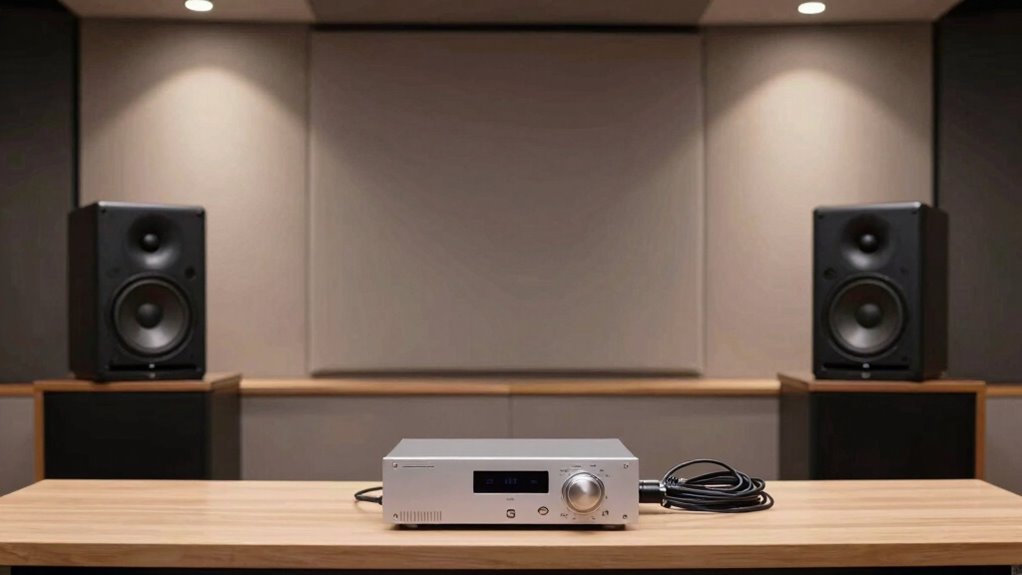
Achieving width without destroying mono compatibility can be challenging, but it’s essential for creating a balanced and versatile mix. When you aim to expand the stereo field, you need to focus on maintaining phase coherence. If your stereo imaging gets too wide or unbalanced, it can introduce phase issues that cause your mix to collapse when summed to mono. The key is to find a balance where your mix feels spacious but still remains solid and compatible for mono playback.
Start by paying close attention to your panning. Instead of extreme left and right placements, subtly spread your sounds across the stereo field. Keep important elements like vocals, bass, and kick drum centered; these are the foundation of your mix and should stay mono-compatible. When you pan instruments wider, do so gradually and listen carefully in mono mode. If the sound becomes hollow or loses its impact, it’s a sign that phase coherence is being compromised. You want your stereo image to be wide enough to give your mix depth, but not so wide that it creates phase cancellation when combined in mono.
Subtly pan sounds wider while keeping key elements centered to maintain mono compatibility and avoid phase issues.
Utilize stereo imaging tools carefully. Many plugins are designed to enhance stereo width, but they can sometimes introduce phase issues if overused. Use these tools sparingly and always check your mix in mono after applying them. You can also experiment with mid/side processing, which separates the mono (mid) content from the stereo (side) content. By adjusting the side signal’s level or applying subtle delays, you can create a sense of width while keeping the mid channel intact, preserving phase coherence. Understanding how phase relationships affect your stereo image is crucial to maintaining mono compatibility. Incorporating high-quality listening environment such as glasses and decanters can also help you better perceive stereo imaging nuances, ensuring your adjustments translate well across different playback systems. Additionally, being aware of the phase coherence of your mix can help prevent common issues with stereo imaging and mono compatibility.
Another effective technique involves using delay-based effects with caution. Short, subtle delays—around 10-20 milliseconds—can enhance stereo imaging without disrupting phase coherence. When you apply delay effects, listen for any phase discrepancies that might cause a collapse in mono. Always toggle between mono and stereo to ensure your adjustments improve the perceived width without compromising mono compatibility. Additionally, understanding how free floating elements in your mix can influence stereo perception allows for more deliberate placement, balancing width and mono compatibility effectively.
Finally, trust your ears. Regularly check your mix in mono and stereo, and be mindful of elements that seem to disappear or sound hollow in mono. By focusing on maintaining phase coherence, you ensure your stereo imaging remains natural and balanced. Achieving width without destroying mono compatibility isn’t about adding as much stereo spread as possible; it’s about smart, deliberate placement and constant listening. When you master this balance, your mix will sound wide and immersive on stereo systems, yet remain clear and impactful in mono environments.
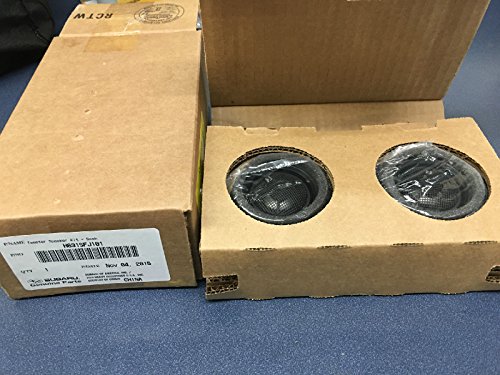
Subaru Tweeter Kicker Speaker Kit for 2012-2021 Impreza WRX STi Forester Crosstrek – H631SFJ101 – Genuine OEM
Genine Subaru Tweeter Kit H631SFJ101
As an affiliate, we earn on qualifying purchases.
As an affiliate, we earn on qualifying purchases.
Frequently Asked Questions
Can Width Effects Be Applied to All Instruments Equally?
No, width effects can’t be applied to all instruments equally. You should use panning techniques and frequency balancing to guarantee each instrument sits well in the stereo image. For example, panning can spread instruments across the stereo field, while frequency adjustments prevent maskings. Some sounds, like bass or vocals, may need minimal width to maintain clarity and mono compatibility. Tailoring your approach helps create a balanced, spacious mix without sacrificing mono compatibility.
How Does Stereo Widening Impact Phase Coherence?
Stereo widening can impact phase coherence, affecting phase alignment and stereo imaging. When you widen a stereo signal, you often introduce slight phase shifts between channels, which can cause issues when summed to mono. This phase misalignment reduces the clarity and focus of your mix, especially in mono playback. To maintain good phase coherence, you need to carefully monitor your widening process, ensuring your stereo image remains balanced without sacrificing mono compatibility.
Are There Plugins Specifically Designed for Mono-Compatible Widening?
Yes, there are stereo imaging and Width plugins specifically designed for mono-compatible widening. These plugins enhance stereo spread without compromising mono compatibility by intelligently managing phase relationships. You use them within your mixing process to widen your stereo image while maintaining clarity and coherence across playback systems. Popular options include iZotope Ozone Imager, Waves S1 Stereo Imager, and MeldaProduction MStereoProcessor, which all help you achieve a wider sound without sacrificing mono integrity.
What Are Common Mistakes When Creating Width in Mixes?
A common mistake when creating width is overusing panning techniques, which can distort the stereo image balance. You might unintentionally make the mix sound unbalanced or lose focus. Always check your panning in mono to guarantee it remains mono-compatible. Instead, subtly widen the mix by maintaining a solid center and carefully adjusting the stereo image, avoiding excessive panning that can cause phase issues and muddy the overall sound.
How to Test if a Widened Mix Remains Mono-Compatible?
To test if your widened mix remains mono-compatible, switch to mono and listen carefully. Check stereo imaging and phase alignment by collapsing the stereo signal into mono; if elements disappear or sound hollow, phase issues exist. Use a phase correlation meter to gauge stereo image coherence. Make certain that critical elements stay clear and balanced in mono, confirming your mix maintains integrity without phase cancellation when played back in mono systems.
mono compatibility checker
As an affiliate, we earn on qualifying purchases.
As an affiliate, we earn on qualifying purchases.
Conclusion
Think of your mix as a delicate garden. You want vibrant, wide blooms to catch the eye, but if you overreach, the garden loses balance and harmony. By carefully adding width with subtle tools, you preserve the garden’s unity—its mono compatibility. Keep your techniques like gentle pruning, ensuring each element stays rooted and vibrant, while the overall landscape remains lush and cohesive. With patience and precision, your mix will flourish in stereo and stay solid in mono.

Legrand – Wiremold Outlet Box to Use As Wiremold Raceway, White Outlet Electric Box with Both the Outlet and Wiremold Box, NMW2-D
Wiremold – The Brand Pro's Trust. Included – 1 Legrand – Wiremold raceway, white outlet box
As an affiliate, we earn on qualifying purchases.
As an affiliate, we earn on qualifying purchases.

Donner Guitar Delay Pedal for Pedal Boards, Electric Guitar, Yellow Fall Analog Delay Mini Guitar Effect Pedal Vintage Delay, True Bypass
[Analog Delay Pedal]: Reproduces the warm and natural classic vintage analog delay sound
As an affiliate, we earn on qualifying purchases.
As an affiliate, we earn on qualifying purchases.