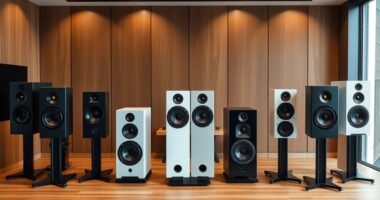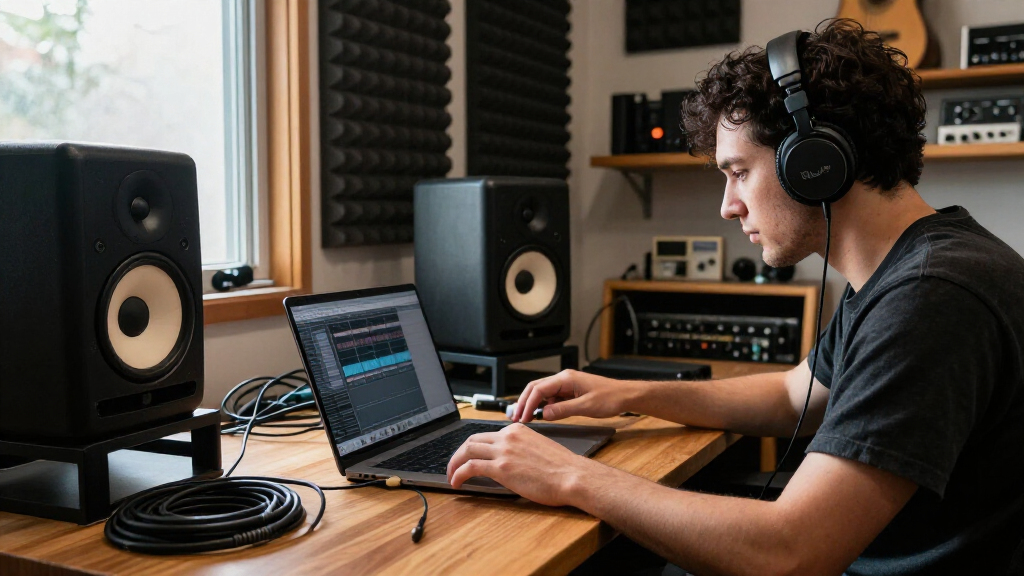
The best studio monitor speakers in this roundup are the Yamaha HS5 pair for focused nearfield mixing, with the KRK ROKIT 5 Generation Five offering more flexibility and the PreSonus Eris E7 XT giving larger rooms more scale. Choosing between them—and compact picks such as the PreSonus Eris 3.5—comes down to room size, bass extension, connection options, and how revealing you want your speakers to be. A small woofer can suit a desk but will not reproduce deep bass like an 8-inch model; a larger speaker can overwhelm a tight space. This guide compares all 15 options by their fit for home studios, mixing, and casual listening. Read on for the full breakdown and a buying guide that helps match speaker size and features to your setup.

Get audio and creator gear delivered free with Prime
- Fast, free delivery on millions of items
- Prime Video, Amazon Music and more included
- Member-only deals all year
Complete the kit


Key Takeaways
- HS5 is the clearest fit for focused nearfield mixing: it prioritizes a direct, revealing presentation, while the ROKIT 5 Generation Five offers more tuning flexibility.
- Speaker size changes room demands, not just bass output: the HS8 and Eris E7 XT make more sense where there is space to place them and listen at a suitable distance.
- Compact models trade low-frequency reach for desk-friendly scale: the HS3, Eris 3.5, and CR3.5 suit limited spaces, but bass-heavy work may call for a subwoofer or larger monitors.
- Connectivity separates studio-first picks from convenience picks: the Ortizan C7 adds Bluetooth, while many of the Yamaha HS models put more emphasis on a straightforward monitor setup.
- Similar models in the list serve different practical needs: the black and white HS3, HS4, and HS5 versions mainly offer finish choices, while the pair and single HS8 listings call for careful quantity checking before purchase.
| PreSonus Eris 3.5 Powered Studio Monitors (Pair) |  | Best for Flexible Desktop Connectivity | Configuration: Powered near-field monitor pair | Total power: 50 W | Woofer: 3.5-inch woven-composite | VIEW LATEST PRICE | See Our Full Breakdown |
| Yamaha HS4 Powered Studio Monitors, Black, Pair |  | Best for Compact Editing Setups | Configuration: Powered two-way bass-reflex pair | Woofer: 4.5-inch cone | Tweeter: 1-inch dome | VIEW LATEST PRICE | See Our Full Breakdown |
| Yamaha HS4 Powered Studio Monitors, White, Pair |  | Best White-Finish Compact Monitors | Configuration: Powered two-way pair | Color: White | Woofer: 4.5-inch cone | VIEW LATEST PRICE | See Our Full Breakdown |
| Yamaha HS5 Powered Studio Monitors, Pair |  | Best for More Demanding Nearfield Mixing | Configuration: Two-way bi-amplified nearfield pair | Woofer: 5 inches | Tweeter: 1-inch dome | VIEW LATEST PRICE | See Our Full Breakdown |
| Yamaha HS3 Powered Studio Monitor Speakers, White, Pair |  | Best for the Smallest Workspaces | Configuration: Two-way bass-reflex powered pair | Color: White | Woofer: 3.5-inch cone | VIEW LATEST PRICE | See Our Full Breakdown |
| Mackie CR4.5 Powered Studio Monitors, Pair, 4.5-Inch Woofers, Black |  | Best for Flexible Desktop Listening | Configuration: Powered stereo pair | Woofer: 4.5 inches | Tweeter: 1 inch | VIEW LATEST PRICE | See Our Full Breakdown |
| KRK ROKIT 5 Generation Five Powered Studio Monitor Pair |  | Best for Room-Tuning Flexibility | Configuration: Powered pair with Class D bi-amplification | Woofer: 5-inch woven Kevlar aramid fiber | Tweeter: 1-inch silk dome | VIEW LATEST PRICE | See Our Full Breakdown |
| Yamaha HS8 8-Inch Powered Studio Monitor Pair, Black |  | Best for Larger Mixing Rooms | Configuration: Powered stereo pair | Woofer: 8 inches | Tweeter: 1-inch dome | VIEW LATEST PRICE | See Our Full Breakdown |
| Yamaha HS3 Powered Studio Monitors, Black, Pair |  | Best Compact Pair | Configuration: 2-way, bass-reflex powered pair | Woofer: 3.5 inches | Tweeter: 0.75 inch | VIEW LATEST PRICE | See Our Full Breakdown |
| Yamaha HS5 W 5-Inch Powered Studio Monitors, White, 2-Pack |  | Best for Straightforward Nearfield Mixing | Configuration: 2-way, bass-reflex, bi-amplified | Quantity: 2 monitors | Woofer: 5 inches | VIEW LATEST PRICE | See Our Full Breakdown |
| Yamaha HS8 8-Inch Powered Studio Monitor Speaker, Slate Gray |  | Best for Full-Range Reference Monitoring | Speaker type: Powered studio monitor | Woofer: 8-inch cone | Tweeter: 1-inch dome | VIEW LATEST PRICE | See Our Full Breakdown |
| Mackie CR3.5 Powered Studio Monitors, Pair, 3.5-Inch Woofers, Tone Control, Black | 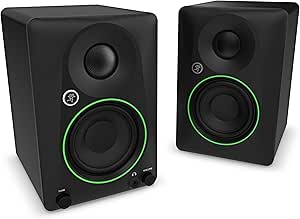 | Best Compact Desk Pair | Speaker type: Powered studio monitor pair | Woofer: 3.5 inches | Tweeter: 1 inch | VIEW LATEST PRICE | See Our Full Breakdown |
| Ortizan C7 Powered Studio Monitors Pair with Bluetooth 5.3 |  | Best for Flexible Desktop Connectivity | Woofer: 3.5-inch carbon fiber | Tweeter: 0.75-inch silk dome | Bluetooth: Version 5.3 | VIEW LATEST PRICE | See Our Full Breakdown |
| PreSonus Eris E7 XT Two-Way Active Studio Monitor |  | Best for a Wide Listening Sweet Spot | Speaker type: Active two-way studio monitor | Woofer: 6.55-inch woven composite | Tweeter: 1.25-inch silk dome | VIEW LATEST PRICE | See Our Full Breakdown |
| PreSonus Eris E4.5 4.5-Inch Two-Way Nearfield Studio Monitors (Pair) |  | Best for Versatile Home Studios | Configuration: Pair of two-way nearfield monitors | Woofer: 4.5-inch woven composite | Tweeter: 1-inch silk dome | VIEW LATEST PRICE | See Our Full Breakdown |
| studio monitor speaker | Woofer | Tweeter | Configuration | Inputs |
|---|---|---|---|---|
| PreSonus Eris 3.5 Powered Stud | 3.5-inch woven-composite | 1-inch silk-dome | Powered near-field monitor pair | Balanced TRS, RCA, front aux |
| Yamaha HS4 Powered Studio Moni | 4.5-inch cone | 1-inch dome | Powered two-way bass-reflex pair | XLR/TRS combo, RCA, stereo mini |
| Yamaha HS4 Powered Studio Moni | 4.5-inch cone | 1-inch dome | Powered two-way pair | XLR/TRS combo, RCA, stereo mini |
| Yamaha HS5 Powered Studio Moni | 5 inches | 1-inch dome | Two-way bi-amplified nearfield pair | XLR and TRS phone jack, balanced or unbalanced |
| Yamaha HS3 Powered Studio Moni | 3.5-inch cone | 0.75-inch dome | Two-way bass-reflex powered pair | — |
| Mackie CR4.5 Powered Studio Mo | 4.5 inches | 1 inch | Powered stereo pair | RCA, TRS |
| KRK ROKIT 5 Generation Five Po | 5-inch woven Kevlar aramid fiber | 1-inch silk dome | Powered pair with Class D bi-amplification | XLR and 1/4-inch TRS combo |
| Yamaha HS8 8-Inch Powered Stud | 8 inches | 1-inch dome | Powered stereo pair | — |
| Yamaha HS3 Powered Studio Moni | 3.5 inches | 0.75 inch | 2-way, bass-reflex powered pair | XLR/TRS combo, RCA, stereo mini |
| Yamaha HS5 W 5-Inch Powered St | 5 inches | 1-inch dome | 2-way, bass-reflex, bi-amplified | — |
| Yamaha HS8 8-Inch Powered Stud | 8-inch cone | 1-inch dome | — | XLR and TRS phone jack |
| Mackie CR3.5 Powered Studio Mo | 3.5 inches | 1 inch | — | — |
| Ortizan C7 Powered Studio Moni | 3.5-inch carbon fiber | 0.75-inch silk dome | — | RCA, 3.5mm AUX, 6.35mm balanced TRS, and USB |
| PreSonus Eris E7 XT Two-Way Ac | 6.55-inch woven composite | 1.25-inch silk dome | — | — |
| PreSonus Eris E4.5 4.5-Inch Tw | 4.5-inch woven composite | 1-inch silk dome | Pair of two-way nearfield monitors | Balanced 1/4-inch TRS, RCA, and 1/8-inch stereo auxiliary |
More Details on Our Top Picks
PreSonus Eris 3.5 Powered Studio Monitors (Pair)
The PreSonus Eris 3.5 is a practical fit for a small desk where a computer, audio interface, and phone or other playback source may all need a connection. Its TRS, RCA, and front aux inputs offer more connection flexibility than the HS5’s listed XLR and TRS inputs, while the front headphone jack makes private listening easy. High- and low-frequency tuning controls also give me a way to adjust the speakers for their placement instead of treating every desk or room the same.
The tradeoff is the 3.5-inch woofer and 80 Hz lower response limit: bass-heavy production will need a subwoofer or another way to check the low end. The Yamaha HS4 reaches lower on its listed response range, and the HS5 is a more suitable step up for larger nearfield monitoring. I’d pick the Eris for versatile, close-up desktop use, not as a full-range mix reference.
Pros:- TRS, RCA, and front aux inputs suit a mix of studio and everyday audio sources.
- High- and low-frequency controls help tailor playback to desk and room placement.
- Compact dimensions fit comfortably into many desktop setups.
- Front headphone jack supports private listening without unplugging the speakers.
Cons:- The listed response starts at 80 Hz, limiting deep-bass monitoring.
- No Bluetooth or other wireless streaming is specified.
Best for: Desktop producers, editors, and everyday listeners who want several wired input options and convenient headphone listening in a compact setup.
Not ideal for: Bass-focused producers who need to judge deep low frequencies without a subwoofer, or buyers who want wireless streaming.
- Configuration:Powered near-field monitor pair
- Total power:50 W
- Woofer:3.5-inch woven-composite
- Tweeter:1-inch silk-dome
- Frequency response:80 Hz–20 kHz
- Inputs:Balanced TRS, RCA, front aux
- Output:Front headphone jack
- Dimensions:5.5 × 6 × 8.3 inches (D × W × H)
Our verdict“Choose the Eris 3.5 for a compact desktop setup that benefits from varied wired inputs, but look to the HS4 or HS5 for more low-frequency reach.”
Yamaha HS4 Powered Studio Monitors, Black, Pair
The Yamaha HS4 gives space-conscious music and video editors a larger woofer than the Eris 3.5 without moving up to the footprint of the HS5. Its 4.5-inch woofer and listed 60 Hz–22 kHz response provide a more useful monitoring range for everyday mixes and edits than the smaller PreSonus pair’s 80 Hz lower limit. Room-control and high-trim settings add a practical way to adjust the sound for a tabletop position.
Connectivity is another strength: XLR/TRS combo, RCA, and stereo mini inputs cover common studio and consumer sources, and the included cables reduce setup friction. The HS4 is still designed for tabletop placement, and its specified power is lower than the HS5’s 70-watt system. I’d favor it over the HS5 when desk space matters more than output headroom; buyers mixing louder or at greater distances should look higher in the lineup.
Pros:- 4.5-inch woofers offer more low-frequency reach than the Eris 3.5’s 3.5-inch drivers.
- Room-control and high-trim settings help adapt response to the listening position.
- XLR/TRS, RCA, and stereo mini inputs support varied sources.
- Includes speaker and stereo mini-to-RCA cables plus anti-slip pads.
Cons:- Listed output is below the HS5’s 70-watt system.
- Tabletop-focused design may not suit setups that require alternate mounting.
Best for: Home producers and video editors working at a desk who want a 4.5-inch monitor pair, placement controls, and several wired input choices.
Not ideal for: Those needing higher output for a larger room, or buyers who need flexible mounting beyond tabletop placement.
- Configuration:Powered two-way bass-reflex pair
- Woofer:4.5-inch cone
- Tweeter:1-inch dome
- Frequency response:60 Hz–22 kHz (-10 dB)
- Output power:26 W and above
- Inputs:XLR/TRS combo, RCA, stereo mini
- Controls:Room control and high trim
- Included accessories:Anti-slip pads, 2.5 m speaker cable, 1.5 m stereo mini-to-RCA cable
Our verdict“Pick the HS4 when you want broader range and useful connections in a compact tabletop pair, but choose the HS5 if you need more output headroom.”
Yamaha HS4 Powered Studio Monitors, White, Pair
The white Yamaha HS4 brings the same compact, two-way monitoring setup as the black HS4, making it a good match for a white desk or a visually coordinated editing space. Its 4.5-inch woofer and 60 Hz–22 kHz listed response give it more range than the Yamaha HS3, whose response starts at 70 Hz. Room and high-trim controls are useful when the speakers must sit close to a wall or in a less-than-ideal desktop position.
This is a finish-specific choice rather than a different performance tier: the black HS4 offers the same core driver arrangement and input options, so I’d choose between them based on appearance and setup fit. The HS5 is the stronger step up for buyers who need its specified 70-watt bi-amplification, while this HS4 favors compact placement. Its tabletop orientation and listed 26 W + 26 W output make it less suited to larger rooms or louder monitoring.
Pros:- White finish suits light-colored desks and coordinated workspaces.
- 4.5-inch woofer reaches lower on the listed response range than the HS3.
- Room-control and high-trim adjustments help tailor tabletop playback.
- XLR/TRS, RCA, and stereo mini inputs support multiple wired sources.
Cons:- Listed 26 W + 26 W output is more limited than the HS5’s specified 70 watts.
- Designed for tabletop placement rather than a range of mounting options.
Best for: Desk-based creators who want the HS4’s 4.5-inch drivers and room controls in a white finish that fits their workspace.
Not ideal for: Buyers who need more output for a larger listening space, or who prefer the black HS4 without needing the white finish.
- Configuration:Powered two-way pair
- Color:White
- Woofer:4.5-inch cone
- Tweeter:1-inch dome
- Frequency response:60 Hz–22 kHz (-10 dB)
- Output power:26 W + 26 W
- Inputs:XLR/TRS combo, RCA, stereo mini
- Dimensions:8.4 × 5.9 × 9.4 inches (D × W × H)
Our verdict“Choose this HS4 when you want compact Yamaha monitoring in white; the black HS4 is the straightforward alternative if finish does not matter.”
Yamaha HS5 Powered Studio Monitors, Pair
The Yamaha HS5 is the most capable dedicated nearfield option in this set for buyers who prioritize a larger monitoring system over a tiny desktop footprint. Its 5-inch woofer, 70-watt bi-amplification, and 54 Hz–30 kHz listed response set it apart from the compact HS4 and HS3 pairs, giving mixes more headroom and a wider stated range to work with. The flat-response design is aimed at exposing balance decisions rather than adding a consumer-style emphasis.
That focus comes with a simpler connection set: the product lists balanced or unbalanced XLR and TRS inputs, but not the RCA, mini, or aux options found on smaller alternatives. It is also a larger commitment for a cramped desk, and its response specification still does not replace a subwoofer when deep bass needs checking. I’d choose the HS5 over the HS4 for more demanding nearfield work, but not just to gain extra inputs.
Pros:- 70-watt bi-amplification provides more specified output than the compact HS4 and HS3.
- 5-inch woofers and a 54 Hz–30 kHz listed response suit more demanding nearfield work.
- Designed for accurate, uncolored sound reproduction.
- XLR and TRS inputs accept balanced or unbalanced signals.
Cons:- Only XLR and TRS inputs are specified, leaving out the extra source options on the Eris 3.5.
- Larger drivers and cabinets are less suited to very crowded desktops.
- The listed response does not extend to deep sub-bass.
Best for: Home-studio producers who mix at close range and want a 5-inch, bi-amplified pair with a wider listed response and more power than compact models.
Not ideal for: Desk users with very limited space, buyers who need RCA or aux connectivity, or bass-focused mixers who require full-range low-end monitoring.
- Configuration:Two-way bi-amplified nearfield pair
- Woofer:5 inches
- Tweeter:1-inch dome
- Frequency response:54 Hz–30 kHz
- Power output:70 W total (45 W LF + 25 W HF)
- Inputs:XLR and TRS phone jack, balanced or unbalanced
- Enclosure materials:MDF, polypropylene, and silk
- Weight:5.3 kg
Our verdict“Choose the HS5 for a more capable nearfield mixing pair than the HS4, provided its size and limited input selection fit your setup.”
Yamaha HS3 Powered Studio Monitor Speakers, White, Pair
The white Yamaha HS3 is the smallest-driver choice here for creators who need a stereo monitor pair on a crowded tabletop. Its 3.5-inch woofer and 0.75-inch dome tweeter keep the design compact, while room-control and high-trim settings help adjust playback to the immediate setup. Compared with the HS4, the HS3 gives up woofer size and listed low-frequency reach, but it makes sense when desk space and a white finish matter more than fuller bass.
The product lists RCA, USB, and XLR connectivity, a broader mix of formats than the HS5’s specified XLR and TRS inputs, though the supplied information does not detail the USB implementation. The 70 Hz lower response limit also means bass-heavy production will need another reference, such as headphones or a subwoofer. I’d use the HS3 for close-range editing and compact creative work, not as the main monitor pair for low-end-critical mixes.
Pros:- Compact 3.5-inch design suits space-constrained desktop setups.
- Room-control and high-trim settings allow response adjustment.
- Listed RCA, USB, and XLR connectivity offers multiple connection formats.
- Two-way bass-reflex configuration provides separate woofer and tweeter drivers.
Cons:- 70 Hz lower response limit gives less low-frequency reach than the HS4 or HS5.
- Tabletop-focused design may not fit setups needing alternate mounting.
- USB connectivity is listed, but its specific function is not described.
Best for: Video editors, podcasters, and music makers with limited desk space who want a compact white pair and room-response controls.
Not ideal for: Producers who need confident deep-bass decisions or buyers who can accommodate the larger HS4 for more low-frequency reach.
- Configuration:Two-way bass-reflex powered pair
- Color:White
- Woofer:3.5-inch cone
- Tweeter:0.75-inch dome
- Frequency response:70 Hz–22 kHz (-10 dB)
- Output power:26 W + 26 W
- Connectivity:RCA, USB, XLR
- Mounting type:Tabletop
Our verdict“Choose the HS3 when a compact white monitor pair is the priority, but move to the HS4 or HS5 for stronger low-frequency monitoring.”
Mackie CR4.5 Powered Studio Monitors, Pair, 4.5-Inch Woofers, Black
The Mackie CR4.5 suits a desk that serves both music work and everyday listening. Its tone knob lets me move between a more reference-oriented sound and a fuller presentation, while the desktop and bookshelf modes adjust bass for different placements. That flexibility gives it an edge over the more production-focused KRK ROKIT 5 Generation Five, which offers more involved room EQ and dedicated voicing modes rather than a simple tone control. The 4.5-inch woofers and included isolation pads make this pair a practical fit for compact setups, and the box includes cables for common connections. The tradeoff is less detailed room correction than the KRK, plus a modest 50-watt output rating. I’d choose it for a versatile nearfield pair, not for a large room or a setup needing deep calibration.
Pros:- Tone control shifts between reference-style and enhanced listening.
- Desktop and bookshelf modes adapt bass response to placement.
- Includes isolation pads and cables for a straightforward tabletop setup.
- RCA and TRS connectivity supports common wired audio sources.
Cons:- 50-watt maximum output is less suited to larger listening spaces.
- Tone shaping is simpler than the KRK ROKIT 5’s DSP modes and room EQ.
- Corded power and no water resistance limit where the pair can be used.
Best for: Desktop listeners and home creators who want one pair for basic mixing and more enjoyable everyday playback, with placement adjustments built in.
Not ideal for: Producers who need extensive room-tuning options or users filling a large room; the CR4.5 has fewer calibration tools and a smaller woofer than the Yamaha HS8.
- Configuration:Powered stereo pair
- Woofer:4.5 inches
- Tweeter:1 inch
- Maximum output power:50 watts
- Inputs:RCA, TRS
- Placement modes:Desktop and bookshelf
- Dimensions:8.25 × 6.1 × 8.85 inches
- Included accessories:Cables and foam isolation pads
Our verdict“Choose the CR4.5 if you want flexible desktop monitors that can shift from work-oriented playback to a fuller everyday sound.”
KRK ROKIT 5 Generation Five Powered Studio Monitor Pair
The KRK ROKIT 5 Generation Five is the strongest fit here for producers who need monitors that can adapt to different work and room conditions. Three DSP voicing modes separate mixing, creating, and midrange-focused listening, while 25 room-tuning EQ combinations offer more adjustment than the straightforward controls on the Mackie CR4.5 or Yamaha HS5 W. Its 5-inch Kevlar woofers, silk-dome tweeters, and Class D bi-amplification make a capable nearfield combination, and the XLR/TRS combo input suits studio interfaces. The range of settings is useful, but it also makes setup more involved than the simpler Yamaha HS5 W. The molded-plastic enclosure may feel less substantial than wood-cabinet alternatives, and these monitors still cannot correct poor placement or room acoustics completely. I’d favor them when flexibility matters more than a minimal-control workflow.
Pros:- Three DSP voicing modes support different production and listening tasks.
- Twenty-five room-tuning EQ combinations provide broad placement adjustment.
- XLR and 1/4-inch TRS combo input works with common studio connections.
- Five-inch Kevlar woofers and silk-dome tweeters form a dedicated monitor design.
Cons:- The number of voicing and EQ choices can add setup complexity.
- Five-inch woofers offer less low-frequency scale than the Yamaha HS8’s 8-inch drivers.
- Molded-plastic enclosure may not suit buyers seeking a wood-cabinet build.
Best for: Home-studio producers working in rooms with changing placement or acoustic conditions who want distinct voicings and multiple EQ adjustments.
Not ideal for: Beginners seeking simple plug-in-and-listen monitors, or buyers who want a larger woofer for stronger low-frequency output; the Yamaha HS8 is the larger option.
- Configuration:Powered pair with Class D bi-amplification
- Woofer:5-inch woven Kevlar aramid fiber
- Tweeter:1-inch silk dome
- Voicing modes:Mix, Create, Focus
- Room tuning:25 boundary and tuning EQ combinations
- Inputs:XLR and 1/4-inch TRS combo
- Frequency range:Extends up to 40 kHz
- Dimensions:9.45 × 7.09 × 10.43 inches (D × W × H)
Our verdict“Pick the ROKIT 5 Generation Five if room and voicing adjustments matter more to your workflow than a simpler control layout.”
Yamaha HS8 8-Inch Powered Studio Monitor Pair, Black
For a room that can accommodate substantial nearfield monitors, the Yamaha HS8 stands apart with its 8-inch woofers and stated 38 Hz–30 kHz frequency response. That larger driver gives it more low-frequency reach than the 5-inch Yamaha HS5 W or KRK ROKIT 5, making it a better candidate when mixes need to be judged across a broader bass range. Bi-amplification assigns separate power to the low- and high-frequency drivers, with 120 watts total per monitor. The size is also the main compromise: these are a less natural fit for a crowded desktop or a small room where speaker placement and bass buildup are hard to manage. XLR-only connectivity narrows hookup options compared with the KRK’s combo input. I’d choose the HS8 for a dedicated studio space, not as a compact all-purpose desktop pair.
Pros:- Eight-inch woofers provide more low-frequency reach than the HS5 W and ROKIT 5.
- Bi-amplification powers low- and high-frequency drivers separately.
- Stated frequency response spans 38 Hz–30 kHz.
- Pair configuration supplies stereo monitoring from the outset.
Cons:- Large cabinets demand more desk, stand, and room space than smaller models.
- XLR connectivity offers fewer input options than the KRK ROKIT 5’s combo input.
- Corded power and no water resistance restrict placement and use.
Best for: Producers with a dedicated, suitably sized studio room who need larger nearfield monitors and more low-frequency reach than compact pairs provide.
Not ideal for: Small-desk users or people working in tight rooms with limited placement options; the HS3 or HS5 W is easier to fit, while the HS8 can overwhelm a compact setup.
- Configuration:Powered stereo pair
- Woofer:8 inches
- Tweeter:1-inch dome
- Frequency response:38 Hz–30 kHz
- Amplification:Bi-amped, 120 W total per monitor (75 W LF + 45 W HF)
- Connectivity:XLR
- Color:Black
- Quantity:2 monitors
Our verdict“Choose the HS8 pair when your studio has room for large monitors and you want more bass reach than a 5-inch model can offer.”
Yamaha HS3 Powered Studio Monitors, Black, Pair
The Yamaha HS3 is the space-saving choice in this group: its 3.5-inch woofer and compact tabletop format suit desks where the Yamaha HS8 would be physically impractical. A 0.75-inch tweeter and room-control and high-trim response controls let me tailor the presentation, while XLR/TRS combo, RCA, and stereo mini inputs make it easier to connect both studio and everyday sources than the XLR-only HS5 W. The tradeoff is limited low-frequency extension: its stated response starts at 70 Hz, so bass-heavy production may call for headphones or a subwoofer to check the bottom end. It also has less output scale than the 4.5-inch Mackie CR4.5. I’d pick the HS3 for editing, compact production, or general nearfield work, but not as the sole reference for bass-critical mixing.
Pros:- Compact tabletop design fits desks where larger monitors are awkward.
- Room-control and high-trim settings allow basic response adjustment.
- XLR/TRS combo, RCA, and stereo mini inputs suit varied wired sources.
- Includes cables and anti-slip pads.
Cons:- Frequency response begins at 70 Hz, limiting deep-bass monitoring.
- No wireless connectivity.
- Smaller drivers provide less low-frequency scale than the Mackie CR4.5.
Best for: Video editors, bedroom producers, and desktop creators with limited space who need compact monitors and several wired input choices.
Not ideal for: Bass-heavy music producers who need to judge deep low frequencies from their main monitors; the HS3’s 3.5-inch woofer and 70 Hz lower response limit make that a weak fit.
- Configuration:2-way, bass-reflex powered pair
- Woofer:3.5 inches
- Tweeter:0.75 inch
- Frequency response:70 Hz–22 kHz (-10 dB)
- Output power:26 W and above
- Inputs:XLR/TRS combo, RCA, stereo mini
- Enclosure:Wood
- Included accessories:Stereo mini-to-RCA cable, speaker cable, anti-slip pads
Our verdict“Choose the HS3 if desk space and broad wired connectivity matter more than full-range bass monitoring.”
Yamaha HS5 W 5-Inch Powered Studio Monitors, White, 2-Pack
The Yamaha HS5 W makes sense for a producer who wants a conventional, two-way nearfield pair without the extensive DSP setup of the KRK ROKIT 5 Generation Five. Its 5-inch woofer, 1-inch dome tweeter, and bi-amplified bass-reflex design are aimed at clear, accurate monitoring in a desktop or small-studio position. Compared with the compact HS3, the HS5 W’s larger woofer is a better starting point for mix decisions, though the HS8 remains the better choice when a room and workflow call for more low-frequency reach. This bundle is a pair and connects through XLR, but it offers no wireless option and fewer input types than the HS3 or Mackie CR4.5. The supplied frequency figure is listed as 30,000 Hz without a lower bound, so it does not establish full bass extension. I’d choose it for a simple wired studio chain.
Pros:- Bi-amplified, two-way bass-reflex design is built for nearfield mixing.
- Five-inch woofer offers more driver area than the compact HS3.
- Bundle includes two monitors for stereo monitoring.
- XLR connectivity suits a wired studio interface.
Cons:- XLR-only connectivity gives fewer source options than the HS3 or Mackie CR4.5.
- No wireless connectivity.
- Listed frequency data gives an upper figure but no lower bound for judging bass extension.
Best for: Home-studio mixers who want a straightforward pair of 5-inch nearfield monitors, use XLR connections, and prefer a familiar two-way design over DSP-heavy controls.
Not ideal for: Buyers needing multiple consumer input options, wireless playback, or more substantial low-frequency monitoring; the HS3 has broader wired inputs and the HS8 has larger woofers.
- Configuration:2-way, bass-reflex, bi-amplified
- Quantity:2 monitors
- Woofer:5 inches
- Tweeter:1-inch dome
- Maximum output power:70 watts
- Frequency figure listed:30,000 Hz
- Connectivity:XLR
- Color:White
Our verdict“Pick the HS5 W for a simple XLR-based mixing setup where a conventional 5-inch nearfield pair matters more than extra inputs or room-tuning DSP.”
Yamaha HS8 8-Inch Powered Studio Monitor Speaker, Slate Gray
The Yamaha HS8 is the strongest fit here for mix decisions that depend on hearing substantial low-frequency detail from the monitor itself. Its 8-inch woofer and stated response down to 38 Hz give it more bass reach than the compact Mackie CR3.5 and PreSonus Eris E4.5, both of which are better suited to desk-scale setups. A 120-watt bi-amped design and XLR/TRS inputs also make it a capable choice for a more established studio signal chain. Room and high-trim controls offer some placement adjustment, though they use stepped settings rather than fine-grained correction. The tradeoff is size: this single monitor needs more desk or stand space, and buyers building a stereo setup will need a matching second speaker. Its greater bass reach also does not make room treatment or careful placement unnecessary.
Pros:- 8-inch woofer and 38 Hz stated low-frequency extension reach below the range typical of the smaller monitors here.
- 120-watt bi-amped system separates power between the woofer and tweeter.
- XLR and TRS inputs suit common studio connections.
- Room and high-frequency controls allow basic response adjustments.
Cons:- Sold as a single monitor, so stereo use requires a second unit.
- Its large cabinet can be difficult to place on a compact desk.
- Room and high-frequency controls provide only stepped adjustments.
Best for: Producers mixing in a treated or carefully arranged room who want an 8-inch monitor with balanced professional inputs and substantial bass reach.
Not ideal for: Desktop users with limited space, or buyers seeking a ready-to-use stereo pair in one package.
- Speaker type:Powered studio monitor
- Woofer:8-inch cone
- Tweeter:1-inch dome
- Amplifier:120 W total bi-amp system (75 W LF + 45 W HF)
- Frequency response:38 Hz–30 kHz
- Inputs:XLR and TRS phone jack
- Controls:Level, high trim, and room control
- Color:Slate gray
Our verdict“Choose the HS8 if you need a large single reference monitor with deeper stated bass extension than the compact CR3.5 or Eris E4.5.”
Mackie CR3.5 Powered Studio Monitors, Pair, 3.5-Inch Woofers, Tone Control, Black
The Mackie CR3.5 makes the most sense when a stereo pair needs to fit on a crowded desk and connect without extra accessories. Its included cables and isolation pads simplify setup, while RCA and TRS inputs accommodate both consumer gear and studio equipment. The tone control is useful for shifting between a more reference-oriented sound and a fuller casual-listening presentation; the location switch also addresses different desk placements. Compared with the larger PreSonus Eris E4.5, the CR3.5 takes up less space, but its 3.5-inch woofers are less suited to judging deep bass. That limitation matters for bass-heavy production, where headphones or a subwoofer may be needed to check the bottom end. This is a practical small-room compromise, not a replacement for larger monitors when low-frequency accuracy is a priority.
Pros:- Compact pair is suited to desks and small workspaces.
- RCA and TRS inputs support consumer and studio connections.
- Tone control and location switch provide basic sound and placement adjustments.
- Isolation pads and connection cables are included.
Cons:- 3.5-inch woofers provide less low-frequency output than the Eris E4.5’s 4.5-inch drivers.
- Limited bass reach can make low-end mix decisions less dependable.
- Enclosures are not waterproof.
Best for: Bedroom producers, students, and desktop creators who need a compact stereo pair with included setup cables and flexible connections.
Not ideal for: Mixers making bass-critical decisions without headphones or a subwoofer, or users who need stronger low-frequency output from the monitors.
- Speaker type:Powered studio monitor pair
- Woofer:3.5 inches
- Tweeter:1 inch
- Maximum output power:50 watts
- Connectivity:RCA and TRS
- Dimensions:7.1 x 5.5 x 8.1 inches
- Included accessories:Isolation pads, 1/8-inch to 1/8-inch cable, 1/8-inch to RCA cable, speaker-to-speaker wire
- Mounting type:Tabletop
Our verdict“Pick the CR3.5 for an easy-to-set-up compact desk pair, but choose the Eris E4.5 if you have room for larger woofers.”
Ortizan C7 Powered Studio Monitors Pair with Bluetooth 5.3
The Ortizan C7 stands apart from the Yamaha HS8 and PreSonus Eris E7 XT by prioritizing connection flexibility and compact desktop use over larger drivers. Bluetooth 5.3, USB, RCA, 3.5mm AUX, and balanced TRS inputs make it easy to switch between a computer, mobile device, and studio gear without relying on one connection type. The stated 24-bit USB DAC is another useful option for a direct computer connection. Its 3.5-inch woofer, however, is closer in scale to the Mackie CR3.5 than to the larger reference monitors, so it is less appropriate for judging deep bass. The supplied weight figure of 1.3 g is implausible for a pair of speakers, which makes that specification unreliable. This is a flexible desktop pick, but buyers focused on established reference-monitor priorities may prefer a model with clearer performance data.
Pros:- Bluetooth 5.3, USB, RCA, AUX, and balanced TRS cover a broad range of sources.
- USB connection includes a stated 24-bit DAC.
- Compact dimensions suit desktop and small-room setups.
- Carbon-fiber woofer and silk-dome tweeter are specified for two-way playback.
Cons:- 3.5-inch woofer is less suited to low-frequency checks than the Yamaha HS8 or PreSonus Eris E7 XT.
- The listed 1.3 g weight appears to be a data error.
- No frequency-response range or amplifier output is provided in the supplied specifications.
Best for: Desktop creators who want one compact pair for computer audio, balanced studio gear, and wireless casual listening.
Not ideal for: Producers who need strong bass extension for mix decisions, or buyers who require dependable published weight information.
- Woofer:3.5-inch carbon fiber
- Tweeter:0.75-inch silk dome
- Bluetooth:Version 5.3
- Inputs:RCA, 3.5mm AUX, 6.35mm balanced TRS, and USB
- USB audio:Built-in 24-bit DAC
- Dimensions:5.11 in D x 5.9 in W x 7.67 in H
- Bluetooth range:18 meters
- Listed weight:1.3 g (appears to be a data error)
Our verdict“Choose the C7 when multi-source connectivity matters more than bass reach or a fully documented reference-monitor specification set.”
PreSonus Eris E7 XT Two-Way Active Studio Monitor
The PreSonus Eris E7 XT is the lineup’s single-monitor choice for listeners who need a broad working area rather than a tightly focused sweet spot. Its EBM waveguide specifies 100° horizontal by 60° vertical dispersion, which can help maintain useful stereo imaging as the listener shifts position. Compared with the larger Yamaha HS8, the Eris adds a wider-dispersion design and a deeper set of acoustic controls, including high-pass filtering and acoustic-space adjustment. Its 6.55-inch woofer sits between the HS8’s 8-inch driver and the compact Mackie CR3.5, making it a middle-ground fit for room size and bass capability. The key catch is that this is one monitor, not a pair; stereo monitoring requires buying another. Its 16-inch listed height also calls for dedicated shelf or stand space, so it is a less convenient fit for a small desktop.
Pros:- EBM waveguide specifies broad 100° horizontal and 60° vertical dispersion.
- Acoustic controls include level, high-pass filter, LF trim, HF trim, and acoustic-space adjustment.
- 6.55-inch woven-composite woofer offers a middle ground between compact desk monitors and the HS8.
- Studio One Prime and Studio Magic plug-in suite are included.
Cons:- Sold as a single monitor, requiring a second unit for stereo use.
- Listed 16-inch height can be awkward in compact work areas.
- Not water resistant.
Best for: Producers working in a room where more than one listening position matters and who want detailed room-response controls.
Not ideal for: Buyers who need a complete stereo pair in one purchase or have limited shelf and stand space.
- Speaker type:Active two-way studio monitor
- Woofer:6.55-inch woven composite
- Tweeter:1.25-inch silk dome
- Maximum output power:130 watts
- Waveguide dispersion:100° horizontal x 60° vertical
- Maximum sound pressure level:104 dB
- Acoustic controls:Level, HPF, LF Trim, HF Trim, Acoustic Space
- Included software:Studio One Prime and Studio Magic plug-in suite
Our verdict“Choose the Eris E7 XT for its wide listening area and room controls if you are prepared to buy a second monitor for stereo.”
PreSonus Eris E4.5 4.5-Inch Two-Way Nearfield Studio Monitors (Pair)
The PreSonus Eris E4.5 is a balanced fit for a home studio that doubles as a listening and content-creation setup. Its 4.5-inch woven-composite woofers give it more driver area than the Mackie CR3.5, while the supplied stereo pair avoids the single-monitor limitation of the Eris E7 XT. Balanced TRS, RCA, and front-panel auxiliary inputs make it easy to connect studio equipment alongside consumer sources. The front headphone output is especially convenient when switching from speakers to private listening at a desk. High- and low-frequency controls allow basic tuning for the room, but the compact cabinets cannot match the bass reach of the Yamaha HS8. Buyers making low-end-heavy mix decisions may need headphones or a subwoofer as a second reference. The E4.5’s broad utility is its advantage; it is not the lineup’s strongest choice for deep-bass monitoring.
Pros:- Sold as a stereo pair with 4.5-inch woven-composite woofers.
- Balanced TRS, RCA, and 1/8-inch auxiliary inputs accommodate studio and consumer sources.
- Front-panel headphone output and volume control support quick monitoring changes.
- High- and low-frequency controls allow basic response adjustment.
Cons:- Compact woofers offer less low-frequency output than the Yamaha HS8.
- No wireless input is specified.
- A subwoofer or headphones may be needed for reliable deep-bass checks.
Best for: Home-studio musicians, podcasters, and creators who want a stereo pair with both balanced inputs and easy headphone access.
Not ideal for: Mixers who need strong low-frequency output from the monitors themselves or anyone wanting Bluetooth input.
- Configuration:Pair of two-way nearfield monitors
- Woofer:4.5-inch woven composite
- Tweeter:1-inch silk dome
- Amplifier:50 watts total Class AB; 25 watts per speaker
- Inputs:Balanced 1/4-inch TRS, RCA, and 1/8-inch stereo auxiliary
- Headphone output:Front-panel output with integrated headphone amplifier
- Tone controls:High- and low-frequency tuning
- Enclosure material:Medium-density fiberboard
Our verdict“Choose the Eris E4.5 for a flexible, complete desk stereo setup, but look to the HS8 if bass extension is your main priority.”
How We Picked
I ranked these studio monitor speakers by how well their size, intended use, and feature set fit common home-studio needs. I weighed nearfield suitability, likely usefulness for mixing, available adjustment and connection options, and whether each model’s cabinet and driver scale fit a small desk or a room with more space. I also compared tradeoffs: a compact monitor is easier to place but has less room for low-frequency detail, while a larger speaker can offer more scale but needs more space and thoughtful positioning.
The ranking favors a balanced studio role over a long feature list or a single headline specification. The HS5 earns the top spot for a straightforward, focused monitor choice; the ROKIT 5 Generation Five ranks highly for buyers who want more control over how speakers suit their room. Compact pairs and convenience-focused models follow when their narrower use case is a meaningful compromise. Because the lineup includes color variants and both pair and single-speaker HS8 listings, I treat finish as a personal preference and call out package quantity as something to verify.
Factors to Consider When Choosing Studio Monitor Speakers
Before choosing a model, I would match the speakers to the room and the work rather than selecting by woofer size or feature count alone. These factors help prevent common mismatches, such as buying a large monitor for a shallow desk or expecting a compact pair to judge deep bass reliably.
Match the Monitor to Your Room and Listening Distance
Nearfield monitors are designed to be heard from relatively close, which makes them a practical choice for desks and smaller rooms. A larger woofer does not automatically make a better match: it can produce more low-frequency weight, but the room and placement affect what you hear. In a tight workspace, compact models such as the HS3 or Eris 3.5 may be easier to position than an HS8. Leave room behind and beside the cabinets where possible, and avoid placing them at noticeably different distances from your listening position. If you cannot sit far enough away or position both speakers symmetrically, a smaller model may give a more workable setup.
Decide How Much Bass Accuracy Your Work Needs
Small monitors can reveal balance, edits, and midrange detail, but their low-frequency output has limits. That matters for electronic music, film audio, and other work where sub-bass is part of the mix. A larger monitor may extend lower, but it still cannot remove room-related bass peaks or nulls. A subwoofer is another route, though integrating it well takes placement and level adjustment. For translation checks, compare your mix on headphones or another playback system instead of assuming that more bass from the speakers means more accurate bass information.
Prioritize Useful Connections Over Extra Features
Check which outputs your audio interface provides before choosing a monitor, then confirm the speakers can accept a compatible connection. Balanced connections can help reduce noise on longer cable runs, while a short desktop setup may have simpler needs. Bluetooth, as found on the Ortizan C7, is handy for casual playback but should not replace a reliable wired signal path when making mix decisions. Also check whether a pair is sold as two speakers or whether a listing describes one unit. Product names can look nearly identical across finishes and package formats, so verify what is included before ordering.
Choose Adjustments for Your Room, Not Just for Convenience
Room controls can help compensate for placement near a wall or a desk, but they are not a substitute for good speaker positioning or acoustic treatment. Before paying more for tuning features, identify the problem they are meant to address. A bass adjustment may help when a speaker sits close to a boundary, while a high-frequency control can make a bright or damped room easier to manage. Make small changes and listen to familiar recordings rather than adjusting by guesswork. Buyers who cannot place monitors symmetrically may gain more from rearranging the desk than from extensive onboard controls.
Spend More for the Need You Can Name
A larger or more adjustable monitor is worth the added cost only when its advantages match your work space and listening habits. The HS8 and Eris E7 XT are better candidates for buyers who need more scale and have space to position larger cabinets. A beginner working at a desk may get more benefit from stands, suitable cables, or basic room treatment than from moving up to a larger speaker. If you primarily make rough edits or produce in headphones, a compact pair can be a sensible starting point. Pay for performance or features that solve a real limitation, not for size alone.
Separate Mixing Needs From Everyday Listening
Studio monitors are meant to give a useful view of recorded sound, which can make them less flattering than consumer speakers. If you want one pair for both production and casual listening, think about whether you prefer a revealing presentation or added convenience and listening controls. The CR3.5 and Ortizan C7 bring features aimed at broader desktop use, while the Yamaha HS line is more directly associated with monitoring. You can keep a neutral reference while using headphones or another system for relaxed listening. The right choice depends on which job the speakers will do most often.
Frequently Asked Questions
Should I choose 3.5-inch, 5-inch, or 8-inch studio monitors for a small room?
For a small desk or close listening position, a 3.5-inch or 5-inch pair is often easier to place than an 8-inch model. The smaller sizes in this roundup, including the HS3 and Eris 3.5, make sense when space is limited, while the HS5 offers a more capable middle ground for focused monitoring. An 8-inch speaker can provide more low-frequency scale, but that output can expose room problems or become difficult to manage close to a wall. Measure your available space and plan speaker placement before choosing. If deep bass matters, a carefully integrated subwoofer may be preferable to oversized monitors in a cramped room.
Can I use studio monitors without an audio interface?
Yes, if your source has an output compatible with the speakers, though an audio interface usually gives a more convenient and predictable way to connect a computer. Check the connection types on both the source and the monitors before buying, and choose suitable cables rather than assuming a connector will fit. Bluetooth on the Ortizan C7 can simplify casual playback, but a wired connection is a better choice for monitoring work. Keep the signal path simple and avoid connecting multiple devices at once unless the speaker supports that setup. If you plan to record with a microphone or instrument, an interface may become useful even if it is not required for playback.
Will compact studio monitors give me enough bass to mix electronic music?
Compact monitors can help with arrangement, midrange balance, and many editing decisions, but their low-bass information is limited compared with larger models. That makes the HS3, Eris 3.5, and CR3.5 less suitable as your only reference for music built around sub-bass. A larger monitor such as the HS8 may provide more low-frequency reach, though room acoustics still affect what you hear. If you need compact speakers, check bass decisions on headphones or a second playback system and avoid boosting bass to compensate for missing extension. A subwoofer can help, but only when its level and placement are integrated carefully.
Are studio monitors a good choice for gaming and everyday music listening?
They can work well for gaming and music, especially when you want clear sound at a desk, but their presentation may be less bass-enhanced than consumer speakers. For one system that handles both production and casual listening, convenience features and tone controls may matter as much as a neutral monitoring character. The CR4.5 and Ortizan C7 are worth comparing if broader desktop use is part of the plan, while the HS5 is a stronger fit when mix work is the priority. Consider how you will connect a computer, console, or phone before choosing. A monitor pair is not automatically the most convenient option for every source.
What should I check before ordering one of the Yamaha HS listings?
Confirm the exact model, finish, and package quantity because this roundup includes black and white versions of the HS3, HS4, and HS5, along with both pair and single-speaker HS8 listings. A single speaker may not provide the stereo pair a buyer expects. Check the full listing details for included cables and other accessories rather than assuming they match another finish or package. Then compare the model size with your room and listening distance; color does not change that fit, but woofer size does. This quick check helps avoid buying the wrong quantity or a speaker that is too large for the intended setup.
Conclusion
For the strongest all-around monitoring choice in this lineup, I recommend the Yamaha HS5 pair: it suits focused nearfield work without demanding the room space of an 8-inch model. For best value in a compact desktop setup, the PreSonus Eris 3.5 offers a practical starting point; beginners who want a similarly space-conscious pair can also compare it with the Yamaha HS3. If you want more adjustment options, the KRK ROKIT 5 Generation Five is a strong alternative. For a premium, larger-room choice, look at the PreSonus Eris E7 XT or Yamaha HS8, but only if you have room to place them well. Choose the Ortizan C7 for Bluetooth convenience, and the smaller Mackie models for broad desktop use. Before ordering any Yamaha finish variant, check whether the listing includes one speaker or a pair.
Evergreen bestsellers Picks

De'Longhi Rivelia Automatic Espresso Machine with Grinder and Milk Frother, Beige

Breville Bambino Espresso Machine, Brushed Stainless Steel

Apple AirPods Pro 3 Wireless Earbuds with Active Noise Cancellation
As an affiliate, we earn on qualifying purchases.