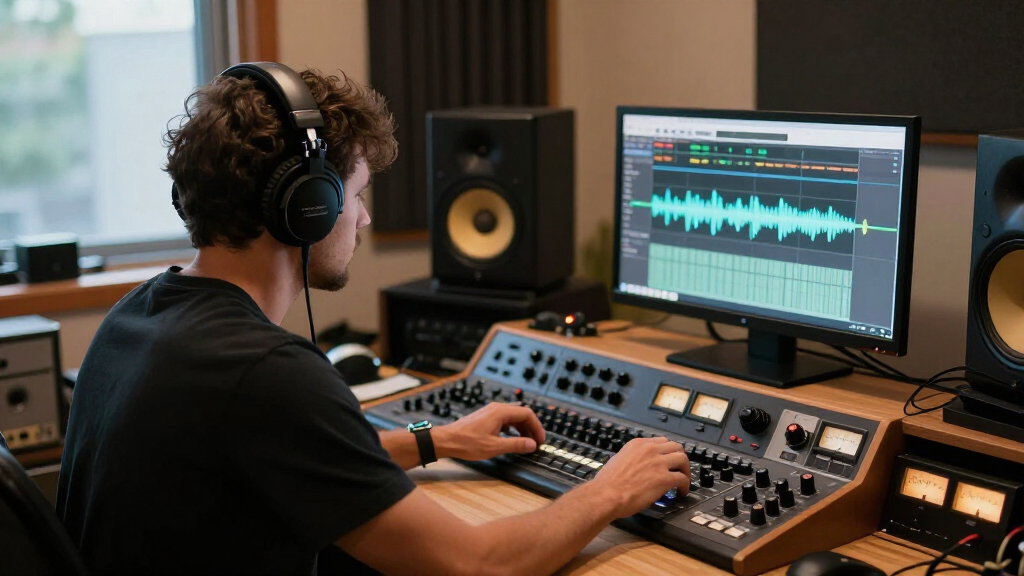

Choose and set up studio headphones for music production by matching their design and connection to your workspace, then checking fit and sound before a session. This guide is for beginners setting up a home or project studio. Allow 30-60 minutes to compare options, connect your headphones, and test them with familiar audio.

Get audio and creator gear delivered free with Prime
- Fast, free delivery on millions of items
- Prime Video, Amazon Music and more included
- Member-only deals all year

Audio-Technica ATH-M50x Professional Studio Monitor Headphones, Black
- ✔ Driver size: 45 mm
- ✔ Driver type: Dynamic
- ✔ Frequency response: 20 Hz–28,000 Hz

Sony MDR-7506 Professional Studio Headphones
- ✔ Driver size: 40 mm
- ✔ Frequency response: 10 Hz–20 kHz
- ✔ Connectivity: Wired

Audio-Technica ATH-M20x Professional Studio Monitor Headphones
- ✔ Driver size: 40 mm
- ✔ Driver type: Dynamic
- ✔ Frequency response: 15–20,000 Hz
Difficulty: Beginner | Time: 30-60 minutes
What You’ll Need
Tools & Materials:
- A phone, computer, or audio interface with a headphone output
- A few familiar, well-recorded music tracks
- A notes app or paper for comparing headphone options
Knowledge:
- Basic ability to connect headphones to an audio device
- Awareness of where you will produce and how long typical sessions last
Set a budget before shopping. If you plan to plug into an audio interface, check its specifications and available headphone connector before choosing a model. Product specifications and return policies vary, so check the current details from the seller or manufacturer.
Audio-Technica ATH-M50x Professional Studio Monitor Headphones, Black
The ATH-M50x is our best all-round fit for producers whose sessions move between editing, tracking, and monitoring at a desk. Its 90-degree swiveling earcups make one-ear monitoring more convenient, a meaningful difference when we need to hear a performer or communicate without removing the headphones entirely. Compared with the ATH-M20x, it offers more explicit workflow flexibility, and its detachable cable is easier to replace or pack separately than the fixed cords on the other two picks.Audio-Technica specifies 45 mm dynamic drivers and describes their sound as clear across an extended range, with deep, accurate bass. That is a useful starting point for production, but it does not tell us how every mix will translate; we should still cross-check low-end and balance decisions on other playback systems. The circumaural, sound-isolating cups are suited to tracking where reducing outside noise and audio bleed matters. The Sony MDR-7506 also offers closed-ear monitoring and a foldable design, so it may be more convenient to stow, while the M50x is the more adjustable tool for hands-on session work.Its limitations are straightforward: the connection is wired, and the listed build is not water resistant, so it is not a rugged choice for wet or rough environments. The description also does not include a case among the listed features. Choose it when cable flexibility and one-ear monitoring matter more than folding compactly for storage.
Pros:
- 45 mm dynamic drivers with a stated 20 Hz–28,000 Hz frequency response.
- 90-degree swiveling earcups support one-ear monitoring.
- Detachable cable is convenient to replace or store.
- Circumaural, sound-isolating fit is suited to tracking environments.
Cons:
- Wired listening limits movement away from the production setup.
- Not water resistant, so it is less suited to wet or demanding outdoor use.
- The listed product details do not include a storage case.
Best for: Producers and recording engineers who want a versatile wired pair for tracking, editing, and one-ear monitoring.
Not ideal for: People who need wireless freedom, water resistance, or a clearly documented foldable design for frequent travel.
Bottom line: We recommend the ATH-M50x for producers who value flexible monitoring and a replaceable cable more than compact storage.
“We recommend the ATH-M50x for producers who value flexible monitoring and a replaceable cable more than compact storage.”
Sony MDR-7506 Professional Studio Headphones
The Sony MDR-7506 earns its place for producers who need closed-ear monitoring in a package that is easier to put away. It folds for storage and includes a soft case, giving it a practical advantage over the ATH-M20x and a clearer travel-friendly setup than the M50x details describe. Its 9.8-foot cord also provides room to work around a desk or recording position without relying on a short lead.For studio monitoring, the closed-ear design is intended to reduce external noise, while the stated 10 Hz–20 kHz response describes its frequency range. We should not infer mix accuracy from that range alone. Compared with the M50x, the Sony gives up detachable-cable convenience and 90-degree cup rotation; compared with the M20x, it adds a foldable design and included storage case. Those are concrete differences for producers who carry headphones between a home setup, rehearsal space, or recording room.The non-detachable cord is the biggest studio drawback: if it is damaged, replacement is less convenient than swapping the M50x cable. It is also wired, like both Audio-Technica options, so it will not suit untethered listening. The MDR-7506 makes most sense when packability and a familiar closed-back setup are more important than modular cable handling or one-ear monitoring.
Pros:
- Closed-ear design is intended to reduce external noise.
- Folds for storage and includes a soft case.
- Long 9.8-foot cord works well at a studio desk.
- Includes a 1/4-inch adapter for studio connections.
Cons:
- The 9.8-foot cord is not detachable.
- No wireless connectivity.
- Does not list the M50x’s 90-degree earcup rotation.
Best for: Home producers and recording musicians who want foldable wired headphones with a case for moving between workspaces.
Not ideal for: Users who want a replaceable cable, wireless playback, or swiveling cups for one-ear monitoring.
Bottom line: We would choose the MDR-7506 when foldable storage and an included case matter more than a detachable cable.
“We would choose the MDR-7506 when foldable storage and an included case matter more than a detachable cable.”
Audio-Technica ATH-M20x Professional Studio Monitor Headphones
The ATH-M20x is the most straightforward option in this group for tracking and focused monitoring. Its circumaural earcups are designed to provide sound isolation and help minimize audio bleed, making that fit relevant when recording near a microphone. The single-side cable exit also keeps the lead routed from one side, which can make a fixed studio setup feel less cluttered.Its 40 mm drivers are tuned for enhanced low-frequency performance, according to the supplied description. That can make the M20x appealing to producers who want a dedicated wired pair for monitoring, but it does not establish how reliably bass or other mix choices translate elsewhere. Compared with the ATH-M50x, the M20x has a simpler feature set: there is no listed swiveling earcup for one-ear monitoring and no detachable cable. Against the Sony MDR-7506, it also lacks the specified foldable design and included soft case, although both are closed or isolation-focused wired options for studio work.The M20x may be the sensible match when our priority is a basic tracking headphone rather than a more adaptable session tool. Its 9.8-foot cable is fixed, which can complicate replacement or storage, and a wired connection limits movement. Its description also centers on monitoring, tracking, and mixing; buyers seeking wireless everyday listening should look elsewhere. We place it third because the other two offer more clearly stated conveniences for varied production workflows.
Pros:
- 40 mm drivers tuned for enhanced low-frequency performance.
- Circumaural earcups are designed to provide sound isolation and minimize audio bleed.
- Single-side cable exit suits a fixed studio setup.
- Suspension headband and durable materials are designed for extended use.
Cons:
- Wired design limits movement away from the source.
- No detachable cable is listed, unlike the ATH-M50x.
- No foldable design or included case is specified, unlike the Sony.
Best for: Newer producers or musicians who need a dedicated, isolation-focused wired pair for tracking and monitoring.
Not ideal for: Producers who frequently monitor with one ear, need a detachable cable, or want foldable storage with a case.
Bottom line: We recommend the ATH-M20x for focused tracking when isolation matters more than one-ear monitoring or portable storage.
“We recommend the ATH-M20x for focused tracking when isolation matters more than one-ear monitoring or portable storage.”
As an Amazon Associate we earn from qualifying purchases.
Before You Start
Decide where and how you will use the headphones. Your room, other people nearby, and whether you record microphones affect which design will suit you. Closed-back headphones usually keep more sound in and block some outside noise, while open-back headphones allow air and sound through the ear cups. Neither design makes a mix automatically accurate: use headphones as one monitoring reference and compare important decisions on other playback systems when you can.
Keep listening at a comfortable, moderate level. Long sessions at high volume can fatigue your ears, making it harder to judge balance. Do not choose headphones only by brand claims or a frequency-response graph; comfort, fit, and your ability to hear familiar details matter in daily use.
Step-by-Step Instructions
Step 1: Set your budget and use case
Write down your spending limit and the main jobs the headphones need to handle, such as editing, mixing, recording, or general production. Note whether you work in a shared room, need to avoid sound leaking into a microphone, or need to hear outside noise. Use these needs to narrow your options before comparing products.
Tip:Leave room in your budget for an adapter or replacement cable if the headphone model requires one.
Check: You have a clear price range and a short list of practical requirements.
Step 2: Choose a headphone design
Choose closed-back headphones if you record with a nearby microphone, share a room, or need to reduce sound leakage. Choose open-back headphones if you work in a quiet space and prefer a less enclosed listening feel. Check whether the headphones are over-ear or on-ear, and favor a fit that fully covers your ears without pressing uncomfortably.
Tip:Open-back headphones do not isolate you from room noise, and people nearby can hear what you play through them.
Check: The design matches your room and recording needs, and you know whether leakage or isolation could be an issue.
Step 3: Check fit, build, and service details
Try the headphones if possible, or confirm the seller’s return period before ordering. Check the headband adjustment, ear-pad space, weight, and cable position. Look up whether the cable and ear pads can be replaced, especially if you expect frequent use. Wear the headphones for several minutes to spot pressure on your head, jaw, or glasses.
Tip:Comfort can change over a long session. A quick try-on helps, but use the return window to assess real working sessions.
Check: The headphones fit without sharp pressure, and you know how to return or service them if they do not suit you.
Step 4: Confirm the connection will work
Check the headphone plug and your device’s output. Many models use a small 3.5 mm plug and include a larger 6.35 mm adapter; some use other connectors or a removable cable. If your headphones have high impedance or your device’s headphone output is weak, check the manufacturer or interface specifications for compatibility. Use the headphone output, not a line output, unless the device documentation says otherwise.
Tip:A headphone amplifier is not automatically needed. Add one only if the device cannot reach a comfortable listening level cleanly.
Check: You have the right connector or adapter, and your playback device can drive the headphones at a comfortable level.
Step 5: Compare sound with familiar tracks
Listen to several recordings you know well, including music with clear vocals, bass, and cymbals. Keep the level similar between headphones when comparing them. Listen for whether vocals and instruments are easy to follow, whether bass notes remain distinct, and whether high frequencies become tiring. Record observations rather than choosing based on loudness alone.
Tip:Small volume differences can make one pair seem more detailed or impressive. Lower the louder pair before making a comparison.
Check: You can describe how each option presents familiar sounds and have identified a pair you can listen to comfortably.
Step 6: Connect and set a safe listening level
Turn the device’s headphone volume down, connect the headphones securely, and start familiar audio at a low level. Raise the volume gradually until details are clear without needing to strain. Check that left and right channels work and that the cable does not crackle when moved gently. Keep the level comfortable throughout the session.
Tip:Unplug before changing adapters or cables. Do not force a connector that does not fit.
Check: Audio plays in both ears without crackling, and you can hear details at a comfortable level.
Step 7: Test them in your production workflow
Use the headphones for a short editing or mixing task with a familiar project. Check whether you can locate clicks, cuts, background noise, and level changes without discomfort. If recording a microphone, monitor the live input and check whether headphone sound leaks into the recording. Save your notes about what is easy or difficult to hear.
Tip:Do not assume a headphone mix will translate perfectly to speakers. Check key balances on another playback system when available.
Check: You can complete a real task, monitor without distractions, and identify any leakage or comfort problems.
Step 8: Plan cross-checks and care
Keep a familiar reference track and compare important mix decisions on speakers, earbuds, or another known playback system when possible. Store the headphones where the cable will not be sharply bent, wipe the pads as directed by the manufacturer, and replace worn pads or cables with compatible parts. Recheck fit and sound after replacing ear pads.
Tip:New pads can change the seal and perceived bass, so avoid judging a revised setup against old notes without listening again.
Check: You have a repeatable listening reference, a way to cross-check mixes, and a basic care routine.
Common Mistakes to Avoid
- Choosing headphones from specifications or popularity alone. — Check fit, connection compatibility, and familiar-track playback, and use the return policy if the headphones do not work for your sessions.
- Using open-back headphones near a recording microphone or in a noisy shared room. — Choose closed-back headphones when leakage or outside noise could interfere with recording or focused listening.
- Listening too loudly during long sessions. — Start with the volume low, raise it only enough to hear details, and take breaks when your ears feel tired.
- Treating headphone playback as the only reference for a mix. — Check important balances on another familiar system when possible and make a note of how your headphones tend to present sound.
Troubleshooting
Problem: The headphones sound too quiet even with the volume raised.
Solution: Check that the plug is fully seated, the correct output is selected, and the source volume is not muted or limited. Confirm the device can drive the headphone model; consult its specifications if the level remains too low.
Problem: One ear is silent or the sound cuts out.
Solution: Lower the volume, reseat the connector, and check the cable and adapter for damage. Test with another audio source if available. Replace a faulty removable cable or adapter with a compatible part.
Problem: The sound leaks into a microphone recording.
Solution: Lower the monitoring volume and reseat the ear cups. If leakage continues, use closed-back headphones and position the microphone to reduce pickup from the ear cups.
Problem: Your ears or head become uncomfortable during a session.
Solution: Take a break and check headband adjustment, ear-pad position, and pressure against glasses. Try a different fit or model if discomfort returns; do not keep listening through pain.
What Success Looks Like
Your headphones connect securely, play clear audio in both channels at a comfortable level, and remain wearable during your usual work. Their design fits your room and recording needs. You can use familiar tracks to make consistent listening checks, notice any leakage or connection problems, and compare key mix decisions on another playback system when available.
Next Steps
Use the headphones on a few sessions before relying on them for fine mix decisions. Keep notes on how familiar tracks sound, then compare completed mixes on speakers or other playback devices. Clean and store the headphones according to the manufacturer’s instructions, and replace worn pads or cables with compatible parts. If you hear persistent distortion or discomfort, stop and check the connection, fit, and device specifications.
Frequently Asked Questions
Are open-back or closed-back headphones better for music production?
Choose based on your space and work. Closed-back headphones reduce sound leakage and outside noise, which helps when recording near a microphone. Open-back models let more room sound in and headphone audio out, so they suit quiet spaces where leakage is not a problem.
Can I mix a track using only studio headphones?
You can make production and mixing decisions with headphones, but check important balances on another playback system when available. A mix that sounds balanced on one pair may present bass, stereo width, or effects differently elsewhere.
Do I need a headphone amplifier?
Only if your audio device cannot drive your headphones to a comfortable level cleanly. Check the device and headphone specifications before buying extra equipment.
What impedance should I choose?
Impedance alone does not determine sound quality or compatibility. Check whether your audio interface, computer, or headphone amplifier can drive the specific model to a suitable level, and ask the manufacturer if the specifications are unclear.
How should I check that the headphones are working correctly?
Play a familiar recording at a comfortable level and confirm that both channels work without crackling or dropouts. Then use the headphones for a short production task and check for fit, leakage, and listening fatigue.