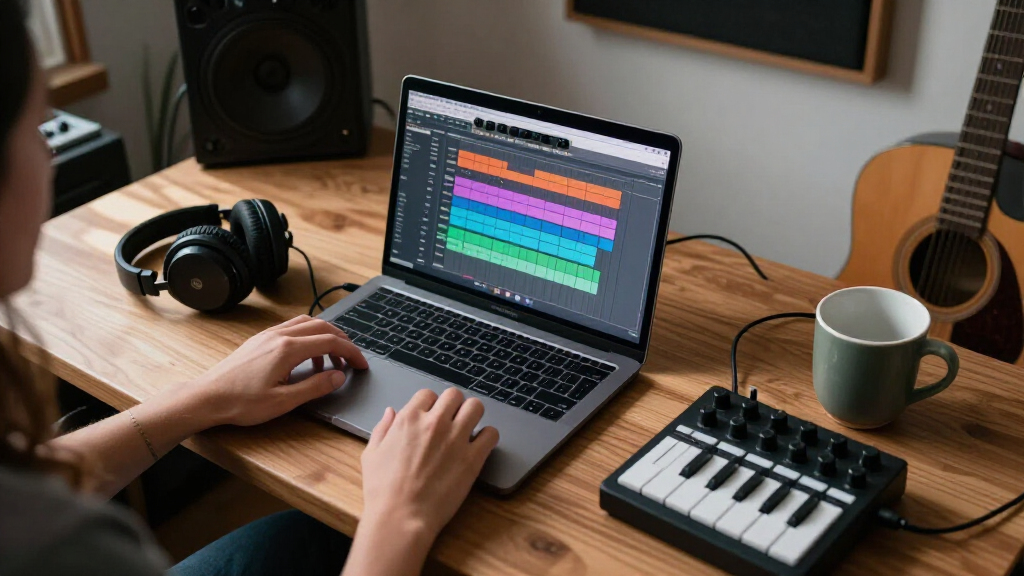

Choosing audio editing software often comes down to a practical question: will a capable free editor handle your work, or will a paid production environment save enough time to justify its ongoing cost? Audacity and Adobe Audition are compared because both can record, edit, clean up, and export audio, but they suit different workloads. Audacity is free and open source, and its current feature set reaches well beyond basic trimming. Adobe Audition costs extra but combines waveform, multitrack, and spectral editing in a workflow aimed at repeat production and detailed repair. Choose Audacity for straightforward podcasts, voice recordings, and file edits; consider Audition when you regularly manage layered sessions, repair difficult audio, or work alongside Adobe video software.

Get audio and creator gear delivered free — and shop member deals
- Fast, free delivery on millions of items
- Access to Prime Big Deal Days deals on October 6–7
- Prime Video, Amazon Music and more included

WavePad Audio Editing Software
- ✔ Supported formats: WAV, MP3, VOX, GSM, WMA, RealAudio, AU, AIFF, FLAC, OGG, and more
- ✔ Editing functions: Cut, copy, paste, delete, insert, silence, auto-trim
- ✔ Audio effects: Echo, amplification, noise reduction, normalize, equalizer, envelope, reverb, reverse

SOUND FORGE Audio Studio 16 Audio Editing Software for Windows 10/11
- ✔ Platform: Windows 10/11
- ✔ Processor: 1.4 GHz, 64-bit
- ✔ Memory: 512 MB RAM

Sony Sound Forge Audio Studio 10 (Download)
- ✔ Format: Download
- ✔ Built-in effects: More than 30
- ✔ Functions: Record and edit audio
At a Glance
| Criteria | Audacity | Adobe Audition | Winner |
|---|---|---|---|
| Cost | Free and open source | Subscription; Adobe lists an annual plan billed monthly at US$22.99 per month | A |
| Editing workflow | Everyday cutting, arranging, recording, and exporting | Waveform, multitrack, and spectral views in one paid application | B |
| Multitrack production | Supports multitrack projects; suitable for many podcasts and smaller productions | Strong fit for layered sessions, repeat mixes, and production work | B |
| Audio repair | Noise reduction, spectral tools, and effects cover common cleanup | Detailed waveform and spectral tools for focused repair | B |
| Effects and plugins | Built-in effects plus third-party plugin support | Integrated effects and support for expanded production workflows | B |
| Video workflow | Can prepare audio for video, but has no comparable Premiere Pro integration | Directly fits Adobe’s Premiere Pro workflow | B |
| Learning and setup | Accessible for basic jobs; larger plugin setups and complex projects take more learning | More controls to learn, with value improving as work becomes routine | A |
WavePad Audio Editing Software
WavePad is the strongest all-round choice in this comparison when our projects involve varied source files and routine edits. Its listed support spans formats such as WAV, MP3, FLAC, OGG, AIFF, and more, so we can work with common audio files without making format compatibility the first hurdle. That flexibility distinguishes it from the Sound Forge listings, whose supplied details emphasize recording and transferring analog media rather than naming an equivalent breadth of formats.The editing toolkit covers the everyday work of shaping a recording: we can cut, paste, silence, auto-trim, normalize, reduce noise, and apply effects such as equalization, reverb, and echo. VST support adds another route to expand the available tools, which is useful when built-in processing is not enough. Compared with Audio Studio 10’s stated collection of more than 30 built-in effects, WavePad makes extensibility a more visible part of its appeal.Its main limitation is that the supplied product details do not specify platform requirements or describe a dedicated restoration-to-mastering workflow like Audio Studio 16 does. We should verify compatibility and the particular features we need before committing. WavePad makes the most sense for editors who value format range and adaptable everyday tools; it is less compelling for buyers specifically seeking a clearly described, integrated analog restoration and mastering package.
Pros:
- Supports a wide selection of common audio formats.
- Includes practical editing commands such as cut, silence, and auto-trim.
- Offers effects including noise reduction, equalization, and normalization.
- VST support can extend the available processing tools.
Cons:
- The supplied details do not state system requirements or supported platforms.
- A dedicated mastering and analog restoration workflow is not specified in the description.
Best for: Editors who work with varied audio formats and want common editing tools plus VST plugin support.
Not ideal for: Buyers who need clearly documented Windows system requirements or prioritize a bundled restoration and mastering workflow.
Bottom line: WavePad is our most versatile pick for everyday editing when format compatibility and plugin flexibility matter most.
“WavePad is our most versatile pick for everyday editing when format compatibility and plugin flexibility matter most.”
SOUND FORGE Audio Studio 16 Audio Editing Software for Windows 10/11
SOUND FORGE Audio Studio 16 stands out for buyers who want a defined Windows workflow that reaches beyond basic editing. Its described tools cover recording, editing, effects, restoration, and mastering, which makes it a more complete fit for taking audio from capture through finishing than the more edit-focused WavePad listing. It also supports digitizing vinyl and cassette recordings, giving it a practical role for preserving existing media.That breadth comes with a tighter platform and setup fit. The software is specified for Windows 10/11, and registration, validation, and some functions require an internet connection. Its stated hardware requirements are modest, but the internal sound card and connectivity conditions still matter when we are setting up an offline workstation. WavePad may be preferable if we value format breadth and VST expansion more than an expressly described restoration and mastering suite.Compared with Audio Studio 10, version 16 has a clearer feature picture: restoration and mastering are named, and the listing states current Windows compatibility details. The tradeoff is that we should not assume support for other operating systems or fully offline use. This edition is best for Windows users handling recordings from capture to cleanup and finish, especially where analog transfers are part of the job.
Pros:
- Combines recording, editing, restoration, and mastering tools.
- Supports digitizing vinyl and cassette recordings.
- Includes professional effects and audio resampling.
- Lists compatibility and minimum system requirements for Windows 10/11.
Cons:
- Windows only, according to the supplied requirements.
- Internet access is required for registration, validation, and some functions.
- Its described workflow is broader, but the supplied details do not list format support as extensively as WavePad.
Best for: Windows 10/11 users who record audio, clean up vinyl or cassette transfers, and want editing and mastering tools in one product.
Not ideal for: Mac or Linux users, and anyone who needs registration and all functions to work without internet access.
Bottom line: Audio Studio 16 is the clearest choice for Windows users who want analog restoration and mastering alongside recording and editing.
“Audio Studio 16 is the clearest choice for Windows users who want analog restoration and mastering alongside recording and editing.”
Sony Sound Forge Audio Studio 10 (Download)
Sound Forge Audio Studio 10 is a focused option for recording and editing audio, with more than 30 built-in effects and tools for transferring records and tapes to digital audio. That makes it a natural fit when our priority is a direct path from older media to editable files, or when we want effects included without relying on the VST route that helps distinguish WavePad.The listing provides less workflow detail than Audio Studio 16. It confirms recording, editing, effects, and analog transfers, but does not specify restoration or mastering tools, supported formats, or system requirements. We should therefore choose it for the capabilities explicitly listed rather than assume it matches the broader workflow of the newer edition. Audio Studio 16 is the safer match when restoration and mastering are central; WavePad is more attractive when we need broad format support and plugin flexibility.Its relative simplicity may suit someone who wants a download centered on core audio tasks, but the limited specification detail makes compatibility an important point to check. This is the most narrowly described pick in our lineup, and that is also its main drawback. It makes sense for recording, basic editing, built-in effects, and tape or record transfers when those stated functions cover the project.
Pros:
- Includes more than 30 built-in effects and tools.
- Supports recording and audio editing.
- Can transfer records and tapes to digital audio.
- Download format avoids a physical media requirement.
Cons:
- The supplied product details do not specify supported operating systems or hardware requirements.
- Restoration and mastering capabilities are not stated.
- Format support is not detailed, making compatibility harder to assess than with WavePad.
Best for: Listeners or hobby editors who want to record and edit audio, apply built-in effects, and transfer records or tapes to digital files.
Not ideal for: Buyers who need confirmed current operating-system requirements, extensive format documentation, or explicitly listed restoration and mastering tools.
Bottom line: Audio Studio 10 is a straightforward fit for core editing and analog transfers, provided its unspecified compatibility details meet our needs.
“Audio Studio 10 is a straightforward fit for core editing and analog transfers, provided its unspecified compatibility details meet our needs.”
As an Amazon Associate we earn from qualifying purchases.
Key Differences
The strongest difference is the economics of a repeated workflow. Audacity costs nothing to use, and it can record, cut, arrange, process, and export work that sounds finished. A creator who edits one voice track, removes pauses, applies basic cleanup, and adds an intro may get everything needed without a subscription. Audition’s fee buys a more unified set of production tools, especially for editors who move among multitrack sessions, waveform repair, and Adobe video work. That advantage matters when it reduces repeated steps; it matters much less when the job is a simple edit.
Audition has the edge in control and production depth, while Audacity has the edge in access and low commitment. Audacity has grown beyond a bare-bones editor, with non-destructive editing and realtime effects among its capabilities, so the comparison is not “professional versus unusable.” Still, Audition is the stronger choice for people who spend substantial time mixing several sources or repairing audio in detail. The practical question is whether those tools save enough time or expand the work you can deliver to cover the subscription.
Neither program is the obvious choice for every music producer. Audition is not a replacement for a full music-production environment when the central need is MIDI composition and virtual instruments; Audacity also lacks those traditional DAW features. For dialogue editing, podcasts, voice-over, and sound cleanup, both can work. The distinction is how often the project becomes complex and how valuable it is to keep editing, repair, and video work in a single established workflow.
Detailed Comparison
Cost (Audacity wins — major)
Audacity wins by a major margin on direct cost. It is free and open source, so a learner, occasional editor, or small organization can use it without committing to recurring software spend. Adobe lists Audition at US$22.99 per month on an annual plan billed monthly. That fee can make sense for a working editor whose time savings exceed the subscription, but it is hard to justify for a few basic edits each month. For a current price check, see the Adobe Audition page and Audacity’s official site.
Editing workflow (Adobe Audition wins — moderate)
Audition wins by a moderate margin for editors who switch between different kinds of work. Its waveform, multitrack, and spectral views support distinct editing tasks within one application. Audacity handles common recording and editing comfortably, and its capabilities now include non-destructive editing and realtime effects, but its appeal remains strongest when the task is direct and contained. A solo podcaster cleaning and assembling a single recording may notice little difference; someone moving between detailed file repair and a layered mix is more likely to value Audition’s integrated workflow. Adobe describes these views on its Audition product page.
Multitrack production (Adobe Audition wins — moderate)
Audition wins by a moderate margin for busy or repeatable sessions. Both applications can handle multiple tracks, so Audacity is a reasonable choice for a host, guest, music bed, and a few effects. Audition is better suited to layered work where several sources need ongoing adjustment, mixing, or revision. That difference affects project management and editing pace more than the sound quality of a simple finished file. For one-off projects with just a few tracks, the gap may be minor; for recurring productions with many elements, it grows.
Audio repair (Adobe Audition wins — moderate)
Audition wins by a moderate margin when repair demands are high. Audacity supplies useful noise reduction, repair effects, and spectral tools, enough for many ordinary recording problems. Audition’s detailed waveform and spectral workflow is a stronger fit when an editor repeatedly needs precise cleanup and control. Neither can make a poor recording flawless, and occasional hiss or a clipped pause does not by itself justify paying for Audition. The difference becomes meaningful when intricate repairs are routine and the extra control cuts editing time.
Effects and plugins (Adobe Audition wins — minor)
Audition wins by a minor-to-moderate margin for a ready production setup. Audacity includes effects for common jobs and accepts third-party plugins, including realtime effects. Its official documentation notes that some effects run live while others alter selected audio, so users should understand which workflow they are applying. Audition’s integrated paid environment can be more convenient for editors who want a consistent production toolset, but plugin access does not automatically improve a mix. Audacity is sufficient if its built-in processing and a few compatible plugins meet the task. See Audacity’s effects documentation.
Video workflow (Adobe Audition wins — major)
Audition wins by a major margin for Adobe video editors. Adobe positions Audition as a companion to Premiere Pro, which makes it a more natural option when audio and video projects share an Adobe workflow. Audacity can still edit a soundtrack or voice track that will later be placed in a video, but that is a simpler handoff rather than an integrated production setup. If video is central to paid work and Premiere is already part of the workflow, Audition’s fee may buy practical convenience. If audio is exported as a finished file and used elsewhere, this advantage shrinks.
Learning and setup (Audacity wins — minor)
Audacity wins by a minor margin for a new user starting with basic edits. It lets people get recording and cutting without first choosing a subscription or building a large production setup. Both applications require practice to use well, and Audacity’s deeper editing options can still take time to learn. Audition offers more control, but the extra panels and workflow concepts can feel unnecessary when all a user needs is clean speech and an export. Beginners should start with the tool that fits their immediate work, then move up only when a real limitation appears.
Audacity: Pros and Cons
Pros:
- Free, open source, and suitable for common recording and editing work.
- Useful noise reduction, spectral tools, and audio effects are available.
- Works with third-party plugins, including supported realtime effects.
Cons:
- Less suited to demanding, repeatable production workflows than Audition.
- Does not provide Audition’s close fit with Premiere Pro.
- Not a full music-production DAW for MIDI composition and virtual instruments.
Adobe Audition: Pros and Cons
Pros:
- Brings waveform, multitrack, and spectral editing into one workflow.
- Better suited to complex sessions and detailed audio repair.
- A natural fit for editors working with Premiere Pro.
Cons:
- The subscription creates an ongoing cost, even during quieter months.
- The additional tools can add complexity to simple jobs.
- Not a substitute for every music-production DAW workflow.
Who Should Choose What
Choose Audacity if:
- You edit a podcast, interview, narration, or other audio occasionally and want to keep costs at zero.
- Your typical task is trimming, arranging, basic cleanup, and exporting a finished file.
- You are learning audio editing and want to discover your actual workflow needs before paying.
Choose Adobe Audition if:
- You edit audio regularly and detailed repair or complex multitrack work is part of the job.
- You already use Premiere Pro and want audio editing to fit that production workflow.
- The time saved by a unified set of editing tools is worth more to you than the monthly fee.
Skip both if: Your main goal is composing music with MIDI, virtual instruments, and a full production environment; compare dedicated DAWs instead.
Value for Money
Audacity is the better value for most occasional editors because it can complete common work without a subscription. “Free” only counts as good value if the workflow fits, but for trimming speech, cleaning ordinary background noise, arranging a few tracks, and exporting a file, Audacity is capable enough that paying for Audition may add little practical benefit. Its open-source model also makes it easy to keep using without weighing whether a project justifies another month of software spend.
Audition is worth paying for when the subscription supports regular work rather than a hypothetical future need. Editors who frequently repair audio, manage larger multitrack sessions, or move material through Premiere Pro are the clearest candidates. Their value comes from tool integration and time saved across repeated tasks. If the software saves even a modest amount of billable editing time each month, the fee can be reasonable. If it mainly provides options you rarely touch, Audacity is the stronger buy: it costs nothing and already handles many real projects.
Final Verdict
Start with Audacity unless you can name a recurring limitation that Audition solves. Audacity is the clear recommendation for students, hobbyists, independent podcasters, and anyone editing straightforward audio on a budget. It offers enough range for a substantial amount of everyday work without a recurring bill.
Choose Adobe Audition if your work regularly involves layered productions, detailed repair, or Premiere Pro. Its subscription is justified for editors who use those strengths often enough to save time or deliver work more efficiently. The deciding factor is workflow complexity: for occasional cleanup and assembly, Audacity wins on value; for sustained production with more demanding editing needs, Audition is the stronger professional tool.
Frequently Asked Questions
Is Audacity good enough for podcast editing?
Yes, for many solo and small-team podcasts. It can record, edit, clean up, arrange tracks, and export finished audio. Audition is a better fit if episodes involve complex mixes, frequent detailed repair, or a recurring Premiere Pro workflow.
Is Adobe Audition worth paying for over Audacity?
It is worth paying for when you use its production depth regularly: detailed repair, layered sessions, or Adobe video integration. For occasional edits and routine voice cleanup, Audacity is usually the better value.
Which is better for beginners?
Audacity is the more practical starting point for basic recording and editing because it is free and covers common tasks. Audition may suit a beginner who already has access to Adobe software and plans to learn a professional production workflow.
Can either program produce professional sounding audio?
Both can produce polished results. The recording, editing choices, and mixing matter more than the application name. Audition offers more control for demanding workflows, while Audacity is capable of clean, finished work for many spoken-word and basic audio projects.
Fall Picks
fall essentials
As an affiliate, we earn on qualifying purchases.