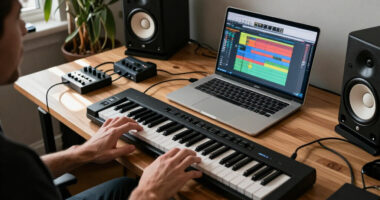
For most home studios, I’d start with the JBL Professional 305P MkII: its 5-inch format and room-control options make it a flexible mixing reference, though it is sold as a single speaker. The PreSonus Eris E5 is a strong alternative for buyers who want a larger near-field monitor, while the PreSonus Eris 3.5 suits tight desks and smaller budgets. The main tradeoffs are bass extension versus desktop space, mixing focus versus convenient Bluetooth playback, and buying a matched pair versus a single monitor. Room size and listening position matter as much as headline power, especially when low frequencies build up near walls. Read on for the full breakdown and a guide to choosing monitors that fit your setup.

Get audio and creator gear delivered free with Prime
- Fast, free delivery on millions of items
- Prime Video, Amazon Music and more included
- Member-only deals all year
Complete the kit



Key Takeaways
- The JBL 305P MkII leads for adaptable mixing: its 5-inch design and room-control features give it a broader studio role than the small desktop pairs, but you must account for its single-speaker listing.
- Pair configuration changes the real comparison: many options are sold as stereo pairs, while the JBL 305P MkII and PreSonus Eris E5 listings are single monitors, so buyers should check how many units they need.
- Compact monitors trade low-end reach for desk-friendly placement: the M-Audio BX3, Mackie CR3.5, and PreSonus Eris 3.5 fit small workspaces better than larger models, but their size limits bass confidence.
- Bluetooth points to a different priority: the Ortizan C7 Bluetooth version and Edifier R1700BT models suit mixed listening and playback convenience, while dedicated studio-oriented models are the clearer fit when mixing translation is the main goal.
- Edifier’s MR lineup offers several size and output steps: MR3, MR4.5, and MR5 let buyers compare compactness with greater driver size and power without treating bookshelf connectivity features as a substitute for room acoustics.
| JBL Professional 305P MkII 5-Inch Powered Studio Monitor Speaker, Single, Black |  | Best for Focused Mixing | Configuration: Single powered monitor | Woofer: 5 inches | Amplifier power: 82 watts | VIEW LATEST PRICE | See Our Full Breakdown |
| Ortizan C7 Powered Studio Monitor Speakers, Pair, White |  | Best for Connected Desktop Setups | Configuration: Powered pair | Mid-bass driver: 3.5-inch carbon fiber | Tweeter: 0.75-inch silk dome | VIEW LATEST PRICE | See Our Full Breakdown |
| Ortizan C7 Powered Studio Monitor Speakers, Pair, Bluetooth 5.3, Black |  | Best Compact Pair for Mixed Use | Configuration: Powered pair | Drivers: 3.5-inch carbon-fiber mid-bass drivers and 0.75-inch silk-dome tweeters | Inputs: USB, RCA, 3.5 mm AUX, 6.35 mm TRS | VIEW LATEST PRICE | See Our Full Breakdown |
| Edifier MR3 Powered Studio Monitor Speakers |  | Best for Adjustable Desktop Monitoring | Channels: 2 | RMS output: 18 W × 2 | Maximum output power: 42 W | VIEW LATEST PRICE | See Our Full Breakdown |
| Edifier MR5 2.0 Studio Monitor Bookshelf Speakers, 110W RMS, Black |  | Best Premium Mixing Feature Set | Configuration: 2.0 stereo bookshelf monitors | RMS power: 110 watts | Frequency response: 46 Hz–40 kHz | VIEW LATEST PRICE | See Our Full Breakdown |
| Yamaha HS4 Powered Studio Monitors, Black, Pair |  | Best Compact Mixing Pair | Configuration: Powered 2-way stereo pair | Woofer: 4.5-inch cone | Tweeter: 1-inch dome | VIEW LATEST PRICE | See Our Full Breakdown |
| M-Audio BX3 3.5-Inch Wired Studio Monitor Speakers, Pair |  | Best Desktop Starter Pair | Configuration: Powered stereo monitor pair | Woofer: 3.5-inch Kevlar | Tweeter: 1-inch silk dome | VIEW LATEST PRICE | See Our Full Breakdown |
| Mackie CR3.5 Studio Monitors (Pair), 3.5″ Woofers, Tone Knob, Black |  | Best for Flexible Desk and Room Listening | Configuration: Studio monitor pair | Woofer: 3.5 inches | Tweeter: 1 inch | VIEW LATEST PRICE | See Our Full Breakdown |
| Edifier MR4.5 Bi-Amped Studio Monitors, 80W RMS, White |  | Best Feature-Rich Mixing Pair | Configuration: Active stereo pair, bi-amped | Total power: 80 W RMS (30 W × 2 + 10 W × 2) | Woofer: 4.5 inches | VIEW LATEST PRICE | See Our Full Breakdown |
| PreSonus Eris 3.5 Powered Studio Monitors, Stereo Pair |  | Best for Adjustable Nearfield Setup | Configuration: Active near-field stereo pair | Amplification: 50 W | Woofer: 3.5-inch woven composite | VIEW LATEST PRICE | See Our Full Breakdown |
| Edifier R1700BT Bluetooth Bookshelf Speakers, 66 W RMS, White |  | Best for Casual Mixing and Everyday Listening | Speaker type: Powered bookshelf speakers | Audio output: Stereo | Maximum output power: 66 W | VIEW LATEST PRICE | See Our Full Breakdown |
| Edifier R1700BTs Bluetooth Bookshelf Speakers |  | Best for Flexible Desktop Connectivity | Speaker type: Bookshelf | Audio channels: 2.0 | Continuous power: 66 W | VIEW LATEST PRICE | See Our Full Breakdown |
| PreSonus Eris E5 2-Way 5.25″ Near-Field Studio Monitor |  | Best for Dedicated Near-Field Mixing | Speaker type: 2-way near-field studio monitor | Woofer diameter: 5.25 inches | Tweeter diameter: 1 inch | VIEW LATEST PRICE | See Our Full Breakdown |
| studio monitor speakers for mixing | Inputs | Configuration |
|---|---|---|
| JBL Professional 305P MkII 5-I | Balanced XLR and 1/4-inch TRS | Single powered monitor |
| Ortizan C7 Powered Studio Moni | USB, RCA, 3.5 mm AUX, 6.35 mm TRS | Powered pair |
| Ortizan C7 Powered Studio Moni | USB, RCA, 3.5 mm AUX, 6.35 mm TRS | Powered pair |
| Edifier MR3 Powered Studio Mon | Balanced TRS, RCA, AUX, Bluetooth | — |
| Edifier MR5 2.0 Studio Monitor | — | 2.0 stereo bookshelf monitors |
| Yamaha HS4 Powered Studio Moni | XLR/TRS combo, RCA, stereo mini | Powered 2-way stereo pair |
| M-Audio BX3 3.5-Inch Wired Stu | 1/4-inch, 1/8-inch, RCA | Powered stereo monitor pair |
| Mackie CR3.5 Studio Monitors | — | Studio monitor pair |
| Edifier MR4.5 Bi-Amped Studio | XLR, TRS, RCA, AUX | Active stereo pair, bi-amped |
| PreSonus Eris 3.5 Powered Stud | Balanced TRS, RCA, front-panel aux | Active near-field stereo pair |
| Edifier R1700BT Bluetooth Book | — | — |
| Edifier R1700BTs Bluetooth Boo | Dual RCA | — |
| PreSonus Eris E5 2-Way 5.25" N | Balanced XLR, ¼-inch, RCA | — |
More Details on Our Top Picks
JBL Professional 305P MkII 5-Inch Powered Studio Monitor Speaker, Single, Black
The JBL 305P MkII is the most mixing-focused pick here for buyers who want a conventional near-field monitor rather than a desktop speaker with extra playback features. Its 5-inch woofer and 82 watts of amplification give it a larger-driver foundation than the Ortizan C7 and Edifier MR3, whose 3.5-inch drivers are better suited to compact setups. The JBL’s wide listening sweet spot can help when you shift position while editing, and its boundary EQ offers a way to adjust low frequencies when the speaker sits near a wall. The tradeoff is that it is sold as one monitor, so stereo mixing requires buying a second unit. It also lacks the Bluetooth and USB conveniences offered by the C7 and MR3.
Pros:- 82 watts of integrated Class-D amplification
- Balanced XLR and 1/4-inch TRS inputs suit common studio connections
- Boundary EQ can help manage low-frequency buildup near walls
- Wide listening sweet spot supports off-axis listening
Cons:- Sold individually, so stereo monitoring requires two units
- Larger cabinet than the compact 3.5-inch Ortizan C7 and Edifier MR3
- No Bluetooth or USB audio input
Best for: Home-studio mixers who already own one matching monitor or want to build a pair gradually, and who can connect through balanced studio outputs.
Not ideal for: Buyers seeking a complete stereo pair in one purchase, Bluetooth playback, or a small desktop speaker with a minimal footprint.
- Configuration:Single powered monitor
- Woofer:5 inches
- Amplifier power:82 watts
- Inputs:Balanced XLR and 1/4-inch TRS
- Controls:Boundary EQ, input sensitivity switch, adjustable volume
- Dimensions:9.9 × 7.3 × 11.75 inches
- Weight:10.1 pounds
- Warranty:5 years
Our verdict“Choose the JBL 305P MkII for a more mixing-oriented 5-inch monitor and room-placement control if you are prepared to buy a second speaker for stereo.”
Ortizan C7 Powered Studio Monitor Speakers, Pair, White
The white Ortizan C7 pair suits a desktop studio where connecting several kinds of sources matters as much as mixing. It combines balanced TRS, USB, RCA, and AUX inputs with Bluetooth, so a computer, audio interface, and phone can share a compact speaker system without frequent cable changes. That flexibility sets it apart from the JBL 305P MkII, which has more conventional monitor connections and a larger 5-inch woofer but is sold as a single speaker. The C7’s 3.5-inch drivers keep the pair compact, but they are a real limitation for judging deep bass; mixes with substantial low end may need headphones or a subwoofer as a second reference. Choose this over the black C7 only if the white finish better suits your workspace.
Pros:- Stereo pair includes balanced TRS, USB, RCA, AUX, and Bluetooth connectivity
- Built-in 24-bit DAC supports USB audio from a computer
- Compact 3.5-inch driver design fits desktop work areas
- White finish offers an alternative to the black monitors in this group
Cons:- Small drivers may not reveal deep bass reliably
- No power output or frequency-response figures are supplied
- Bluetooth convenience adds a playback option but does not replace a wired mixing connection
Best for: Desktop producers and editors who want a compact stereo pair with USB, balanced TRS, and Bluetooth connections for both studio and everyday sources.
Not ideal for: Mixers who need confident deep-bass judgment from their main monitors or prefer a larger woofer and more established monitor-style setup.
- Configuration:Powered pair
- Mid-bass driver:3.5-inch carbon fiber
- Tweeter:0.75-inch silk dome
- Inputs:USB, RCA, 3.5 mm AUX, 6.35 mm TRS
- DAC:Built-in 24-bit
- Bluetooth:Version 5.3
- Bluetooth range:18 meters
- Color:White
Our verdict“Pick the white Ortizan C7 for a versatile desktop stereo pair, but use another reference for bass-heavy mixing decisions.”
Ortizan C7 Powered Studio Monitor Speakers, Pair, Bluetooth 5.3, Black
The black Ortizan C7 is a space-saving stereo pair for a small room where mixing shares desk space with gaming, video, or casual listening. It has the same useful input spread as the white C7—USB, balanced TRS, RCA, AUX, and Bluetooth—plus a headphone output for late sessions. Compared with the white C7, the meaningful difference is finish; both use 3.5-inch carbon-fiber mid-bass drivers and 0.75-inch silk-dome tweeters. Compared with the Edifier MR3, the C7 lists a broader stated Bluetooth range, while the MR3 provides specified output power, frequency response, and selectable listening modes that give buyers more documented information for mixing decisions. The Ortizan’s compact scale is convenient, but its unspecified power and frequency response make it harder to judge its limits from the supplied specifications.
Pros:- Multiple wired inputs plus Bluetooth 5.3 support different studio and personal devices
- Balanced TRS input can connect to audio equipment
- Headphone output supports private monitoring
- Compact stereo pair suits crowded desks
Cons:- No power output or frequency-response specifications are provided
- 3.5-inch drivers may limit bass extension for mix decisions
- No waterproofing is specified
Best for: Small-room creators who need a compact pair for basic editing and desktop production, with a headphone output and several device connections.
Not ideal for: Mixers who need documented frequency response and power specifications, or who rely on their monitors for detailed low-frequency decisions.
- Configuration:Powered pair
- Drivers:3.5-inch carbon-fiber mid-bass drivers and 0.75-inch silk-dome tweeters
- Inputs:USB, RCA, 3.5 mm AUX, 6.35 mm TRS
- Bluetooth:Version 5.3
- Headphone output:Yes
- Power source:Corded electric
- Color:Black
Our verdict“Choose the black Ortizan C7 when desk space and flexible connections matter more than detailed published performance data.”
Edifier MR3 Powered Studio Monitor Speakers
The Edifier MR3 gives compact desktop producers more ways to shape playback than the Ortizan C7, with Monitor, Music, and Custom modes plus app-based EQ. Those options are useful when the same pair handles mix checks and everyday listening, though mix decisions still call for a consistent reference setting. Its stated 52 Hz–40 kHz response and 18 watts RMS per speaker provide more performance detail than the C7 listing, while the 3.5-inch mid-low drivers keep the cabinets suited to smaller work areas. Compared with the JBL 305P MkII, the MR3 is a stereo pair with Bluetooth and consumer inputs, but its smaller drivers and lower per-speaker power make it less suited to buyers prioritizing larger near-field monitors. Its MDF cabinets and app controls add utility, not a substitute for careful placement.
Pros:- Selectable Monitor, Music, and Custom modes with app-based EQ
- Balanced TRS, RCA, AUX, Bluetooth, and headphone connections
- Published frequency response and RMS output help clarify its stated capabilities
- MDF cabinets suit indoor desktop and home-studio use
Cons:- 3.5-inch mid-low drivers offer limited bass compared with the JBL 305P MkII and Edifier MR5
- 18 watts RMS per speaker is less output than the MR5’s stated 110-watt system
- Bluetooth range is listed as 10 meters
Best for: Desktop editors and home-studio creators who want a compact stereo pair with defined listening modes, app EQ, and both studio and consumer inputs.
Not ideal for: Mixers needing stronger low-frequency coverage or a larger monitor platform for a room where 5-inch speakers can fit.
- Channels:2
- RMS output:18 W × 2
- Maximum output power:42 W
- Frequency response:52 Hz–40 kHz
- Drivers:3.5-inch mid-low drivers and 1-inch tweeters
- Inputs:Balanced TRS, RCA, AUX, Bluetooth
- Cabinet material:MDF
- Warranty:2 years
Our verdict“Pick the MR3 if you want compact monitors with adjustable listening modes and clearer published specs than the Ortizan C7.”
Edifier MR5 2.0 Studio Monitor Bookshelf Speakers, 110W RMS, Black
The Edifier MR5 is the most full-featured stereo option in this group for mixers who want more driver coverage and room adjustment without giving up Bluetooth. Its three-way design separates duties among a 5-inch woofer, 3.75-inch mid driver, and 1-inch tweeter; compared with the JBL 305P MkII’s single 5-inch woofer design, that arrangement is intended to give the midrange its own driver, while the JBL remains the more straightforward near-field choice. The MR5 also lists 46 Hz–40 kHz response, 110 watts RMS, balanced XLR and TRS inputs, and rear controls plus app presets for room tuning. Against the compact Edifier MR3, it offers more output and a larger low-frequency driver, but takes up more space. Bluetooth 6.0 with LDAC is convenient; for mixing, wired inputs remain the sensible reference.
Pros:- Three-way driver layout includes dedicated woofer, mid driver, and tweeter
- 110 watts RMS and stated 46 Hz–40 kHz response
- XLR, TRS, RCA, AUX, headphone, and Bluetooth connections
- Rear acoustic controls and app presets support room adjustment
Cons:- Larger footprint than the Edifier MR3 and Ortizan C7
- A 5-inch woofer does not replace a subwoofer for deep-bass monitoring
- Bluetooth playback is less appropriate than a wired connection for critical mix decisions
Best for: Home-studio mixers who want a stereo pair with a dedicated midrange driver, multiple balanced inputs, room tuning, and enough output for broader desktop or small-room use.
Not ideal for: Buyers with very limited desk space or anyone seeking deep sub-bass from a compact pair without adding a subwoofer.
- Configuration:2.0 stereo bookshelf monitors
- RMS power:110 watts
- Frequency response:46 Hz–40 kHz
- Drivers:5-inch woofer, 3.75-inch mid driver, 1-inch silk-dome tweeter
- Connectivity:XLR, TRS, RCA, AUX, 3.5 mm headphone, Bluetooth
- Bluetooth:Version 6.0 with LDAC
- Hi-Res playback:24-bit/96 kHz
- Enclosure:MDF
- Weight:10.38 kg
Our verdict“Choose the MR5 for the broadest feature set and three-way design here if you have the desk space and will mix through its wired inputs.”
Yamaha HS4 Powered Studio Monitors, Black, Pair
The Yamaha HS4 is my pick for a small mixing desk where clear nearfield monitoring matters more than room-filling volume. Its 4.5-inch woofer gives it a larger bass foundation than the 3.5-inch drivers in the M-Audio BX3 and PreSonus Eris 3.5, while its room-control and high-trim adjustments help tailor playback to a close, desk-based setup. XLR/TRS, RCA, and stereo mini inputs also make it straightforward to connect either studio gear or everyday devices.
The compromise is output: the listed 26 watts makes this less suited to loud playback or a larger room than the Edifier MR4.5. Its compact size is useful, but it cannot replace a larger monitor when deep bass or high levels are part of the job. I’d choose it for controlled, moderate-volume mixing in a space-conscious home studio.
Pros:- Sold as a stereo pair with compact dimensions suited to limited desk space
- Room control and high-trim response adjustments help adapt playback to the setup
- XLR/TRS combo, RCA, and stereo mini inputs support varied source equipment
- 4.5-inch woofers provide a larger driver platform than the BX3 and Eris 3.5
Cons:- 26-watt output limits headroom for loud playback and larger rooms
- 60 Hz lower frequency response means deep bass still calls for another reference
- No Bluetooth connection is listed
Best for: Home producers and video editors who need a compact stereo pair, flexible wired inputs, and room-response controls for a small desk setup.
Not ideal for: Producers mixing bass-heavy material at high levels or working in a large room, where the 26-watt output and compact drivers offer less headroom and low-end reach.
- Configuration:Powered 2-way stereo pair
- Woofer:4.5-inch cone
- Tweeter:1-inch dome
- Frequency response:60 Hz–22 kHz (-10 dB)
- Output power:26 W
- Inputs:XLR/TRS combo, RCA, stereo mini
- Controls:Room control and high trim
- Included accessories:Stereo mini-to-RCA cable, speaker cable, anti-slip pads
Our verdict“Choose the HS4 for compact, moderate-volume mixing with flexible wired connections, but look to a higher-output option if you need substantial bass or room-filling level.”
M-Audio BX3 3.5-Inch Wired Studio Monitor Speakers, Pair
The M-Audio BX3 suits a first desktop mixing setup that needs practical connections and a pair of speakers without much fuss. Its front-panel aux input and headphone output make quick source changes and private checks convenient, while RCA, 1/8-inch, and 1/4-inch inputs accommodate computers and common studio equipment. The package also includes cables, foam feet, and MPC Beats software, giving a new producer a useful starting kit.
Its 3.5-inch woofers are the main limitation for mixing: they offer less low-end reach than the Yamaha HS4 or Edifier MR4.5, so bass decisions may need another listening reference. The BX3 is also a wired tabletop system, not a flexible room setup. I’d favor it over the Mackie CR3.5 when front-panel connections and included software matter, but skip it if low-frequency accuracy is your priority.
Pros:- Front-panel aux and headphone connections make everyday switching simple
- 1/4-inch, 1/8-inch, and RCA inputs suit a range of wired sources
- Includes connection cables, foam feet, and MPC Beats software
- Kevlar woofers and silk dome tweeters provide a purpose-built desktop monitor design
Cons:- 3.5-inch woofers provide less bass reach than the Yamaha HS4 and Edifier MR4.5
- Wired tabletop setup limits placement flexibility
- Not water resistant
Best for: New producers building a compact computer-based setup who want easy front-panel headphone and aux access plus included cables and starter software.
Not ideal for: Mixers making critical sub-bass decisions or needing broad low-frequency extension from their main speakers; the 3.5-inch woofers are limited against the larger HS4 and MR4.5.
- Configuration:Powered stereo monitor pair
- Woofer:3.5-inch Kevlar
- Tweeter:1-inch silk dome
- Power:120 W
- Inputs:1/4-inch, 1/8-inch, RCA
- Front-panel connections:1/8-inch aux input and headphone output
- Enclosure:Engineered wood with bass reflex ports
- Included:Passive speaker, active speaker, foam feet, cables, MPC Beats software
Our verdict“Pick the BX3 as an accessible desktop starting pair with handy connections, but choose a larger-driver monitor for more dependable low-end mixing.”
Mackie CR3.5 Studio Monitors (Pair), 3.5″ Woofers, Tone Knob, Black
The Mackie CR3.5 makes sense for a compact workstation that serves both mixing and casual listening. Its tone-shaping knob and location switch let you adjust the sound for the placement and listening use, a more direct convenience feature than the Yamaha HS4’s room-control and high-trim adjustments. Included isolation pads and cables also simplify getting a pair set up on a desk.
For mix decisions, the 3.5-inch woofers set a clear limit: they cannot provide the low-frequency foundation of the 4.5-inch Yamaha HS4 or Edifier MR4.5. The 50-watt output is also a weaker fit for larger rooms or demanding levels. I’d choose the CR3.5 over the M-Audio BX3 when quick tone and location changes matter more than front-panel aux and headphone connections; bass-focused work calls for a bigger monitor.
Pros:- Tone knob and location switch offer quick sound adjustments for different placements
- Compact tabletop dimensions suit a small workstation
- Isolation pads and required cables are included
- RCA and TRS connectivity accommodates common home-studio sources
Cons:- 3.5-inch woofers limit deep-bass monitoring compared with the HS4 and MR4.5
- 50-watt output may not provide enough headroom for larger rooms or demanding mixes
Best for: Desktop creators who move between nearfield mixing and casual listening, and value quick tone and placement adjustments.
Not ideal for: Producers who need confident deep-bass judgments or regularly monitor at high levels in a larger room.
- Configuration:Studio monitor pair
- Woofer:3.5 inches
- Tweeter:1 inch
- Power output:50 W
- Connectivity:RCA, TRS
- Controls:Tone knob and location switch
- Dimensions:7.1 × 5.5 × 8.1 inches
- Included accessories:Isolation pads and cables
Our verdict“Choose the CR3.5 for a compact desk where easy sound tailoring matters, but use a larger-driver pair for mixes that depend on strong low-end judgment.”
Edifier MR4.5 Bi-Amped Studio Monitors, 80W RMS, White
The Edifier MR4.5 is the most feature-rich fit here for a home studio that needs both wired monitoring and convenient playback from other sources. Its 4.5-inch drivers and 80 W RMS total output give it more scope for moderate-level mixing than the smaller M-Audio BX3 or Mackie CR3.5, while XLR and TRS connections support studio gear. App-based room tuning and a 9-band EQ provide more adjustment options than the Yamaha HS4’s onboard room and high-trim controls.
That flexibility comes with a less stripped-back workflow: Bluetooth, app features, and multiple connections may be unnecessary for someone who wants a simple reference monitor. Its 50 Hz lower response still does not replace a dedicated subwoofer for sub-bass decisions, and the listed Bluetooth range is 10 meters. I’d pick it over the Eris 3.5 for its larger drivers and expanded tuning, while keeping critical mixes checked elsewhere.
Pros:- 4.5-inch mid-bass drivers offer more low-end potential than the BX3 and Eris 3.5
- 80 W RMS total output supports moderate-level home-studio monitoring
- XLR, TRS, RCA, AUX, and Bluetooth provide broad source flexibility
- App-based room calibration and 9-band EQ add extensive sound adjustment
Cons:- 50 Hz lower frequency response does not cover the deepest bass content
- Bluetooth range is listed as 10 meters
- App and wireless features may add complexity for buyers seeking a simple wired reference
Best for: Home-studio producers who want larger-than-3.5-inch drivers, balanced studio inputs, and app-based tuning alongside Bluetooth playback.
Not ideal for: Mixers who want a simple, strictly wired reference setup or need reliable sub-bass assessment without an additional low-frequency reference.
- Configuration:Active stereo pair, bi-amped
- Total power:80 W RMS (30 W × 2 + 10 W × 2)
- Woofer:4.5 inches
- Tweeter:1-inch silk dome
- Frequency response:50 Hz–40 kHz
- Audio resolution:24-bit/96 kHz
- Inputs:XLR, TRS, RCA, AUX
- Wireless:Bluetooth 6.0 with LDAC and multipoint pairing
- Room adjustment:App-based room tuning and 9-band EQ
Our verdict“Choose the MR4.5 for a flexible home studio that benefits from larger drivers and app-based tuning, but add another reference for deep-bass mix decisions.”
PreSonus Eris 3.5 Powered Studio Monitors, Stereo Pair
The PreSonus Eris 3.5 is a practical choice for a close-listening desktop where input options and simple acoustic adjustment matter. Its high- and low-frequency tuning controls let you adapt playback to the room, while balanced TRS, RCA, and front-panel aux connections make it easy to switch between a mixer, computer, and other sources. The front headphone jack is useful for moving from speaker checks to private listening without reaching around the desk.
Its 3.5-inch woven-composite woofers and 80 Hz lower frequency limit leave less low-end information than the Yamaha HS4 and Edifier MR4.5. The Eris is also smaller in scope than the MR4.5, which adds Bluetooth and app-based EQ. I’d choose the Eris for a straightforward wired nearfield station, not as the only reference for bass-heavy production or larger-room monitoring.
Pros:- High- and low-frequency tuning controls help adapt playback to the room
- Balanced TRS, RCA, and front-panel aux inputs support varied wired sources
- Front-panel headphone output makes private monitoring convenient
- Stereo pair includes 50 watts of built-in amplification
Cons:- 80 Hz lower frequency limit offers less bass reach than the Yamaha HS4 and Edifier MR4.5
- No Bluetooth connectivity is listed
- Compact 3.5-inch drivers are a limited choice for larger rooms
Best for: Desktop musicians and editors who need a compact wired stereo pair with front-panel headphone access and room-tuning controls.
Not ideal for: Bass-focused producers or anyone mixing in a larger space who needs greater low-frequency extension and playback headroom than a 3.5-inch monitor can provide.
- Configuration:Active near-field stereo pair
- Amplification:50 W
- Woofer:3.5-inch woven composite
- Tweeter:1-inch silk dome
- Frequency range:80 Hz–20 kHz
- Inputs:Balanced TRS, RCA, front-panel aux
- Controls:High- and low-frequency tuning, front-panel volume
- Headphone output:Front-panel jack
- Dimensions:5.5 × 6 × 8.3 inches
Our verdict“Pick the Eris 3.5 for an adjustable, wired desktop mixing setup, but choose a larger-driver monitor if low-frequency coverage is a priority.”
Edifier R1700BT Bluetooth Bookshelf Speakers, 66 W RMS, White
I’d place the Edifier R1700BT among the more flexible listening-focused options here, rather than treating it as a dedicated reference monitor. Its 66 W stereo output, Bluetooth, and AUX/PC inputs make it convenient for switching between a mixing source and everyday playback, while the remote reduces the need to reach for the speakers during a session. Side-panel EQ knobs offer some tonal adjustment, but that flexibility can make it harder to rely on a consistent reference when making mix decisions. Compared with the PreSonus Eris E5, it lacks the balanced studio inputs and stated acoustic tuning controls that better suit a mixing setup. It also has no listed subwoofer output, so listeners seeking stronger low-frequency monitoring will need to look elsewhere.
Pros:- Bluetooth and wired AUX/PC inputs support flexible source connections
- Remote handles volume, input selection, and mute
- Side-panel EQ knobs allow basic tonal adjustment
- 66 W maximum output power for stereo playback
Cons:- Bluetooth and adjustable EQ make it less suited to a consistent, neutral mix reference
- No dedicated subwoofer output is listed for extending low-frequency monitoring
- The product data does not list balanced studio inputs
Best for: Bedroom producers who want one pair of speakers for rough mix checks, computer audio, and Bluetooth listening.
Not ideal for: Mixers who need balanced XLR or quarter-inch connections, monitor-focused room adjustments, or a stated subwoofer output.
- Speaker type:Powered bookshelf speakers
- Audio output:Stereo
- Maximum output power:66 W
- Speaker size:4 inches
- Tweeter diameter:19 mm
- Connectivity:Bluetooth, AUX IN, PC IN
- Bluetooth range:10 m
- Enclosure material:MDF wood
- Controls:Remote control and side-panel EQ knobs
Our verdict“Choose the R1700BT for a convenient all-purpose desktop pair and casual mix checks, not as a substitute for a studio-focused monitor like the PreSonus Eris E5.”
Edifier R1700BTs Bluetooth Bookshelf Speakers
The R1700BTs earns a distinct spot for desktop setups that need easy device switching and a route to add a subwoofer later. Its dual RCA inputs let two wired sources stay connected, while Bluetooth 5.0 with aptX HD adds a convenient wireless option. For mixing, the key advantage over the standard Edifier R1700BT is the subwoofer output with a built-in crossover and auto detection—not a claim of more neutral monitoring. Both models have 4-inch woofers and 66 W output, so neither offers the larger woofer or balanced inputs of the PreSonus Eris E5. The R1700BTs is still a bookshelf speaker rather than a purpose-built studio monitor, and its subwoofer connection is wired. I’d choose it when connectivity and future system expansion matter more than studio-oriented connections.
Pros:- Dual RCA inputs allow two wired devices to remain connected
- Bluetooth 5.0 with aptX HD supports wireless playback
- Subwoofer output includes a built-in crossover and auto detection
- Remote and side controls provide volume and EQ adjustment
Cons:- Subwoofer connection is wired, not wireless
- 4-inch woofers offer less low-frequency capacity than the 5.25-inch woofer in the PreSonus Eris E5
- RCA inputs do not provide the balanced connectivity listed for studio monitors
Best for: Desktop producers who regularly switch between two RCA-equipped sources and want the option to connect a wired subwoofer.
Not ideal for: Mixers who need balanced XLR or quarter-inch inputs, or who want a dedicated near-field monitor rather than a Bluetooth bookshelf speaker.
- Speaker type:Bookshelf
- Audio channels:2.0
- Continuous power:66 W
- Woofer diameter:4 inches
- Tweeter diameter:19 mm
- Bluetooth:Version 5.0 with aptX HD
- Inputs:Dual RCA
- Subwoofer output:Yes, with built-in crossover and auto detection
- Dimensions:6.06 × 8.43 × 10 inches
Our verdict“Pick the R1700BTs if your desktop workflow benefits from dual RCA sources and subwoofer expansion, but choose the Eris E5 for more studio-oriented connections.”
PreSonus Eris E5 2-Way 5.25″ Near-Field Studio Monitor
For buyers prioritizing mix decisions over wireless convenience, the PreSonus Eris E5 is the clearest studio-focused choice in this group. Its balanced XLR and ¼-inch inputs, alongside RCA, suit a wider range of audio interfaces than either Edifier R1700 model. The 5.25-inch woven composite woofer and 80 W bi-amplified design also give it a different role from those 4-inch bookshelf speakers: it is built for near-field monitoring, with acoustic tuning controls to adjust for the listening environment. Those controls do not remove room problems, and the smaller woofer still limits deep-bass monitoring; there is no built-in subwoofer. Compared with the R1700BTs, the Eris E5 gives up Bluetooth and the bookshelf pair’s subwoofer output in favor of more studio-oriented connections and tuning.
Pros:- Balanced XLR and ¼-inch inputs plus RCA provide flexible source connections
- 80 W Class AB bi-amplification provides headroom for near-field use
- Acoustic tuning controls allow adjustment for the listening environment
- 5.25-inch woofer is larger than the 4-inch drivers in the Edifier R1700 models
Cons:- The 5.25-inch woofer limits deep-bass monitoring compared with larger monitors
- No built-in subwoofer is listed
- Tabletop mounting type may not suit setups that need other mounting options
Best for: Home-studio producers with an audio interface who need balanced inputs and acoustic tuning for near-field mix work.
Not ideal for: Buyers seeking Bluetooth, a compact all-purpose bookshelf speaker, or confident deep-bass monitoring without adding a subwoofer.
- Speaker type:2-way near-field studio monitor
- Woofer diameter:5.25 inches
- Tweeter diameter:1 inch
- Power output:80 W
- Amplifier:Class AB bi-amplification
- Inputs:Balanced XLR, ¼-inch, RCA
- Acoustic tuning controls:Yes
- Mounting type:Tabletop
- Warranty:1 year
Our verdict“Choose the Eris E5 for interface-based near-field mixing and balanced inputs, but plan for another low-end reference if your work depends on deep bass.”

How We Picked
I compared these 13 options around their usefulness as mixing references, not just their ability to play music. The main factors were monitor format and driver size, whether a listing provides a pair or a single speaker, adjustment and connection features, and how practical each model is for near-field listening at a desk. I also weighed the likely compromises: compact models can be easier to place but offer less low-frequency reach, while larger or more powerful speakers may ask more of a small room.
The ranking favors models that make sense for repeatable mix decisions and a range of home-studio setups. Dedicated studio monitors place ahead of Bluetooth-focused bookshelf speakers for this use case; those still earn consideration where casual playback and connectivity matter alongside production. I distinguish value and beginner picks by accessibility and fit, not by assuming one model will suit every room. Buyers should confirm the exact listing’s speaker count and connection details before ordering, since single-monitor and pair listings appear in this lineup.
Factors to Consider When Choosing Studio Monitor Speakers For Mixing
Choosing monitors for mixing is less about chasing the biggest specification and more about building a reliable listening setup. I’d match speaker size to the room and desk, then account for placement, listening level, and whether the system will also handle everyday playback. These factors can matter more to your decisions than a small difference between models.
Match the Monitor Size to Your Room
A larger woofer can help reproduce more of the low end, but that advantage only helps if your room can support it. Small untreated rooms often exaggerate bass near walls and corners, making a bigger monitor sound fuller without making your mix decisions more accurate. Compact models can be a sensible fit for close listening at a desk, particularly when space is limited. Avoid choosing by driver size alone: consider how far you sit from the speakers and whether you can place them symmetrically. If your room has strong bass buildup, speaker placement and acoustic treatment may improve your reference more than moving up a size. A subwoofer also adds setup and calibration demands, so it is not an automatic fix for missing bass.
Plan for Placement Before You Buy
Monitors need room around them to perform consistently, and a desk can reflect sound toward your ears. Before choosing a pair, measure the available width and depth, including space for stands or isolation pads. Keep both speakers at similar distances from your listening position and aim them toward your seated position. Rear ports can make placement close to a wall more sensitive, so check the model’s design and leave space where possible. A speaker that fits physically but must sit unevenly may be a worse mixing reference than a smaller model placed properly. Treat placement as part of the purchase rather than a problem to solve after delivery.
Check Whether You Need One Monitor or a Pair
Stereo mixing needs two speakers, but some product listings in this roundup are for a single unit while others include a pair. Read the package details carefully and compare the number of speakers, not just the product name or image. A single monitor can suit a replacement purchase or a mono reference, but it is not a complete stereo setup. Matching a second unit later may be possible, though product revisions and finishes can complicate that plan. If you are starting from scratch, a matched pair usually makes setup simpler. Also confirm whether cables are included and whether your audio interface has the outputs the monitors require.
Choose Connections for Your Actual Workflow
For mixing, dependable connections from an interface or mixer are usually more useful than a long list of consumer playback options. Bluetooth can make it easy to play reference tracks from a phone, but it should not be your only monitoring route when making timing- and detail-sensitive decisions. Check which inputs your audio interface provides and whether the monitor accepts a suitable connection without adapters. If you plan to switch between production and casual listening, extra inputs or wireless playback may be worth the tradeoff. Fewer connection options can mean a simpler studio signal path, while more options add flexibility but may encourage you to buy for convenience rather than mixing needs. Keep your main reference path consistent across sessions.
Prioritize Translation Over Extra Bass
A mix that sounds impressive on your monitors can still fail elsewhere if the speakers overemphasize bass or soften details. Listen to familiar, well-produced tracks at moderate volume and compare the balance of vocals, bass, and high frequencies. No monitor can correct an untreated room, poor placement, or listening fatigue. Cross-check mixes on headphones and everyday playback systems rather than expecting one pair to reveal every problem. If you regularly mix bass-heavy material, a larger monitor may offer more low-frequency information, but that does not remove the need for translation checks. The goal is a repeatable reference, not the most flattering sound.
Know When Paying More Helps
Spending more can make sense when a larger driver, better placement controls, or a more suitable connection layout solves a real limitation in your room or workflow. It is less useful when the speakers will be squeezed onto a crowded desk or used in a space with severe acoustic problems. Beginners may gain more from learning their room and comparing reference tracks than from buying a premium model immediately. A higher-output speaker is not automatically clearer at the quiet levels used for near-field work. Set a maximum budget for the complete setup, including stands, cables, and any basic room treatment. Choose the upgrade that addresses a specific weakness rather than paying for features you will not use.
Frequently Asked Questions
Can I mix with a single JBL 305P MkII or PreSonus Eris E5?
You can use one speaker for mono checks, but stereo mixing requires two monitors. The JBL 305P MkII and PreSonus Eris E5 listings here are single-monitor products, unlike several options sold as pairs. If you choose either, budget and plan for a second matching unit before treating the setup as a full stereo reference. A single speaker can still help check vocal balance and mono compatibility, but it cannot reveal stereo placement or width. Confirm the exact package contents before buying.
Are Bluetooth bookshelf speakers suitable as my main mixing monitors?
They can play mixes, but Bluetooth-focused bookshelf speakers are a less direct choice when consistent mixing is the priority. Wireless playback adds convenience for reference listening, while a wired connection from an interface is generally the more practical main studio path. The Edifier R1700BT models and Bluetooth Ortizan C7 make more sense if you also want everyday playback from consumer devices. Before using them for mix decisions, compare familiar references and check how reliably your mixes translate to headphones and other speakers. If wireless convenience is the main draw, keep a separate, consistent wired monitoring route for production.
Should I choose a 3.5-inch monitor or a 5-inch model for a small bedroom studio?
Room size alone does not settle the choice; listening distance, desk space, and bass behavior matter too. A 3.5-inch pair can be easier to place close to you and may suit a crowded desktop, but it will offer less low-frequency reach than a larger monitor. A 5-inch model can reveal more bass detail, though that detail may be harder to interpret in a small room with poor placement. Measure the desk and leave room to position the speakers symmetrically before deciding. If you work on bass-heavy music, plan to cross-check low end on another playback system regardless of size.
Do I need a subwoofer to mix bass-heavy music on compact monitors?
Not automatically. A subwoofer can add low-frequency information, but it also needs careful level and crossover setup, and poor integration can make bass judgments less reliable. Compact options such as the M-Audio BX3, Mackie CR3.5, and PreSonus Eris 3.5 are space-conscious choices, yet their size limits how much low end they can reproduce. You can still work with them by using familiar reference tracks and checking the mix on headphones or larger playback systems. Consider a sub only when you can set it up and calibrate it in your room, not simply because a small monitor sounds short on bass.
What should I check before ordering monitors for a home studio?
Start with the package count, because this roundup includes both single monitors and stereo pairs. Then confirm the inputs match your interface or mixer, and check whether you need to supply cables, stands, or isolation pads. Measure your workspace and note how close the speakers will sit to walls, since placement can affect bass response. Decide whether Bluetooth is a useful extra or a distraction from your main wired mixing setup. Finally, leave room in your setup plan for basic acoustic improvements and cross-checking mixes on another playback system.
Conclusion
For a flexible dedicated mixing reference, I’d choose the JBL Professional 305P MkII as the best overall, provided you account for its single-speaker listing and plan for a pair. For best value, compare the compact Edifier MR3 and PreSonus Eris 3.5 around your desk space and connection needs; the Eris 3.5 is also my beginner-friendly pick for a straightforward desktop setup. Buyers seeking a larger near-field option can consider the PreSonus Eris E5 as the premium-leaning choice here, while remembering it is listed as one monitor. For tight spaces, look at the M-Audio BX3 or Mackie CR3.5; for wireless casual playback alongside production, the Bluetooth Ortizan C7 or Edifier R1700BT models fit that specific need better. Match the speaker to your room, verify pair versus single packaging, and favor a setup you can place consistently over one with features you will rarely use.
Halloween Picks
halloween
As an affiliate, we earn on qualifying purchases.