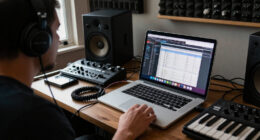
For portable audio interfaces for recording, I’d put the Focusrite Scarlett Solo 4th Gen first for its capable single-input setup, while the M-Audio M-Track Duo is a more flexible pick when you need two inputs. The Shure MVX2U Gen 2 suits a different job: connecting one XLR microphone directly to USB-C. The main tradeoff is between input count and portability, with extra features mattering only when they fit your recording setup. This roundup compares all 12 options by how well they serve distinct recording needs. Read on for the full breakdown and help matching an interface to your gear.

Get audio and creator gear delivered free with Prime
- Fast, free delivery on millions of items
- Prime Video, Amazon Music and more included
- Member-only deals all year
Complete the kit


Key Takeaways
- The Scarlett Solo 4th Gen leads as the all-round single-input pick; its newer generation gives solo recordists a more current choice than the Scarlett Solo 3rd Gen.
- Two-input models suit changing recording plans better: the M-Track Duo, BOMGE, CIXUN, YONDRIX, and Synido 2×2 options can accommodate more than one source, but their feature sets and intended uses vary.
- The Shure MVX2U Gen 2 is the most specialized choice, designed around a single XLR microphone and USB-C connection rather than a general-purpose multi-input setup.
- Portability means different things across this group: Synido A10 targets guitar and DJ recording, while the MAONO P2 adds a hybrid, dual-XLR approach suited to a different workflow.
- Entry-level simplicity can be a better fit than a long feature list: the M-Audio M-Track Solo keeps the setup focused, while buyers expecting to record multiple sources should look at a two-input model instead.
| M-AUDIO M-Track Solo USB Audio Interface |  | Best for Simple Solo Recording | Audio resolution: Up to 48 kHz | Inputs: 1 combo XLR/line input; 1 line/instrument input | Phantom power: Available on combo input | VIEW LATEST PRICE | See Our Full Breakdown |
| BOMGE 2-Channel USB Audio Interface |  | Best for Two-Mic Recording on a Compact Rig | Channels: 2 in / 2 out | Inputs: 2 combo XLR/MIC/LINE | Phantom power: 48V | VIEW LATEST PRICE | See Our Full Breakdown |
| MAONO P2 Hybrid USB Audio Interface with Dual XLR Inputs |  | Best for Hybrid Computer-and-Mobile Recording | Connectivity: USB-C | Channels: 2 | Audio quality: 24-bit / up to 192 kHz | VIEW LATEST PRICE | See Our Full Breakdown |
| Synido A20 Portable USB-C Audio Interface |  | Best for Phone-Based Live Streaming | Connectivity: USB-C | Channels: 2 | Maximum sample rate: 96 kHz | VIEW LATEST PRICE | See Our Full Breakdown |
| CIXUN 2×2 USB-C Audio Interface for PC and Mac |  | Best for High-Resolution Two-Input Recording | Channels: 2 input / 2 output | Maximum sample rate: 192 kHz | Resolution: 24-bit | VIEW LATEST PRICE | See Our Full Breakdown |
| M-Audio M-Track Duo USB Audio Interface |  | Best for Two-Mic Setups | Connectivity: USB | Compatibility: Mac and PC | Audio resolution: Up to 48 kHz | VIEW LATEST PRICE | See Our Full Breakdown |
| Synido A10 Portable USB-C Audio Interface for Guitar and DJ Recording |  | Best for Phone-Based Instrument Practice | Recording resolution: 24-bit/48 kHz | Connection: USB-C | Compatible devices: PC, Mac, iPhone, iPad, Android | VIEW LATEST PRICE | See Our Full Breakdown |
| Shure MVX2U Gen 2 XLR-to-USB-C Audio Interface |  | Best for a Single XLR Microphone | Connection: XLR to USB-C | Maximum gain: Up to +60 dB | Phantom power: 48V | VIEW LATEST PRICE | See Our Full Breakdown |
| Synido 2×2 USB-C Audio Interface for Recording and Streaming |  | Best for Flexible Monitoring | Channels: 2×2 | Audio resolution: 24-bit, 48 kHz | Monitoring modes: Stereo, Mix, USB | VIEW LATEST PRICE | See Our Full Breakdown |
| Focusrite Scarlett Solo 3rd Gen USB-C Audio Interface |  | Best for High-Resolution Solo Recording | Generation: 3rd Gen | Connection: USB-C | Audio resolution: Up to 24-bit/192 kHz | VIEW LATEST PRICE | See Our Full Breakdown |
| YONDRIX 2×2 USB Audio Interface, 24-bit/192 kHz |  | Best for Two-Mic Recording | Inputs: 2 XLR/line combo inputs | Outputs: 2 balanced TRS speaker outputs and headphone output | Maximum sample rate: 192 kHz | VIEW LATEST PRICE | See Our Full Breakdown |
| Focusrite Scarlett Solo 4th Gen USB-C Audio Interface |  | Best for Solo Vocal and Guitar Recording | Generation: 4th Gen | Connection: USB-C | Dynamic range: 120 dB | VIEW LATEST PRICE | See Our Full Breakdown |
| portable audio interfaces for recording | Phantom power |
|---|---|
| M-AUDIO M-Track Solo USB Audio | Available on combo input |
| BOMGE 2-Channel USB Audio Inte | 48V |
| MAONO P2 Hybrid USB Audio Inte | — |
| Synido A20 Portable USB-C Audi | — |
| CIXUN 2×2 USB-C Audio Interfac | +48V |
| M-Audio M-Track Duo USB Audio | Yes |
| Synido A10 Portable USB-C Audi | — |
| Shure MVX2U Gen 2 XLR-to-USB-C | 48V |
| Synido 2×2 USB-C Audio Interfa | 48V |
| Focusrite Scarlett Solo 3rd Ge | — |
| YONDRIX 2×2 USB Audio Interfac | 48 V |
| Focusrite Scarlett Solo 4th Ge | — |
More Details on Our Top Picks
M-AUDIO M-Track Solo USB Audio Interface
I’d choose the M-Track Solo for a one-person setup that needs a microphone input and a separate guitar or line input. Its USB/direct monitoring switch lets me hear the input without the delay that can distract during a take, while the headphone and RCA outputs cover headphones and a pair of speakers. Compared with the BOMGE 2-Channel USB Audio Interface, it offers a similar two-input layout but specifies compatibility with Mac or PC and includes MPC Beats.
The tradeoff is flexibility: with only one combo mic input, it can’t record two microphones at once. Its 48 kHz ceiling is also lower than the CIXUN 2×2 and MAONO P2, both of which list 192 kHz recording. I’d skip it for two-person interviews or sessions that need more headroom for future expansion; for a portable solo rig, its straightforward connections are the draw.
Pros:- Combo input supports a microphone or line-level source, with phantom power available.
- Separate line/instrument input accommodates a guitar or another source.
- USB/direct monitoring supports listening with zero latency.
- MPC Beats software is included.
Cons:- Only one combo input is available for microphones.
- Maximum audio resolution is 48 kHz, below the listed limits of the MAONO P2 and CIXUN 2×2.
- RCA stereo outputs may not suit setups built around balanced monitor connections.
Best for: Solo musicians, podcasters, or streamers who need one microphone input plus a guitar or line input.
Not ideal for: Two-person recording setups or buyers who need two microphone inputs or recording above 48 kHz.
- Audio resolution:Up to 48 kHz
- Inputs:1 combo XLR/line input; 1 line/instrument input
- Phantom power:Available on combo input
- Headphone output:1/8-inch
- Speaker outputs:Stereo RCA
- Monitoring:USB/direct switch for zero-latency monitoring
- Compatibility:Mac or PC
- Included software:MPC Beats
Our verdict“Choose the M-Track Solo for uncomplicated solo recording; pick the BOMGE if you need two combo inputs.”
BOMGE 2-Channel USB Audio Interface
The BOMGE 2-Channel makes more sense than the M-Track Solo when a recording needs two microphones at once. Both combo inputs accept XLR, mic, or line signals, and 48V phantom power supports condenser microphones. Direct monitoring helps keep a live voice or instrument audible without computer delay, while its listed weight of 0.32 kg suits a compact desk or travel kit. It also lists several common recording programs, including Ableton, GarageBand, and FL Studio.
That extra input is its clearest advantage over the M-Track Solo, but the BOMGE shares that model’s 48 kHz maximum. The CIXUN 2×2 and MAONO P2 list up to 192 kHz, so they offer more recording headroom on paper. I’d also favor the Synido A20 for mobile broadcasts where phone charging matters. The BOMGE is a focused pick for computer-based two-mic recording, though its power arrangements and warranty details are not specified in the supplied information.
Pros:- Two combo inputs can accommodate microphones, instruments, or line-level sources.
- 48V phantom power supports condenser microphones.
- Direct monitoring helps avoid distracting computer delay while recording.
- Listed compatibility includes Mac and Windows computers and several recording programs.
Cons:- Maximum sample rate is 48 kHz, below the listed limits of the MAONO P2 and CIXUN 2×2.
- No specific warranty details are provided in the product information.
- Power requirements are not specified in the supplied product data.
Best for: Two-person podcasters or musicians recording two microphones into a Mac or Windows computer.
Not ideal for: Mobile creators who need phone charging during a broadcast or producers seeking recording above 48 kHz.
- Channels:2 in / 2 out
- Inputs:2 combo XLR/MIC/LINE
- Phantom power:48V
- Maximum sample rate:48 kHz
- Outputs:RCA stereo, 1/4-inch headphone, stereo 1/4-inch
- Connectivity:USB
- Supported operating systems:Mac OS X; Windows XP or later
- Weight:0.32 kg
Our verdict“Pick the BOMGE when two mic inputs matter more than high sample rates or mobile-streaming features.”
MAONO P2 Hybrid USB Audio Interface with Dual XLR Inputs
The MAONO P2 Hybrid stands out for creators who record across a computer and a phone or tablet. Its USB-C connection, support for Android, iOS, Windows, macOS, and ChromeOS, and simultaneous computer-and-mobile capability make it more adaptable than the computer-focused M-Track Solo. The listed 24-bit/192 kHz recording ceiling also exceeds the 48 kHz limits of the M-Track Solo and BOMGE. Direct monitoring and loopback add useful options for streaming, while independent mute controls can make a live setup easier to manage.
That range comes with a footprint to check before packing: the listed dimensions are 6.42 × 8.27 × 3.23 inches and its weight is 0.5 kg. The Synido A20 is a more purpose-built choice for mobile broadcasts, with phone charging during streaming; the P2 instead pairs more recording and creator features with broad device support. I’d skip it for a minimal travel kit or a user who wants a very simple interface without creator-software setup.
Pros:- Supports simultaneous connection to a computer and phone or tablet.
- Records at up to 24-bit/192 kHz.
- Includes direct monitoring, loopback, and independent mute controls.
- Lists compatibility with Android, ChromeOS, Windows, iOS, and macOS.
Cons:- Listed dimensions may take up substantial space in a mobile recording kit.
- The creator feature set may require setup in the included software.
- At 0.5 kg, it is heavier than a minimal phone-first interface.
Best for: Creators who switch between a computer and phone or tablet for recording, streaming, or loopback workflows.
Not ideal for: Traveling musicians prioritizing the smallest kit or users who want a basic interface with minimal setup.
- Connectivity:USB-C
- Channels:2
- Audio quality:24-bit / up to 192 kHz
- Microphone gain:56 dB
- Compatible devices:Guitar, headphones, laptop, microphone, smartphone, iPad
- Supported operating systems:Android, ChromeOS, Windows, iOS, macOS
- Features:Direct monitoring and loopback
- Dimensions:6.42 × 8.27 × 3.23 in
- Weight:0.5 kg
Our verdict“Choose the MAONO P2 if you need high-resolution recording and computer-plus-mobile flexibility in one interface.”
Synido A20 Portable USB-C Audio Interface
The Synido A20 is the most mobile-broadcast-focused pick in this group. Its phone-charging feature can keep a stream going without relying only on the phone’s battery, and adaptive instrument gain is intended to accommodate different instruments. It also lists 24-bit/96 kHz recording and loopback. Compared with the MAONO P2, which lists a higher 192 kHz ceiling and broad computer support, the A20 puts more emphasis on portable phone workflows than on maximum recording resolution.
That focus narrows its fit: the listed operating systems are Android and iOS, and the connected phone or camera needs compatible USB-C audio input. The BOMGE and M-Track Solo are more clearly aimed at computer-based recording, while the A20’s phone-charging feature gives it a distinct use case. I’d skip it if you need a conventional two-mic desktop interface or if your mobile device lacks the required USB-C audio support. Wireless accompaniment also requires a second phone.
Pros:- Phone-charging support can help during mobile live streams.
- Supports 24-bit/96 kHz recording and loopback.
- Adaptive gain control is designed for different instruments.
- Built-in wire storage supports a compact kit.
Cons:- Phone or camera must support USB-C audio input.
- Listed operating-system support is limited to Android and iOS.
- Wireless accompaniment requires connecting another phone.
Best for: Mobile musicians and streamers using a compatible Android or iOS device who want to charge their phone during a broadcast.
Not ideal for: Computer-based podcasters needing clearly specified combo mic inputs, or mobile users without compatible USB-C audio input.
- Connectivity:USB-C
- Channels:2
- Maximum sample rate:96 kHz
- Audio resolution:24-bit
- Compatible devices:Guitar, headphones, personal computer, smartphone, tablet
- Compatible operating systems:Android, iOS
- Features:Loopback, adaptive instrument gain, phone charging during mobile broadcasts
- Item weight:0.01 kg
Our verdict“Choose the Synido A20 for compatible phone-based broadcasts where charging during a stream matters.”
CIXUN 2×2 USB-C Audio Interface for PC and Mac
The CIXUN 2×2 brings two combo XLR/TRS inputs and 24-bit/192 kHz recording to a bus-powered setup. That combination makes it a stronger fit than the M-Track Solo or BOMGE for a musician who wants two input connections and a higher listed sample-rate ceiling. A Hi-Z switch suits direct guitar connection, while 48V phantom power covers condenser microphones. The package also lists adapters and cables, which can simplify getting a computer-based recording rig connected.
Its tradeoff is that bus power ties the interface to a compatible connected device, limiting standalone use. The MAONO P2 reaches the same listed 192 kHz ceiling and adds simultaneous computer-and-mobile use, while the CIXUN sticks to a conventional 2-in/2-out recording layout. Product data lists a frequency response of “20” without a unit, so I wouldn’t use that figure to compare performance. This is a fit for laptop-based recording, not an independent mobile rig.
Pros:- Two combo inputs support XLR and 1/4-inch connections.
- Records at up to 24-bit/192 kHz.
- Hi-Z selection, 48V phantom power, and direct monitoring support varied sources.
- Bus-powered, plug-and-play design includes adapters and cables.
Cons:- Bus-powered operation requires a compatible connected device.
- The product data gives a frequency response value without specifying its unit.
- At 1.5 lb, it is heavier than the listed BOMGE interface.
Best for: Laptop-based musicians or podcasters who want two combo inputs, direct guitar connection, and high-resolution recording.
Not ideal for: Creators who need standalone power or simultaneous computer-and-phone workflows like those listed for the MAONO P2.
- Channels:2 input / 2 output
- Maximum sample rate:192 kHz
- Resolution:24-bit
- Inputs:2 XLR/TRS combo jacks
- Phantom power:+48V
- Power:Bus-powered
- Dimensions:6 × 6.5 × 1.75 in
- Weight:1.5 lb
- Warranty:2 years
Our verdict“Choose the CIXUN 2×2 for high-resolution two-input recording from a compatible computer, with guitar and condenser-mic support.”
M-Audio M-Track Duo USB Audio Interface
The M-Track Duo is a practical choice when portable recording means bringing two microphones or instruments to a Mac or PC. Its two combo inputs and phantom power let it accommodate condenser mics as well as guitars and line sources, while the USB/Direct switch helps you monitor without distracting latency. Compared with the Focusrite Scarlett Solo 3rd Gen, it offers a second combo input for recording two sources at once, but the Scarlett reaches higher sample rates and adds Air mode. The Duo tops out at 48 kHz, which suits podcasts, demos, and streaming, though it gives less headroom for high-resolution production. MPC Beats is a useful software extra, but this interface makes the most sense for a simple computer-based setup rather than mobile recording.
Pros:- Two combo inputs accept microphones, instruments, and line sources
- Phantom power supports condenser microphones
- USB/Direct switch enables zero-latency monitoring
- MPC Beats software is included
Cons:- Maximum audio resolution is 48 kHz
- Designed for Mac and PC rather than phone or tablet recording
Best for: Home podcasters and musicians who need two mic or instrument inputs for a Mac or PC recording setup
Not ideal for: Mobile creators or producers who need higher sample rates than 48 kHz
- Connectivity:USB
- Compatibility:Mac and PC
- Audio resolution:Up to 48 kHz
- Inputs:2 combo XLR/Line/Instrument
- Phantom power:Yes
- Preamps:Crystal Preamps
- Monitoring:USB/Direct switch for zero-latency monitoring
- Included software:MPC Beats
Our verdict“Choose the M-Track Duo when recording two sources on a computer matters more than high sample rates or phone portability.”
Synido A10 Portable USB-C Audio Interface for Guitar and DJ Recording
The Synido A10 is aimed at players who want to record an instrument on the device they already carry. Its USB-C connection works with computers, phones, and tablets, and the pass-through charging feature can keep a recording session going without relying on battery life alone. Separate input and headphone controls make quick level adjustments straightforward, while zero-latency monitoring helps when playing along with a backing track. Compared with the M-Audio M-Track Duo, the A10 is more suited to mobile, single-player recording, but its description does not list the Duo’s two combo inputs or phantom power. Wireless backing tracks are a distinctive convenience, though that feature requires a second phone. Buyers should also check what cables they need, since included accessories are not specified.
Pros:- USB-C compatibility spans computers, phones, and tablets
- Pass-through charging supports longer recording sessions
- Dedicated monitoring switch helps avoid latency while playing
- Wireless backing track playback adds a phone-based practice option
Cons:- Wireless backing track playback requires a second phone
- Included cables and accessories are not specified
- Description focuses on instrument recording and does not specify microphone phantom power
Best for: Guitarists and other instrumentalists who want to record on an iPhone, Android phone, or tablet while monitoring a backing track
Not ideal for: Singers recording condenser microphones or musicians who need multiple inputs and a clearly specified accessory bundle
- Recording resolution:24-bit/48 kHz
- Connection:USB-C
- Compatible devices:PC, Mac, iPhone, iPad, Android
- Supported instruments:Guitar, bass, keyboards, electronic drums
- Monitoring:Zero-latency monitoring with dedicated switch
- Controls:Separate input and headphone volume knobs
- Backing track playback:Wireless playback from a second phone
- Pass-through charging:Supported via USB-C
- Body material:Aluminum alloy
Our verdict“Pick the A10 for portable instrument recording with phone-based backing tracks and charging, provided its accessory needs suit your setup.”
Shure MVX2U Gen 2 XLR-to-USB-C Audio Interface
The Shure MVX2U Gen 2 takes a different approach from the multi-input boxes in this roundup: it connects one XLR microphone directly to a USB-C device. Up to 60 dB of gain and 48V phantom power support a range of dynamic and condenser mics, while automatic level adjustment, denoising, and pop filtering can reduce setup work for spoken-word recording. Compared with the M-Audio M-Track Duo, it is simpler to carry and can connect to a desktop, tablet, or smartphone, but it cannot record a second mic or instrument through a separate input. Its tone settings and processing are managed through Shure’s MOTIV apps, so it is a better fit for creators comfortable with that app-based workflow than for someone seeking a conventional interface with hardware input controls.
Pros:- Connects an XLR microphone to desktops, tablets, and smartphones
- Up to 60 dB of gain and 48V phantom power support dynamic and condenser mics
- Automatic level adjustment can reduce manual gain changes
- Onboard denoising and pop filtering target common spoken-word issues
Cons:- Requires an XLR microphone and handles only one mic connection
- App compatibility is needed to manage settings
- Does not offer the multi-input flexibility of the M-Track Duo
Best for: Solo podcasters and streamers who already own an XLR microphone and want a compact USB-C connection for computers or mobile devices
Not ideal for: Musicians recording multiple sources or buyers who want a standalone interface workflow without companion apps
- Connection:XLR to USB-C
- Maximum gain:Up to +60 dB
- Phantom power:48V
- Audio processing:Auto Level Mode, real-time denoiser, Digital Popper Stopper
- Tone settings:Dark, Natural, Bright
- Compatible apps:MOTIV Mix, MOTIV Audio, MOTIV Video
- Microphone compatibility:Dynamic and condenser XLR microphones
- Compatible devices:Desktop, tablet, or smartphone
Our verdict“Choose the MVX2U Gen 2 for a compact, processed single-microphone rig, not for recording several sources at once.”
Synido 2×2 USB-C Audio Interface for Recording and Streaming
The Synido 2×2 earns its place for creators who want to choose how they hear a session. Its Stereo, Mix, and USB monitoring modes give more listening flexibility than the M-Track Duo’s USB/Direct switch, and the 48V phantom power supports an XLR condenser mic. At 300 g, it is compact enough to move between a desk and a travel bag, with a USB-C to USB-A cable and a 3.5 mm to 6.35 mm adapter included to ease setup. The tradeoff is that its listing specifies one XLR/6.35 mm input, so its 2×2 designation should not be mistaken for a pair of mic preamps. Some PC setups may also need a third-party ASIO driver for best compatibility.
Pros:- Three monitoring modes offer more listening choices than a basic direct-monitor switch
- 48V phantom power supports condenser microphones
- Compact 300 g body is easy to move between recording locations
- USB-C to USB-A cable and audio adapter are included
Cons:- The listed input is a single XLR/6.35 mm connection
- May require a third-party ASIO driver for best PC compatibility
Best for: Streamers and home recordists who value selectable monitoring modes and need a compact interface with one mic or instrument input
Not ideal for: Two-microphone recording or PC users who want plug-and-play driver compatibility without additional setup
- Channels:2×2
- Audio resolution:24-bit, 48 kHz
- Monitoring modes:Stereo, Mix, USB
- Input:XLR/6.35 mm
- Phantom power:48V
- Dimensions:14 x 11.5 x 4.5 cm
- Weight:300 g
- Included accessories:3.5 mm to 6.35 mm adapter; USB-C to USB-A cable
Our verdict“Pick the Synido 2×2 if monitoring flexibility and a portable single-input setup matter more than recording two mics at once.”
Focusrite Scarlett Solo 3rd Gen USB-C Audio Interface
The Scarlett Solo 3rd Gen is the strongest fit here for a solo musician who wants room to record and mix at higher resolutions. It reaches 24-bit/192 kHz, adds a switchable Air mode for extra presence on vocals or acoustic instruments, and uses Gain Halo metering to make input-level adjustments easier to read. Against the M-Audio M-Track Duo, the Scarlett offers higher sample rates and balanced outputs, but it has only one microphone preamp, so the M-Track Duo is the more practical pick for two-mic recording. USB bus power keeps the setup portable, and the software bundle gives new users a starting point. The main tradeoff is limited input count, plus registration and downloads are needed for the included software.
Pros:- Records up to 24-bit/192 kHz
- Switchable Air mode can add presence to vocal and acoustic recordings
- Gain Halo metering helps set input levels
- Balanced outputs and a software bundle support a home studio setup
Cons:- Only one microphone preamp limits simultaneous mic recording
- Included software requires registration and download
Best for: Solo vocalists, guitarists, and bassists who want high-resolution recording and balanced outputs in a bus-powered interface
Not ideal for: Interview hosts and musicians who need to record two microphones or multiple sources at once
- Generation:3rd Gen
- Connection:USB-C
- Audio resolution:Up to 24-bit/192 kHz
- Microphone preamps:1
- Instrument input:High-impedance, high-headroom
- Outputs:2 low-noise balanced outputs
- Air mode:Switchable
- Power:USB bus-powered
- Included software:Ableton Live Lite, Avid Pro Tools Intro+, Hitmaker Expansion
Our verdict“Choose the Scarlett Solo 3rd Gen for high-resolution solo recording, while two-mic sessions favor the M-Track Duo.”
YONDRIX 2×2 USB Audio Interface, 24-bit/192 kHz
The YONDRIX 2×2 suits a portable setup that needs two microphone or line inputs at once, such as recording an interview or a singer with an instrument. Its two combo inputs, up to 60 dB of gain, and 48 V phantom power give it more flexibility for different mic types than the single-input Focusrite Scarlett Solo 4th Gen. Plug-and-play operation across Windows, Mac, and iOS also keeps setup simple when moving between devices. Balanced speaker outputs and a separately controlled headphone output make it practical for monitoring at a desk as well as recording on the go. The tradeoff is its fixed two-input, two-output layout: it cannot handle a larger ensemble, and the provided specs do not list a bundled recording software package.
Pros:- Two XLR/line combo inputs support simultaneous microphone and instrument recording.
- 48 V phantom power supports condenser microphones.
- Balanced speaker outputs and separate headphone level control offer useful monitoring options.
- Plug-and-play compatibility with Windows, macOS, and iOS.
Cons:- Two inputs limit recording larger groups or multi-microphone drum setups.
- No bundled recording software is listed in the product data.
Best for: Mobile interviewers and musicians who need to record two microphones or a microphone and an instrument together.
Not ideal for: Solo vocalists who want bundled recording software, or groups that need more than two simultaneous inputs.
- Inputs:2 XLR/line combo inputs
- Outputs:2 balanced TRS speaker outputs and headphone output
- Maximum sample rate:192 kHz
- Bit depth:24-bit
- Preamp gain:Up to 60 dB
- Phantom power:48 V
- Connectivity:USB
- Compatible operating systems:Windows, macOS, and iOS
- Warranty:2 years
Our verdict“Choose the YONDRIX if you need two flexible inputs in a portable interface; choose the Scarlett Solo 4th Gen if one input and included software better fit your recording routine.”
Focusrite Scarlett Solo 4th Gen USB-C Audio Interface
The Scarlett Solo 4th Gen is aimed at a different recording job than the two-input YONDRIX: capturing one voice or guitar with a compact USB-C interface. Its 120 dB dynamic range is a useful fit for detailed recording, while Air mode adds presence and harmonic drive to vocals and guitars without requiring a separate effect. The included recording software and plugins also give a new home-recording setup a clear starting point. Compared with the YONDRIX, the Solo is less suited to two-mic interviews or simultaneous two-microphone sessions; the supplied specifications do not state its input count, so buyers should confirm the exact connection layout for their setup. Its focus is solo recording, and the product data lists no 48 V phantom-power specification.
Pros:- 120 dB dynamic range is specified for capturing a broad range of detail.
- Air mode adds presence and harmonic drive to vocals and guitars.
- Includes Pro Tools Intro+, Ableton Live Lite, Cubase LE, and Hitmaker Expansion.
- USB-C connection suits contemporary portable recording setups.
Cons:- Less suited than the two-input YONDRIX for simultaneous two-microphone recording.
- The supplied product data does not specify phantom power or the input layout.
Best for: Solo singer-songwriters who want a portable USB-C recording setup with vocal and guitar shaping plus included software.
Not ideal for: Interviewers and duos who need two microphone inputs recording simultaneously, or buyers who require confirmed phantom power for a condenser mic.
- Generation:4th Gen
- Connection:USB-C
- Dynamic range:120 dB
- Air mode:Adds presence and harmonic drive to vocals and guitars
- Included software:Pro Tools Intro+, Ableton Live Lite, Cubase LE, and Hitmaker Expansion
- Product type:USB audio interface
Our verdict“Pick the Scarlett Solo 4th Gen for a software-supported solo vocal or guitar setup, and look to a two-input model when recording two sources together.”

How We Picked
I ranked these interfaces by how well their input setup, connection type, and intended workflow match portable recording. I gave priority to clear use cases: solo microphone or instrument recording, two-source sessions, USB-C setups, and specialized guitar, DJ, or streaming needs. A higher position reflects a stronger fit for more recording situations, not a claim that every buyer needs the same features.
I also weighed practical tradeoffs, including whether a device’s limited inputs could constrain a growing setup and whether its specialized design makes sense outside its target use. The Scarlett Solo 4th Gen takes the lead as a current single-input option; the M-Track Duo ranks as a flexible two-input alternative. Focusrite’s 3rd Gen Solo remains a distinct older-generation choice, while compact and specialist models rank higher for buyers whose specific workflow matches their design. I treated advertised specifications as product claims and avoided ranking by popularity or price.
Factors to Consider When Choosing Portable Audio Interfaces For Recording
Before choosing, I’d map the interface to the recording sessions you expect to make, including the sources you might add later. The following factors help prevent a portable setup from feeling limiting after the first few recordings.
Count sources you may record at the same time
Count microphones and instruments that need to be recorded simultaneously, not just the total gear you own. A singer who records one vocal at a time may be well served by a solo interface, even if they also own a guitar. Recording two people together or capturing a microphone and instrument on separate tracks calls for enough independent inputs. A common mistake is assuming that two connectors always mean two interchangeable microphone inputs; check what each input accepts. If your plans could shift toward joint sessions, a two-input model can spare you from replacing a device soon. Extra inputs add little value if your sessions will remain strictly solo.
Check the connection against your actual recording device
Confirm the interface can connect to the laptop, tablet, or phone you plan to record with. USB-C on an interface does not by itself tell you whether every host device, cable, or recording app will work as expected. Check the manufacturer’s compatibility details and whether your setup needs an adapter or external power. Mobile recording can involve more than plugging in: some devices may draw power from the host, which can affect battery life. For a fixed laptop setup, a compact interface with a compatible cable may be simpler than a feature-rich unit made for hybrid use. Test the complete connection path before relying on it for a session.
Choose inputs for your microphone and instrument
Match the interface to the sources you own: an XLR microphone, a guitar, a keyboard, or a combination. Microphones and instruments can need different input types, and a connector that physically fits may not provide the right signal level or features. Check whether a microphone setup requires phantom power and whether an instrument input is available for a direct guitar connection. Buying solely by channel count can lead to a setup where one input is unsuitable for the source you want to record. A dedicated XLR-to-USB option can make sense for a single compatible microphone, but offers less room for unrelated sources. List the cables and inputs needed for your next few sessions before deciding.
Separate recording needs from streaming features
Recording and live streaming overlap, but they do not always call for the same controls. A streaming-focused interface may emphasize monitoring or handling a live signal path, while a straightforward recording setup can benefit more from simple input selection and level adjustment. Decide whether you need to manage a live audience, connect multiple speakers, or monitor yourself while recording. Extra controls can help when they solve a real task, yet add complexity if you only need a clean path into recording software. Check how the device works with your intended apps rather than assuming a label such as “hybrid” guarantees a particular workflow. Keep your main use case in view when comparing specialized models.
Plan for monitoring and a quiet recording space
Portable recording quality depends on the surrounding setup as well as the interface. Headphone monitoring lets you hear the source and recording without playing sound through speakers into a microphone. Check whether the device offers the monitoring connections and controls your sessions need, and whether your headphones use a compatible plug. A common misstep is blaming an interface for room echo, handling noise, or a noisy microphone environment. For voice recording, a quieter room and sensible microphone placement can improve results more than moving to a model with a longer specification list. Consider how you will monitor before buying extra recording features.
Pay for headroom you will actually use
Paying more makes sense when it adds a capability that changes your sessions, such as another simultaneous input or a connection style your existing setup needs. It makes less sense to choose on a headline sample-rate figure alone if your recording workflow does not depend on it. Compare the generation and exact model carefully: similarly named products can differ, and an older model may not have the same features as its newer counterpart. Think about near-term growth, such as adding a second microphone, while avoiding speculative purchases based on gear you may never use. A useful choice leaves you enough room for likely sessions without making a portable setup harder to manage. Check the maker’s specifications for the exact version before ordering.
Frequently Asked Questions
Should I choose a one-input interface or a two-input model if I mostly record alone?
If you record one microphone or instrument at a time, a single-input interface may keep your setup simpler and more portable. Choose two inputs if you expect to record two sources at once, such as a vocal and instrument on separate tracks. Also check whether both inputs support the sources you use; channel count alone does not answer that. If you are unsure, base the decision on your next likely recording project rather than a vague possibility of expanding. The M-Track Duo represents the more flexible route in this roundup, while the Scarlett Solo models suit focused solo sessions.
Can I use a portable interface with a phone or tablet?
Some interfaces can work with mobile devices, but compatibility depends on the interface, host device, cable, power needs, and recording app. USB-C on the interface is only one part of that chain. Check the manufacturer’s compatibility notes for your specific phone or tablet and whether an adapter or separate power source is needed. If you plan to record away from an outlet, consider how the interface may affect device battery life. Confirm the full setup before buying for a mobile workflow.
Is an XLR-to-USB interface enough for recording a podcast?
It can suit a podcast recorded with one compatible XLR microphone, especially if each speaker records separately. It is less suitable when you need two microphones recorded at the same time or want to connect other sources independently. Think about whether your sessions involve co-hosts in one room, remote guests, or separate recording tracks, since those needs change the input requirement. The Shure MVX2U Gen 2 is the focused single-microphone option here, while a two-input interface can provide more flexibility for in-person conversations. Check the software and monitoring setup alongside the input count.
Does a higher sample-rate specification guarantee better recordings?
No single specification guarantees a better recording in practice. The source, microphone placement, room sound, gain setup, and recording workflow all affect the result. A high advertised sample rate may matter for specific production needs, but many buyers will get more practical benefit from suitable inputs and reliable monitoring. Check the exact model’s documented capabilities and make sure your software workflow supports them. Avoid paying extra for a number without a clear use for it.
Should I buy the Scarlett Solo 3rd Gen or 4th Gen?
Start by checking the feature differences for the exact versions available to you, since the generation label signals that they are not identical products. In this roundup, the 4th Gen is the stronger current-generation solo pick, while the 3rd Gen remains an alternative for buyers who specifically prefer that version. Neither is the right choice if you need two independent inputs for simultaneous recording; consider a two-input model instead. Compare compatibility with your computer and recording software, and verify included cables and accessories. Choose based on the version’s documented features and your session needs rather than the shared Scarlett Solo name.
Conclusion
I’d choose the Focusrite Scarlett Solo 4th Gen as the best overall option for focused solo recording, and the M-Audio M-Track Duo as the best value-style pick for buyers who need two inputs without a single-input layout. The Scarlett Solo 3rd Gen is a straightforward alternative for someone seeking that specific generation, while the M-Audio M-Track Solo is my beginner-friendly choice for a simple one-source setup. For a dedicated XLR microphone workflow, the Shure MVX2U Gen 2 is the specialist pick; for guitar or DJ recording, look at the Synido A10. Choose the smallest setup that supports the sources you expect to record together, and step up to two inputs if your sessions call for them.
Halloween Picks
halloween
As an affiliate, we earn on qualifying purchases.