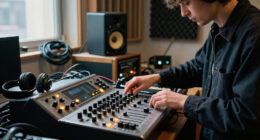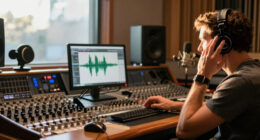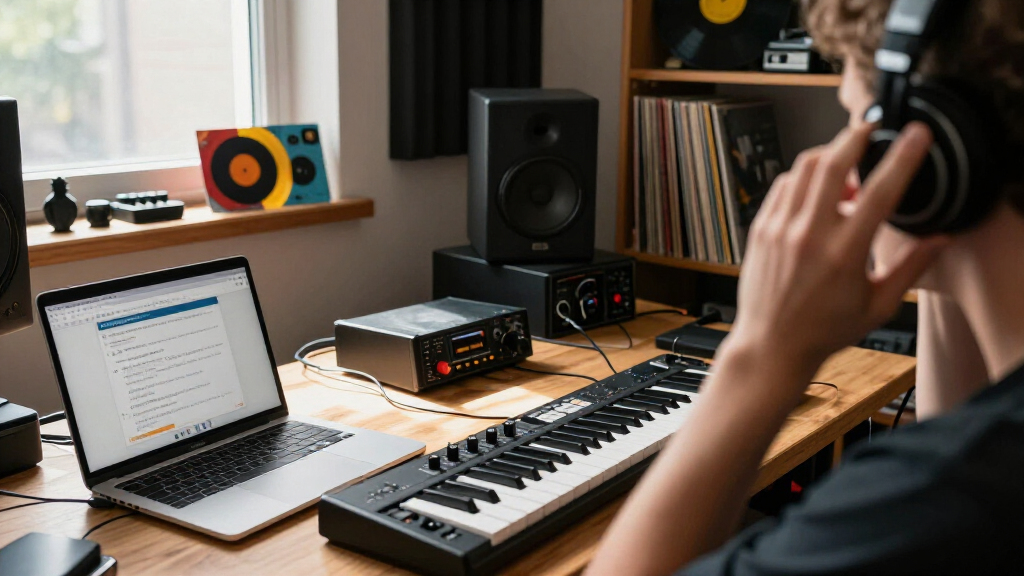

Welcome to our comprehensive Music Production Gear Checklist 2026 designed specifically for budding producers, home studio enthusiasts, and seasoned artists looking to upgrade their setup. Whether you’re just starting out or aiming to refine your existing studio, this guide will help you navigate the essentials and avoid common pitfalls in gear selection.

Get audio and creator gear delivered free with Prime
- Fast, free delivery on millions of items
- Prime Video, Amazon Music and more included
- Member-only deals all year
The checklist is organized into key categories: audio interfaces, studio monitors, MIDI controllers, headphones, microphones, and music software. Each section highlights top picks, what to look for when making a purchase, and practical advice to ensure compatibility and performance. Use this as a handy reference to build a balanced, effective studio setup tailored to your creative needs.
To get the most out of this guide, consider your specific workflow, space constraints, and budget. Cross-reference the recommendations with your existing gear or future plans, and don’t rush the decision—investing in quality gear now will pay off in professional sound and seamless production experiences later.
Audio Interfaces
The audio interface is the heart of your digital studio, converting analog signals into digital data and vice versa. The Focusrite Scarlett 2i2 4th Gen USB Audio Interface stands out as a reliable choice for both beginners and intermediate producers. Its ease of use, solid build, and excellent sound quality make it a popular pick. When shopping, look for features like multiple inputs, compatibility with your preferred DAW, and good preamps to ensure clear recordings. Avoid interfaces with limited input options or poor driver support, which can hamper your workflow and sound quality.
Size and compatibility matter too—make sure your chosen interface fits your workspace and connects seamlessly with your computer. If you plan to record multiple instruments or vocals simultaneously, prioritize models with multiple inputs and outputs. Consider future expansion needs; investing in a slightly more advanced model now can save you from upgrading too soon.
Overall, the Focusrite Scarlett 2i2 offers a balanced combination of performance, affordability, and reliability, making it a top-tier choice for most home studio setups.
What to look for:
- Multiple input/output options
- Compatibility with your DAW and OS
- Good-quality preamps
- Compact and durable design
- Ease of connectivity
Focusrite Scarlett 2i2 4th Gen USB Audio Interface for Recording, Songwriting, S

The Focusrite Scarlett 2i2 4th Gen is a high-quality USB audio interface designed for musicians, streamers, and podcasters. It features studio-grade sound with 120dB dynamic range, auto gain, clip safe technology, and Air mode for enhanced vocal and guitar recordings.
Pros:
- High-fidelity studio-quality sound
- Auto Gain and Clip Safe prevent clipping and ensure optimal levels
- Includes comprehensive recording software and plugins
- Versatile for recording vocals, guitars, and streaming
Cons:
- Limited to 2 inputs, may not suit larger recording setups
- Requires USB connection to computer, may need additional accessories for mobile use
Best for: Home studio beginners and intermediate producers
Not ideal for: Professional-grade multi-channel recording
Bottom line: A dependable interface that balances quality and affordability.
Studio Monitors
The studio monitors are essential for accurate sound reproduction, helping you make mixing decisions with confidence. The PreSonus Eris E7 XT is a versatile choice that offers a broad frequency response and clear, detailed sound. When selecting monitors, consider factors like size—larger speakers can handle lower frequencies better—and room acoustics. Proper placement is crucial to avoid sound coloration, so position your monitors at ear level and form an equilateral triangle with your listening position.
Many common mistakes involve choosing monitors based solely on size or aesthetics, ignoring room acoustics or power handling. Be sure to match the monitor’s power output with your space and listen for natural sound reproduction. Compatibility with your audio interface and space constraints should also guide your choice. Investing in quality stands and acoustic treatment can dramatically improve your monitoring accuracy, so don’t overlook these accessories.
The PreSonus Eris E7 XT offers excellent value with a balanced sound profile suitable for various genres, making it a solid foundation for your studio.
What to look for:
- Frequency response range
- Power output suitable for room size
- Accurate sound reproduction
- Proper placement accessories
- Compatibility with existing gear
PreSonus Eris E7 XT 2-Way Active Studio Monitor

The PreSonus Eris E7 XT is a 2-way active studio monitor featuring a 6.55-inch woven composite low-frequency driver and a 1.25-inch silk-dome high-frequency transducer for clear, accurate sound. It includes an innovative EBM waveguide for a wide sweet spot and acoustic tuning controls for precise calibration.
Pros:
- Wide sweet spot with innovative EBM waveguide
- Includes professional music production software
- Customizable acoustic tuning controls
Cons:
- May be expensive for beginners
- Requires space for optimal sound calibration
Best for: Mixing and mastering in small to medium rooms
Not ideal for: Large-format or high-end professional studio
Bottom line: A dependable monitor for precise, detailed listening.
MIDI Controllers
A MIDI controller enhances your creative workflow by providing tactile control over virtual instruments and effects. The MIDI Captain Foot Controller Multi-Effects Keyboard Synthesizer with U offers a flexible setup, especially suited for performers and producers who want hands-on control. When choosing a MIDI controller, consider the number of knobs, pads, and faders, as well as compatibility with your DAW and software. Make sure it fits comfortably within your workspace and offers intuitive controls to streamline your production process.
Beware of controllers with overly complex layouts or poor build quality, which can hinder your workflow. Compatibility issues can also cause frustration—verify that the controller supports your operating system and DAW. For portability, lightweight and compact designs are preferable, but ensure they offer enough controls for your needs. If you’re into live performance, look for features like assignable footswitches and robust build quality.
The MIDI Captain Foot Controller is a versatile tool that can add a new dimension to your music production and live performances, making complex effects and controls more accessible.
What to look for:
- Number and types of controls (knobs, pads, faders)
- Compatibility with your DAW and OS
- Build quality and durability
- Portability and size
- Assignable functions
MIDI Captain Foot Controller Multi-Effects Keyboard Synthesizer with USB-MIDI an

The MIDI Captain is a versatile foot controller designed for musicians, supporting all PC/CC/Note MIDI messages. It features 10 customizable foot switches, a unique Time Engine function for automating complex actions, and compatibility with various effects and synthesizers.
Pros:
- Supports extensive MIDI message types and customization
- Unique Time Engine function automates complex key actions
- Portable and durable design suitable for gigs and studio
Cons:
- Requires careful handling of power connections to avoid damage
- Complex setup may be challenging for beginners
- Limited detailed instructions for firmware updates
Best for: Performance and hands-on production
Not ideal for: High-end studio automation
Bottom line: A versatile controller for dynamic music creation.
Headphones
Quality studio headphones are vital for accurate mixing and detailed listening. The HD 480 PRO Professional Closed-Back Studio Headphones are known for their flat response and comfort during long sessions. When selecting headphones, prioritize a flat frequency response to avoid coloration of your mix. Closed-back models help isolate external noise, making them ideal for recording and mixing in noisy environments.
Common mistakes include choosing headphones based solely on comfort or style, which can compromise sound accuracy. Ensure the fit is snug but comfortable for extended wear, and verify that the impedance matches your audio interface’s output for optimal volume. Consider durability and replaceability of ear pads, especially if you plan long sessions. For critical listening, avoid overly bass-heavy or colored headphones that can mislead your mixing decisions.
The HD 480 PRO headphones offer a professional-grade listening experience, making them a reliable choice for accurate audio monitoring.
What to look for:
- Flat frequency response
- Comfort for long sessions
- Proper impedance matching
- Good noise isolation
- Durability and replaceable parts
HD 480 PRO Professional Closed-Back Studio Headphones, Black
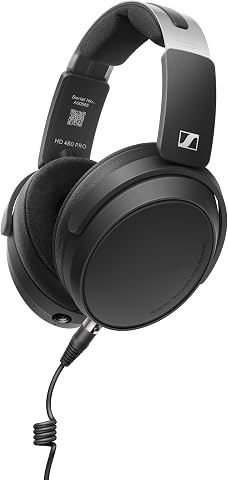
These professional closed-back studio headphones deliver accurate, full-spectrum sound with advanced drivers and a lightweight design for all-day comfort. They feature noise control, versatile connectivity, and durable construction, making them suitable for mixing, monitoring, and mobile production.
Pros:
- Accurate, full-spectrum sound quality
- Comfortable for extended wear with ergonomic design
- Versatile connectivity options for various setups
- Durable construction with noise reduction features
Cons:
- May be more expensive than basic headphones
- Closed-back design can cause some ear heat during long sessions
Best for: Mixing and detailed listening
Not ideal for: Casual or portable listening
Bottom line: Reliable headphones for precise audio work.
Microphones
The microphone you choose greatly impacts your recording quality. The Audio-Technica AT4040 Cardioid Condenser Microphone is a versatile choice for vocals, instruments, and more, thanks to its clear and detailed sound. When shopping for a microphone, consider the pickup pattern—cardioid is most common for studio recording—and ensure it matches your recording environment. Concerning gain levels and noise floor, look for models with low self-noise for cleaner recordings.
Many newcomers overlook the importance of proper placement and acoustic treatment, which are just as crucial as the mic itself. Be mindful of compatibility with your audio interface and whether additional accessories like shock mounts or pop filters are needed. Budgeting for quality cables and maintenance can extend your microphone’s lifespan and performance.
The AT4040 offers excellent detail and transparency, making it suitable for professional-sounding recordings across a range of applications.
What to look for:
- Pickup pattern suitability (cardioid preferred)
- Low self-noise and high SPL handling
- Compatibility with interface and accessories
- Durability and build quality
- Appropriate for your recording environment
Audio-Technica AT4040 Cardioid Condenser Microphone

The Audio-Technica AT4040 is a large diaphragm condenser microphone designed for natural sound reproduction with low noise and high SPL handling. It features transformerless circuitry for minimal distortion and durable construction for studio use.
Pros:
- Provides smooth, natural sound quality
- Low noise and high dynamic range
- Durable construction with high-quality materials
- Versatile for various recording applications
Cons:
- May be expensive for beginners
- Requires phantom power to operate
- Designed primarily for studio use
Best for: Vocals and detailed instrument recordings
Not ideal for: Loud sound sources or live outdoor recording
Bottom line: A dependable microphone for studio-quality recordings.
Music Software
The music software or DAW (Digital Audio Workstation) is your creative hub, enabling recording, editing, mixing, and mastering. The Mackie MCU Pro 8-Channel Control Surface with USB enhances your workflow by providing tactile control over your DAW, making editing and mixing more intuitive. When choosing software, consider compatibility with your hardware, ease of use, and the availability of features like automation, plugin support, and virtual instruments.
Many producers make the mistake of choosing software that’s either too complex or too limited for their needs. Start with a DAW that matches your skill level and project scope—some software is better suited for beginners, while others offer advanced features for professional production. Compatibility with your operating system and hardware is crucial to prevent frustration. Also, consider the learning curve and available tutorials to help you get started quickly.
The Mackie MCU Pro offers excellent control integration, making it easier to navigate your projects and streamline your creative process, especially if you prefer tactile feedback over mouse and keyboard.
What to look for:
- Compatibility with your hardware and OS
- Ease of use and learning curve
- Automation and plugin support
- Advanced editing and mixing features
- Scalability for future projects
Mackie MCU Pro 8-Channel Control Surface with USB

The Mackie MCU Pro is an 8-channel control surface designed for seamless integration with music production software. It features 100mm touch-sensitive motorized faders, V-Pot control, and over 50 dedicated push-buttons for precise software parameter control.
Pros:
- Seamless integration with music production software
- Motorized faders for precise control
- Extensive control options with over 50 push-buttons
Cons:
- Limited to 8 channels
- Requires compatible software for full functionality
Best for: Producers seeking tactile DAW control
Not ideal for: Basic, entry-level music production
Bottom line: A powerful control surface to enhance your production efficiency.
When building your music production setup, start with the essentials that fit your current needs and upgrade gradually as your skills and projects grow. Prioritize quality over quantity to ensure each component complements your creative process and produces professional results.
Remember, the right gear can inspire you and make your creative journey more enjoyable. Keep learning, experimenting, and investing wisely—your ideal studio is within reach, and this checklist is here to guide you every step of the way.