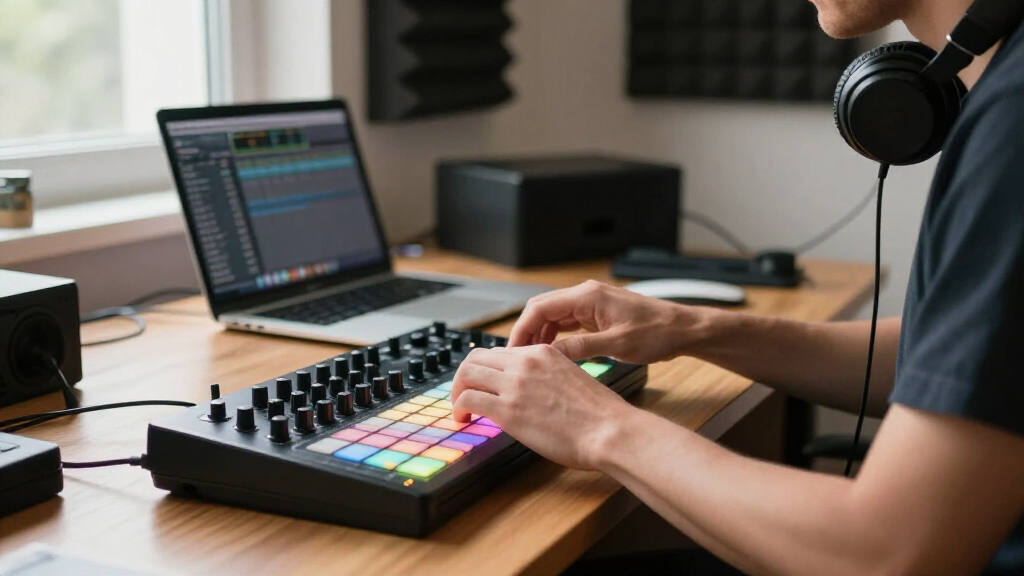

Choosing the right music production MIDI controller can significantly impact your workflow and creative potential. The Novation FLkey 49 stands out as the best overall for its versatile key layout and seamless integration, while the Akai MPK Mini MK3 offers an excellent balance of features at a budget-friendly price. For those prioritizing portability, the M-AUDIO Keystation Mini 32 MK3 provides a compact, straightforward solution. The main tradeoffs in this category typically involve balancing features like key size, control surface complexity, and price. Keep reading to find out which MIDI controller aligns best with your musical needs.

Get audio and creator gear delivered free with Prime
- Fast, free delivery on millions of items
- Prime Video, Amazon Music and more included
- Member-only deals all year
Complete the kit



Key Takeaways
- Top picks are distinguished by a combination of build quality, feature set, and ease of integration with popular DAWs.
- The best overall controllers balance key quality with extensive control options, suitable for both studio and live use.
- Portability and simplicity often come at the expense of fewer control features or smaller keys.
- Budget options like the Akai MPK Mini MK3 deliver good value but may sacrifice some build durability or advanced features.
- Producers should consider whether they need pads, keys, or a hybrid setup, as different controllers excel in specific roles.
| Novation FLkey 49 USB MIDI Controller Keyboard |  | Best for FL Studio Users | Number of Keys: 49 | Connectivity Technology: USB | Additional Features: Integration with FL Studio | VIEW LATEST PRICE | See Our Full Breakdown |
| M-VAVE 25-Key USB MIDI Keyboard Controller with 8 Backlit Drum Pads, Bluetooth, Semi-Weighted Keys, 8 Knobs, and Software Included |  | Best for Portability and Wireless Control | Number of Keys: 25 | Backlit Drum Pads: 8 | Connectivity: USB, Bluetooth | VIEW LATEST PRICE | See Our Full Breakdown |
| Akai Professional MPK Mini MK3 25-Key USB MIDI Keyboard Controller |  | Best Compact Studio Companion | Number of Keys: 25 | Pads: 8 backlit MPC-style | Connectivity: USB | VIEW LATEST PRICE | See Our Full Breakdown |
| Akai Professional LPD8 USB MIDI Pad Controller |  | Best for On-the-Go Pad Control | Pad Count: 8 RGB-backlit MPC pads | Knobs: 8 assignable Q-Link | Preset Slots: 4 programmable | VIEW LATEST PRICE | See Our Full Breakdown |
| PreSonus ATOM Production & Performance MIDI Pad Controller with Software |  | Best for Expressive Performance and Production | Pads: 16 velocity- and pressure-sensitive RGB | Assignable Buttons: 20 | Rotary Encoders: 4 | VIEW LATEST PRICE | See Our Full Breakdown |
| Akai Professional MPK Mini Play MK3 25-Key USB MIDI Keyboard Controller |  | Best for Portability and All-in-One Use | Number of Keys: 25 | Built-in Speaker: Yes | Connectivity: USB | VIEW LATEST PRICE | See Our Full Breakdown |
| Donner Mini MIDI Keyboard N-25, 25-Key MIDI Controller for Beginners with Velocity-Sensitive Keys and Light-up Buttons |  | Best for Beginners and Learning | Number of Keys: 25 | Connectivity Technology: USB | Additional Features: Velocity-sensitive keys, light-up buttons | VIEW LATEST PRICE | See Our Full Breakdown |
| Akai Professional APC40 MKII USB MIDI Pad Controller |  | Best for Ableton Live Integration and Live Performance | Compatibility: Ableton Live V9.1.3+ | Control Surface: 5×8 clip-launch matrix with RGB feedback | Faders: 9 channel faders | VIEW LATEST PRICE | See Our Full Breakdown |
| Akai Professional MPK Mini Plus 37-Key USB MIDI Keyboard Controller |  | Best for Advanced Portability and Full Range Control | Number of Keys: 37 | Octaves: 3 | Pads: 8 RGB MPC Pads | VIEW LATEST PRICE | See Our Full Breakdown |
| Akai Professional APC64 USB MIDI Pad Controller |  | Best for Large-Scale Performance and Sequencing | Number of Pads: 64 | Pad Type: RGB velocity-sensitive with poly aftertouch | Touch Strips: 8 assignable | VIEW LATEST PRICE | See Our Full Breakdown |
| M-AUDIO Keystation Mini 32 MK3 USB MIDI Controller |  | Best for Portability and On-the-Go Music Production | Number of Keys: 32 | Connectivity Technology: USB | Additional Features: Compact, Lightweight, Portable | VIEW LATEST PRICE | See Our Full Breakdown |
| Akai Professional APC Key 25 MK2 USB MIDI Keyboard Controller |  | Best for Ableton Live Users and Compact Studio Setups | Number of Keys: 25 | Pad Matrix: 5×8 RGB pads | Included Software: Ableton Live Lite, Hybrid 3, Mini Grand, Velvet | VIEW LATEST PRICE | See Our Full Breakdown |
| Akai Professional APC Mini MK2 USB MIDI Pad Controller |  | Best for Clip Launching and Live Performance in Ableton Live | Pad Matrix: 8×8 RGB pads | Faders: 9 (8 assignable + 1 master) | Power: USB powered | VIEW LATEST PRICE | See Our Full Breakdown |
| music production MIDI controller | Number of Keys | Connectivity | Included Software |
|---|---|---|---|
| Novation FLkey 49 USB MIDI Con | 49 | — | — |
| M-VAVE 25-Key USB MIDI Keyboar | 25 | USB, Bluetooth | — |
| Akai Professional MPK Mini MK3 | 25 | USB | MPC Beats, virtual instruments |
| Akai Professional LPD8 USB MID | — | — | — |
| PreSonus ATOM Production & Per | — | — | Studio One Artist, Ableton Live Lite |
| Akai Professional MPK Mini Pla | 25 | USB | MPC Beats, Splice, educational software |
| Donner Mini MIDI Keyboard N-25 | 25 | — | — |
| Akai Professional APC40 MKII U | — | USB | Ableton Live Lite, sample packs |
| Akai Professional MPK Mini Plu | 37 | USB, CV/Gate, MIDI I/O | — |
| Akai Professional APC64 USB MI | — | MIDI I/O, CV/Gate, USB-C | Ableton Live Lite |
| M-AUDIO Keystation Mini 32 MK3 | 32 | — | — |
| Akai Professional APC Key 25 M | 25 | USB | Ableton Live Lite, Hybrid 3, Mini Grand, Velvet |
| Akai Professional APC Mini MK2 | — | — | Ableton Live Lite, Hybrid 3, Mini Grand, Velvet |
More Details on Our Top Picks
Novation FLkey 49 USB MIDI Controller Keyboard
The Novation FLkey 49 stands out for its seamless integration with FL Studio, making it an ideal choice for producers who work exclusively within this environment. Its full-sized, semi-weighted keys provide expressive performance, while dedicated controls for FL Studio’s Mixer, Channel Rack, and Sequencer streamline workflow. Compared with the Akai MPK Mini MK3, the FLkey offers a clearer, software-specific control set, but it sacrifices compatibility with other DAWs, which could limit flexibility. Its lack of standalone functionality means it depends entirely on a computer, which might be restrictive for live performance or quick jam sessions.
Pros:- Deep integration with FL Studio, simplifying workflow
- Full-sized keys with semi-weighted feel for expressive playing
- Dedicated controls for mixer, channel rack, and sequencer
- Includes pads, faders, and encoders for hands-on control
Cons:- Limited to FL Studio ecosystem, reducing flexibility
- No built-in sounds or standalone features, reliant on computer
Best for: Producers who primarily use FL Studio and want deep DAW integration with tactile controls
Not ideal for: Users who work across multiple DAWs or need standalone operation, as it’s tightly coupled with FL Studio
- Number of Keys:49
- Connectivity Technology:USB
- Additional Features:Integration with FL Studio
- Platform:Windows 10, Windows 7
- Control Method:Touch
- Control Quantity:9
Our verdict“This controller is perfect for FL Studio users who want an intuitive, keyboard-centric experience, but is less suitable for those needing multi-DAW compatibility.”
M-VAVE 25-Key USB MIDI Keyboard Controller with 8 Backlit Drum Pads, Bluetooth, Semi-Weighted Keys, 8 Knobs, and Software Included
The M-VAVE 25-Key MIDI Controller offers a compelling mix of portability and versatility, especially with its wireless Bluetooth capability and long battery life—up to 16 hours. Its compact size and backlit pads make it ideal for mobile producers or performers who need to create on the go, unlike the more studio-focused Akai MPK Mini MK3, which emphasizes extensive control and software integration. The smaller layout limits performance complexity, and Bluetooth connectivity, while convenient, can introduce latency, making it less suitable for live performance that demands tight timing. Nonetheless, its broad OS compatibility and included software make it a flexible, portable option.
Pros:- Wireless Bluetooth connectivity for easy setup
- Long battery life supports extended sessions
- Backlit drum pads and assignable knobs for versatile control
- Compatible with multiple platforms and DAWs
Cons:- Limited number of keys may restrict performance complexity
- Bluetooth can add latency, affecting real-time play
Best for: Musicians and producers seeking a portable, wireless MIDI controller for studio or live use
Not ideal for: Producers needing extensive keys or advanced control features for complex compositions, as it’s limited in size and controls
- Number of Keys:25
- Backlit Drum Pads:8
- Connectivity:USB, Bluetooth
- Battery Capacity:2000 mAh
- Battery Life:up to 16 hours
- Compatibility:Windows, Mac OS, Android, iOS
Our verdict“This controller is ideal for mobile creators who prioritize portability and wireless convenience over extensive performance controls.”
Akai Professional MPK Mini MK3 25-Key USB MIDI Keyboard Controller
The Akai MPK Mini MK3 excels in portability, offering a compact, 25-key setup with velocity-sensitive keys, MPC-style pads, and assignable controls. Compared to the larger FLkey 49, it sacrifices full-sized keys for a smaller footprint, making it ideal for travel and tight studio spaces. It includes a comprehensive software bundle, including MPC Beats and virtual instruments, but the dense controls can be overwhelming for beginners. Its limited keys restrict performance complexity, and some users might find the setup process for full customization less intuitive. Still, it remains a versatile option for those who need a portable, feature-rich MIDI controller.
Pros:- Highly portable and space-efficient design
- Includes MPC-style pads and software bundle
- Assignable knobs and joystick for versatile control
- Universal compatibility with DAWs
Cons:- Limited keys restrict performance and complex playing
- Complex initial setup for full control customization
Best for: Traveling producers and students who need a compact, versatile MIDI controller with software support
Not ideal for: Pro users requiring extensive performance controls or full-sized keys, as the small layout limits performance finesse
- Number of Keys:25
- Pads:8 backlit MPC-style
- Connectivity:USB
- Included Software:MPC Beats, virtual instruments
- Compatibility:Universal with DAWs
- Size:25 keys
Our verdict“This compact controller is well-suited for mobile producers or beginners who need a versatile, travel-ready MIDI solution in a small package.”
Akai Professional LPD8 USB MIDI Pad Controller
The Akai LPD8 offers a sleek, ultra-portable design with 8 RGB-backlit MPC pads and 8 assignable knobs, making it a straightforward choice for quick control and performance. Compared with the ATOM, which provides more pads and features, the LPD8’s simplicity appeals to users needing a lightweight, plug-and-play solution. Its preset slots and customizable controls are flexible, but the limited number of pads may hinder complex live performances or detailed sequencing. It lacks onboard sounds or advanced features, so it’s best for controlling virtual instruments and DAWs directly.
Pros:- Compact, lightweight, and highly portable
- No drivers needed—plug-and-play on Mac and PC
- Customizable controls and preset slots
- Seamless integration with major DAWs
Cons:- Limited to 8 pads, restricting complex setups
- No onboard sounds or effects
Best for: DJs and musicians who need a compact, easy-to-use pad controller for live sets or quick studio tweaks
Not ideal for: Producers requiring extensive pads or onboard effects, as its 8-pad layout limits performance options
- Pad Count:8 RGB-backlit MPC pads
- Knobs:8 assignable Q-Link
- Preset Slots:4 programmable
- Size:13 inches
- Power:USB-powered
- Compatibility:Mac and PC
Our verdict“This pad controller is perfect for performers and DJs seeking a simple, portable solution for triggering virtual instruments or controlling DAWs on the go.”
PreSonus ATOM Production & Performance MIDI Pad Controller with Software
The PreSonus ATOM stands out for its 16 velocity- and pressure-sensitive RGB pads, offering expressive control for both studio production and live performance. Its extensive features, including 20 assignable buttons and 4 rotary encoders, surpass many compact controllers like the LPD8, making it suitable for producers who want detailed control over their sessions. It comes bundled with popular software like Studio One Artist and Ableton Live Lite, providing a full production environment. The complexity of its controls might be daunting for beginners, but for experienced users, it provides a highly customizable and expressive interface, although its size and feature set may be overkill for simple tasks.
Pros:- Velocity- and pressure-sensitive pads for dynamic performance
- Includes professional DAW software and plug-ins
- Multiple assignable buttons and encoders for tailored control
- Highly customizable response settings
Cons:- Steeper learning curve for new users
- Bulkier than smaller controllers, less portable
Best for: Intermediate to advanced producers who want expressive control and detailed session management
Not ideal for: Beginners or casual users who prefer a simpler, less feature-intensive controller, as the ATOM can be overwhelming
- Pads:16 velocity- and pressure-sensitive RGB
- Assignable Buttons:20
- Rotary Encoders:4
- Included Software:Studio One Artist, Ableton Live Lite
- Content:MVP Loops content
- Compatibility:Most music production software
Our verdict“This controller is best suited for producers seeking expressive performance features and deep software integration, but may be too complex for casual users.”
Akai Professional MPK Mini Play MK3 25-Key USB MIDI Keyboard Controller
The Akai MPK Mini Play MK3 stands out for its compact, standalone design with a built-in speaker, making it an excellent choice for musicians who need a versatile instrument on the go. Unlike the Donner N-25, which relies solely on external software, this model offers internal sounds and a speaker, reducing setup complexity. However, the tradeoff is its limited 25 keys, which can feel restrictive for more complex compositions. Its NKS support ensures smooth integration with Native Instruments, but the absence of additional connectivity options like MIDI out limits expandability. This controller is ideal for mobile producers, performers, or students needing portability and immediate sound access without extra gear.
Pros:- Compact, lightweight, and highly portable design with built-in speaker
- Versatile controls including drum pads and assignable knobs
- NKS support for seamless integration with Native Instruments ecosystem
- Includes bundled software and educational content
Cons:- Batteries are not included, requiring an additional purchase
- Limited to 25 keys, which may restrict musical complexity
- No MIDI out or additional connectivity options
Best for: Musicians and producers seeking a portable, all-in-one MIDI keyboard with onboard sounds for practice, performance, or quick ideas.
Not ideal for: Studio-focused producers needing extensive control and full-range keyboards, as the 25 keys may hinder more intricate music creation.
- Number of Keys:25
- Built-in Speaker:Yes
- Connectivity:USB
- Power Source:Batteries or USB
- Included Software:MPC Beats, Splice, educational software
Our verdict“This pick makes the most sense for mobile musicians, beginners, or anyone who prioritizes portability and all-in-one functionality over full-range control.”
Donner Mini MIDI Keyboard N-25, 25-Key MIDI Controller for Beginners with Velocity-Sensitive Keys and Light-up Buttons
The Donner N-25 excels at providing beginners with a straightforward, portable MIDI controller that emphasizes ease of use. Its velocity-sensitive keys and light-up buttons make it particularly suitable for learning and practice, especially when paired with DAWs like Ableton Live. Compared with the Akai MPK Mini Play MK3, it lacks internal sounds and speakers, but its simple control scheme allows new users to focus on the fundamentals. Its limited 25 keys might be a drawback for more advanced or complex compositions, and it requires external software for full functionality. This controller is best suited for music learners and hobbyists who want an accessible, plug-and-play experience.
Pros:- Compact and portable for on-the-go practice
- Velocity-sensitive keys for expressive playing
- Light-up buttons for intuitive control and learning
- Compatible with multiple platforms and DAWs
Cons:- Limited to 25 keys, restricting complex arrangements
- No onboard sounds or speakers
- Depends on external software for music production
Best for: Beginner musicians, students, or hobbyists looking for an affordable, easy-to-use MIDI controller for learning and basic music creation.
Not ideal for: Experienced producers or performers needing full-range keys or onboard sounds, as the N-25 is minimalistic and lacks onboard instruments or extensive controls.
- Number of Keys:25
- Connectivity Technology:USB
- Additional Features:Velocity-sensitive keys, light-up buttons
- Supported Software:Ableton Live
- Platform Compatibility:Android, Mac, Windows, iOS
- Control Method:Touch
Our verdict“This controller fits best with beginners or learners seeking a simple, portable MIDI device with visual feedback for easy operation.”
Akai Professional APC40 MKII USB MIDI Pad Controller
The Akai APC40 MKII is tailored for users deeply integrated into Ableton Live, offering a comprehensive control surface for live performance and studio production. Its 5×8 clip-launch matrix with RGB feedback makes launching clips intuitive, while the array of faders and knobs provides hands-on control over tracks, effects, and instruments. Compared with the APC64, its smaller footprint is ideal for desktop setups, but it lacks the extensive 64-pad grid and advanced sequencing features of the APC64. The learning curve can be steep for newcomers unfamiliar with Ableton, and it’s less versatile outside that environment. This controller proves invaluable for live performers or producers who use Ableton exclusively and want tactile control over their sessions.
Pros:- Seamless integration with Ableton Live for clip launching and control
- Multiple faders, knobs, and device controls for detailed management
- Plug-and-play USB connectivity with included software packs
- RGB feedback enhances visual control during performance
Cons:- Requires Ableton Live V9.1.3+ for full functionality
- Steep learning curve for beginners unfamiliar with Ableton workflows
- Limited to Ableton Live environment
Best for: Ableton Live users seeking a dedicated, tactile interface for clip launching, mixing, and live performance.
Not ideal for: Producers working primarily in other DAWs or needing a broader control surface beyond Ableton-specific features, as this controller is optimized for Ableton Live.
- Compatibility:Ableton Live V9.1.3+
- Control Surface:5×8 clip-launch matrix with RGB feedback
- Faders:9 channel faders
- Control Knobs:8 control knobs
- Device Controls:8
- Connectivity:USB
- Included Software:Ableton Live Lite, sample packs
Our verdict“Ideal for Ableton Live users who need a dedicated, tactile control surface for live sets and studio work, but less suited for multi-DAW workflows.”
Akai Professional MPK Mini Plus 37-Key USB MIDI Keyboard Controller
The Akai MPK Mini Plus offers a significant upgrade with 37 keys, giving players more expressive range than the smaller models. Its full octave and responsive keys make it suitable for more nuanced performances and compositions. Compared with the MPK Mini Play MK3, the Plus adds connectivity options like CV/Gate and MIDI I/O, broadening its integration potential in hardware setups. Its built-in 64-step sequencer and NKS support make it versatile for production workflows, but the added features can be overwhelming for beginners. This controller fits musicians and producers wanting a portable device that balances full-range control with advanced connectivity options.
Pros:- 37 keys with full octave range for expressive playing
- Versatile connectivity including CV/Gate and MIDI I/O
- Built-in 64-step sequencer for on-the-fly programming
- Includes NKS support and MPC Beats software
Cons:- Complex features may intimidate beginners
- Limited to 37 keys, which might not satisfy all players’ needs
- Higher price point than basic models
Best for: Musicians and producers needing a portable, full-range MIDI keyboard with advanced connectivity and sequencing options for studio and live use.
Not ideal for: Beginners or users primarily working within simplified DAWs, as its feature set may be too complex for initial learning stages.
- Number of Keys:37
- Octaves:3
- Pads:8 RGB MPC Pads
- Rotary Knobs:8 assignable
- Built-in Sequencer:64-step
- Connectivity:USB, CV/Gate, MIDI I/O
- Software Included:MPC Beats
- Additional Offer:Two months of Splice access
Our verdict“This controller is best for mobile musicians or producers who want full-range keys, advanced connectivity, and sequencing in a portable format.”
Akai Professional APC64 USB MIDI Pad Controller
The Akai APC64 stands out with its 64 RGB velocity-sensitive pads, offering a comprehensive grid for live performance, beat making, and complex sequencing. Its poly aftertouch and 8 assignable touch strips provide expressive control, surpassing smaller pad controllers like the APC40 MKII in size and scope. The inclusion of a built-in 8-track step sequencer and compatibility with Ableton Live 11+ make it a powerful tool for studio and stage. However, its extensive feature set and larger size mean it’s less portable and has a steeper learning curve, especially for newcomers. This model is ideal for performers and producers needing a large, expressive control surface with advanced sequencing capabilities.
Pros:- 64 RGB velocity-sensitive pads with poly aftertouch
- Includes 8 assignable touch strips and color feedback
- Built-in 8-track step sequencer for live and studio use
- Comprehensive connectivity including MIDI, CV/Gate, USB-C
Cons:- Requires Ableton Live 11+ for full functionality
- Large size reduces portability and ease of transport
- Complex interface may challenge beginners
Best for: Producers and live performers seeking a large, versatile pad controller with extensive sequencing and visual feedback for complex projects and live sets.
Not ideal for: Casual users or those with limited space, as its size and feature complexity may be overkill for basic tasks or small setups.
- Number of Pads:64
- Pad Type:RGB velocity-sensitive with poly aftertouch
- Touch Strips:8 assignable
- Display:Color feedback
- Connectivity:MIDI I/O, CV/Gate, USB-C
- Included Software:Ableton Live Lite
- Sequencer Tracks:8
- Step Sequencer Steps:32
Our verdict“This controller is best suited for advanced producers and performers who need a large, expressive grid with detailed sequencing in a semi-stationary setup.”
M-AUDIO Keystation Mini 32 MK3 USB MIDI Controller
The M-AUDIO Keystation Mini 32 MK3 stands out for its compact size and simple design, making it ideal for musicians who need to produce music outside the studio. Compared with larger controllers like the Akai APC Mini MK2, it offers a more traditional keyboard feel in a smaller form, though it sacrifices extensive controls for portability. The velocity-sensitive mini keys enable expressive playing despite their size, and the included MPC Beats software provides a solid foundation for beginners. However, the limited number of keys restricts complex performances, and it requires a USB connection—no standalone operation is possible. This choice suits solo musicians or students who prioritize mobility over advanced control features.
Pros:- Compact and lightweight for easy portability
- Velocity-sensitive mini keys with customizable response
- Includes MPC Beats software for immediate music creation
Cons:- Limited to 32 keys, restricting performance complexity
- Requires constant USB connection, no standalone mode
- Small keys may be uncomfortable for users with larger hands
Best for: Musicians and producers who want a lightweight, portable MIDI keyboard for quick sessions or travel.
Not ideal for: Producers needing extensive control options or larger key ranges for complex performance or studio work.
- Number of Keys:32
- Connectivity Technology:USB
- Additional Features:Compact, Lightweight, Portable
Our verdict“This controller is perfect for mobile producers and beginners who prioritize portability over extensive controls.”
Akai Professional APC Key 25 MK2 USB MIDI Keyboard Controller
The Akai APC Key 25 MK2 excels in integrating tightly with Ableton Live, making it a top choice for electronic musicians and live performers who rely on Ableton’s workflow. Compared to the Akai APC Mini MK2, it offers a full 25-Key keyboard, giving more room for melodic performance, though it still remains compact. Its bright RGB pads and dedicated controls allow for seamless clip launching and session control, which is ideal for live setups. The inclusion of virtual instruments like Hybrid 3 and Mini Grand extends its creative potential. However, it’s limited to Ableton Live, and lacking in standalone operation or advanced modulation controls. This makes it a smart pick for Ableton-centric users but less suitable for those using other DAWs or seeking more extensive features.
Pros:- Seamless Ableton Live integration
- Additional 25 keys for melodic performance
- Bright RGB pads for visual feedback
Cons:- Limited to 2 octaves of keys
- Requires Ableton Live for full functionality
- No built-in stand or extensive modulation controls
Best for: Ableton Live users who want a portable MIDI controller with integrated clip launching and performance features.
Not ideal for: Producers working with other DAWs or needing a controller with extensive fader and knob options for mixing and detailed editing.
- Number of Keys:25
- Pad Matrix:5×8 RGB pads
- Included Software:Ableton Live Lite, Hybrid 3, Mini Grand, Velvet
- Connectivity:USB
- Power Source:USB powered
Our verdict“This controller is best suited for Ableton Live users seeking a compact, performance-focused MIDI keyboard.”
Akai Professional APC Mini MK2 USB MIDI Pad Controller
The Akai APC Mini MK2 is a compact, versatile pad controller optimized for Ableton Live, featuring an 8×8 RGB pad matrix that excels at clip launching and looping. Compared to the APC Key 25 MK2, it offers a larger array of pads but fewer keys, focusing more on performance pads than melodic input. Its assignable faders and included Ableton Live Lite software make it a flexible tool for live sets and studio looping. The bright RGB pads provide immediate visual feedback, which enhances workflow during performances. However, its tight integration with Ableton limits its usefulness for users of other DAWs, and the lack of a display or advanced controls can restrict nuanced editing. This product is best for performers and producers committed to Ableton Live who want quick, intuitive control over clips and scenes.
Pros:- Large 8×8 RGB pad matrix ideal for clip launching
- Includes Ableton Live Lite and virtual instruments
- Compact and portable for studio or stage use
Cons:- Limited to Ableton Live ecosystem
- No built-in display or detailed editing controls
- Fewer faders than larger controllers for mixing tasks
Best for: Ableton Live users seeking a portable, performance-oriented pad controller for live shows and studio use.
Not ideal for: Producers needing multi-DAW compatibility or more advanced editing controls beyond clip launching.
- Pad Matrix:8×8 RGB pads
- Faders:9 (8 assignable + 1 master)
- Power:USB powered
- Included Software:Ableton Live Lite, Hybrid 3, Mini Grand, Velvet
- Compatibility:Mac and PC
Our verdict“This pad controller is a perfect choice for Ableton Live users focused on performance and clip management in live or studio settings.”
How We Picked
This selection process focused on performance, usability, build quality, and value. We evaluated each MIDI controller based on key features such as key quality, control options, compatibility with common DAWs, and overall user experience. Durability and ease of setup also played crucial roles, especially for beginners or mobile producers. The ranking emphasizes versatility and how well each controller supports different workflows, helping users find the best fit for their production style and budget.| music production MIDI controller | Connectivity | Included Software |
|---|---|---|
| Novation FLkey 49 USB MIDI Con | — | — |
| M-VAVE 25-Key USB MIDI Keyboar | USB, Bluetooth | — |
| Akai Professional MPK Mini MK3 | USB | MPC Beats, virtual instruments |
| Akai Professional LPD8 USB MID | — | — |
| PreSonus ATOM Production & Per | — | Studio One Artist, Ableton Live Lite |
| Akai Professional MPK Mini Pla | USB | MPC Beats, Splice, educational software |
| Donner Mini MIDI Keyboard N-25 | — | — |
| Akai Professional APC40 MKII U | USB | Ableton Live Lite, sample packs |
| Akai Professional MPK Mini Plu | USB, CV/Gate, MIDI I/O | — |
| Akai Professional APC64 USB MI | MIDI I/O, CV/Gate, USB-C | Ableton Live Lite |
| M-AUDIO Keystation Mini 32 MK3 | — | — |
| Akai Professional APC Key 25 M | USB | Ableton Live Lite, Hybrid 3, Mini Grand, Velvet |
| Akai Professional APC Mini MK2 | — | Ableton Live Lite, Hybrid 3, Mini Grand, Velvet |
Factors to Consider When Choosing Music Production MIDI Controllers
When selecting a music production MIDI controller, it’s essential to consider several factors beyond just the number of keys or pads. Your choice should align with your specific workflow, whether you focus on composition, performance, or both. It’s also important to balance feature set against budget, as more comprehensive controllers tend to cost more but can streamline your production process. Think about how intuitively the controls will integrate with your DAW and whether portability or advanced features are more critical for your setup. Avoid common mistakes like prioritizing size over comfort or overlooking compatibility issues with your preferred software.Number of Keys and Layout
The size of the keyboard and the layout of controls influence how effectively you can produce music. Larger keyboards with 49 or 61 keys offer more expressive playing but can be bulky for mobile setups. Smaller 25-37 key controllers are more portable but may limit performance flexibility. Consider whether you primarily compose, perform, or do both, and choose a layout that complements your workflow without overwhelming your workspace.Control Features and Customization
More control options—such as knobs, faders, pads, and transport controls—allow for greater hands-on manipulation of your DAW and plugins. However, additional features can complicate the layout and increase cost. Determine which controls are essential for your style: if you prefer hands-on mixing, prioritize controllers with extensive knobs and faders. For beatmakers, pad-heavy controllers might be more relevant. Customization options also matter for tailoring workflows and mapping controls to your preferred software.Compatibility and Integration
A MIDI controller’s ability to seamlessly integrate with your main DAW is key. Check for plug-and-play compatibility with popular platforms like Ableton Live, FL Studio, Logic, or Cubase. Some controllers include bundled software or presets that simplify setup. Compatibility issues can lead to frustrating delays, so prioritize controllers with proven track records of smooth integration, especially if you rely on specific software features.Build Quality and Durability
A controller’s durability impacts long-term usability, especially if you plan to take it on the road or use it heavily. Cheaper models may use lower-quality plastics or less responsive keys, which can affect your playing experience. Invest in a well-built controller if you need reliability, but recognize that higher-end models often come with a higher price tag. Balance your budget against the expected frequency and environment of use.Price and Value
Price ranges widely in this category, from budget-friendly options under $100 to premium controllers costing several hundred dollars. Consider your current needs and future growth—spending more can provide enhanced features, better build quality, and longer lifespan. However, if you’re just starting out or experimenting, a more affordable model might suffice. Look for controllers that offer the best feature-to-price ratio relevant to your skill level and production goals.Frequently Asked Questions
Can I use a MIDI controller with any DAW?
Most MIDI controllers are compatible with a wide range of DAWs thanks to the universal MIDI protocol. However, some controllers include custom software or preset mappings optimized for specific platforms like Ableton Live or Logic Pro. It’s important to verify compatibility with your preferred software before purchasing. In many cases, controllers can be customized to work with various DAWs, but seamless integration may require additional setup or firmware updates.Is it better to get a controller with keys or pads?
Choosing between keys and pads depends on your production style. If you focus on melodic content, chord progressions, or playing instruments, a controller with keys is more suitable. Conversely, if your work involves beat-making, sampling, or trigger-based performance, a pad controller offers more expressiveness. Some controllers combine both, providing a hybrid setup, but this often comes at a higher cost and complexity. Consider what feels more intuitive for your workflow.Should I prioritize portability or a full-sized keyboard?
Portability is critical if you often produce on the go or perform live, making smaller controllers with 25 or 32 keys appealing. However, smaller keys can limit expressive playing and octave range, which might hinder complex compositions. Full-sized keyboards with 49 or more keys are better for detailed performance and studio use but less convenient for mobile setups. Balance your space constraints with your need for performance versatility.Are built-in controls worth the extra cost?
Integrated controls like knobs, faders, and pads enhance hands-on interaction, speeding up your workflow and reducing reliance on mouse and keyboard. These controls are especially valuable for mixing, automation, and live performance. However, they increase the price and complexity of the controller. If you prioritize tactile control and efficiency, investing in a controller with comprehensive controls is worthwhile. For basic composition, simpler models may suffice.How important is key quality versus feature set?
High-quality keys improve playing experience and expressiveness, which benefits performers and serious composers. Features like numerous pads, knobs, and transport controls add flexibility but can be secondary if the keys themselves feel unresponsive or cheap. For beginners, prioritizing key feel may be more beneficial, while advanced users might prefer a balance that includes extensive controls. Ultimately, consider what will make you comfortable and productive over long sessions.Conclusion
For users seeking an all-around performer, the Novation FLkey 49 offers a versatile experience suitable for both studio work and live performance. Beginners or those on a budget will find the Akai MPK Mini MK3 to be a strong starter, combining portability with solid features. If premium build quality and extensive controls are your priority, the Akai MPK Mini Plus or APC40 MKII stand out as excellent options. For those who need a compact, straightforward controller, the M-AUDIO Keystation Mini 32 provides simplicity without sacrificing essential functionality. Ultimately, your choice should align with your workflow, budget, and whether you prioritize portability or feature depth.Halloween Picks
halloween
As an affiliate, we earn on qualifying purchases.