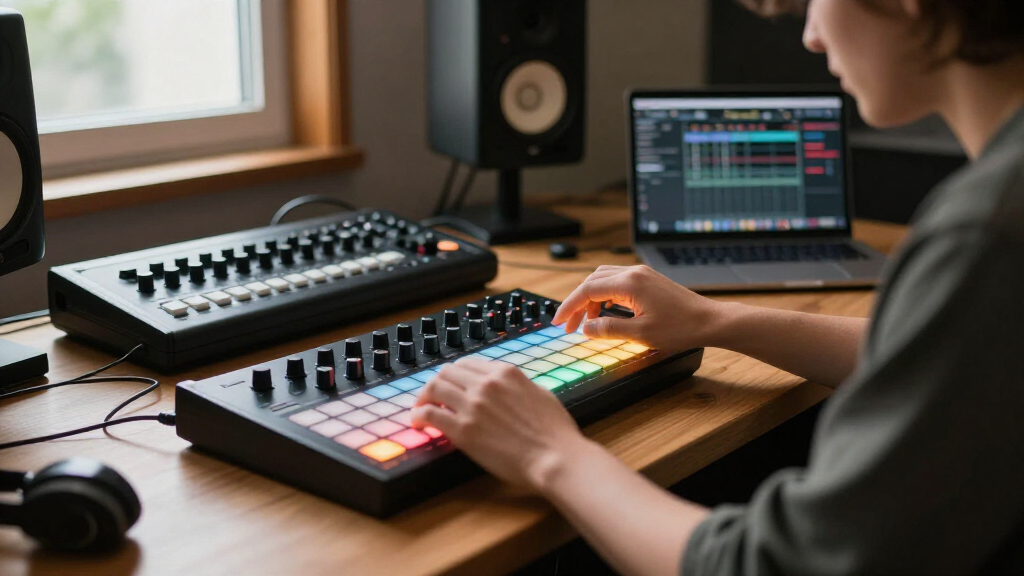

Choosing the right music production MIDI controller can dramatically impact your workflow and creative potential. The Akai APC40 MKII stands out as the best overall for its comprehensive pad and control surface, while the Native Instruments Komplete Kontrol M32 offers a premium keyboard experience. For those just starting out, the M-AUDIO Keystation Mini 32 MK3 provides a compact and budget-friendly option. The main tradeoffs involve balancing features like key count, control options, build quality, and price. Keep reading to see how these factors shape the best choices for different needs.

Get audio and creator gear delivered free with Prime
- Fast, free delivery on millions of items
- Prime Video, Amazon Music and more included
- Member-only deals all year
Complete the kit


Key Takeaways
- Top picks vary based on whether users prioritize pads, keys, or control surface features.
- The best overall controller combines versatility, build quality, and seamless software integration.
- Compact options excel for portability but might sacrifice some tactile feedback or control options.
- Higher-priced controllers often include more advanced features but may be unnecessary for beginners.
- Consider your workflow — whether focused on beat making, playing melodies, or extensive control — to pick the right model.
| Akai Professional APC40 MKII USB MIDI Pad Controller |  | Best Overall for Ableton Live Users | Compatibility: Ableton Live V9.1.3+ | Control Surface: 5×8 clip-launch matrix with RGB feedback | Faders: 9 channel faders | VIEW LATEST PRICE | See Our Full Breakdown |
| Akai Professional LPK25 25-Key USB MIDI Keyboard Controller |  | Best for Portability and Basic Production | Number of Keys: 25 | Key Type: Synth action | Connectivity: USB | VIEW LATEST PRICE | See Our Full Breakdown |
| Akai Professional MPK Mini Play MK3 25-Key USB MIDI Keyboard Controller |  | Best for Portable All-in-One Performance | Number of Keys: 25 | Built-in Speaker: Yes | Power Source: Batteries or USB | VIEW LATEST PRICE | See Our Full Breakdown |
| M-AUDIO Keystation Mini 32 MK3 USB MIDI Controller |  | Best for Basic Mobile Production | Number of Keys: 32 | Connectivity Technology: USB | Additional Features: Compact, Lightweight, Portable | VIEW LATEST PRICE | See Our Full Breakdown |
| Akai Professional MPK Mini Plus 37-Key USB MIDI Keyboard Controller |  | Best for Versatile Performance and Extended Connectivity | Number of Keys: 37 | Octaves: 3 full octaves | Connectivity: USB, MIDI I/O, CV/Gate | VIEW LATEST PRICE | See Our Full Breakdown |
| Korg nanoKONTROL Studio Bluetooth/USB MIDI Control Surface with 8 Faders |  | Best Compact Wireless Control Surface | Number of Keys: 45 | Connectivity Technology: Bluetooth, USB | Additional Features: Compact, Lightweight | VIEW LATEST PRICE | See Our Full Breakdown |
| Akai Professional MPK Mini MK3 25-Key USB MIDI Keyboard Controller |  | Best Portable MIDI Keyboard with Full Controls | Number of Keys: 25 | Keys Type: Velocity-sensitive | Controller Type: USB MIDI Keyboard | VIEW LATEST PRICE | See Our Full Breakdown |
| Native Instruments Komplete Kontrol M32 Controller Keyboard |  | Best Compact Control with Software Bundle | Number of Keys: 32 | Display: OLED | Connectivity: USB 2.0 | VIEW LATEST PRICE | See Our Full Breakdown |
| Akai Professional APC Key 25 MK2 25-Key USB MIDI Keyboard Controller |  | Best Ableton Live Integration for Live and Studio | Number of Keys: 25 | Pad Matrix: 5×8 RGB | Assignable Rotary Knobs: 8 | VIEW LATEST PRICE | See Our Full Breakdown |
| Akai Professional APC Mini MK2 USB MIDI Pad Controller |  | Best Compact Pad Controller for Live Performance | Pads: 64 RGB backlit | Faders: 9 (8 assignable + 1 master) | Modes: Drum and Note modes | VIEW LATEST PRICE | See Our Full Breakdown |
| Arturia MiniLab 3 Universal MIDI Controller, White |  | Best for Compact, On-the-Go Music Production | Number of Keys: 25 | Connectivity Technology: USB | Additional Features: 2 banks of 8 velocity and pressure sensitive pads with RGB backlighting, 2 capacitive touch sensors, 8 rotary encoders, built-in arpeggiator, mini display and browsing knob | VIEW LATEST PRICE | See Our Full Breakdown |
| PreSonus ATOM Production & Performance MIDI Pad Controller with Software |  | Best for Dynamic Live Performance and Sample Triggering | Number of Pads: 16 | Pad Type: Velocity- and pressure-sensitive RGB | Assignable Buttons: 20 | VIEW LATEST PRICE | See Our Full Breakdown |
| music production MIDI controller | Number of Keys | Included Software |
|---|---|---|
| Akai Professional APC40 MKII U | — | Ableton Live Lite, Effect Racks, Hybrid 3, TubeSynth, sample packs |
| Akai Professional LPK25 25-Key | 25 | — |
| Akai Professional MPK Mini Pla | 25 | MPC Beats, software instruments |
| M-AUDIO Keystation Mini 32 MK3 | 32 | — |
| Akai Professional MPK Mini Plu | 37 | — |
| Korg nanoKONTROL Studio Blueto | 45 | — |
| Akai Professional MPK Mini MK3 | 25 | MPC Beats, 3 Virtual Instruments, 2GB sound content |
| Native Instruments Komplete Ko | 32 | — |
| Akai Professional APC Key 25 M | 25 | Ableton Live Lite, Hybrid 3, Mini Grand, Velvet |
| Akai Professional APC Mini MK2 | — | Ableton Live Lite, Hybrid 3, Mini Grand, Velvet |
| Arturia MiniLab 3 Universal MI | 25 | — |
| PreSonus ATOM Production & Per | — | Studio One Artist, Ableton Live Lite, Studio Magic Plug-in Suite, MVP Loops |
More Details on Our Top Picks
Akai Professional APC40 MKII USB MIDI Pad Controller
The Akai APC40 MKII stands out for its deep integration with Ableton Live, making it ideal for producers who want hands-on control over clips, mixer, and effects. Its 5×8 clip-launch matrix with RGB feedback provides visual cues that streamline live performance and session management, unlike the more limited controls on the Akai MPK Mini Plus. While setup is straightforward, the device’s dependence on Ableton Live V9.1.3+ can limit flexibility for users on other DAWs. The dedicated faders, knobs, and crossfader facilitate quick adjustments, but some may find the learning curve steep if they’re new to Ableton. This controller is better suited for producers who primarily work within Ableton’s environment and want a robust, dedicated hardware interface.
Pros:- Seamless integration with Ableton Live for intuitive control
- Large clip-launch matrix with RGB feedback for visual cues
- Multiple assignable knobs and faders for detailed tweaking
- Includes Ableton Live Lite and software packs
Cons:- Limited compatibility to Ableton Live V9.1.3+
- Learning curve can be daunting for beginners
- Crossfader assignability could be more flexible
Best for: Ableton Live users seeking a comprehensive, dedicated control surface for live performances and complex sessions.
Not ideal for: Musicians working with multiple DAWs or those who prefer more portable, standalone options, as this is tailored specifically for Ableton Live and wired setups.
- Compatibility:Ableton Live V9.1.3+
- Control Surface:5×8 clip-launch matrix with RGB feedback
- Faders:9 channel faders
- Control Knobs:8
- Device Controls:8
- Crossfader:Assignable A/B crossfader
- Power:USB-powered
- Included Software:Ableton Live Lite, Effect Racks, Hybrid 3, TubeSynth, sample packs
Our verdict“This is the best choice for dedicated Ableton Live users who want a comprehensive, integrated control surface.”
Akai Professional LPK25 25-Key USB MIDI Keyboard Controller
The Akai LPK25 offers a compact solution for musicians and producers who need a lightweight, portable MIDI keyboard. Its 25 synth-action keys with velocity sensitivity make it suitable for quick melodies and sketches, especially compared to bulkier controllers like the MPK Mini Play MK3. The LPK25’s simple design lacks additional controls such as knobs or faders, which means it’s less suited for intricate mixing or modulation tasks. The narrow range of two octaves can limit performance complexity, but its plug-and-play compatibility across all major DAWs makes it highly accessible. This controller makes the most sense for mobile producers or those with limited desk space who primarily need a basic MIDI input device.
Pros:- Highly portable and lightweight for on-the-go use
- Responsive velocity-sensitive keys for natural feel
- Plug-and-play compatibility across major DAWs and OS
- Affordable price point
Cons:- Limited to two octaves, restricting performance range
- No additional controls like knobs or faders for detailed editing
- No standalone mode or onboard sounds
Best for: Musicians and producers seeking a compact, portable MIDI keyboard for quick ideas and travel use.
Not ideal for: Producers needing extensive control options or a full-range keyboard for complex arrangements, as this model is limited to two octaves and basic functions.
- Number of Keys:25
- Key Type:Synth action
- Connectivity:USB
- Power Source:USB bus powered
- Preset Slots:8
- Dimensions:Less than 13 inches wide
- Weight:Less than 1 pound
Our verdict“This controller is ideal for mobile musicians or beginners needing a simple, portable MIDI input device.”
Akai Professional MPK Mini Play MK3 25-Key USB MIDI Keyboard Controller
The Akai MPK Mini Play MK3 combines portability with versatility, featuring a built-in speaker and onboard sounds that make it stand out from typical MIDI controllers like the Keystation Mini 32 MK3. Its 25 keys and velocity-sensitive pads allow expressive playing, but the built-in speaker’s sound quality may not satisfy critical listening needs. The onboard sounds and software support, including NKS compatibility, make it perfect for musicians on the move who want a standalone device with creative flexibility. However, portability comes with the tradeoff of limited keys and the need for batteries (not included), which can impact convenience during extended use. This pick fits best for mobile performers who want an all-in-one device for practice, sketching, and light production.
Pros:- Portable with built-in speaker and battery operation
- Versatile controls including drum pads and assignable knobs
- Wide onboard sound library and software integration
- Supports NKS for Native Instruments compatibility
Cons:- Built-in speaker may lack audio fidelity for critical listening
- Limited to 25 keys, restricting performance range
- Requires batteries for portable use, which are not included
Best for: Traveling musicians and performers who need a portable, all-in-one MIDI controller with onboard sounds and speaker.
Not ideal for: Studio-focused producers requiring high-fidelity sound interfaces or extensive control, as the built-in speaker and limited keys may limit studio use and performance complexity.
- Number of Keys:25
- Built-in Speaker:Yes
- Power Source:Batteries or USB
- Included Software:MPC Beats, software instruments
- Pad Type:Velocity-sensitive MPC drum pads
- Control Knobs:4 assignable
- NKS Support:Yes
- Battery Life:14+ hours
Our verdict“This all-in-one MIDI controller is best suited for mobile musicians who want onboard sounds and portability for casual gigs and practice.”
M-AUDIO Keystation Mini 32 MK3 USB MIDI Controller
The M-AUDIO Keystation Mini 32 MK3 offers a straightforward, portable solution with 32 velocity-sensitive mini keys, making it suitable for producers who prioritize simplicity and mobility over extensive controls. Compared to the Akai LPK25, the Keystation’s larger 32-key layout provides a slightly broader performance range, though it still lacks additional faders or knobs. Its plug-and-play setup and customizable velocity curves make it accessible for beginners and mobile producers alike. However, its limited feature set means it’s less appropriate for detailed mixing or complex performance setups. This controller works well for users who want a basic, lightweight keyboard for sketching ideas or performing on the go, without the need for extra controls or standalone features.
Pros:- Compact and lightweight for easy transport
- Velocity-sensitive keys for expressive playing
- Includes MPC Beats software for basic production
- Easy to set up with simple USB connectivity
Cons:- Limited to 32 keys, restricting performance complexity
- No additional controls like knobs or sliders
- No standalone or onboard sounds
Best for: Beginners and mobile producers needing a simple, portable MIDI keyboard for quick ideas and basic performance.
Not ideal for: Producers requiring extensive control options or full-range performance capabilities, as it has only 32 keys and no onboard controls.
- Number of Keys:32
- Connectivity Technology:USB
- Additional Features:Compact, Lightweight, Portable
Our verdict“This controller is a practical choice for beginners or mobile users seeking a simple, no-fuss MIDI keyboard for basic music creation.”
Akai Professional MPK Mini Plus 37-Key USB MIDI Keyboard Controller
The Akai MPK Mini Plus offers a significant upgrade over smaller controllers with its 37 keys, RGB MPC pads, and extensive connectivity options, including MIDI, CV/Gate, and USB. This flexibility makes it ideal for producers who want to connect to modular synths or hardware gear, unlike the Keystation Mini 32 MK3 which is limited to USB. The built-in 64-step sequencer adds standalone sequencing capabilities, appealing to performers who want a portable, all-in-one solution. The tradeoff is increased complexity, which might overwhelm beginners or those seeking a straightforward MIDI controller. This model is best for users comfortable with MIDI workflows who need a versatile, portable device that bridges hardware and software seamlessly.
Pros:- 37 keys with a full 3-octave range for versatile playing
- Extensive connectivity including MIDI and CV/Gate
- Includes 64-step sequencer for standalone use
- RGB MPC pads for expressive control
Cons:- May be too complex for beginners unfamiliar with MIDI gear
- Requires external power or USB for full features
- Limited to 3 octaves, which might restrict some performances
Best for: Producers and performers requiring a portable, feature-rich MIDI controller with extensive connectivity and sequencing options.
Not ideal for: Beginners or users primarily working in digital-only setups, as the device’s complexity and multiple connection types may be daunting.
- Number of Keys:37
- Octaves:3 full octaves
- Connectivity:USB, MIDI I/O, CV/Gate
- Pads:8 RGB MPC pads
- Rotary Knobs:8 assignable
- Built-in Sequencer:64-step
- Software Included:MPC Beats
- Sample Library:Splice Creator plan for 2 months
Our verdict“This controller is best for experienced producers seeking a portable, highly versatile MIDI instrument with hardware integration and sequencing features.”
Korg nanoKONTROL Studio Bluetooth/USB MIDI Control Surface with 8 Faders
The Korg nanoKONTROL Studio stands out for its wireless Bluetooth connectivity, making it ideal for mobile setups where freedom of movement is essential. Compared to the Akai APC Mini MK2, it offers a more versatile control surface with 8 faders and ergonomic knobs, though it sacrifices some features like dedicated scene controls or a large pad matrix. Its limited number of keys and absence of noise control features mean it’s less suited for complex performances or studio mixing that demands more tactile control. Setup can be less intuitive due to the manual, but once configured, it provides seamless integration with popular DAWs like Ableton Live and FL Studio. This pick makes the most sense for mobile producers or performers needing wireless flexibility without a large footprint.
Pros:- Wireless Bluetooth connectivity for mobility
- Compact and lightweight design
- Supports multiple popular music production software
Cons:- Limited number of keys for complex performances
- No noise control features
- Requires user manual for setup
Best for: Musicians and producers who require a portable, wireless control surface for live performances or mobile studio work.
Not ideal for: Studio-focused producers seeking extensive control options or larger key ranges for complex compositions.
- Number of Keys:45
- Connectivity Technology:Bluetooth, USB
- Additional Features:Compact, Lightweight
- Supported Software:Ableton Live, Avid Pro Tools, FL Studio
- Control Method:Remote
- Total USB Ports:1
Our verdict“This is best suited for mobile users prioritizing wireless convenience over extensive control features.”
Akai Professional MPK Mini MK3 25-Key USB MIDI Keyboard Controller
The Akai MPK Mini MK3 excels as a compact, portable MIDI controller combining 25 velocity-sensitive keys with MPC-style drum pads and extensive control options. Unlike the Native Instruments Komplete Kontrol M32, it offers a larger control surface with dedicated drum pads, making it more versatile for beat making and performance. However, its limited keys restrict complex piano playing, which might frustrate pianists or layered performances. The included software bundle and seamless DAW integration make it a strong choice for producers on the go, but initial setup and registration may pose a learning curve for newcomers. This controller is ideal for producers needing portable, all-in-one control for beatmaking and live performance.
Pros:- Compact and portable design for travel
- Includes MPC-style pads and extensive controls
- Seamless integration with DAWs and Native Instruments
Cons:- Limited number of keys for complex melodies
- Requires setup and registration for full software features
Best for: Traveling producers and beat makers who want a versatile, portable MIDI controller.
Not ideal for: Classical pianists or composers requiring extensive key range for intricate piano parts.
- Number of Keys:25
- Keys Type:Velocity-sensitive
- Controller Type:USB MIDI Keyboard
- Pads:8 backlit MPC-style pads
- Knobs:8 assignable knobs
- Joystick:4-way thumbstick
- Included Software:MPC Beats, 3 Virtual Instruments, 2GB sound content
Our verdict“This is perfect for mobile producers needing a versatile controller with drum pads and deep control options.”
Native Instruments Komplete Kontrol M32 Controller Keyboard
The Native Instruments Komplete Kontrol M32 offers a streamlined 32-key layout with an OLED display and touch-sensitive knobs, making it well-suited for on-the-go sound design and quick control of instruments. Compared to the Akai MPK Mini MK3, it features a more detailed display and more precise sound tweaking capabilities, although it has fewer keys, limiting its use for full piano performances. Its software bundle, including synths and effects, enhances its value, but setup can be time-consuming, and it won’t function standalone without a computer. This makes it better suited for producers who prioritize detailed sound control over extensive keyboard range. This device is ideal for sound designers and producers needing compact, detailed control of virtual instruments.
Pros:- Compact and portable design
- Includes comprehensive software bundle
- Touch-sensitive knobs for real-time sound tweaking
Cons:- Limited number of keys for complex performances
- Requires software installation and setup
Best for: Producers and sound designers who want a portable controller with detailed sound editing features.
Not ideal for: Performers or composers needing a full-range keyboard for complex piano work or live performances without a computer.
- Number of Keys:32
- Display:OLED
- Connectivity:USB 2.0
- Power:Bus powered
Our verdict“This is suited for producers seeking detailed sound control in a portable, space-saving package.”
Akai Professional APC Key 25 MK2 25-Key USB MIDI Keyboard Controller
The Akai APC Key 25 MK2 combines 25 velocity-sensitive keys with a 5×8 RGB pad matrix and dedicated controls tailored for Ableton Live workflows. Unlike the Akai MPK Mini MK3, it emphasizes clip launching and live performance features, making it the ideal choice for Ableton users who want quick access to clips and effects. Its limited keys restrict traditional piano playing but excel in live looping and scene management. The lack of a built-in display means detailed control relies on software feedback, which might slow workflows for some. Nonetheless, it offers responsive keys and bright pads that provide clear visual cues during performances. This device is best for Ableton Live users who prioritize clip launching and scene control in live or studio settings.
Pros:- Seamless integration with Ableton Live
- Bright RGB pads for visual feedback
- Dedicated controls for effects and navigation
Cons:- Limited number of keys for complex melodies
- No built-in display for detailed control
- Requires Ableton Live for full functionality
Best for: Ableton Live users needing a compact controller with clip launching and scene control features.
Not ideal for: Producers seeking a larger keyboard or standalone functionality without a computer.
- Number of Keys:25
- Pad Matrix:5×8 RGB
- Assignable Rotary Knobs:8
- Octave Buttons:Up and Down
- Transport Controls:Yes
- Included Software:Ableton Live Lite, Hybrid 3, Mini Grand, Velvet
Our verdict“This is best for Ableton performers and producers focused on clip-based live control rather than piano performance.”
Akai Professional APC Mini MK2 USB MIDI Pad Controller
The Akai APC Mini MK2 offers a versatile 8×8 RGB pad matrix, making it ideal for live looping, beat production, and creative performances. Compared with the Akai APC Key 25 MK2, it focuses on pad-based control rather than keyboard input, giving performers tactile access to clips, scenes, and effects. Its multiple modes and assignable faders enhance creative flexibility, but limited to Ableton Live users for full functionality, and it lacks a built-in battery, relying solely on USB power. Its compact size and bright RGB pads make it highly portable for gigging or studio use. However, the absence of a bag for transport can be a drawback for frequent travelers. This controller is perfect for live performers and producers who want a portable, high-visibility pad matrix for creative control.
Pros:- Bright RGB backlit pads for clear visual feedback
- Compact and portable design
- Multiple modes and assignable controls
Cons:- Limited to Ableton Live functionality
- No built-in battery or standalone mode
- Bag not included for easy transport
Best for: Performers and producers seeking an intuitive, portable pad controller for live sets and studio use with Ableton Live.
Not ideal for: Producers needing a keyboard or standalone device without a computer dependency.
- Pads:64 RGB backlit
- Faders:9 (8 assignable + 1 master)
- Modes:Drum and Note modes
- Compatibility:Ableton Live 11, 12, 7 onwards
- Included Software:Ableton Live Lite, Hybrid 3, Mini Grand, Velvet
Our verdict“This is ideal for live performers and producers who need a portable, visually intuitive pad controller for creative sets.”
Arturia MiniLab 3 Universal MIDI Controller, White
The Arturia MiniLab 3 stands out for its portability and seamless integration with popular DAWs like Ableton Live Lite, making it a top choice for producers who need a versatile, space-saving controller. Compared with the PreSonus ATOM, it offers fewer pads but provides tactile rotary encoders and a mini display that enhance navigation and parameter control. Its 25 velocity-sensitive keys are ideal for melodies and basic chord work, but limited for complex keyboard parts or live performances requiring more keys. The plastic build keeps it lightweight, though some might find it less durable for heavy touring or rough handling. The included software bundle boosts its value, especially for beginners and hobbyists. However, it cannot operate standalone without a computer, which might limit use in certain performance settings.
Pros:- Compact and portable design perfect for mobile setups
- Velocity-sensitive keys and RGB pads for expressive control
- Includes useful software like Ableton Live Lite and Analog Lab Intro
Cons:- Limited to 25 keys, restricting complex performances
- Basic plastic construction may feel less durable over time
- No standalone use—requires a computer connection
Best for: Beginners or producers who prioritize portability and software integration for home or studio use
Not ideal for: Performers needing a full-sized keyboard or extensive standalone capabilities
- Number of Keys:25
- Connectivity Technology:USB
- Additional Features:2 banks of 8 velocity and pressure sensitive pads with RGB backlighting, 2 capacitive touch sensors, 8 rotary encoders, built-in arpeggiator, mini display and browsing knob
- Instrument Key:Any
- Supported Software:Ableton Live Lite, Analog Lab Intro, UVI Model D
- Platform:Mac, Windows 10
Our verdict“This controller is best suited for beginners or mobile producers who want a lightweight, integrated MIDI solution.”
PreSonus ATOM Production & Performance MIDI Pad Controller with Software
The PreSonus ATOM excels for producers and performers seeking expressive sample triggering and real-time control, thanks to its 16 velocity- and pressure-sensitive RGB pads. Unlike the MiniLab 3, which focuses on keyboard control, the ATOM prioritizes rhythm and sample-based workflows, making it ideal for electronic music and live sets. Its 8 pad banks and customizable controls provide flexibility for complex performances, but this also introduces a learning curve compared to the simpler MiniLab 3. The inclusion of professional software like Studio One Artist and a suite of sample libraries adds significant value, especially for those already invested in PreSonus ecosystems. However, it is primarily a MIDI control surface, so users might need additional software for full functionality. Its compact size makes it portable, but some users may find the advanced features overwhelming without dedicated training.
Pros:- Highly expressive pads with velocity and pressure sensitivity
- Seamless integration with Studio One and Ableton Live
- Includes professional recording software and an extensive sample library
Cons:- Limited to MIDI control—additional software may be needed for full use
- Learning curve can be steep for advanced features
- Primarily designed for triggering samples, not melodic keyboard parts
Best for: Electronic musicians or live performers who want expressive sample triggering and integrated software for performance
Not ideal for: Producers seeking a full-sized keyboard or a controller primarily for melodic parts
- Number of Pads:16
- Pad Type:Velocity- and pressure-sensitive RGB
- Assignable Buttons:20
- Rotary Encoders:4
- Pad Banks:8
- Included Software:Studio One Artist, Ableton Live Lite, Studio Magic Plug-in Suite, MVP Loops
- Power:USB bus-powered
- Compatibility:macOS, Windows
Our verdict“This controller is ideal for electronic producers or performers who prioritize expressive sample triggering in live or studio settings.”
How We Picked
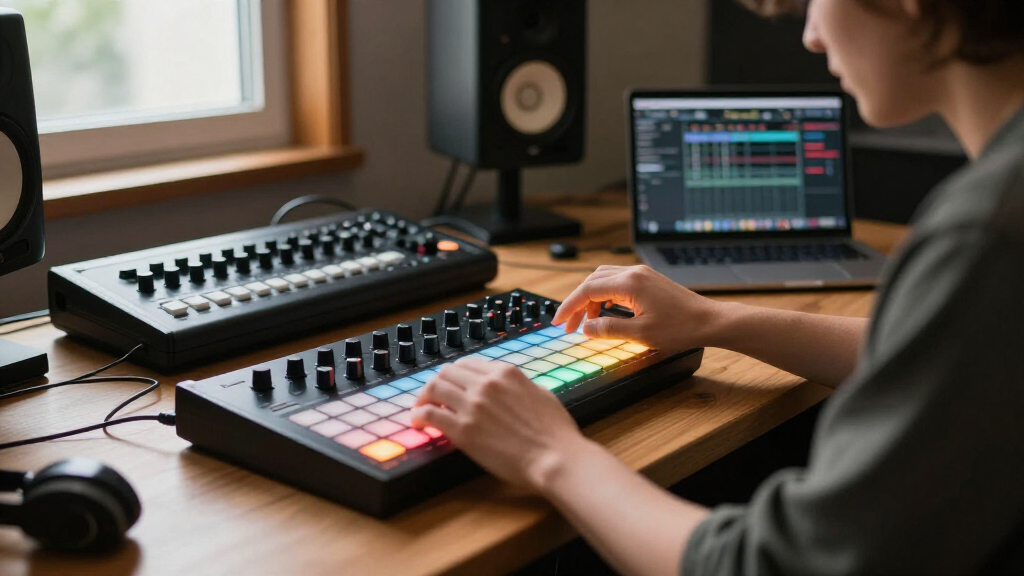
Our evaluation focused on performance, usability, build quality, and value. We looked at how well each controller integrates with popular DAWs, the range of controls provided, and the overall tactile experience. Price was also a factor, with a clear distinction between budget-friendly and premium options. We prioritized products that cater to different skill levels and production styles, ensuring that each controller’s design aligns with specific user needs. The ranking reflects a balanced consideration of features versus cost, highlighting which models offer the most for their price and intended use.| music production MIDI controller | Included Software |
|---|---|
| Akai Professional APC40 MKII U | Ableton Live Lite, Effect Racks, Hybrid 3, TubeSynth, sample packs |
| Akai Professional LPK25 25-Key | — |
| Akai Professional MPK Mini Pla | MPC Beats, software instruments |
| M-AUDIO Keystation Mini 32 MK3 | — |
| Akai Professional MPK Mini Plu | — |
| Korg nanoKONTROL Studio Blueto | — |
| Akai Professional MPK Mini MK3 | MPC Beats, 3 Virtual Instruments, 2GB sound content |
| Native Instruments Komplete Ko | — |
| Akai Professional APC Key 25 M | Ableton Live Lite, Hybrid 3, Mini Grand, Velvet |
| Akai Professional APC Mini MK2 | Ableton Live Lite, Hybrid 3, Mini Grand, Velvet |
| Arturia MiniLab 3 Universal MI | — |
| PreSonus ATOM Production & Per | Studio One Artist, Ableton Live Lite, Studio Magic Plug-in Suite, MVP Loops |
Factors to Consider When Choosing Music Production MIDI Controllers
Selecting a MIDI controller involves understanding your specific production needs and workflow. Beyond just looking at features, consider how the controller’s design and controls align with your creative process. The right choice can streamline your workflow, but the wrong one might hinder your creativity or feel uncomfortable during long sessions. Think about your experience level, the type of music you produce, and your setup’s portability. Carefully weighing these factors can help you avoid common pitfalls like overspending on unnecessary features or choosing a controller that’s too limited for your ambitions.Key Count and Layout
Deciding between a keyboard with full-sized keys, mini keys, or pad-based controllers depends on your playing style. If you focus on melodies and chords, a full or semi-weighted keyboard offers a more natural feel. For beat making and triggering samples, a pad controller with velocity-sensitive pads provides quick access and tactile feedback. Keep in mind that more keys or pads often mean a higher price and larger size, which can impact portability and desk space.
Control Options and Workflow Integration
Look for controllers with knobs, faders, and transport controls that match your workflow needs. For mixing and automation, dedicated knobs and sliders are invaluable, while performance pads excel for live triggering. Compatibility with your primary DAW is essential; some controllers include dedicated software mappings, reducing setup time and improving usability. Avoid controllers that lack essential controls for your production style, as this can lead to frustration and inefficiency.
Build Quality and Durability
A well-built controller can withstand daily use, especially if you plan to transport it frequently. Metal components and sturdy casing tend to last longer and feel more premium. Cheaper plastic models might be fine for beginners or home setups but can wear down quickly under regular use. Consider the weight and size if you need portability, but don’t compromise too much on sturdiness for the sake of lightness.
Budget and Future-Proofing
Your budget influences your options significantly. Entry-level controllers are affordable but may lack advanced features or build quality. Investing in a mid-range or premium model can offer long-term value, especially if you plan to upgrade your setup later. Think about whether the controller can grow with your skills or if it will become obsolete as your production demands increase. Sometimes, paying more upfront saves you money and hassle in the long run.
Portability and Connectivity
If you produce on the go, portability becomes a key consideration. Compact controllers with USB power and lightweight design are ideal for mobile setups. Also, check connectivity options like Bluetooth or multiple USB ports, which can streamline your workflow. A controller with extensive connectivity options might be more expensive but will offer greater flexibility in different studio environments.
Frequently Asked Questions
Do I need a MIDI controller with keys or pads?
This depends on your production style. If you primarily play melodies or chords, a keyboard with full-sized or mini keys makes sense. If you’re focused on beat making, triggering samples, or performing live loops, a pad controller provides quick access and tactile feedback. Many producers opt for a combination, but choosing the right type based on your main workflow helps avoid unnecessary complexity and expense.
Is it better to buy a controller with more keys or more controls?
More keys are beneficial if you play melodies and require a wide range, but additional controls like knobs and faders are essential for mixing and automation. The ideal setup balances both, but if your budget is limited, prioritize controls that align with your typical production tasks. Upgrading to a controller with more controls later is possible, but starting with what you need most enhances immediate productivity.
Should I prioritize build quality or features?
High build quality ensures longevity, especially if you transport your controller often. Features like multiple knobs, faders, and pads add versatility but can sometimes be compromised in cheaper models. For long-term use, investing in a well-made controller with essential features usually offers better value, even if it costs more upfront. Consider your usage environment to decide whether durability or feature set takes precedence.
Can I use a MIDI controller with any DAW?
Most MIDI controllers are compatible with a wide range of DAWs, but some include dedicated integrations or mappings that simplify setup. Check for compatibility with your preferred software before purchasing. Controllers with class-compliant USB connections usually work plug-and-play, whereas others may require driver installation. Ensuring broad compatibility helps avoid setup frustrations and maximizes your workflow flexibility.
How important is software bundle when choosing a MIDI controller?
Many controllers come with bundled software that can be valuable, especially for beginners or those on a budget. However, the quality and usefulness of included software vary; some provide industry-standard plugins or virtual instruments, while others offer basic tools. If you already have software or prefer free options, this might be less of a priority. Consider whether the included software complements your existing setup and production goals.
Conclusion
For most users, the Akai APC40 MKII offers a comprehensive solution with versatile control and robust build quality, making it the best overall pick. Beginners or those on a budget should consider the M-AUDIO Keystation Mini 32 MK3 for its simplicity and affordability. Professionals who prioritize a premium keyboard experience might lean toward the Native Instruments Komplete Kontrol M32 for its seamless integration and high-quality keys. If portability is key, a compact pad controller like the Akai Professional APC Mini MK2 provides quick access and easy transport. Matching your specific workflow and budget to these strengths will help ensure your MIDI controller enhances your music production efforts effectively.