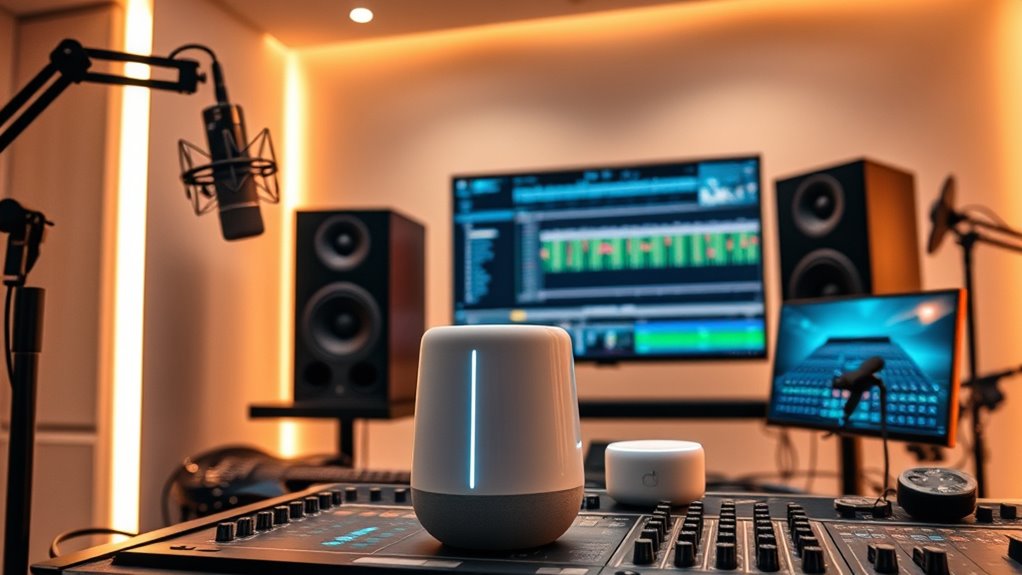
Integrating smart speakers and voice assistants into your music production setup allows you to control hardware, software, lighting, and environment hands-free. You can adjust volume, switch DAWs, or trigger effects with clear, specific commands. These tools help create a distraction-free, efficient workspace and boost creativity by offering quick access to tips and ideas. Keep exploring how to maximize these integrations for a seamless, tech-enhanced studio experience.
Key Takeaways
- Connect smart speakers to studio systems via APIs or IFTTT for seamless device control.
- Create custom voice commands to adjust settings like volume, lighting, or switch DAWs hands-free.
- Use voice assistants to trigger effects, start recordings, or manage workflow automation.
- Integrate smart speakers with visual tools for real-time feedback and immersive visual monitoring.
- Regularly update voice command configurations to enhance responsiveness and streamline music production tasks.

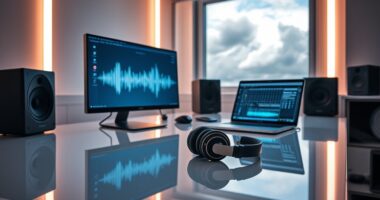
As smart speakers and voice assistants become increasingly common in homes, their potential to transform music production is undeniable. You can now leverage these devices to streamline your workflow, control your studio environment, and even generate creative ideas through voice commands. To make the most of this technology, focus on voice command optimization. This means crafting clear, precise commands that your voice assistant can understand easily, reducing misinterpretations and delays. For example, instead of saying, “Play something,” you might specify, “Play the latest track from my playlist,” or, “Set the volume to 70%.” The key is to use consistent phrasing and specific keywords so your voice assistant learns your preferences over time. Proper voice command optimization guarantees you spend less time troubleshooting and more time creating. Additionally, integrating high-quality home theatre projectors can enhance your visual workspace by providing sharp, immersive displays for video editing and visualizations, making your studio environment more versatile. Smart device integration is equally vital. When your voice assistant seamlessly connects with your music production hardware and software, it enables hands-free control of multiple systems simultaneously. For instance, you can instruct your smart speaker to switch between different DAWs, adjust monitor levels, or trigger specific effects without interrupting your workflow. Many modern smart devices support integrations through platforms like IFTTT or proprietary APIs, allowing you to customize commands for complex actions. This integration also extends to controlling lighting, studio temperature, or other connected devices, creating a harmonious environment conducive to creativity. By linking your smart speakers with your studio setup, you eliminate unnecessary interruptions, making your music production process more fluid and efficient. Furthermore, integrating voice assistants into your workflow encourages experimentation. You might ask your device for music theory tips, generate random chord progressions, or even get suggestions for sounds to try. These interactions can spark new ideas or overcome creative blocks. As you become more familiar with your voice assistant’s capabilities, you’ll realize how much quicker you can access tools and information, giving you more time to focus on the actual music. Remember, the goal is to make technology work for you, not complicate your process. Regularly updating your voice command list and exploring new integrations will maximize your setup’s potential. With proper voice command optimization and smart device integration, you turn your studio into a smart, responsive environment that enhances your creativity and productivity. The future of music production is truly voice-activated, and embracing these tools now puts you ahead in innovation.
Frequently Asked Questions
Can Voice Assistants Replace Traditional Music Production Software?
Voice assistants can’t fully replace traditional music production software yet. They excel in voice recognition and hardware integration, making them useful for quick commands or controlling equipment hands-free. However, for detailed editing, mixing, and arrangement, you still need the precision and capabilities of professional software. So, while they enhance your workflow, they won’t replace the depth and control that traditional tools offer for complex music production.
How Secure Is Voice Data During Music Production Sessions?
They say “trust, but verify,” and it’s true for voice data security during music sessions. Your voice data’s security depends on the platform’s privacy policies, data encryption, and how carefully you handle access. Many smart devices use encryption to protect your recordings, but privacy concerns remain. Always make certain your voice assistants have proper security settings, and remember, staying cautious keeps your creative process safe from prying eyes.
What Are the Best Voice Commands for Editing Tracks?
You can use voice command customization to improve your editing workflow, enabling hands-free mixing and track adjustments. Try commands like “cut the vocals at 1:30,” “increase bass by 3dB,” or “mute the drums.” These intuitive commands streamline your process, saving time and allowing you to focus on creativity. Experiment with customizing your voice commands to fit your specific needs, making editing faster and more efficient.
Do Smart Speakers Support All Music Production Plugins?
Smart speakers don’t support all music production plugins, acting like a sieve that filters out certain frequencies. Their limitations stem from hardware and software constraints, which restrict plugin compatibility and processing power. You can’t rely on them for complex editing tasks or high-demand plugins. Instead, use dedicated DAWs and hardware for professional music production, and treat smart speakers as handy assistants for quick commands and playback control.
How Do Voice Assistants Handle Complex Production Tasks?
Voice assistants handle complex production tasks by leveraging natural language processing and contextual understanding. You can give detailed commands, and they interpret your intent accurately, enabling tasks like adjusting mixing levels or adding effects. However, their capabilities are limited compared to dedicated DAWs, so for intricate editing, you’ll still need to use specialized software. Voice assistants are best for quick adjustments and hands-free control, streamlining your workflow.
Conclusion
As you weave smart speakers and voice assistants into your music production, you’re opening a door to a new universe of creativity. Think of these tools as your musical compass, guiding you through uncharted sonic landscapes. Embrace their power, and watch your ideas soar like a symphony in full bloom. With each command, you’re painting masterpieces on the canvas of innovation—transforming your studio into a vibrant, living orchestra.