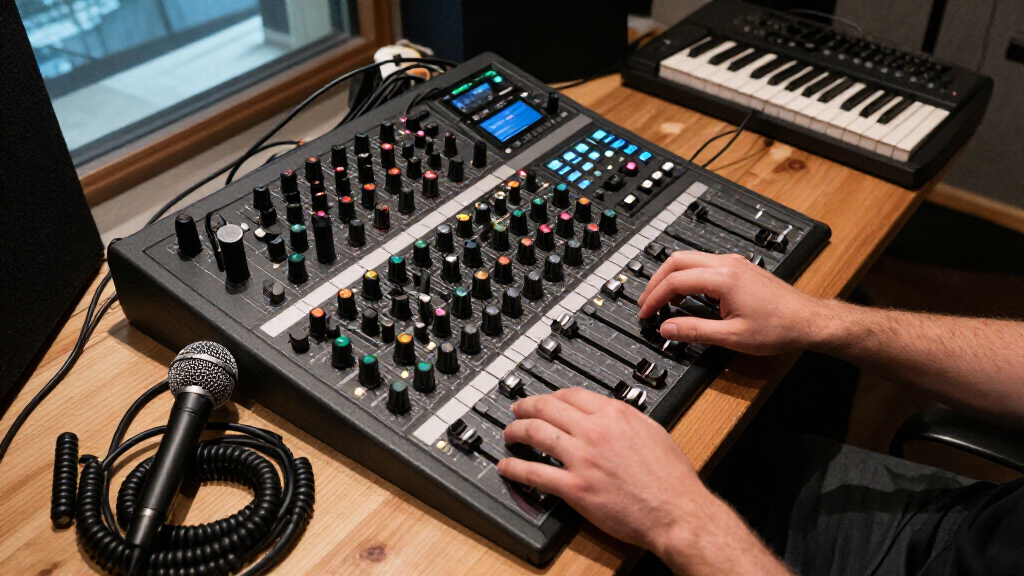
The Yamaha MGX12 is my best overall pick among these digital audio mixers, balancing hands-on control with a dual USB-C audio interface. For larger live productions, the Allen & Heath Qu-5 stands out for its 96 kHz processing and substantial I/O, while the Behringer FLOW 8 makes a simpler case for compact, app-controlled setups. The main tradeoff is between physical controls and rack-style app operation, alongside channel capacity, recording features, and setup complexity. A mixer suited to a band recording multitrack sessions may be excessive for a small streaming desk, while a compact unit may run short on inputs at a live show. Read on for how all 14 options compare and which fits your workflow.

Get audio and creator gear delivered free with Prime
- Fast, free delivery on millions of items
- Prime Video, Amazon Music and more included
- Member-only deals all year
Complete the kit


Key Takeaways
- The Yamaha MGX12 earns the overall lead by combining a physical mixing surface with dual USB-C connectivity, avoiding the all-app workflow of rack mixers while serving live and recording uses.
- The Allen & Heath Qu-5 is the premium production choice for buyers who need broad input and output capacity and 96 kHz operation; its scale is more than many small home setups require.
- Rack mixers divide by workflow, not just channel count: the Mackie DL16SE and Behringer XR18 families suit app-based control, while the Behringer X32 offers a larger console-oriented setup.
- The Tascam Model 12 prioritizes recording workflow with its multitrack studio approach, making it a different kind of pick from mixers focused mainly on remote live control.
- Compact and entry-level models involve sharper limits: the FLOW 8 favors portability and straightforward control, while smaller DJ and generic consoles offer fewer production tools than the larger digital systems.
| Yamaha MGX12 18-Channel Digital Mixing Console with Dual USB-C Audio Interface |  | Best Overall for Hands-On Control | Channels: 18 | Display: 4.3-inch touchscreen with 5 control knobs | Connectivity: Auxiliary, Bluetooth, dual USB-C | VIEW LATEST PRICE | See Our Full Breakdown |
| Tascam Model 12 12-Track Digital Multitrack Recording Studio |  | Best for Standalone Recording | Channels: 12 | USB audio interface: 12 in / 10 out | Connectivity: USB | VIEW LATEST PRICE | See Our Full Breakdown |
| Mackie DL16SE 16-Channel Digital Rack Mixer |  | Best Lightweight Rack Mixer | Channels: 16 | Inputs: 8 XLR + 8 combo (2 Hi-Z) | Outputs: 8 line-level XLR outputs, headphone jack | VIEW LATEST PRICE | See Our Full Breakdown |
| Behringer XR18 Digital Mixer |  | Best for 18-Channel Rack Setups | Channels: 18 | Preamps: 16 programmable Midas preamps | Connectivity: USB; integrated 2.4 GHz Wi-Fi | VIEW LATEST PRICE | See Our Full Breakdown |
| Behringer FLOW 8 8-Input Digital Mixer with Bluetooth and App Control |  | Best Compact Mixer for Small Setups | Channels: 8 | Connectivity: Bluetooth | Power: Corded electric | VIEW LATEST PRICE | See Our Full Breakdown |
| Behringer X32 40-Input, 25-Bus Digital Mixing Console |  | Best for Complex Live Productions | Inputs: 40 | Buses: 25 | Microphone preamps: 32 programmable MIDAS-designed | VIEW LATEST PRICE | See Our Full Breakdown |
| Behringer X AIR XR16 16-Input Digital Mixer with 8 Midas Preamps and USB Stereo Recording |  | Best Rack-Style Tablet-Controlled Mixer | Channels: 16 | Mic preamps: 8 programmable Midas-designed | Line inputs: 8 | VIEW LATEST PRICE | See Our Full Breakdown |
| ALTO TMD16 16-Channel Digital Mixer with Bluetooth |  | Best for Hands-On Compact Mixing | Channels: 16 | Mic preamps: 10 digital | Faders: 100 mm capacitive touch | VIEW LATEST PRICE | See Our Full Breakdown |
| Yamnweo MD-14 14-Channel Professional Audio Mixer |  | Best for Built-In Effects Variety | Channels: 14 | DSP effects: 99 | Equalizer: 9-band | VIEW LATEST PRICE | See Our Full Breakdown |
| Pyle PMXU83BT 8-Channel DJ Audio Mixer with Bluetooth and USB |  | Best for Simple DJ and Playback Setups | Channels: 8 | Inputs: XLR and unbalanced 1/4-inch | Connectivity: Bluetooth, USB, and computer | VIEW LATEST PRICE | See Our Full Breakdown |
| K-mxerpro 8-Channel Professional Audio Mixer Console |  | Best for Straightforward Analog-Style Control | Channels: 8 | Channel inputs: XLR and 1/4-inch (6.35 mm) | Connectivity: USB, Bluetooth, and Aux | VIEW LATEST PRICE | See Our Full Breakdown |
| Allen & Heath Qu-5 38-Input, 24-Output 96 kHz Digital Mixer |  | Best for Complex Live Productions | Maximum input channels: 38 | Configurable mixes: 12 | Matrix outputs: 4 | VIEW LATEST PRICE | See Our Full Breakdown |
| Behringer X AIR XR18 18-Channel Digital Mixer | 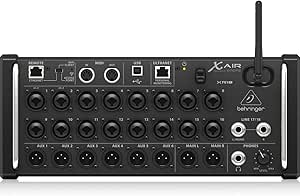 | Best for Tablet-Controlled Recording | Channels: 18 | Buses: 12 | Microphone preamps: 16 programmable MIDAS-designed | VIEW LATEST PRICE | See Our Full Breakdown |
| Allen & Heath CQ-20B 20-Channel Digital Mixer |  | Best Portable Stagebox Mixer | Channels: 20 | Mic or line inputs: 16, including 8 combo inputs | Stereo line inputs: 2 | VIEW LATEST PRICE | See Our Full Breakdown |
| digital audio mixer | Channels | Weight | Connectivity |
|---|---|---|---|
| Yamaha MGX12 18-Channel Digita | 18 | 14.5 pounds | Auxiliary, Bluetooth, dual USB-C |
| Tascam Model 12 12-Track Digit | 12 | 13.3 pounds | USB |
| Mackie DL16SE 16-Channel Digit | 16 | 6.2 pounds | Wi-Fi, USB audio interface |
| Behringer XR18 Digital Mixer | 18 | 3.2 kg | USB; integrated 2.4 GHz Wi-Fi |
| Behringer FLOW 8 8-Input Digit | 8 | — | Bluetooth |
| Behringer X32 40-Input | — | — | — |
| Behringer X AIR XR16 16-Input | 16 | 6.6 lb | — |
| ALTO TMD16 16-Channel Digital | 16 | 5.45 kg | Bluetooth and USB |
| Yamnweo MD-14 14-Channel Profe | 14 | 18 lb | Bluetooth and USB |
| Pyle PMXU83BT 8-Channel DJ Aud | 8 | — | Bluetooth, USB, and computer |
| K-mxerpro 8-Channel Profession | 8 | — | USB, Bluetooth, and Aux |
| Allen & Heath Qu-5 38-Input | — | 27.4 pounds | — |
| Behringer X AIR XR18 18-Channe | 18 | 7.1 pounds | — |
| Allen & Heath CQ-20B 20-Channe | 20 | 4.4 kg | — |
More Details on Our Top Picks
Yamaha MGX12 18-Channel Digital Mixing Console with Dual USB-C Audio Interface
The Yamaha MGX12 is the most balanced pick here for buyers who want digital processing without giving up physical controls. Its tactile faders and 4.3-inch touchscreen make adjustments more direct than on the app-led Mackie DL16SE, while built-in DSP supports latency-free monitoring during live work. Dual USB-C, Bluetooth input, and a microSD card slot give it several ways to handle streaming, playback, and recording, and the bundled Steinberg tools add a useful software starting point. The tradeoff is its 14.5-pound, corded design, which is less convenient to move than the lighter DL16SE. Its HDMI connection is also a less typical mixer feature, so buyers should check that its video-related workflow matches their setup. I’d choose it for a flexible desk or live rig, not battery-powered or minimalist setups.
Pros:- Tactile faders and touchscreen provide direct control without relying entirely on an app.
- Built-in DSP supports latency-free monitoring.
- Dual USB-C, Bluetooth, and microSD support varied audio workflows.
- Bundled Steinberg software provides tools for recording and audio production.
Cons:- Corded power restricts placement away from an outlet.
- At 14.5 pounds, it is heavier to transport than the Mackie DL16SE.
- The HDMI connection may not be useful for buyers who only need conventional audio routing.
Best for: Performers and streamers who want tactile mixing, onboard DSP, and several digital connection options in one console.
Not ideal for: Mobile operators who need battery-powered gear or a lightweight rack unit; its corded power and 14.5-pound weight limit portability.
- Channels:18
- Display:4.3-inch touchscreen with 5 control knobs
- Connectivity:Auxiliary, Bluetooth, dual USB-C
- Audio inputs:XLR
- Outputs:HDMI, USB Type B
- Power:Corded electric
- Weight:14.5 pounds
- Warranty:1 year manufacturer
Our verdict“Choose the MGX12 if you want hands-on controls and broad connectivity in a capable digital mixer, and skip it if portability is your priority.”
Tascam Model 12 12-Track Digital Multitrack Recording Studio
The Tascam Model 12 is the strongest fit for musicians who want a mixer to do more than route a live show. It combines a 12-channel mixer, multitrack recorder, USB interface, and DAW controller, reducing the need to build a recording setup from separate devices. Its 12-in/10-out USB connection supports a more involved computer workflow than the FLOW 8, while onboard MIDI and TAP TEMPO output make it a better match for session and production work. Each input module also has a one-knob compressor and three-band EQ for shaping sources before they reach a recording. The tradeoff is a substantial 18 x 16-inch footprint and corded power; compared with the compact FLOW 8, this is a studio-oriented unit rather than an easy grab-and-go mixer. Its two headphone outputs are useful for shared monitoring, but buyers seeking wireless app control should look elsewhere.
Pros:- Combines a mixer, multitrack recorder, USB interface, and DAW controller.
- 12-in/10-out USB interface supports multichannel computer recording.
- Input modules include a one-knob compressor and three-band EQ.
- Dual headphone outputs have individual volume and source selection.
Cons:- Its 18 x 16-inch footprint takes substantial desk or transport space.
- Corded power limits use away from outlets.
- Its recording-centered feature set may be unnecessary for buyers who only need live mixing.
Best for: Home-recording musicians and small bands who want multitrack capture, DAW control, and a mixer in one setup.
Not ideal for: Mobile performers who prioritize a compact, app-controlled mixer; the Model 12 is large, corded, and focused on recording workflows.
- Channels:12
- USB audio interface:12 in / 10 out
- Connectivity:USB
- Input modules:One-knob compressor and three-band EQ
- Headphone outputs:Dual, with individual volume and source selection
- Dimensions:18 x 16 x 6 inches (D x W x H)
- Weight:13.3 pounds
- Power:Corded electric
Our verdict“Pick the Model 12 if multitrack recording and DAW control matter as much as mixing, but choose a smaller app-led unit for mobile live work.”
Mackie DL16SE 16-Channel Digital Rack Mixer
The Mackie DL16SE suits buyers who want a rack-mountable digital mixer with substantial recording capacity but little physical bulk. At 6.2 pounds, it is far easier to transport than the Yamaha MGX12 or Tascam Model 12, and its 16×16 USB interface supports multitrack recording and playback. The 16 Onyx+ mic preamps, eight XLR outputs, and four stereo FX processors give it a strong role in a live rig that also needs flexible routing and effects. The main compromise is its control approach: mixing runs through the Master Fader SE app rather than a built-in screen and fader surface. It also requires a wireless router for remote operation, adding setup steps that the Behringer XR18’s integrated Wi-Fi avoids. This makes the DL16SE a better fit for rack-based crews comfortable managing a networked rig than for users who want controls on the mixer itself.
Pros:- Light 6.2-pound rack-mountable design is easier to transport than the Yamaha MGX12.
- Built-in 16×16 USB interface supports multitrack recording and playback.
- Sixteen Onyx+ mic preamps and eight XLR outputs suit larger live setups.
- Four stereo FX processors have dedicated sends and returns.
Cons:- Requires a wireless router for remote operation.
- App-based control lacks the direct physical faders and screen found on the Yamaha MGX12.
- A wireless setup adds network configuration to live sound preparation.
Best for: Live-sound operators who need a light rack mixer, multitrack USB recording, and wireless control through a tablet.
Not ideal for: Buyers who want built-in faders or a display, or crews seeking wireless control without bringing a separate router.
- Channels:16
- Inputs:8 XLR + 8 combo (2 Hi-Z)
- Outputs:8 line-level XLR outputs, headphone jack
- USB audio interface:16×16
- Connectivity:Wi-Fi, USB audio interface
- Effects:Four stereo FX processors with dedicated sends and returns
- Dimensions:5.8 x 14.1 x 5.6 inches (D x W x H)
- Weight:6.2 pounds
Our verdict“Choose the DL16SE for a lightweight rack rig with extensive USB recording, provided you are comfortable mixing through an app and router.”
Behringer XR18 Digital Mixer
The Behringer XR18 delivers 18 channels and 16 programmable Midas preamps in a rackmount design, making it a practical choice for bands that need many inputs without a large console surface. Its integrated Wi-Fi lets an iPad or Android tablet handle mixing, and the multichannel USB interface supports direct recording and playback. Compared with the Mackie DL16SE, the XR18 offers two more channels and built-in Wi-Fi, so it avoids the Mackie’s separate-router requirement for remote control. That convenience comes with a network tradeoff: the XR18 uses 2.4 GHz Wi-Fi, which may be less dependable in crowded wireless environments. There is also no built-in display, so you need an external device to operate it. I’d favor it for a tablet-centered rack setup, but buyers who want hands-on faders or a screen should look at the Yamaha MGX12 instead.
Pros:- 18 channels and 16 programmable Midas preamps accommodate sizeable live setups.
- Integrated Wi-Fi supports control from iPad or Android tablets.
- Multichannel USB audio interface supports recording and playback.
- Rackmountable design includes installation accessories.
Cons:- 2.4 GHz Wi-Fi may face interference in crowded environments.
- No built-in display; operation depends on an external device.
- Software update support status is listed as unknown.
Best for: Bands and small venues that need 18 channels, rack installation, and tablet-based mixing from an integrated Wi-Fi mixer.
Not ideal for: Operators who need a built-in display or dependable remote control in wireless-crowded spaces.
- Channels:18
- Preamps:16 programmable Midas preamps
- Connectivity:USB; integrated 2.4 GHz Wi-Fi
- Outputs:XLR, TRS
- Dimensions:333 x 148 x 140 mm
- Weight:3.2 kg
- Power:Corded electric
- Warranty:2 years
Our verdict“Choose the XR18 for a high-channel-count rack rig with tablet control, but favor a mixer with physical controls if you do not want to depend on Wi-Fi.”
Behringer FLOW 8 8-Input Digital Mixer with Bluetooth and App Control
The Behringer FLOW 8 is the most compact choice in this group for small performances, streaming, and rehearsals where eight channels are enough. Its FLOW app provides wireless control, while Bluetooth audio makes it easy to bring in playback without adding another wired source. Two Midas mic preamps with 48 V phantom power cover common vocal and condenser-mic needs, and EZ-Gain can help set input levels quickly. The 60 mm faders also offer a more tactile option than relying only on a tablet. Compared with the 18-channel Yamaha MGX12, the FLOW 8 gives up substantial input capacity and broader connection options in exchange for a smaller footprint. Its corded power still limits truly mobile use, and the listed product data gives an unusual HDMI output specification, so buyers should confirm that the connection suits their setup before purchase.
Pros:- Compact dimensions suit small desks, rehearsal spaces, and streamlined live rigs.
- Bluetooth audio and app control support convenient playback and wireless adjustment.
- Two Midas mic preamps include 48 V phantom power.
- EZ-Gain and 60 mm faders combine quick setup with tactile level control.
Cons:- Eight channels offer less capacity than the Yamaha MGX12 or Behringer XR18.
- Corded power limits use in locations without an outlet.
- The listed HDMI output specification may not fit conventional audio-routing needs.
Best for: Solo performers, duos, and streamers who need a compact digital mixer with Bluetooth playback and app control.
Not ideal for: Bands needing more than eight channels, or buyers who require a clearly specified conventional output configuration and battery power.
- Channels:8
- Connectivity:Bluetooth
- Power:Corded electric
- Audio input:USB
- Output connector:HDMI
- Microphone preamps:2 Midas preamps
- Phantom power:48 V
- Channel faders:60 mm
- Dimensions and weight:6.5 x 9.7 x 1.1 inches; 1400 g
Our verdict“Choose the FLOW 8 for a compact small-group rig with Bluetooth and quick gain setup, but move up to a higher-channel-count mixer as your inputs grow.”
Behringer X32 40-Input, 25-Bus Digital Mixing Console
The Behringer X32 is the strongest fit here for productions that need extensive routing and hands-on scene control. Its 32 programmable mic preamps, 25 motorized faders, and 25 buses give a larger live setup room to manage many sources and monitor mixes without relying on a tablet for every adjustment. The 32-channel audio interface also links the console to computer recording workflows. Compared with the more compact ALTO TMD16, the X32 offers far more input and bus capacity, but it demands more setup and learning time. Its AES50 and ULTRANET connections support networked workflows; USB, ADAT, MADI, or Dante require optional expansion cards. This is a capable centerpiece, not a simple grab-and-go mixer.
Pros:- 32 programmable MIDAS-designed mic preamps accommodate large microphone setups.
- Motorized faders and LCD scribble strips help track channels and recall scene layouts.
- 25 buses support multiple monitor and routing needs.
- 32-channel audio interface, onboard effects, and remote control support varied live and studio workflows.
Cons:- USB, ADAT, MADI, and Dante connectivity require optional expansion cards.
- Extensive routing and scene options create a steeper learning curve than the ALTO TMD16.
Best for: Live sound engineers and venues managing many microphones, monitor mixes, and scenes who also want multichannel computer recording.
Not ideal for: Solo performers and small teams seeking a lightweight mixer with straightforward setup or built-in USB expansion-card connectivity.
- Inputs:40
- Buses:25
- Microphone preamps:32 programmable MIDAS-designed
- Faders:25 motorized, 100 mm
- Outputs:16 XLR
- Audio interface:32-channel
- Networking:AES50 and ULTRANET; expansion cards support USB, ADAT, MADI, and Dante
Our verdict“Choose the X32 when your production needs extensive inputs, buses, and scene control more than compact size or simple setup.”
Behringer X AIR XR16 16-Input Digital Mixer with 8 Midas Preamps and USB Stereo Recording
The Behringer XR16 suits crews who prefer to mix from a tablet rather than stand at a bank of physical faders. Its built-in tri-mode Wi-Fi can connect a control device directly, while eight programmable Midas-designed preamps cover a modest set of microphones. Automatic gain sharing is useful for panel discussions or other setups where several open mics need attention. Unlike the hands-on ALTO TMD16, the XR16 makes tablet control central to operation, so it keeps the physical interface minimal. USB recording and playback are limited to stereo WAV, not the X32’s 32-channel interface. That makes the XR16 a more compact, streamlined choice, but a poor match for anyone who wants tactile fader access or multitrack USB capture.
Pros:- Built-in tri-mode Wi-Fi supports direct tablet control without an external router.
- Works with iPad and Android tablets.
- Eight programmable Midas-designed preamps support microphone-based setups.
- USB records and plays stereo WAV files, and automatic gain sharing helps manage multiple open microphones.
Cons:- Tablet control is the intended operating method, with no physical fader bank.
- USB recording is stereo only, unlike the X32’s 32-channel interface.
- Requires corded electric power.
Best for: Small venues, houses of worship, and event crews comfortable mixing on an iPad or Android tablet and needing built-in wireless control.
Not ideal for: Operators who require physical faders, multitrack USB recording, or operation away from a corded power source.
- Channels:16
- Mic preamps:8 programmable Midas-designed
- Line inputs:8
- Wireless control:Built-in tri-mode Wi-Fi; iPad and Android tablet control
- Recording and playback:USB stereo WAV
- Output connectors:XLR
- Weight:6.6 lb
Our verdict“Pick the XR16 if tablet mixing and built-in Wi-Fi matter more than physical controls or multitrack recording.”
ALTO TMD16 16-Channel Digital Mixer with Bluetooth
The ALTO TMD16 is a practical middle ground for buyers who want a digital mixer without giving up direct control. Its 100 mm capacitive-touch faders and 7-inch color display make adjustments visible and tactile, unlike the tablet-centered Behringer XR16. Four aux sends and four subgroups give small bands and event operators useful routing options, while USB recording and livestreaming cover basic computer workflows. Onboard EQ, compression, and effects can reduce the need for extra processing hardware. The X32 offers substantially more inputs and buses for larger productions, but also brings more complexity and a larger control surface. The TMD16’s tradeoff is its 5.45 kg weight and corded power: it is compact relative to a large console, not a battery-powered portable mixer.
Pros:- Physical 100 mm faders and a 7-inch display support direct, visible adjustments.
- Four aux sends and four subgroups allow flexible small-production routing.
- Onboard EQ, compression, and effects reduce reliance on separate processors.
- USB recording and livestreaming, Bluetooth playback, and saved presets support varied setups.
Cons:- Corded electric power limits use where mains power is unavailable.
- At 5.45 kg, it is less convenient to carry than a smaller tablet-controlled mixer.
- Its 16-channel format offers less room for growth than the Behringer X32.
Best for: Small bands, mobile event operators, and livestreamers who want physical faders, onboard processing, and repeatable saved mixes.
Not ideal for: Battery-powered mobile performers or large productions that need the X32’s greater input and bus capacity.
- Channels:16
- Mic preamps:10 digital
- Faders:100 mm capacitive touch
- Display:7-inch color
- EQ:3-band parametric input EQ; 7-band graphic output EQ
- Aux sends and subgroups:4 aux sends; 4 subgroups
- Connectivity:Bluetooth and USB
- Weight:5.45 kg
Our verdict“Choose the TMD16 for a compact digital setup with hands-on faders and useful onboard processing, provided you have mains power.”
Yamnweo MD-14 14-Channel Professional Audio Mixer
The Yamnweo MD-14 puts its emphasis on built-in sound shaping rather than the established routing depth of a larger digital console. Its 99 DSP effects, configurable effect chains, and 9-band equalizer offer plenty of ways to adjust a mix without adding separate processors. Bluetooth streaming and USB playback also suit DJ sets, small stages, and playback-heavy setups. Compared with the ALTO TMD16, it has two fewer channels and does not list the same combination of dedicated aux sends, subgroups, USB recording, or livestreaming support. Its 48V phantom power supports compatible condenser microphones, while XLR and RCA outputs broaden connection options. The listed 18 lb weight and corded power make it less convenient for frequent transport, and update support is unspecified.
Pros:- 99 DSP effects and configurable effect chains provide extensive onboard sound processing.
- A 9-band equalizer offers more frequency-shaping bands than the Pyle PMXU83BT’s 3-band EQ.
- Bluetooth streaming and USB playback support external audio sources.
- 48V phantom power and XLR inputs accommodate compatible microphones.
Cons:- At 18 lb, it is relatively heavy for a 14-channel mixer.
- Corded electric power limits placement away from mains power.
- Software update support is listed as unknown, and the description does not specify multitrack recording.
Best for: DJs and small-stage operators who want many onboard effects, Bluetooth playback, and a 9-band EQ in one mixer.
Not ideal for: Mobile users prioritizing low carry weight, buyers needing documented multitrack recording, or operators who depend on clear software update support.
- Channels:14
- DSP effects:99
- Equalizer:9-band
- Phantom power:48V
- Connectivity:Bluetooth and USB
- Audio input:XLR
- Output connectors:RCA and XLR
- Weight:18 lb
Our verdict“Choose the MD-14 when onboard effects and EQ matter more than lighter transport or clearly specified recording and update support.”
Pyle PMXU83BT 8-Channel DJ Audio Mixer with Bluetooth and USB
The Pyle PMXU83BT is the straightforward pick for a small DJ or playback rig that needs a few microphone and line connections, rather than the routing depth of a larger digital console. Bluetooth, USB, and computer connectivity make it easy to bring in music, while 3-band EQ on every channel gives the operator basic tone control. XLR and unbalanced 1/4-inch inputs, plus 48V phantom power, cover several common source types. Compared with the Yamnweo MD-14, the Pyle has fewer channels and less extensive onboard processing, but its 4 lb weight and compact dimensions make it easier to carry. This is a simpler, smaller-format mixer; buyers seeking advanced digital routing, dedicated recording features, or wireless control of the mixer itself should look elsewhere.
Pros:- Bluetooth, USB, and computer connections support several playback sources.
- XLR and unbalanced 1/4-inch inputs provide practical connection options.
- 3-band EQ on all channels and LED peak indicators support basic mix adjustments.
- A steel chassis with sealed rotary controls and a 4 lb weight suits compact mobile setups.
Cons:- Eight channels provide less capacity than the 14-channel Yamnweo MD-14.
- The listed 16-bit DSP processor and basic EQ offer less processing depth than mixers with broader effects and routing.
- Requires corded electric power.
Best for: Mobile DJs and small playback setups that need Bluetooth audio, basic channel EQ, and connections for microphones and line-level sources.
Not ideal for: Bands or venues requiring more than eight channels, advanced digital routing, or multichannel computer recording.
- Channels:8
- Inputs:XLR and unbalanced 1/4-inch
- Connectivity:Bluetooth, USB, and computer
- Phantom power:+48V
- Equalizer:3-band EQ on all channels
- DSP processor:16-bit
- Output connectors:1/4-inch TRS and XLR
- Dimensions and weight:9.3 x 10.8 x 2.6 in; 4 lb
Our verdict“Pick the PMXU83BT for a portable, small-format DJ or playback setup; choose a larger digital mixer for complex live routing.”
K-mxerpro 8-Channel Professional Audio Mixer Console
I’d shortlist the K-mxerpro 8-channel for small live setups that need familiar hands-on controls plus basic digital connections. Each channel accepts XLR or 1/4-inch input, and 48V phantom power supports condenser microphones; USB and Bluetooth add simple ways to record, play back, or stream audio. Its three-band EQ and built-in reverb and delay also cover common adjustments without requiring a separate effects unit.
Compared with the Behringer FLOW 8, this mixer offers eight channels and traditional physical controls, while the FLOW 8 centers more on app-based operation. The tradeoff is a less clearly documented workflow: the supplied details don’t specify multitrack USB recording, rack compatibility, or a compact footprint. I’d choose it for uncomplicated mixing, not for a production rig that depends on detailed routing or verified recording capabilities.
Pros:- Eight channels accept both XLR and 1/4-inch connections.
- Built-in 48V phantom power supports condenser microphones.
- USB and Bluetooth provide flexible audio playback and recording connections.
- Three-band EQ and built-in reverb and delay cover basic sound shaping.
Cons:- The listed information does not specify multitrack USB recording or detailed routing options.
- Rack-mount compatibility and the exact footprint are not stated.
Best for: Small bands, karaoke hosts, and streamers who want eight microphone or instrument inputs with onboard effects and straightforward USB or Bluetooth connectivity.
Not ideal for: Engineers who need documented multitrack recording, advanced digital routing, or confirmed rack mounting for a permanent installation.
- Channels:8
- Channel inputs:XLR and 1/4-inch (6.35 mm)
- Connectivity:USB, Bluetooth, and Aux
- Phantom power:48V
- Equalization:3-band EQ
- Built-in effects:Reverb and delay
- Output connector:XLR
- Power source:Corded electric
Our verdict“Choose the K-mxerpro for small setups that value eight flexible inputs and onboard effects over advanced, clearly specified digital recording features.”
Allen & Heath Qu-5 38-Input, 24-Output 96 kHz Digital Mixer
For productions with many sources and separate monitor mixes, I’d put the Allen & Heath Qu-5 ahead of the smaller mixers here. It supports up to 38 inputs, 12 configurable mixes, and four matrix outputs, giving an engineer more room to handle performers, broadcast feeds, and venue outputs from one console. Its 32×32 USB-C interface and SD multitrack capture also offer more recording flexibility than the simpler USB connections on the K-mxerpro.
The 17 motorized faders, touchscreen, and customizable layers make frequent changes easier to manage, while 96 kHz processing and six effects engines suit demanding live work. That capability comes with a real portability cost: at 27.4 pounds, it is much heavier than the 7.1-pound XR18. I’d skip the Qu-5 if a small, tablet-controlled rig is the priority or if its extensive routing would go unused.
Pros:- Up to 38 inputs, 12 configurable mixes, and four matrix outputs support complex productions.
- 32×32 USB-C interface and SD capture support multitrack recording.
- Seventeen motorized faders and a capacitive touchscreen support direct, hands-on operation.
- Six multi-FX engines provide multiple onboard effects paths.
Cons:- At 27.4 pounds, it is substantially heavier than compact options such as the XR18.
- Its extensive routing and control set may be unnecessary for small or simple setups.
Best for: Live-sound engineers and venues that need multiple monitor mixes, matrix outputs, hands-on faders, and multitrack recording in one console.
Not ideal for: Solo performers and mobile setups that want a lightweight mixer with simple tablet control rather than extensive routing and physical controls.
- Maximum input channels:38
- Configurable mixes:12
- Matrix outputs:4
- Mic/line inputs:16 XLR/TRS combo
- XLR outputs:12
- USB-C audio interface:32×32
- Processing frequency:96 kHz
- Faders:17 motorized
- Weight:27.4 pounds
Our verdict“Pick the Qu-5 when a large live production needs flexible mixing, monitoring, and recording from a single console.”
Behringer X AIR XR18 18-Channel Digital Mixer
The Behringer X AIR XR18 is a strong fit when I want a capable digital mixer without dedicating space to a traditional console. Its 16 programmable MIDAS-designed preamps, 12 buses, and built-in tri-mode Wi-Fi make it suited to live setups where a tablet handles the mixing position. The 18×18 bidirectional USB interface also gives it a more substantial recording connection than the K-mxerpro’s USB feature listing, which does not specify multichannel operation.
Compared with the Allen & Heath Qu-5, the XR18 is far lighter at 7.1 pounds and trades motorized faders and a built-in touchscreen for wireless control. That keeps the hardware compact, but makes the control device and wireless setup part of the workflow. Automatic microphone gain sharing is listed as a future firmware feature, so I wouldn’t buy it expecting that function to be available now.
Pros:- Sixteen programmable MIDAS-designed microphone preamps support multi-mic setups.
- The 18×18 bidirectional USB interface supports multichannel recording.
- Built-in tri-mode Wi-Fi enables tablet control without an external router.
- At 7.1 pounds, it is easier to transport than the Qu-5.
Cons:- Mixing depends on tablet control rather than onboard faders and a display.
- Dugan-style automatic microphone gain sharing is listed only as a future firmware feature.
Best for: Small bands, project studios, and live engineers who want multichannel USB recording and tablet-based mixing in a compact unit.
Not ideal for: Operators who require built-in physical faders and a screen, or who need automatic microphone gain sharing as a current feature.
- Channels:18
- Buses:12
- Microphone preamps:16 programmable MIDAS-designed
- USB interface:18×18 bidirectional
- Wireless control:Built-in tri-mode Wi-Fi
- Output connectors:XLR and TRS
- Audio input:XLR
- Weight:7.1 pounds
Our verdict“Choose the XR18 if you want a portable, tablet-controlled mixer with multichannel USB recording and 16 microphone preamps.”
Allen & Heath CQ-20B 20-Channel Digital Mixer
I’d choose the Allen & Heath CQ-20B for a portable rig that needs more inputs than the eight-channel K-mxerpro but doesn’t call for the Qu-5’s large console layout. It provides 16 mic or line inputs, including eight combo inputs, plus two stereo line inputs. The stagebox format keeps the mixer itself compact, while Wi-Fi control from a phone, tablet, or laptop lets an operator work away from the hardware.
For recording, its 24×24 USB interface and SD card recording and playback offer more options than a basic USB-and-Bluetooth mixer. It also includes Bluetooth stereo input and dual-band Wi-Fi with automatic channel selection. Unlike the XR18, whose listed weight is just 7.1 pounds, the CQ-20B weighs 4.4 kg, so I wouldn’t assume it is the lightest choice. Rack mounting is supported, but requires an optional kit.
Pros:- Twenty-channel capacity includes 16 mic or line inputs and two stereo line inputs.
- Built-in dual-band Wi-Fi supports wireless control from phones, tablets, and laptops.
- USB 24×24 and SD card recording and playback offer multiple recording paths.
- Stagebox design suits setups where the mixer can sit near the inputs.
Cons:- Rack mounting requires a separately purchased optional kit.
- At 4.4 kg, it is heavier than the 7.1-pound XR18.
Best for: Mobile sound operators and small venues that need 20-channel capacity, wireless device control, and USB or SD recording in a stagebox-style mixer.
Not ideal for: Buyers who need rack mounting in the box, want a traditional fader console, or prioritize the lowest listed weight.
- Channels:20
- Mic or line inputs:16, including 8 combo inputs
- Stereo line inputs:2
- Wi-Fi:Built-in 2.4 GHz and 5 GHz with automatic channel selection
- Bluetooth:Stereo input
- USB interface:24×24
- Platform:96 kHz
- Weight:4.4 kg
- Rack mounting:Supported with optional rackmount kit
Our verdict“Pick the CQ-20B for a portable stagebox setup that needs 20 channels, wireless control, and both USB and SD recording.”
How We Picked
I compared these digital audio mixers by asking what each one lets a buyer do in a real workflow: handle the required sources, shape and route audio, record or connect to a computer, and operate reliably during a session or performance. I weighed input and output capacity, control method, recording connectivity, stated processing and preamp features, portability, and the fit between the mixer’s design and common uses such as live sound, multitrack recording, streaming, and DJ setups.
The ranking favors versatility without unnecessary complexity. Models with a clear role and useful control or recording options rank ahead of products whose listed features suggest a narrower use or leave more uncertainty about production needs. Higher channel counts and advanced specifications matter when a buyer can use them; they do not automatically make a mixer a better fit. I also considered tradeoffs such as app dependence, physical footprint, and whether a smaller console could run out of inputs as a setup grows.
Factors to Consider When Choosing Digital Audio Mixers
Before choosing a mixer, map your sources and workflow rather than starting with a channel-count headline. The right digital audio mixer depends on how many signals you need at once, who will operate it, and whether the mixer is mainly for a room, a stage, or a computer-based recording setup.
Count Sources, Not Just Channels
Write down every source you expect to connect at the same time: microphones, instruments, playback, talkback, and any stereo devices. A channel number in a product name may not tell you how many microphone inputs, stereo channels, or useful outputs are available for your exact setup. Leave room for one or two additions, such as another vocalist or a playback laptop, rather than buying to fit only today’s band. A common mistake is treating a listed total as a count of identical inputs. Check the input types and routing details before choosing between compact models and higher-capacity consoles. More channels add flexibility, but they can also bring a larger surface or a more involved setup.
Choose the Control Style Your Operators Can Use
A physical control surface makes it easier to reach for a fader or mute without looking at a separate screen, which can matter during a fast live mix. Rack mixers save space and can be placed near the stage, but they often depend on an app or external device for setup and operation. Think about who will mix: a solo performer may value simple controls, while a sound operator may prefer remote access around a venue. Do not assume wireless control will be dependable everywhere; crowded networks and device availability can affect a show. If an app-based mixer appeals to you, plan a reliable control device and a backup approach before the first performance. The best interface is the one your operator can use consistently under pressure.
Separate Multitrack Recording From Basic USB Audio
USB connectivity can mean different things, from sending a stereo mix to a computer to recording individual channels for later editing. Decide whether you need to capture a finished stereo program or preserve separate sources for mixing afterward. Multitrack recording can be useful for rehearsals, live archives, and production, but it also requires storage, session organization, and a compatible computer workflow. Buyers often see “USB” and assume every channel can be recorded independently; verify the actual recording and playback routing. The Tascam Model 12’s studio-oriented design speaks to a different need than a mixer chosen mainly for live sound control. Choose the recording path before paying for features you may not use.
Match Outputs and Routing to the Whole Setup
Input capacity gets most of the attention, yet outputs determine whether you can feed the main speakers, stage monitors, recording devices, and other destinations independently. List each destination and whether it needs its own mix or can share the main output. A band with separate monitor preferences can outgrow a mixer that has enough inputs but too few independent mixes. For streaming, check how the audio reaches the computer and whether you can create a separate broadcast mix without disrupting the room sound. A larger output count can be more useful than a few extra input channels when several people need distinct mixes. Review routing capabilities as a system, not as isolated specifications.
Pay for Processing and Resolution You Can Use
Built-in processing can reduce the number of external devices needed for equalization, dynamics, effects, or feedback control, but the usefulness depends on the signal flow and operator skill. Higher sample-rate specifications can matter in a recording workflow that supports them, yet they do not replace suitable microphones, room acoustics, or careful gain setting. Avoid choosing by the biggest technical number alone. Ask whether the mixer’s processing solves a recurring problem in your setup and whether you can access it quickly. For a small event, straightforward channel control may matter more than advanced production options. For a larger venue or detailed recording rig, extra processing and routing can justify a more capable unit.
Plan for Growth, Transport, and Setup Support
Consider where the mixer will live and who will set it up, not just what it can do on paper. A fixed installation can accommodate a larger console, while a mobile performer may prefer a compact design that is easier to pack and position. Think about power, cabling, stands or rack space, device compatibility, and how quickly another operator could take over. Buying too small can force a replacement when the band adds sources; buying far beyond the current workflow can add cost and learning time without improving results. Set a realistic growth horizon, such as the next few years of likely gigs or recording projects. The best upgrade is the one that removes a real bottleneck while remaining manageable day to day.
Frequently Asked Questions
Should I choose a mixer with physical faders or an app-controlled rack mixer?
Choose physical faders if you want direct access to levels and mute controls, especially when one person is mixing from the console. A rack mixer can save stage or desk space and let an operator adjust sound from different listening positions. Its tradeoff is dependence on a compatible control device and a stable control connection. Before buying, check whether the app supports the devices you plan to use and how you will handle a failed tablet or phone. The choice is mainly about your operating routine, not which format is universally better.
Do I need multitrack recording, or is stereo USB enough?
Stereo USB is generally sufficient when you only need to record the completed mix or send a finished program to a computer. Multitrack recording preserves separate channels, giving you more control over balance and processing after a rehearsal or performance. That flexibility brings extra file management and editing work, so it is not automatically useful for every buyer. Check whether the mixer records each input independently and whether the routing matches your intended workflow. If you expect to revise individual vocals or instruments later, multitrack capability is the more suitable target.
How many inputs should I plan for if my band may grow?
Count current sources, then add space for likely additions such as another microphone, stereo playback, or a guest instrument. Be precise about which inputs need microphone preamps and which can use line-level connections. Also check whether stereo sources consume one channel or a pair in the configuration you plan to use. A modest reserve can prevent a quick upgrade, but a much larger mixer can add complexity and bulk. Compare the input layout and outputs together, since a growing band may need more monitor mixes as well as more channels.
Is a higher sample rate a reason to choose a premium mixer?
A higher sample rate can suit a production workflow built around that resolution, but it is only one part of recording quality and system compatibility. Your computer, recording software, storage, and other audio devices also need to support the format you intend to use. For many live sound tasks, channel count, routing, control access, and dependable setup may have more practical impact. Consider paying for premium processing or resolution when those features address a specific production need. Otherwise, a simpler mixer with the right connections may fit better.
What should I check before using a digital mixer for streaming?
Confirm how the mixer sends audio to your computer and whether it can provide the channel layout your streaming software needs. A separate stream mix can help keep broadcast levels clear without changing the sound in the room, but not every setup routes audio in the same way. Check device compatibility, monitoring delay, and whether you can hear computer playback alongside microphones. Test the complete signal path before a live broadcast, including what happens if an app or computer reconnects. A mixer’s USB label alone does not confirm that it supports your intended streaming workflow.
Conclusion
For most buyers who need one mixer to cover live sound and computer-based work, I recommend the Yamaha MGX12 as the best overall choice in this lineup. The Behringer FLOW 8 is my best value-style pick for compact, simpler setups, while the Allen & Heath Qu-5 is the best premium option for productions that can use its higher capacity and 96 kHz operation. Beginners who want an approachable, space-conscious mixer should start by comparing the FLOW 8 with their actual input needs; those who prefer a recording-studio workflow should look closely at the Tascam Model 12. For remote rack operation, consider the Mackie DL16SE or Behringer XR18 options, and for a larger console-oriented system, the Behringer X32 is the more fitting direction. Match the mixer to your sources, operator, and recording plan, then choose the smallest system that can support the way you expect to work.