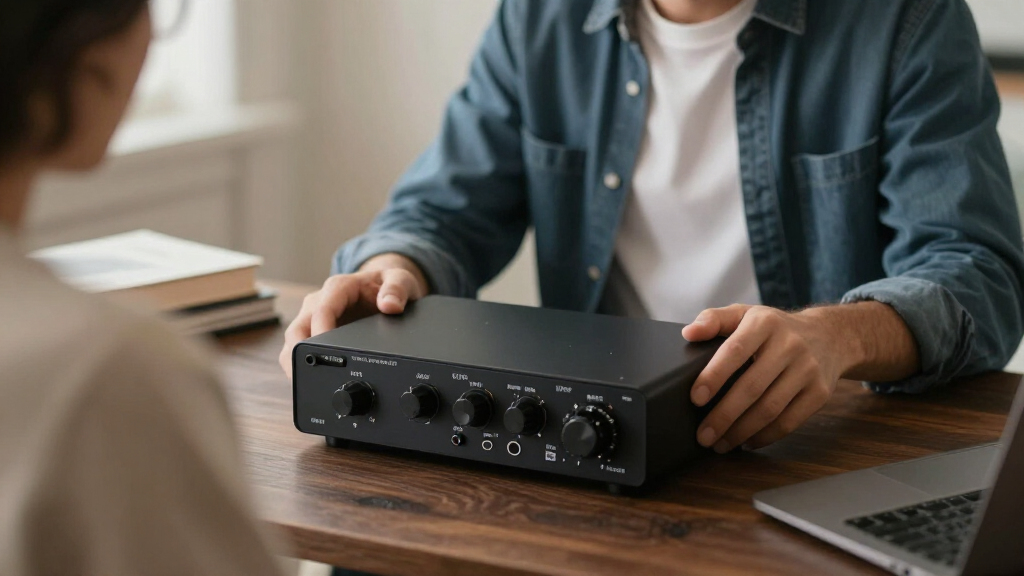
Desktop audio interfaces turn your computer into a recording studio, and the gap between a good one and a frustrating one comes down to three things: preamp quality, driver stability, and how well the inputs match your actual workflow. For most buyers, the Focusrite Scarlett Solo 4th Gen is the smartest pick — it refines an already proven design with better conversion and a cleaner signal path. If budget leads your decision, the M-Audio M-Track Solo covers the basics honestly, while the MAONO P1 stands out for high-gain dynamic microphones that leave lesser interfaces sounding thin. The main tradeoff in this category is between simplicity and expandability: compact two-input boxes are cheap and easy, but if you record multiple sources at once, you’ll outgrow them fast. Keep reading for the full breakdown of all 15 models.

Get audio and creator gear delivered free — and shop member deals
- Fast, free delivery on millions of items
- Access to Prime Big Deal Days deals on October 6–7
- Prime Video, Amazon Music and more included
Complete the kit


Key Takeaways
- Third-party brands like MAONO, PIYONE, and YONDRIX now match name-brand interfaces on raw specs (24-bit/192kHz), but the Scarlett 4th Gen still pulls ahead on driver reliability and long-term software support.
- Gain headroom became the biggest differentiator in this lineup — the MAONO P1’s 70 dB gain handles low-output dynamic mics without a booster, while entry-level units like the M-Track Solo force you to crank noisy preamps.
- The Sound Town TRITON-A12BD and FIFINE SC3 aren’t traditional interfaces at all: they solve multi-source and streaming-specific problems that 2×2 boxes can’t, at the cost of desk space.
- Generation gaps matter more than price gaps — the Scarlett Solo 4th Gen vs 3rd Gen comparison shows measurable improvements in loopback control and clipping detection that affect daily use.
- Every budget model in this roundup made the same compromise: plastic builds and limited monitoring controls. None of them are bad, but all of them reveal their price within the first week of use.
| Yamaha URX44C USB-C Audio/MIDI Interface |  | Best for Multitrack Home Studios | Audio Resolution: 32-bit integer / 192 kHz | Analog I/O: 6-in / 4-out | Inputs: 4 XLR/TRS combo, 2 HI-Z, 2 TRS line | VIEW LATEST PRICE | See Our Full Breakdown |
| Sound Town TRITON-A12BD 12-Channel Audio Mixer with USB and Bluetooth |  | Best for Live Sound and Mobile DJs | Channels: 12 | Connectivity: Bluetooth, USB | Inputs: XLR, 1/4-inch, RCA | VIEW LATEST PRICE | See Our Full Breakdown |
| CIXUN 2×2 USB-C Audio Interface for Recording |  | Best Portable Two-Channel Pick | Channels: 2 in / 2 out | Resolution: 24-bit / 192 kHz | Inputs: 2 XLR/TRS combo jacks | VIEW LATEST PRICE | See Our Full Breakdown |
| YONDRIX 2×2 USB Audio Interface, 24-bit/192 kHz |  | Best Budget Two-Channel Value | Inputs / Outputs: 2 x 2 | Inputs: Two XLR/Line combo inputs | Preamp Gain: 60 dB | VIEW LATEST PRICE | See Our Full Breakdown |
| Focusrite Scarlett Solo 3rd Gen USB-C Audio Interface |  | Best for Solo Vocal and Guitar Recording | Generation: 3rd Gen | Connection: USB-C | Inputs: 1 mic preamp; high-impedance instrument input | VIEW LATEST PRICE | See Our Full Breakdown |
| MAONO P2 Hybrid USB Audio Interface with Dual XLR Inputs |  | Best for Multi-Device Creators | Connectivity: USB | Channels: 2 | Maximum sample rate: 192 kHz | VIEW LATEST PRICE | See Our Full Breakdown |
| MAONO PS22 Lite USB Audio Interface for Guitar, Vocals, and Streaming |  | Best Value for Beginner Streamers | Channels: 2 | Maximum sample rate: 192 kHz | Recording resolution: 24-bit | VIEW LATEST PRICE | See Our Full Breakdown |
| PIYONE 2×2 USB-C Audio Interface, 24-bit/192kHz |  | Best Plug-and-Play Simplicity | Inputs: 2 XLR/TRS combo | Audio resolution: 24-bit/192 kHz | Connection: USB-C | VIEW LATEST PRICE | See Our Full Breakdown |
| Focusrite Scarlett Solo 4th Gen USB-C Audio Interface |  | Best Overall for Solo Recording | Generation: 4th Gen | Connection: USB-C | Dynamic range: 120 dB | VIEW LATEST PRICE | See Our Full Breakdown |
| M-Audio M-Track Duo USB Audio Interface |  | Best Budget Starter | Audio resolution: 48 kHz | Inputs: 2 combo XLR/Line/Instrument | Phantom power: Yes | VIEW LATEST PRICE | See Our Full Breakdown |
| MAONO P1 USB-C Audio Interface with 70 dB Gain |  | Best for Dual-Device Streaming Setups | Connectivity: Dual USB ports for simultaneous devices | Maximum gain: 70 dB | Audio resolution: 24-bit/192 kHz | VIEW LATEST PRICE | See Our Full Breakdown |
| Jolgoo 2×2 USB Audio Interface with 24-Bit/192kHz Recording and Phantom Power |  | Best Value Two-Input Interface | Inputs: 2 XLR/line combo inputs | Audio resolution: 24-bit/192kHz | Phantom power: +48V | VIEW LATEST PRICE | See Our Full Breakdown |
| FIFINE AmpliGame SC3 Gaming Audio Mixer |  | Best for Live Streamers and Content Creators | Channels: 4 with independent volume controls | Connectivity: USB, XLR microphone input | Phantom power: 48V | VIEW LATEST PRICE | See Our Full Breakdown |
| M-Audio M-Track Solo USB Audio Interface |  | Best Bare-Bones Starter Interface | Audio resolution: 48 kHz | Inputs: One combo XLR/line input with phantom power; one line/instrument input | Outputs: 1/8-inch headphone output; stereo RCA outputs | VIEW LATEST PRICE | See Our Full Breakdown |
| PIYONE Q28 2-Channel USB-C Audio Interface, 24-bit/192 kHz |  | Best Plug-and-Play Pick | Channels: 2 | Audio resolution: 24-bit/192 kHz | Connection: USB-C | VIEW LATEST PRICE | See Our Full Breakdown |
| desktop audio interface | Inputs | Audio Resolution | Phantom Power |
|---|---|---|---|
| Yamaha URX44C USB-C Audio/MIDI | 4 XLR/TRS combo, 2 HI-Z, 2 TRS line | 32-bit integer / 192 kHz | — |
| Sound Town TRITON-A12BD 12-Cha | XLR, 1/4-inch, RCA | — | 48V |
| CIXUN 2×2 USB-C Audio Interfac | 2 XLR/TRS combo jacks | — | +48V |
| YONDRIX 2×2 USB Audio Interfac | Two XLR/Line combo inputs | — | 48V |
| Focusrite Scarlett Solo 3rd Ge | 1 mic preamp; high-impedance instrument input | Up to 24-bit / 192 kHz | — |
| MAONO P2 Hybrid USB Audio Inte | — | 24-bit | — |
| MAONO PS22 Lite USB Audio Inte | — | — | 48 V |
| PIYONE 2×2 USB-C Audio Interfa | 2 XLR/TRS combo | 24-bit/192 kHz | 48 V |
| Focusrite Scarlett Solo 4th Ge | 1 microphone, 1 instrument | — | — |
| M-Audio M-Track Duo USB Audio | 2 combo XLR/Line/Instrument | 48 kHz | Yes |
| MAONO P1 USB-C Audio Interface | — | 24-bit/192 kHz | — |
| Jolgoo 2×2 USB Audio Interface | 2 XLR/line combo inputs | 24-bit/192kHz | +48V |
| FIFINE AmpliGame SC3 Gaming Au | — | — | 48V |
| M-Audio M-Track Solo USB Audio | One combo XLR/line input with phantom power; one line/instrument input | 48 kHz | — |
| PIYONE Q28 2-Channel USB-C Aud | 2 XLR/TRS combo inputs | 24-bit/192 kHz | 48V |
More Details on Our Top Picks
Yamaha URX44C USB-C Audio/MIDI Interface
This option stands out as the most expandable desktop interface in the lineup, with four combo inputs, two HI-Z jacks, and MIDI I/O — a configuration that lets a full band track live or lets a producer keep synths, mics, and guitars permanently patched in. Compared with the CIXUN 2×2 or the Focusrite Scarlett Solo, the URX44C trades compactness for channel count, and its 32-bit integer recording at 192 kHz gives it more headroom than the 24-bit converters elsewhere on this list. The onboard DSP monitoring — reverb, channel strip, and amp modeling — runs latency-free, which matters for singers who want reverb in their headphones while tracking. The tradeoff: it demands a USB-C port, and all that routing and metal housing means it stays parked on a desk rather than tossed in a gig bag.
Pros:- Four combo inputs plus MIDI I/O accommodate full-band and hardware-synth workflows
- 32-bit integer / 192 kHz recording offers more dynamic headroom than 24-bit rivals
- Latency-free DSP monitoring effects including reverb and amp modeling
- Rugged full-metal housing built for permanent studio installation
Cons:- Requires a USB-C port, which rules out older computers without an adapter
- Larger footprint and fixed desk-oriented design make it a poor fit for mobile rigs
Best for: Home studios recording multiple sources at once — drum overheads, full bands, or vocal-plus-instrument-plus-synth setups
Not ideal for: Podcasters or singer-songwriters who only ever record one mic and one guitar — they’d be paying for four channels they’ll never use
- Audio Resolution:32-bit integer / 192 kHz
- Analog I/O:6-in / 4-out
- Inputs:4 XLR/TRS combo, 2 HI-Z, 2 TRS line
- Preamps:Class-A D-PRE with +48V phantom power
- Connectivity:USB-C, MIDI I/O
- DSP Effects:REV-X reverb, Channel Strip, Guitar Amp Classics
- Compatibility:Windows, macOS, iOS
- Included Software:Cubase AI, Steinberg Plus, dspMixFx
Our verdict“This is the pick for multi-instrument producers and bands who need four simultaneous channels and MIDI without stepping up to a rack unit.”
Sound Town TRITON-A12BD 12-Channel Audio Mixer with USB and Bluetooth
The TRITON-A12BD is less a studio interface and more a mixer that happens to record — and that distinction is the whole reason it earns a slot here. Where the Yamaha URX44C is built for clean multitrack capture, this Sound Town gives you twelve channels with EQ and DSP for shaping sound in real time, plus XLR main outputs for driving PA speakers. The built-in Bluetooth playback sets it apart from every pure interface on this list: a DJ can stream backing tracks from a phone between sets without touching a cable. The tradeoffs are real, though. It runs on corded AC power, so it’s tethered to an outlet, and its USB audio functionality is basic two-channel-style recording rather than the high-resolution multitrack workflow dedicated interfaces provide. Buy it to mix live first and record second.
Pros:- Twelve channels with XLR, 1/4-inch, and RCA inputs handle complex live setups
- Bluetooth playback from phones and tablets for breaks and backing tracks
- Per-channel EQ and DSP for real-time sound shaping
- Sturdy construction suited to transport between gigs
Cons:- Corded electric power limits where you can place it
- USB recording is far more basic than a dedicated multitrack interface
- At 2.06 kg with a full mixer layout, it’s bulky for a desktop recording setup
Best for: Mobile DJs, small venue operators, and event hosts who need live mixing with EQ and Bluetooth playback plus basic USB recording
Not ideal for: Studio-focused producers chasing clean 24-bit multitrack captures — a dedicated interface like the Yamaha URX44C records better and mixes less
- Channels:12
- Connectivity:Bluetooth, USB
- Inputs:XLR, 1/4-inch, RCA
- Output Connector:XLR
- Phantom Power:48V
- Power Source:Corded electric
- Weight:2.06 kg
Our verdict“Choose this if your priority is mixing a live event and streaming tracks from a phone, not if your priority is studio recording quality.”
CIXUN 2×2 USB-C Audio Interface for Recording
This model makes the most sense for recordists who work from a laptop bag. It’s bus-powered over USB, needs no drivers, and its 6 × 6.5 × 1.75 inch body slips into a backpack beside a laptop — something the desk-bound Sound Town mixer can’t attempt. The two combo inputs with 48V phantom power and HI-Z switching cover the classic voice-plus-guitar pairing, and the spec sheet matches the YONDRIX 2×2 on resolution at 24-bit/192 kHz. Where it pulls ahead of YONDRIX for mobile users is breadth: adapters are included for phones and tablets, and compatibility extends beyond Windows and Mac to mobile devices. The obvious limitation is channel count — two inputs means no drum kits, no bands, no guest-plus-host podcast trios without an external mixer. It’s a tool for one or two sources done well, anywhere.
Pros:- Bus-powered, driver-free operation works instantly with Mac, PC, and mobile devices
- 24-bit/192 kHz recording matches more expensive rivals on paper
- 48V phantom power and HI-Z switching support both condenser mics and guitars
- Included connection adapters and compact size make it genuinely travel-ready
Cons:- Only two input channels limit multi-source recordings
- Documented frequency response is vague, with no stated range or tolerance
Best for: Musicians and podcasters who record on the move — laptop sessions, mobile capture, and small home setups with one mic plus one instrument
Not ideal for: Anyone tracking multiple performers simultaneously — two inputs cap this at duets
- Channels:2 in / 2 out
- Resolution:24-bit / 192 kHz
- Inputs:2 XLR/TRS combo jacks
- Power:Bus-powered
- Phantom Power:+48V
- Input Gain:Up to 100 dB
- Compatible Devices:PC, Mac, mobile devices
- Dimensions:6 × 6.5 × 1.75 in
- Warranty:2 years
Our verdict“A sensible grab-and-go interface for solo creators who need two clean channels across multiple devices without carrying extra gear.”
YONDRIX 2×2 USB Audio Interface, 24-bit/192 kHz
Compared with the CIXUN 2×2, the YONDRIX plays the same two-in/two-out game but pitches itself at the buyer who wants a no-fuss desktop workhorse rather than a travel companion. Its strengths are the fundamentals done right: 60 dB of preamp gain on both combo inputs, Hi-Z switching for plugging guitars straight in, and a separately controlled headphone output alongside balanced speaker outs — meaning you can monitor on cans and monitors without rebalancing levels every session. Plug-and-play support across Windows, Mac, and iOS removes the driver hunt that frustrates beginners. The limitations mirror its price tier: there’s no DSP monitoring like the Yamaha URX44C offers, only two channels, and both supplied cables are USB-A oriented, so newer USB-C-only laptops will need an adapter or different cable.
Pros:- 60 dB preamp gain on both combo inputs drives demanding microphones
- Separate headphone level control plus balanced outputs simplify monitoring
- Hi-Z switching and 48V phantom power handle instruments and condenser mics
- Plug-and-play operation across Windows, macOS, and iOS
Cons:- Included cables are USB-A based, requiring adapters on USB-C-only laptops
- No onboard DSP or monitoring effects
- Only two input channels
Best for: First-time home recordists and guitarists who want a simple two-channel desktop setup with proper monitor and headphone control
Not ideal for: Producers who want onboard effects processing or more than two simultaneous inputs — this covers basics only
- Inputs / Outputs:2 x 2
- Inputs:Two XLR/Line combo inputs
- Preamp Gain:60 dB
- Phantom Power:48V
- Resolution:24-bit / 192 kHz
- Connectivity:USB
- Compatible OS:Windows, iOS, macOS
- Warranty:2 years
Our verdict“A straightforward two-channel desktop interface that covers the recording basics well for beginners on a budget.”
Focusrite Scarlett Solo 3rd Gen USB-C Audio Interface
The Scarlett Solo 3rd Gen remains the benchmark single-channel interface, and its edge over generic rivals comes from polish rather than raw specs. The Air mode switch adds presence to vocals and acoustic guitars — a subtle but genuinely useful tonal option the YONDRIX and CIXUN don’t offer — while Gain Halo metering rings the input knob with color cues so beginners can see clipping before they hear it. The bundled Ableton Live Lite, Pro Tools Intro+, and Hitmaker plug-ins give new recordists a genuine starting toolkit, something budget interfaces rarely match. The constraint is right in the name: one mic preamp, plus a single instrument input. Unlike the two-channel options here, you can’t record a duet or mic-plus-line source simultaneously, and unlocking the software requires online registration rather than an instant download.
Pros:- Air mode adds audible clarity and presence to vocal and acoustic recordings
- Gain Halo metering makes setting safe input levels intuitive for beginners
- Substantial software bundle including Ableton Live Lite and Pro Tools Intro+
- Three-year warranty exceeds the two-year coverage on CIXUN and YONDRIX
Cons:- Only one mic preamp caps simultaneous recording to a single vocal source
- Bundled software requires account registration and downloads before use
Best for: Singer-songwriters and podcasters recording one microphone and one instrument who want polished sound and strong bundled software
Not ideal for: Duos, interview podcasters, or anyone tracking two mics at once — the single preamp is a hard limit
- Generation:3rd Gen
- Connection:USB-C
- Inputs:1 mic preamp; high-impedance instrument input
- Audio Resolution:Up to 24-bit / 192 kHz
- Outputs:2 low-noise balanced outputs
- Features:Switchable Air mode; Gain Halo metering
- Power:USB bus-powered
- Included Software:Ableton Live Lite, Avid Pro Tools Intro+, Hitmaker Expansion
- Warranty:3 years
Our verdict“The safest choice for a solo creator who values refined preamp character, clear metering, and a real software bundle over channel count.”
MAONO P2 Hybrid USB Audio Interface with Dual XLR Inputs
The MAONO P2 stands out for one unusual trick: it can stay connected to a computer and a mobile device at the same time. For a creator who records into a laptop but monitors or captures from a phone, that hybrid routing eliminates constant cable swapping. Compared with the MAONO PS22 Lite, the P2 leans harder into the creator workflow with independent mute, headphone, and monitor controls, plus loopback for pulling system audio into a stream. The aluminum housing also feels sturdier than most interfaces at this size. The tradeoff is setup complexity — the routing and effects features take time to configure, and the published frequency response lists only an upper limit, which makes honest spec comparison difficult. Buyers who just want a mic in and a recording out should probably look at the simpler PS22 Lite instead.
Pros:- Connects a computer and mobile device simultaneously
- 24-bit/192 kHz recording resolution
- Direct monitoring and loopback support
- Independent mute, headphone, and monitor controls in an aluminum housing
Cons:- Routing and effects features require manual setup
- Vague frequency response spec makes audio fidelity hard to verify
Best for: Streamers and podcasters who juggle a computer and a smartphone or tablet in the same workflow
Not ideal for: Buyers who want plug-and-play simplicity — the routing and software features add a setup learning curve
- Connectivity:USB
- Channels:2
- Maximum sample rate:192 kHz
- Audio resolution:24-bit
- Microphone gain:56 dB
- Weight:0.5 kg
- Housing:Aluminum alloy
- Compatible systems:Windows, macOS, iOS, Android, ChromeOS
Our verdict“This is the pick for hybrid creators who need phone and computer audio in one box and don’t mind configuring routing software.”
MAONO PS22 Lite USB Audio Interface for Guitar, Vocals, and Streaming
Where the MAONO P2 is built for elaborate multi-device setups, the PS22 Lite strips things down to what a first-time streamer or home recorder actually needs: two channels, 56 dB of clean preamp gain with 48 V phantom power for condenser mics, and beginner-friendly operation modes. The bundled ProStudio Routing Software adds virtual channels and loopback, which gives it streaming capabilities that the similarly priced PIYONE 2×2 can’t match without third-party tools. Recording quality is respectable too, with 24-bit/192 kHz capture and a 106 dB dynamic range. The compromises are real, though — two channels caps simultaneous inputs, and the interface only behaves properly in a DAW after selecting the MAONO ASIO driver, a step that trips up newcomers expecting instant recognition. Once that hurdle is cleared, it’s a well-rounded starter unit.
Pros:- 24-bit/192 kHz recording with 106 dB dynamic range
- 56 dB gain and 48 V phantom power support condenser and dynamic mics
- Compact chassis with direct monitoring and beginner modes
- Includes routing software with virtual channels and loopback
Cons:- Limited to two input channels
- Requires manually selecting the MAONO ASIO driver in recording software
Best for: First-time podcasters and streamers recording one mic plus a guitar or second source
Not ideal for: Producers planning multi-mic sessions — the two-channel limit will be outgrown quickly
- Channels:2
- Maximum sample rate:192 kHz
- Recording resolution:24-bit
- Dynamic range:106 dB
- Preamp gain:Up to 56 dB
- Phantom power:48 V
- Weight:0.43 kg
- Compatible systems:Windows, macOS, iOS, Android, ChromeOS
Our verdict“A sensible entry point for solo streamers who want loopback and phantom power without paying for channels they won’t use.”
PIYONE 2×2 USB-C Audio Interface, 24-bit/192kHz
If the MAONO PS22 Lite asks you to install drivers and routing software, the PIYONE 2×2 goes the opposite direction: class-compliant USB-C means no drivers on Mac or PC, ever. That makes this option the fastest path from box to recording for anyone who finds software installation a barrier rather than a feature. Two XLR/TRS combo inputs handle a mic and an instrument together, 48 V phantom power covers condenser mics, and zero-latency direct monitoring keeps overdubs in time. The honest caveats: iOS compatibility is implied by the title but never confirmed in the documentation, so iPhone and iPad users should verify before buying. And because it runs on USB bus power, a weak port or an unpowered hub means dropouts. Compared with the M-Audio M-Track Duo, it offers higher resolution recording, but with less bundled software to grow into.
Pros:- True plug-and-play with no drivers required
- 24-bit/192 kHz recording resolution
- Two combo inputs for microphones and instruments
- 48 V phantom power and zero-latency direct monitoring
Cons:- iOS compatibility unclear despite title claims
- USB-C bus power makes operation dependent on host device
Best for: Mac and PC users who want to plug in a mic and guitar and start recording within minutes
Not ideal for: Mobile-first creators — iOS support is ambiguous and bus power depends heavily on the host device
- Inputs:2 XLR/TRS combo
- Audio resolution:24-bit/192 kHz
- Connection:USB-C
- Phantom power:48 V
- Monitoring:Zero-latency direct monitoring
- Headphone jack:3.5 mm
- Compatibility:Mac and PC
Our verdict“The right choice for buyers who value zero-setup recording over bundled software and extra features.”
Focusrite Scarlett Solo 4th Gen USB-C Audio Interface
The Scarlett Solo 4th Gen earns its place on engineering credibility rather than feature count. Its 120 dB dynamic range comes from the same converter family used in Focusrite’s flagship interfaces, which means noticeably cleaner low-level detail than budget rivals like the MAONO PS22 Lite (106 dB) or the PIYONE 2×2. The Air mode is the other differentiator — it adds presence and harmonic character to vocals and guitar at the preamp stage, so a bare microphone recording sounds finished without any plugin work. The software bundle is genuinely deep: Pro Tools Intro+, Ableton Live Lite, Cubase LE, and the Hitmaker Expansion cover recording through mastering. The tradeoffs are structural: one mic preamp and one instrument input means no dual-mic sessions, and there’s no loopback for streamers who need to capture system audio — the MAONO P2 handles that job better.
Pros:- 120 dB dynamic range from flagship-grade converters
- Air mode adds presence and harmonic drive to vocals and guitars
- Substantial software bundle covering recording, mixing, and mastering
- USB-C connection on a proven, widely supported platform
Cons:- Only one microphone input limits multi-source recording
- No loopback feature for capturing system audio
Best for: Solo musicians and vocalists who prioritize conversion quality and a professional software ecosystem
Not ideal for: Streamers needing loopback or podcasters recording two microphones simultaneously
- Generation:4th Gen
- Connection:USB-C
- Dynamic range:120 dB
- Signal processing:Air mode
- Inputs:1 microphone, 1 instrument
- Included software:Pro Tools Intro+, Ableton Live Lite, Cubase LE, Hitmaker Expansion
Our verdict“The strongest all-around pick for a solo artist who wants audiophile-grade conversion and room to grow into the bundled software.”
M-Audio M-Track Duo USB Audio Interface
The M-Track Duo plays a different game than everything else here: instead of chasing 192 kHz specs like the PIYONE 2×2 or MAONO PS22 Lite, it delivers the fundamentals at a lower price point. Two combo XLR/line/instrument inputs with phantom power, Crystal preamps, a USB/Direct switch for zero-latency monitoring, and both headphone and stereo main outputs cover every basic recording scenario. The 48 kHz ceiling matters less than it sounds — streaming platforms and most home recordings don’t demand more — but anyone archiving masters or chasing hi-res projects will notice the gap against the Scarlett Solo 4th Gen’s converters. The bundled MPC Beats software leans toward beat-making rather than the full recording suites Focusrite ships. For a guitarist and vocalist sharing one interface on a tight budget, though, this model makes more sense than paying for resolution you can’t hear.
Pros:- Two combo inputs with phantom power at an accessible price
- USB/Direct switch for zero-latency monitoring
- Headphone and stereo main outputs for flexible monitoring
- Includes MPC Beats production software
Cons:- Maximum 48 kHz resolution trails the 192 kHz standard elsewhere in this lineup
- Lighter software bundle focused on beats rather than full recording workflows
Best for: Budget-conscious beginners recording a mic and guitar together on Mac or PC
Not ideal for: Hi-res or archival recording projects — 48 kHz caps the ceiling well below modern rivals
- Audio resolution:48 kHz
- Inputs:2 combo XLR/Line/Instrument
- Phantom power:Yes
- Outputs:1/4-inch headphone and stereo 1/4-inch outputs
- Monitoring:USB/Direct zero-latency switch
- Compatibility:Mac and PC
- Included software:MPC Beats
Our verdict“A pragmatic starter interface for anyone who needs two inputs and dependable basics without paying for hi-res specs.”
MAONO P1 USB-C Audio Interface with 70 dB Gain
The MAONO P1 stands out for a capability almost nothing else in this lineup offers: simultaneous connection to a computer and a mobile device through its dual USB ports. That makes it a natural hub for streamers who run chat or alerts from a phone while recording to a PC — a workflow the Jolgoo 2×2 or PIYONE Q28 simply can’t handle. With 70 dB of gain, it drives power-hungry dynamic microphones without a booster, and features like auto-gain, loopback, and Stream Mode push it closer to the FIFINE SC3‘s streaming-focused feature set, minus the RGB flair.
The tradeoff is complexity: getting the routing and ProStudio2 software dialed in takes real setup time, and MAONO is vague about exact input/output counts, so buyers with specific jack requirements should verify before purchasing.
Pros:- Simultaneous computer and mobile-device connectivity
- 70 dB gain handles low-output dynamic microphones
- Auto-gain, loopback, and direct monitoring included
- Durable zinc-alloy housing in a compact body
Cons:- Advanced routing requires software setup time
- Input and output configuration is not clearly documented
Best for: Streamers and podcasters who need one interface feeding both a computer and a phone or tablet at the same time
Not ideal for: Buyers who want a strictly plug-and-play experience — the routing and software features add a learning curve that casual recorders don’t need
- Connectivity:Dual USB ports for simultaneous devices
- Maximum gain:70 dB
- Audio resolution:24-bit/192 kHz
- Equivalent input noise:-130 dB EIN
- Monitoring:Direct monitoring with independent headphone and monitor controls
- Features:Auto-gain, loopback, mute controls, Stream Mode, ProStudio2 software
- Housing:Zinc-alloy metal
Our verdict“This is the pick if your setup spans a PC and a phone — just be ready to spend time in the routing software.”
Jolgoo 2×2 USB Audio Interface with 24-Bit/192kHz Recording and Phantom Power
For anyone who needs to record two sources at once — a mic plus a guitar, or two vocalists — the Jolgoo 2×2 delivers the essentials without padding the price. Both combo inputs have independent gain controls and 48V phantom power, and zero-latency direct monitoring means you won’t hear that distracting echo while tracking. Compared with the M-Audio M-Track Solo, it doubles your inputs and doubles the resolution ceiling to 24-bit/192kHz, which matters for anyone archiving vocals or instruments at full fidelity.
The compromises are modest but real: mobile connectivity details are thin, so iOS or Android users should confirm adapter requirements, and the preamps won’t match a Scarlett Solo 4th Gen for polish. For desktop podcasting and home demo work, though, the core package is hard to argue with.
Pros:- Two combo inputs with independent gain controls
- Zero-latency direct monitoring while tracking
- 24-bit/192kHz recording resolution
- USB-powered with both USB-C and USB-A cables included
Cons:- Mobile-device connection requirements are not clearly documented
- Preamp quality trails more established brands like Focusrite
Best for: Home recordists and podcast duos who need two simultaneous inputs and high-resolution capture on a tight budget
Not ideal for: Mobile-first creators — the mobile connection requirements are underspecified and may require extra adapters
- Inputs:2 XLR/line combo inputs
- Audio resolution:24-bit/192kHz
- Phantom power:+48V
- Monitoring:Zero-latency direct and headphone monitoring
- Outputs:Stereo line outputs
- Power:USB-powered
- Compatibility:Windows, macOS, iOS, Android
- Build:Metal housing
Our verdict“A sensible two-input workhorse for desktop recording when budget matters more than brand pedigree.”
FIFINE AmpliGame SC3 Gaming Audio Mixer
The FIFINE SC3 isn’t trying to be a studio interface — it’s a live-production control surface for streamers, and that focus shows. Four channels each get individual volume faders for microphone, line-in, headphones, and line-out, so you can ride levels mid-broadcast instead of digging through software menus. Add customizable sound-effect buttons, voice effects, and RGB lighting, and it offers a hands-on experience the MAONO P1 only partially matches through its software routing. The XLR input with 48V phantom power covers proper broadcast microphones.
Two limitations shape who should buy it: it will not accept USB microphones, so anyone already owning one is out of luck, and there’s no XLR cable in the box — an extra purchase and a surprise if you expect to record day one. It’s also Mac/Windows only, with no mobile support.
Pros:- Four channels with individual volume controls
- XLR input with 48V phantom power
- Front-panel mute and monitoring controls
- Customizable sound buttons and voice effects
Cons:- No support for USB microphones
- XLR cable not included
- Limited to Mac and Windows — no mobile compatibility
Best for: Twitch and YouTube streamers who want physical faders, mute buttons, and sound effects at their fingertips during live broadcasts
Not ideal for: Owners of USB microphones — this mixer only accepts XLR input, so it would force a new mic purchase
- Channels:4 with independent volume controls
- Connectivity:USB, XLR microphone input
- Phantom power:48V
- Outputs:3.5mm line-out and headphone jacks
- Power source:USB-C
- Compatibility:macOS, Windows
- Dimensions:4.44 × 6.45 × 1.6 inches
Our verdict“Choose this if live streaming is your main use case and you want hands-on control; skip it for studio-only recording.”
M-Audio M-Track Solo USB Audio Interface
Simplicity is the entire point of the M-Track Solo. One combo XLR/line input, one instrument input, a USB/Direct switch for zero-latency monitoring, and a bundled copy of MPC Beats — everything a first-time recorder needs and nothing they don’t. Compared with the Jolgoo 2×2, it trades a second mic channel and higher resolution for a lower barrier to entry, which is the right call if you’re recording one voice or one guitar at a time. Its portability also makes it a better coffee-table companion than the desk-bound FIFINE SC3.
The ceiling is low, though. Recording tops out at 48 kHz, half or less of what the PIYONE Q28 and other rivals offer, and a single combo input means dual-source sessions are off the table. It’s a first interface, not a forever one.
Pros:- Simple setup for recording, podcasting, and streaming
- Accepts microphones, guitar, and line-level sources
- Zero-latency direct monitoring via USB/Direct switch
- Includes MPC Beats software to start producing immediately
Cons:- Audio resolution capped at 48 kHz
- Only one combo input limits multi-source recording
Best for: Beginners and solo creators — vocalists, guitarists, podcasters — who need one input and a dead-simple setup
Not ideal for: Anyone recording two sources at once or working at high resolution — the single combo input and 48 kHz cap are hard limits
- Audio resolution:48 kHz
- Inputs:One combo XLR/line input with phantom power; one line/instrument input
- Outputs:1/8-inch headphone output; stereo RCA outputs
- Monitoring:USB/Direct switch for zero-latency monitoring
- Preamplifier:Crystal Preamp
- Compatibility:Mac or PC
- Included software:MPC Beats
Our verdict“A low-commitment entry point for solo recording that you’ll likely outgrow as your needs expand.”
PIYONE Q28 2-Channel USB-C Audio Interface, 24-bit/192 kHz
Where the MAONO P1 asks you to learn routing software, the PIYONE Q28 asks for nothing at all: plug it into a Mac or PC over USB-C and it works, no drivers required. That friction-free experience pairs with genuinely capable hardware — two XLR/TRS combo inputs, 48V phantom power, Hi-Z support for guitars, loopback, and zero-latency monitoring — at a resolution ceiling of 24-bit/192 kHz that matches the Jolgoo 2×2. The standard 3.5mm headphone jack also means you can use earbuds or any common headset rather than hunting for a 1/4-inch adapter.
The limitations are about polish rather than function: there’s no dedicated monitor output for speakers, and the brand lacks the track record of M-Audio or Focusrite if long-term driver support matters to you. For straightforward two-channel desktop recording, it gets out of the way and records.
Pros:- True plug-and-play with no drivers on Mac or PC
- 24-bit/192 kHz high-resolution recording
- Hi-Z instrument inputs plus 48V phantom power
- Standard 3.5mm headphone jack and loopback support
Cons:- No dedicated monitor outputs for studio speakers
- Newer brand without an established support track record
Best for: Musicians and podcasters who want two inputs working in minutes with zero driver installs or software fiddling
Not ideal for: Producers who need speaker monitoring outputs or a brand with a long support history for OS updates
- Channels:2
- Audio resolution:24-bit/192 kHz
- Connection:USB-C
- Inputs:2 XLR/TRS combo inputs
- Phantom power:48V
- Monitoring:Zero-latency direct monitoring
- Headphone jack:3.5 mm
- Compatibility:Mac and PC
Our verdict“The fastest path from box to recording for two-channel desktop work — just don’t expect pro monitoring connectivity.”

How We Picked
I ranked these desktop audio interfaces by weighing the factors that actually shape daily use: preamp gain and noise floor, driver stability across Windows and macOS, build quality, monitoring features like direct monitoring and loopback, and how much real-world flexibility each unit offers per dollar of its class. Specs like 24-bit/192kHz resolution appeared across nearly every model here, so resolution alone told me almost nothing — the separation came from gain headroom, input options, phantom power behavior, and whether the control software supports the way people actually record.
The ranking logic is role-based rather than a strict quality ladder. A flagship like the Yamaha URX44C earns its spot through expandability and DSP monitoring, while a bare-basics unit like the M-Track Solo earns a lower position but still earns a place because it does one job without pretending to do five. Products that blur categories — the Sound Town mixer and the FIFINE AmpliGame — were judged on how well they replace a traditional interface for specific users, not on how closely they imitate one.
Factors to Consider When Choosing Desktop Audio Interfaces
Before picking a specific model, it helps to understand what actually separates interfaces in this price bracket — and where buyers most often overspend or underbuy.Gain Headroom Matters More Than Bit Depth
Nearly every interface here advertises 24-bit/192kHz, which sounds impressive but has become table stakes — you will struggle to hear the difference between 96kHz and 192kHz on desktop monitors. What you will hear is a preamp running out of gain. Dynamic microphones like the SM7B need roughly 60 dB of clean gain to sound full, and pushing a budget preamp to its maximum introduces hiss that no amount of post-production fully removes. The mistake I see most often is buyers matching a low-gain interface to a low-output mic, then blaming the microphone. Check the gain spec first if you plan to use dynamic mics for streaming or podcasting; condenser mics with their hotter output are far more forgiving.
Count Your Simultaneous Inputs Honestly
A 2×2 interface (two inputs, two outputs) covers one person recording voice plus instrument, and that’s it. The trap is assuming you’ll ‘just record one track at a time’ — then a guest podcast or a dual-mic interview arrives and you’re renting gear. Multi-channel options like the Yamaha URX44C or the Sound Town mixer cost more and take more desk space, but they eliminate that ceiling entirely. My advice: if there’s even a reasonable chance you’ll record two people simultaneously within a year, buy the extra inputs now. Upgrading later means selling the old unit, and budget interfaces hold resale value poorly.
Driver Support Separates Brands From Bargains
The interface itself is only half the product — the driver and control software determine whether you get crackles, dropouts, and latency surprises. Established manufacturers like Focusrite and Yamaha ship updated drivers for years after release, which matters every time Windows or macOS updates. Newer brands often deliver capable hardware with software that lags behind, meaning an OS update can leave you troubleshooting instead of recording. If your work depends on reliable capture — client sessions, scheduled streams — the premium for a mature driver ecosystem pays for itself the first time it prevents a lost take.
Loopback and Monitoring Features for Streamers
Traditional interfaces were designed for recording into a DAW; streamers need something different — the ability to mix their mic with game audio or music and route it to OBS. That’s what loopback does, and it’s the single feature that separates streaming-friendly interfaces from recording-focused ones. Without loopback, you’re cobbling together virtual audio cables that break quietly and confuse everyone. Direct monitoring is the other half: hearing your own voice without latency keeps performances natural. The FIFINE SC3 exists almost entirely because of these workflows, and the Scarlett 4th Gen’s improved loopback control shows Focusrite taking streamers seriously.
Phantom Power and Build Quality Tradeoffs
Every interface in this lineup offers phantom power for condenser mics, but not all of them implement it well — some budget units produce an audible thump through monitors when it switches on, which is more than an annoyance with sensitive speakers. Build quality follows a similar pattern: metal chassis units survive the backpack life of mobile recording, while plastic-bodied models are fine for a desk that never moves. Neither trait shows up in spec sheets, which is why they became differentiators in my rankings. If you record outside your home or swap cables often, weight the build heavily; if the box will sit under a monitor forever, spend that money on gain instead.
When to Skip the Interface Altogether
Some buyers in this market don’t need an interface at all — they need a mixer or a hybrid device. If you juggle multiple sound sources (mic, console, phone, background music) and want physical faders instead of software menus, a compact mixer with USB output like the Sound Town gives you hands-on control no 2×2 box can match. The reverse is also true: someone recording solo vocals into a DAW gains nothing from faders and Bluetooth, and pays for features they’ll mute permanently. Matching the device type to your workflow before comparing models saves more money than any sale.
Frequently Asked Questions
Is the Scarlett Solo 4th Gen worth it over the 3rd Gen?
The 4th Gen improves in areas you’ll notice weekly: better preamp performance with more available gain, automatic gain and clip detection that saves takes from distortion, and a reworked loopback implementation that streamers will appreciate. The 3rd Gen remains a capable interface and often sits at a lower price, so if your budget is tight and you monitor levels carefully, it’s still a defensible buy. That said, the 4th Gen’s safety features reduce the kind of user error that ruins recordings silently. For anyone buying fresh rather than upgrading, the newer generation is the one I’d point to.
Can a budget interface like the M-Track Duo or CIXUN handle professional-sounding recordings?
Yes, with caveats. The conversion quality on modern budget interfaces is genuinely good — the weak points are preamp noise at high gain, limited monitoring controls, and software that gets less attention over time. In a treated room with a decent microphone and careful gain staging, most listeners couldn’t identify which interface recorded a track. Where budget units fall behind is headroom for demanding mics and durability under heavy use. Treat them as honest tools for solo recording rather than limitations to work around, and the results can surprise you.
Do I need a mixer like the Sound Town TRITON-A12BD, or is a standard interface enough?
It depends entirely on how many sources you manage at once. A mixer makes sense when you combine several microphones, a phone, background music, and possibly Bluetooth playback, and you want physical faders to rebalance without touching software. For solo recording into a DAW, a mixer adds bulk and complexity you’ll never use — a 2×2 interface does the same job with less clutter. Podcasters with roundtables and streamers with elaborate audio setups benefit most from the mixer approach. Everyone else should stick with a conventional interface and save the desk space.
Will 70 dB of gain on the MAONO P1 really make a difference with my dynamic microphone?
If you use something like an SM7B, a RE20, or any low-output dynamic mic, the difference is obvious. Many budget interfaces top out around 50-55 dB of clean gain, which forces you into a cloudlifter or noisy preamp territory to reach usable levels. The P1’s 70 dB spec means you plug in, set gain once, and get a full-bodied signal without accessories. For condenser mics, the extra headroom matters far less since they output a much hotter signal to begin with. Match the gain spec to your mic, not to the marketing number on the box.
Is 24-bit/192kHz support something I should pay extra for?
Almost certainly not. Every interface in this roundup supports at least 24-bit/96kHz, and professional releases are routinely made at 24-bit/48kHz — the resolution where noise floors sit far below anything audible. Recording at 192kHz quadruples your file sizes while offering benefits only audible in specific measurement scenarios, not music or voice work. Manufacturers advertise the number because it’s easy to compare; gain quality, driver stability, and monitoring features are harder to put on a box but matter far more. Treat 192kHz as a free bonus if present, never as a reason to choose one model over another.
Conclusion
After comparing all 15 desktop audio interfaces, the right choice comes down to what you’re plugging in and how many sources you juggle. For best overall, the Focusrite Scarlett Solo 4th Gen balances sound quality, driver maturity, and streaming-friendly features in a way nothing else here matches at its level. The M-Audio M-Track Solo takes best value for solo recorders who need phantom power and nothing more, while the Yamaha URX44C earns best premium with four inputs and DSP monitoring for growing home studios. Beginners get the gentlest on-ramp with the M-Audio M-Track Duo, which forgives mistakes and stays simple.
For specific needs: the MAONO P1 is the clear pick for low-output dynamic microphones thanks to its 70 dB of gain, the FIFINE SC3 serves streamers who want fader-based control over game and chat audio, and the Sound Town TRITON-A12BD handles multi-source podcast setups that no 2×2 box can manage. Whatever you choose, match the interface to your microphone and workflow first — the specs that look impressive on paper matter far less than clean gain and inputs you won’t outgrow.
Fall Picks
fall essentials
As an affiliate, we earn on qualifying purchases.