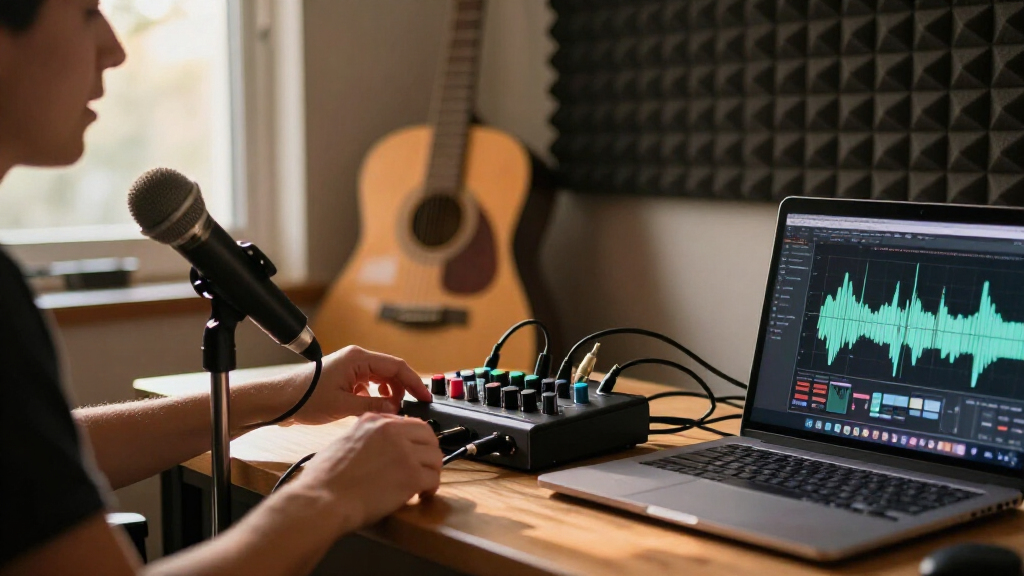
For most solo streamers, I’d choose the Focusrite Scarlett Solo 4th Gen for its straightforward one-mic setup, while the Scarlett 2i2 4th Gen suits creators who need a second input and the FIFINE AmpliGame SC3 favors hands-on gaming controls. These USB audio interfaces for streaming vary most in input count, live control features, and how much setup they demand. A basic interface can handle a microphone and headphones, but it may not offer quick mute or sound-effect controls; mixer-style options add convenience while often trading away recording flexibility. I compare all 15 picks by their fit for real streaming setups, so read on for the full breakdown and help choosing the right one.

Get audio and creator gear delivered free with Prime
- Fast, free delivery on millions of items
- Prime Video, Amazon Music and more included
- Member-only deals all year
Complete the kit


Key Takeaways
- The Scarlett Solo 4th Gen is the clearest fit for a one-person stream: it prioritizes a focused microphone-and-headphone workflow rather than extra inputs you may not use.
- The Scarlett 2i2 4th Gen is the stronger growth choice: its second input makes it easier to add a co-host, instrument, or separate audio source than with the Solo models.
- Streaming controls can matter more than recording resolution: the FIFINE AmpliGame SC3 is aimed at creators who want mixer-style access during a live session, unlike conventional recording interfaces.
- Entry-level 2×2 interfaces are not interchangeable: the M-Audio M-Track Solo and Duo, MAONO PS22 Lite, and small 2×2 options differ in how much room they leave for a second mic or instrument.
- Multi-person kits solve a different problem: the four-microphone bundle and MAONO P2 Hybrid address shared-mic or mobile workflows, but are less compelling for a simple solo desktop stream.
| Focusrite Scarlett Solo 4th Gen USB-C Audio Interface |  | Best Overall for a Solo Streamer | Generation: 4th Gen | Connectivity: USB-C | Channels: 2 | VIEW LATEST PRICE | See Our Full Breakdown |
| Piyone Q2 Audio Interface 2×2 24-bit/192kHz (Alloy Red) |  | Best for Two-Source Streaming | Channels: 2 | Inputs: Dual XLR/TRS combo inputs | Recording resolution: 24-bit/192 kHz | VIEW LATEST PRICE | See Our Full Breakdown |
| M-Audio M-Track Solo USB Audio Interface |  | Best for Basic, Budget-Conscious Setups | Recording resolution: 48 kHz | Inputs: 1 combo XLR/line input with phantom power; 1 switchable line/instrument input | Outputs: 1/8-inch headphone output; stereo RCA outputs | VIEW LATEST PRICE | See Our Full Breakdown |
| XTUGA Q-12 USB Audio Interface with XLR and 3.5 mm Inputs |  | Best for Simple Starter Setups | Model: Q-12 | Channels: 2 | Recording resolution: 16-bit/48 kHz | VIEW LATEST PRICE | See Our Full Breakdown |
| MAONO PS22 Lite USB Audio Interface for Guitar, Vocals, and Streaming |  | Best for Streaming With Software Routing | Channels: 2 | Recording resolution: 24-bit/192 kHz | Dynamic range: 106 dB | VIEW LATEST PRICE | See Our Full Breakdown |
| Focusrite Scarlett Solo 3rd Gen USB-C Audio Interface |  | Best for Solo Streamers | Connectivity: USB | Channels: 2 | Inputs: XLR and instrument | VIEW LATEST PRICE | See Our Full Breakdown |
| M-Audio M-Track Duo USB Audio Interface |  | Best Value for Two Inputs | Audio resolution: 48 kHz | Inputs: Two combo XLR/line/instrument inputs | Preamps: Crystal preamps with phantom power | VIEW LATEST PRICE | See Our Full Breakdown |
| FIFINE AmpliGame SC3 Gaming Audio Mixer |  | Best for Gaming Stream Controls | Channels: 4 | Connectivity: USB with XLR microphone input | Power source: USB-C | VIEW LATEST PRICE | See Our Full Breakdown |
| 2×2 USB‑C Audio Interface for PC/Mac Recording |  | Best for High-Resolution Two-Mic Recording | Channels: 2 | Inputs: 2 XLR/TS combo jacks | Recording format: 24-bit/192kHz | VIEW LATEST PRICE | See Our Full Breakdown |
| 4-Person Podcast Equipment Bundle with M100 Audio Interface and 4 Dynamic Microphones |  | Best Complete Group Podcast Kit | Channels: 4 | Connectivity: USB | Power source: Battery powered | VIEW LATEST PRICE | See Our Full Breakdown |
| USB-C Audio Interface for Recording, Streaming, and Podcasting |  | Best for Portable Two-Mic Setups | Channels: 2-in/2-out | Inputs: 2 XLR/1/4-inch combo inputs | Recording resolution: Up to 24-bit/48 kHz | VIEW LATEST PRICE | See Our Full Breakdown |
| MAONO P2 Hybrid USB Audio Interface with Dual XLR Inputs |  | Best for Computer-and-Phone Streaming | Channels: 2 | Connectivity: USB-C | Microphone gain: 56 dB | VIEW LATEST PRICE | See Our Full Breakdown |
| Synido 2×2 USB-C Audio Interface for Recording and Streaming |  | Best Compact Monitoring Pick | Channels: 2 | Audio resolution: 24-bit | Maximum sample rate: 48 kHz | VIEW LATEST PRICE | See Our Full Breakdown |
| Focusrite Scarlett 2i2 4th Gen USB-C Audio Interface |  | Best Premium Streaming Interface | Connectivity: USB-C | Channels: 2 | Microphone preamps: 2 | VIEW LATEST PRICE | See Our Full Breakdown |
| BOMGE 22M 2-Channel USB Audio Interface |  | Best for Simple Plug-and-Play Streaming | Model: 22M | Channels: 2 | Inputs: 2 combo XLR/mic/line | VIEW LATEST PRICE | See Our Full Breakdown |
| USB audio interfaces for streaming | Channels | Connectivity | Inputs | Phantom power |
|---|---|---|---|---|
| Focusrite Scarlett Solo 4th Ge | 2 | USB-C | 1 XLR microphone input; 1 Hi-Z instrument input | — |
| Piyone Q2 Audio Interface 2×2 | 2 | — | Dual XLR/TRS combo inputs | 48 V |
| M-Audio M-Track Solo USB Audio | — | — | 1 combo XLR/line input with phantom power; 1 switchable line/instrument input | — |
| XTUGA Q-12 USB Audio Interface | 2 | USB | XLR; 3.5 mm microphone jack | Switchable 48 V |
| MAONO PS22 Lite USB Audio Inte | 2 | USB | — | 48 V |
| Focusrite Scarlett Solo 3rd Ge | 2 | USB | XLR and instrument | — |
| M-Audio M-Track Duo USB Audio | — | — | Two combo XLR/line/instrument inputs | — |
| FIFINE AmpliGame SC3 Gaming Au | 4 | USB with XLR microphone input | — | 48V |
| 2×2 USB‑C Audio Interface for | 2 | USB-C, bus powered | 2 XLR/TS combo jacks | +48V |
| 4-Person Podcast Equipment Bun | 4 | USB | — | — |
| USB-C Audio Interface for Reco | 2-in/2-out | USB, AUX | 2 XLR/1/4-inch combo inputs | 48V |
| MAONO P2 Hybrid USB Audio Inte | 2 | USB-C | — | — |
| Synido 2×2 USB-C Audio Interfa | 2 | — | XLR and 6.35 mm | 48V |
| Focusrite Scarlett 2i2 4th Gen | 2 | USB-C | — | — |
| BOMGE 22M 2-Channel USB Audio | 2 | — | 2 combo XLR/mic/line | 48V |
More Details on Our Top Picks
Focusrite Scarlett Solo 4th Gen USB-C Audio Interface
I’d put the Scarlett Solo 4th Gen first for a streamer building around one microphone and an instrument. Its single XLR preamp and separate Hi-Z input suit a voice-and-guitar setup, while the Air modes offer a way to add presence without adding another processor to the chain. Compared with the MAONO PS22 Lite, it has a higher stated dynamic range and a dedicated amplified headphone output with independent volume control; the MAONO, by contrast, lists broader mobile operating-system compatibility and routing software. The Solo’s main limit is right in its name: there is only one XLR input, so a second microphone needs another interface or a different model. Its USB connection also makes compatibility with the streaming device part of setup planning.
Pros:- 120 dB stated dynamic range and 24-bit/192 kHz recording
- Air modes add presence to vocal and guitar recordings
- Amplified headphone output has independent volume control
- Includes recording software and plugins
Cons:- Only one XLR microphone input
- Requires a USB connection to a compatible device
Best for: Solo streamers who use one XLR microphone and want to connect a guitar or other Hi-Z instrument as well.
Not ideal for: Two-host streams or interviews requiring two XLR microphones connected at once.
- Generation:4th Gen
- Connectivity:USB-C
- Channels:2
- Inputs:1 XLR microphone input; 1 Hi-Z instrument input
- Recording resolution:24-bit/192 kHz
- Dynamic range:120 dB
- Compatible operating systems:Mac OS, Windows OS, iOS
- Dimensions:3.78 × 5.63 × 1.83 in
- Included software:Pro Tools Intro+, Ableton Live Lite, Cubase LE, Hitmaker Expansion
Our verdict“Choose the Scarlett Solo if your stream is built around one microphone and you value its Air processing and independent headphone control.”
Piyone Q2 Audio Interface 2×2 24-bit/192kHz (Alloy Red)
The Piyone Q2 is the fit here for a streamer who wants two combo inputs in a compact USB-C interface. Both inputs accept XLR or TRS connections, and 48 V phantom power supports condenser microphones; Hi-Z support also leaves room for a guitar. That flexibility makes it a more natural choice for two sources than the one-XLR Focusrite Scarlett Solo. The zero-latency direct monitoring can help a speaker hear their input without a distracting delay, but the output setup is spare: the only listed headphone connection is a 3.5 mm jack, with no balanced line outputs. Its product data lists PC, Mac, and iOS compatibility, while the operating-system field says Windows only, so I’d verify support for a non-Windows streaming setup before buying.
Pros:- Two XLR/TRS combo inputs support a wider range of sources
- 48 V phantom power for condenser microphones
- Hi-Z support accommodates a guitar input
- Zero-latency direct monitoring
Cons:- Only a 3.5 mm headphone output is listed, with no balanced line outputs
- Operating-system information is inconsistent, creating uncertainty for Mac users
Best for: Streamers who need two microphone or line-level sources, phantom power, and a guitar-ready input in one small interface.
Not ideal for: Mac or iOS users who need clearly specified operating-system support, or streamers connecting studio monitors through balanced outputs.
- Channels:2
- Inputs:Dual XLR/TRS combo inputs
- Recording resolution:24-bit/192 kHz
- Phantom power:48 V
- Hi-Z input:Yes
- Direct monitoring:Zero-latency
- Headphone output:3.5 mm jack
- Compatible devices:PC, Mac, iOS (operating-system specification also lists Windows only)
- Weight:0.74 kg
Our verdict“Pick the Piyone Q2 for two-source streaming if its operating-system support and limited output connections fit your setup.”
M-Audio M-Track Solo USB Audio Interface
I’d choose the M-Track Solo for a straightforward Mac or PC stream where familiar connections matter more than high sample rates. It pairs a combo XLR/line input with a switchable line/instrument input, so a microphone and a second source can be connected without stepping up to the Piyone Q2’s 24-bit/192 kHz format. The tradeoff is a stated 48 kHz recording rate, which is enough for many streaming workflows but offers less headroom for recording projects than the Scarlett Solo or MAONO PS22 Lite. USB power and zero-latency direct monitoring keep the setup uncomplicated, and stereo RCA outputs give it a monitor connection the Piyone lacks. Check your headphone plug before buying: the output is 1/8-inch, and iOS use needs a separate Lightning camera adapter.
Pros:- USB-powered design needs no external power supply
- Combo XLR/line input plus a switchable line/instrument input
- Zero-latency direct monitoring
- Stereo RCA outputs and included MPC Beats software
Cons:- Recording resolution is limited to 48 kHz
- 1/8-inch headphone output may require an adapter
- iOS use requires an Apple Lightning to USB 3 Camera Adapter
Best for: New Mac or PC streamers who want one XLR microphone input, a second line or instrument source, and simple USB-powered operation.
Not ideal for: Creators who need 24-bit/192 kHz recording, a full-size headphone output, or an uncomplicated iOS connection.
- Recording resolution:48 kHz
- Inputs:1 combo XLR/line input with phantom power; 1 switchable line/instrument input
- Outputs:1/8-inch headphone output; stereo RCA outputs
- Power:USB-powered
- Compatible devices:Guitar, headphones, keyboard, laptop, microphone, computer, smartphone, speaker, tablet
- Supported software:Ableton Live Lite, MPC Beats
Our verdict“Choose the M-Track Solo for a simple computer-based stream if 48 kHz recording and its small headphone connection meet your needs.”
XTUGA Q-12 USB Audio Interface with XLR and 3.5 mm Inputs
The XTUGA Q-12 has a specific appeal for a beginner who wants both an XLR input and a 3.5 mm microphone jack without assembling a more advanced interface setup. Switchable 48 V phantom power accommodates compatible condenser microphones, and computer-powered USB keeps the connection simple. Compared with the M-Audio M-Track Solo, though, the Q-12 records at 16-bit/48 kHz rather than the M-Audio’s stated 48 kHz format with no bit depth specified, and the M-Track Solo also lists stereo RCA outputs and a line/instrument input. The XTUGA’s two-channel design and computer-focused compatibility leave less room to expand beyond a basic stream. I’d treat it as an entry-level option for a modest microphone setup, not a hub for multiple hosts or a growing recording rig.
Pros:- Offers both XLR and 3.5 mm microphone inputs
- Switchable 48 V phantom power
- USB-powered operation needs no external adapter
- Supports common audio software including Audacity and Ableton Live
Cons:- Limited to 16-bit/48 kHz audio
- Two-channel design limits expansion
- Compatible-device information lists personal computers only
Best for: First-time computer streamers who need a basic XLR microphone connection plus a 3.5 mm mic input and phantom power.
Not ideal for: Streamers who want higher-resolution recording, additional instrument connections, or a setup that can grow beyond two channels.
- Model:Q-12
- Channels:2
- Recording resolution:16-bit/48 kHz
- Inputs:XLR; 3.5 mm microphone jack
- Phantom power:Switchable 48 V
- Connectivity:USB
- Compatible devices:Personal computers
- Dimensions:5.98 × 4.92 × 1.97 in
- Weight:0.31 kg
Our verdict“The XTUGA Q-12 suits a simple computer stream with basic microphone needs, but I’d choose the M-Track Solo for more flexible source connections.”
MAONO PS22 Lite USB Audio Interface for Guitar, Vocals, and Streaming
The MAONO PS22 Lite earns its place for streamers who want software routing and loopback alongside standard microphone and instrument connections. Its 24-bit/192 kHz recording, up to 56 dB of preamp gain, and 48 V phantom power cover a broad range of vocal and guitar setups, while direct monitoring provides a separate way to hear an input. Compared with the Focusrite Scarlett Solo, the MAONO lists compatibility with more operating systems, including Android and ChromeOS, plus routing features; the Focusrite counters with a higher stated dynamic range and independent headphone volume control. The PS22 Lite’s two channels still set a firm limit for multi-microphone shows, and its driver setup may take extra attention in compatible software, which must select the MAONO ASIO driver for proper connection.
Pros:- 24-bit/192 kHz recording with up to 56 dB of preamp gain
- 48 V phantom power supports condenser microphones
- Routing software, loopback, and ASIO support suit streaming workflows
- Compatible operating systems include Android, ChromeOS, Windows, iOS, and macOS
Cons:- Two channels may limit multi-microphone or larger recording setups
- Compatible software must select the MAONO ASIO driver for proper connection
Best for: Solo streamers who want to route audio or use loopback features and may connect from Windows, Mac, iOS, Android, or ChromeOS devices.
Not ideal for: Multi-host shows needing more than two channels, or users who want to avoid configuring a specific ASIO driver in compatible software.
- Channels:2
- Recording resolution:24-bit/192 kHz
- Dynamic range:106 dB
- Microphone preamp gain:Up to 56 dB
- Phantom power:48 V
- Connectivity:USB
- Compatible operating systems:Android, ChromeOS, Windows, iOS, macOS
- Dimensions:6.29 × 5.19 × 2 in
- Included accessories:USB-A/USB-C to USB-C cable; user manual
Our verdict“Choose the MAONO PS22 Lite if software routing and broad device compatibility matter more to your stream than extra inputs or simpler driver setup.”
Focusrite Scarlett Solo 3rd Gen USB-C Audio Interface
I’d choose the Scarlett Solo for a stream built around one XLR microphone and a guitar or instrument input. Its Gain Halo metering makes it easier to spot an input that is too quiet or clipping, while Air mode adds a brighter character to the mic signal without requiring a separate processor. Compared with the M-Audio M-Track Duo, this model puts more emphasis on mic-level setup and high-resolution recording, but it gives you only one mic preamp, so it is a poor fit for two-host shows. The M-Track Duo offers a second combo input for that kind of setup. Balanced outputs and headphone monitoring suit a desk with studio monitors, though the bundled software requires registration and a download.
Pros:- Gain Halo metering gives clear visual feedback while setting mic levels.
- Switchable Air mode can add presence to a vocal recording.
- Records up to 24-bit/192kHz and includes balanced outputs.
- Bundled recording software and plugins provide a starting point for production.
Cons:- Only one microphone preamp, limiting multi-host streaming.
- Bundled software requires registration and download.
Best for: Solo streamers who use one XLR microphone, want clear input-level feedback, and may also record guitar or bass.
Not ideal for: Two-person streaming setups that need two XLR microphones connected at once; the single mic preamp is the limiting factor.
- Connectivity:USB
- Channels:2
- Inputs:XLR and instrument
- Outputs:2 balanced outputs
- Maximum sample rate:192 kHz
- Recording resolution:24-bit
- Compatible operating systems:Mac OS, Windows OS, iOS
- Dimensions:1.71 × 5.65 × 3.77 inches
Our verdict“Choose the Scarlett Solo if you stream alone and value straightforward mic-level control more than a second microphone input.”
M-Audio M-Track Duo USB Audio Interface
The M-Track Duo earns its place as a practical two-input starter interface for streamers who might add a co-host, instrument, or second source. Its two combo inputs accept XLR, line, or instrument signals, and phantom power supports compatible condenser microphones. The USB/Direct switch lets you hear the input without the delay of monitoring through streaming software, which is useful when adjusting mic placement or checking a live signal. Compared with the Focusrite Scarlett Solo, the Duo gives you a second input, while the Scarlett offers Air mode and higher stated recording resolution. This M-Audio is the simpler, portable choice, but its listed audio resolution is 48 kHz, and some headphones need a 1/4-inch adapter. Mobile use can also require an Apple camera adapter.
Pros:- Two combo inputs accommodate microphones, line-level sources, and instruments.
- Phantom power supports compatible condenser microphones.
- USB/Direct switching provides zero-latency direct monitoring.
- USB-powered design and included MPC Beats software suit a basic home setup.
Cons:- Listed audio resolution is 48 kHz, below the Scarlett Solo’s stated maximum.
- Some headphones require a 1/4-inch adapter.
- iOS connection requires an Apple Lightning to USB 3 Camera Adapter.
Best for: New streamers on Mac or PC who want two flexible inputs for a mic and instrument, or for a small two-source setup.
Not ideal for: Buyers who need a compact mobile setup without adapters, or who prioritize recording above the listed 48 kHz resolution.
- Audio resolution:48 kHz
- Inputs:Two combo XLR/line/instrument inputs
- Preamps:Crystal preamps with phantom power
- Outputs:Stereo 1/4-inch outputs and 1/4-inch headphone output
- Monitoring:USB/Direct switch for zero-latency monitoring
- Power:USB-powered
- Supported software:Ableton Live Lite and MPC Beats
Our verdict“Pick the M-Track Duo when two inputs and direct monitoring matter more than higher-resolution recording or adapter-free mobile use.”
FIFINE AmpliGame SC3 Gaming Audio Mixer
The AmpliGame SC3 is the pick here for streamers who want hands-on channel controls and built-in effects rather than a conventional recording interface. Independent volume controls for four channels, plus mute and monitoring buttons, make it easier to manage a mic and other connected audio sources during a live show. Its sound buttons, voice-changing modes, and RGB lighting lean into gaming and entertainment streams; the Focusrite Scarlett Solo is a better match if your priority is a straightforward interface for a mic and instrument with higher-resolution recording. The SC3 instead offers 48V phantom power for an XLR mic and 3.5mm headphone and line-out jacks. The tradeoffs are its single XLR input and lack of USB-microphone compatibility, and you’ll need to supply an XLR cable.
Pros:- Four independently controlled channels give quick access to source levels.
- Mute and monitoring buttons support live adjustments.
- 48V phantom power accommodates compatible XLR condenser microphones.
- Customizable sound buttons and voice-changing modes add stream-oriented effects.
Cons:- Does not support USB microphones.
- Only one XLR microphone input is provided.
- An XLR cable is not included.
Best for: Gaming and entertainment streamers who want physical channel controls, quick muting, and voice effects alongside an XLR microphone.
Not ideal for: Streamers using USB microphones or multiple XLR microphones, since it has one XLR input and does not support USB mics.
- Channels:4
- Connectivity:USB with XLR microphone input
- Power source:USB-C
- Phantom power:48V
- Output connectors:3.5mm line-out and headphone jacks
- Sound effects:4 customizable sound buttons, 6 voice-changing modes, 12 auto-tune changes
- Compatibility:Mac OS and Windows
- Dimensions:4.44 × 6.45 × 1.6 inches
Our verdict“Choose the SC3 for live gaming streams that benefit from quick controls and effects, not for multi-mic recording or USB-mic setups.”
2×2 USB‑C Audio Interface for PC/Mac Recording
The CIXUN 2×2 is a feature-forward option for streamers who want two combo inputs and a stated 24-bit/192kHz recording format in a compact USB-C interface. Both inputs accept XLR or TS connections, while +48V phantom power and a Hi-Z switch cover common microphone and instrument setups. Direct monitoring helps you hear the input without waiting on a software return, and the listed plug-and-play support makes setup less involved than driver-dependent alternatives. Compared with the M-Audio M-Track Duo, the CIXUN advertises a much higher sample-rate and bit-depth specification; the M-Audio, however, includes bundled software, while this model does not. Its USB-C-only connection may call for an adapter with older computers, and the product information lists Windows 10 despite broader compatibility claims.
Pros:- Dual XLR/TS combo inputs allow two sources to connect at once.
- 24-bit/192kHz recording specification and +48V phantom power support detailed mic recording.
- Hi-Z switch accommodates instrument-level sources.
- Direct monitoring and included adapters support flexible setup.
Cons:- USB-C-only connectivity may require an adapter for older computers.
- No bundled recording software or advanced DSP features are listed.
- Product information lists Windows 10 alongside broader compatibility claims.
Best for: PC or Mac streamers who need two mic or instrument inputs, direct monitoring, and a stated high-resolution recording format.
Not ideal for: Buyers who need bundled production software, advanced DSP effects, or a connection that works with older USB ports without an adapter.
- Channels:2
- Inputs:2 XLR/TS combo jacks
- Recording format:24-bit/192kHz
- Phantom power:+48V
- Monitoring:Direct monitoring
- Connectivity:USB-C, bus powered
- Compatibility:PC, Mac, iOS devices
- Dimensions:6 × 6.5 × 1.75 inches
Our verdict“Consider the CIXUN if two inputs and high-resolution recording specs are your priorities and you can supply your own software.”
4-Person Podcast Equipment Bundle with M100 Audio Interface and 4 Dynamic Microphones
This bundle stands apart from single-interface picks like the Focusrite Scarlett Solo by supplying a ready-made four-person podcast setup: four dynamic microphones, stands, shock mounts, cables, and a four-channel interface. For a group stream, having the basic mic hardware in one kit can simplify outfitting several participants, while noise reduction, monitoring, sound effects, and voice changers add live-show controls. Dual USB connections are another point of difference from the solo-oriented interfaces in this roundup, with support for connecting two devices. The tradeoff is that the product information gives less clarity about its recording specifications and input details than the Scarlett or CIXUN interfaces; it also notes that some microphone connections use 3.5mm inputs. Warranty details are not provided, so I’d favor a more clearly specified interface if long-term support is a deciding factor.
Pros:- Includes four dynamic microphones, desktop stands, shock mounts, and accessories.
- Four-channel setup is aimed at group recording and streaming.
- Noise reduction and real-time monitoring support live sessions.
- Dual USB connections, sound effects, and voice changers add flexible show controls.
Cons:- Some listed microphone connections use 3.5mm inputs rather than a clearly specified all-XLR setup.
- Recording resolution and sample-rate details are not provided.
- Warranty details are absent from the product information.
Best for: New podcast teams or group streamers who need microphones, stands, shock mounts, and an interface for up to four participants in one kit.
Not ideal for: Solo streamers seeking a clearly specified, conventional XLR interface, or buyers who need detailed recording-format and warranty information before choosing.
- Channels:4
- Connectivity:USB
- Power source:Battery powered
- Included microphones:4 dynamic microphones
- Included stands and mounts:4 desktop stands and 4 shock mounts
- USB interfaces:2
- Output connectors:Auxiliary, USB, XLR
- Item weight:6 pounds
Our verdict“Choose this kit to outfit a multi-person podcast quickly, but favor a more fully specified interface if recording formats or warranty coverage guide your decision.”
USB-C Audio Interface for Recording, Streaming, and Podcasting
For a streamer who needs two mic or instrument inputs without a bulky desk setup, this compact interface keeps the essentials close at hand. Its two combo inputs, switchable mic/line/instrument modes, and 48V phantom power support a range of sources, while Stereo, Mix, and USB monitoring let you choose how much of the live input and computer audio to hear. The three-color gain indicators also give useful level feedback at a glance. Compared with the Focusrite Scarlett 2i2 4th Gen, it offers fewer level-setting aids and a lower maximum sample rate, but weighs just 300 g and suits simple, portable streaming rigs. Mobile use may require a separate OTG cable, and Windows users may need a third-party driver for best DAW performance.
Pros:- Two combo inputs allow two microphones or instruments to connect at once
- Stereo, Mix, and USB monitoring modes suit different streaming and recording workflows
- Three-color gain indicators provide quick input-level feedback
- 300 g body is easy to pack for a mobile setup
Cons:- Mobile devices may need a compatible OTG cable that is not included
- Windows users may need a third-party driver for optimal DAW performance
- Recording is limited to 24-bit/48 kHz
Best for: Mobile podcasters and streamers who need two microphone or instrument inputs and want a lightweight interface for computer or phone-based setups.
Not ideal for: Windows users seeking a straightforward DAW setup without extra driver work, or creators who need recording above 48 kHz.
- Channels:2-in/2-out
- Inputs:2 XLR/1/4-inch combo inputs
- Recording resolution:Up to 24-bit/48 kHz
- Phantom power:48V
- Monitoring modes:Stereo, Mix, USB
- Connectivity:USB, AUX
- Compatibility:PC, laptop, Mac, iOS, Android
- Weight:300 g
Our verdict“Choose this if you want a lightweight two-input interface with flexible monitoring, but skip it if high sample rates or simple Windows driver setup are priorities.”
MAONO P2 Hybrid USB Audio Interface with Dual XLR Inputs
The P2 is the clearest fit here for creators who want to send audio between a computer and a phone or tablet in the same streaming setup. Its simultaneous computer and mobile connections, loopback, direct monitoring, and independent mute controls map well to live broadcasts where a host may need to mix playback and microphone audio. The stated 24-bit/192 kHz capability is also higher than the 48 kHz ceiling on the BOMGE 22M and Synido 2×2. The tradeoff is that advanced routing and effects depend on MAONO’s ProStudio 2 software, adding a software step that simpler plug-and-play options avoid. Its listed dimensions are also larger than the most compact models, so it is less compelling for a minimal travel rig.
Pros:- Can connect a computer and phone or tablet simultaneously
- Loopback and direct monitoring support common live-streaming workflows
- Independent mute controls offer hands-on control during a broadcast
- Supports up to 24-bit/192 kHz recording
Cons:- Advanced routing and effects require ProStudio 2 software
- Listed dimensions are larger than the compact Synido and USB-C 2-in/2-out options
- The provided specifications do not state a phantom-power rating
Best for: Streamers who combine a computer with a phone or tablet and need loopback, muting, and routing controls for live content.
Not ideal for: Travel-focused creators who want the smallest possible interface, or users who prefer to avoid dedicated routing software for advanced controls.
- Channels:2
- Connectivity:USB-C
- Microphone gain:56 dB
- Maximum sample rate:192 kHz
- Audio quality:24-bit
- Housing:Aluminum alloy
- Compatible operating systems:Android, ChromeOS, Windows, iOS, macOS
- Weight:0.5 kg
Our verdict“Pick the P2 if your stream uses both a computer and mobile device and you value loopback controls over the simplest software-free setup.”
Synido 2×2 USB-C Audio Interface for Recording and Streaming
The Synido suits a streamer who wants a small interface with clear, straightforward monitoring choices rather than extensive routing features. Its Stereo, Mix, and USB modes make it easier to select what reaches the headphones while recording, streaming, or editing, and the color-coded level indicators offer a quick visual check on input levels. Like the USB-C Audio Interface for Recording, Streaming, and Podcasting, it provides two inputs, 48V phantom power, and a 24-bit/48 kHz ceiling; neither is aimed at high-resolution capture. This model lists XLR and 6.35 mm inputs, with line and instrument switching, so it can suit varied sources. A third-party ASIO driver may be needed for best DAW compatibility, and the product data gives conflicting weight figures.
Pros:- Three monitoring modes cover streaming, recording, and editing needs
- 48V phantom power supports compatible condenser microphones
- Color-coded indicators help track input levels at a glance
- Includes USB-C-to-USB-A cable and 3.5 mm-to-6.35 mm adapter
Cons:- A third-party ASIO driver is recommended for best DAW compatibility
- Weight is listed inconsistently as 300 g and 0.41 kg
- Maximum sample rate is 48 kHz
Best for: Compact-rig streamers who want selectable monitoring modes and visual input-level feedback for a microphone and instrument setup.
Not ideal for: DAW users who want the cleanest driver setup, or buyers who need precise, consistent weight information before choosing a portable interface.
- Channels:2
- Audio resolution:24-bit
- Maximum sample rate:48 kHz
- Inputs:XLR and 6.35 mm
- Phantom power:48V
- Monitoring modes:Stereo, Mix, USB
- Compatibility:PC, laptop, Mac, iPhone, iPad, Android
- Dimensions:4.53 × 5.51 × 1.77 in
Our verdict“Choose the Synido for compact streaming with useful monitoring feedback, but look elsewhere if driver simplicity or higher-resolution recording matters most.”
Focusrite Scarlett 2i2 4th Gen USB-C Audio Interface
The Scarlett 2i2 4th Gen earns the premium spot for streamers who also record music or want more help managing input levels. Its two low-noise preamps and 120 dB dynamic range are paired with Auto Gain and Clip Safe, features that can reduce level-setting guesswork and help prevent clipped takes. Air mode adds presence to vocals and guitars, giving creators another sound option without changing microphones. Compared with the BOMGE 22M and the other 48 kHz interfaces here, it supports up to 192 kHz and includes recording software and plugins. Those extras matter most to a creator with a broader production workflow; a streamer who only needs basic mic input may find the simpler alternatives sufficient. It also requires a compatible device and recording software to use.
Pros:- Two low-noise microphone preamps and two Hi-Z instrument inputs
- Auto Gain and Clip Safe help manage levels and reduce clipping risk
- 120 dB dynamic range and support for up to 192 kHz
- Includes recording software, plugins, and a three-year warranty
Cons:- Requires a compatible computer or device and recording software
- More features may be unnecessary for streamers who only need basic microphone monitoring
- Larger and heavier than the 300 g compact options in this roundup
Best for: Streamers who record vocals or instruments alongside broadcasts and want assisted gain setting, stronger capture specifications, and bundled production software.
Not ideal for: Casual live streamers who only need basic two-channel input and do not plan to use recording software or the included production features.
- Connectivity:USB-C
- Channels:2
- Microphone preamps:2
- Instrument inputs:2 Hi-Z
- Dynamic range:120 dB
- Maximum sample rate:192 kHz
- Weight:1.3 lb
- Warranty:3 years
Our verdict“Choose the Scarlett 2i2 4th Gen if streaming is part of a wider recording workflow and its level controls and software bundle will see regular use.”
BOMGE 22M 2-Channel USB Audio Interface
The BOMGE 22M is aimed at streamers who want a direct route from two sources to a computer, with fewer software and setup demands than the more feature-rich MAONO P2. It has two combo inputs, 48V phantom power, and a USB/direct monitoring switch, so a host can hear incoming audio with low latency while speaking or playing. Its RCA stereo, 1/4-inch stereo, and headphone outputs also give it practical connection options for a basic desk setup. The tradeoff is a 48 kHz maximum sample rate and only two input channels; the Scarlett 2i2 4th Gen offers higher-resolution capture and level-assistance features for creators with broader recording needs. This is a straightforward pick, not an upgrade path for a growing multi-source studio.
Pros:- Two combo inputs accept microphone, line, and instrument sources
- 48V phantom power supports compatible condenser microphones
- USB/direct monitoring switch enables low-latency listening
- Works with Mac and Windows without downloading drivers
Cons:- Maximum sample rate is 48 kHz
- Limited to two input channels
- The provided compatibility information does not list mobile devices
Best for: New podcasters and streamers on Mac or Windows who need two mic or line inputs, direct monitoring, and a simple driver-free connection.
Not ideal for: Creators who need more than two input channels, recording above 48 kHz, or advanced streaming routing such as loopback.
- Model:22M
- Channels:2
- Inputs:2 combo XLR/mic/line
- Phantom power:48V
- Maximum sample rate:48 kHz
- Outputs:RCA stereo, stereo 1/4-inch, 1/4-inch headphone
- Monitoring:USB/direct switch for zero-latency monitoring
- Compatible operating systems:Mac OS X, Windows XP or later
Our verdict“Pick the BOMGE 22M for a simple two-source Mac or Windows streaming setup, but choose a more capable interface if you need loopback or room to expand.”

How We Picked
I ranked these interfaces by how well their connection options and controls match common streaming setups: a solo microphone, a mic plus instrument, a co-host, or a small podcast group. I gave more weight to usable input and output arrangements, straightforward monitoring, and practical live-session controls than to headline sample-rate figures alone. Build and setup simplicity also matter because an interface that requires extra routing or adapters can add friction to a routine stream.
The order favors clear, versatile desktop choices first, then more specialized and budget-oriented devices, followed by products whose fit depends on a particular workflow or whose specifications and intended use are less clear from the product description. A mixer-style gaming device ranks for direct live control rather than general recording flexibility; multi-mic bundles rank for group capture rather than solo streaming. Buyers should confirm operating-system support, included cables, and the exact input types before purchase, especially for less familiar models.
| USB audio interfaces for streaming | Connectivity |
|---|---|
| Focusrite Scarlett Solo 4th Ge | USB-C |
| Piyone Q2 Audio Interface 2×2 | — |
| M-Audio M-Track Solo USB Audio | — |
| XTUGA Q-12 USB Audio Interface | USB |
| MAONO PS22 Lite USB Audio Inte | USB |
| Focusrite Scarlett Solo 3rd Ge | USB |
| M-Audio M-Track Duo USB Audio | — |
| FIFINE AmpliGame SC3 Gaming Au | USB with XLR microphone input |
| 2×2 USB‑C Audio Interface for | USB-C, bus powered |
| 4-Person Podcast Equipment Bun | USB |
| USB-C Audio Interface for Reco | USB, AUX |
| MAONO P2 Hybrid USB Audio Inte | USB-C |
| Synido 2×2 USB-C Audio Interfa | — |
| Focusrite Scarlett 2i2 4th Gen | USB-C |
| BOMGE 22M 2-Channel USB Audio | — |
Factors to Consider When Choosing USB Audio Interfaces For Streaming
For streaming, the right interface is the one that fits your signal chain and lets you manage audio without interrupting the show. I’d settle the microphone, number of speakers, and monitoring plan before comparing technical figures.
Count the sources you need at the same time
Count microphones and instruments that must be connected simultaneously, not the number of people who might appear on a stream over time. A two-input interface may suit one microphone and a guitar, but two mic users can require two compatible mic inputs rather than one mic input plus an instrument jack. Leave a spare input if you expect a co-host or guest to join regularly; replacing a nearly adequate interface later can cost more effort than choosing the right layout now. For remote guests, software call audio may be enough, so extra physical inputs are not automatically useful. Check whether inputs can be used together and whether each has the connector and gain control your source needs.
Decide which live controls belong on the hardware
Separate the controls you need during a broadcast from the controls you can comfortably manage in software. A physical mute, level knob, or mixer-style control can make a quick correction easier when a stream is live. It does not automatically replace scene switching, audio routing, or soundboard functions in streaming software. Before paying for controls, list the actions you perform while speaking and check whether the interface handles them directly. If you rarely touch settings mid-show, a simpler recording interface may be easier to learn and more adaptable to other projects.
Match monitoring to your software and headphones
Monitoring means hearing the microphone or instrument feed while also keeping track of the stream or computer audio. A direct-monitor option can help with a local input, but it may not let you hear a combined mix of your mic, game, and call. That combined mix often depends on the computer, streaming software, and interface routing working together. Check how headphone output is controlled and whether the interface provides the monitoring path your setup needs. A common mistake is buying by input count alone, then finding that listening to the complete live mix is awkward.
Choose a microphone connection before choosing the interface
USB microphones connect to the computer directly and generally do not need an audio interface, while XLR microphones connect through one. Some microphones need phantom power; others, including many dynamic models, do not. If you already own a mic, verify its connector, power needs, and expected gain before choosing an interface. A bundled microphone can simplify a group setup, but check whether the included mics and cables fit your room and recording habits. Avoid buying an interface based on a generic claim of microphone compatibility without confirming the specific inputs and power features.
Treat computer compatibility and routing as part of the purchase
A USB connector describes the connection, not every detail of compatibility. Confirm that the device supports your computer and operating system, then check whether it needs a driver or companion software for the controls you want. This matters most when combining a console, phone, computer, and streaming application, since each source can follow a different audio path. A simple desktop setup usually has fewer routing complications than a hybrid or mobile broadcast. For unfamiliar models, verify the included cable type and the available setup documentation before committing.
Spend on flexibility you will actually use
Paying more makes sense when it adds a second usable mic input, room for a co-host, or controls that simplify your live routine. It makes less sense when the main difference is a technical figure that does not affect your microphone, room, or streaming software. A compact entry-level model can be a practical starting point for a solo creator, while a growing show may benefit from more inputs and independent controls. Think about the next likely change to your setup, not every possible future upgrade. That keeps you from buying a feature-heavy device you must learn but rarely use.
Frequently Asked Questions
Do I need an audio interface if my microphone is USB?
Usually not for the microphone itself: a USB mic connects directly to your computer and converts its signal internally. An interface may still help if you want to connect XLR microphones, instruments, or additional analog sources. Avoid buying one solely to improve a USB microphone unless you have a specific routing or monitoring need it solves. For a mixed setup, check whether your streaming software can handle both devices together without creating sync or routing problems.
Is a 2-input interface enough for a co-host stream?
It can be, if both inputs support the microphones you plan to use at the same time. Some compact interfaces pair a microphone input with an instrument input, so the label “2×2” does not necessarily mean two equivalent mic channels. Check the connectors and input controls, and account for any guest source that must enter through hardware. If your co-host joins over a computer call, one mic input may be enough, but you will still need a workable way to monitor the call and your own voice.
Should I choose a streaming mixer instead of a recording interface?
Choose based on the work you want the hardware to do during a live show. A mixer-style device such as the FIFINE AmpliGame SC3 is aimed at accessible streaming controls, while a conventional interface often prioritizes recording connections and a simpler signal path. Neither category automatically gives you every routing feature, so check the specific controls and software compatibility. If you also plan to record music or use multiple source types, an interface with flexible inputs may be the more useful long-term choice.
Can I connect a phone or console to any USB audio interface?
No; USB on an interface does not guarantee direct compatibility with every phone or console. The source may need a separate adapter, a specific input type, or a routing setup through a computer. Check the device’s connection method and power needs, then confirm that your streaming application can receive audio from that source. For a hybrid setup, map each signal path before buying so you do not discover that the interface accepts your microphone but not the game or phone audio you want to mix.
When should I pay more for a 2×2 or higher-input model?
Pay for more inputs when you can name the sources that will use them at the same time, such as two microphones, a microphone and an instrument, or a co-host setup. Extra connections can reduce the need to unplug gear between streams, but unused inputs do not improve a solo mic signal by themselves. Also check whether the added channels have the right connector type and independent controls for your use. If your stream is consistently one microphone and computer audio, a simpler model may be easier to operate and better suited to your routine.
Conclusion
For most solo creators, I’d start with the Focusrite Scarlett Solo 4th Gen as the best overall fit for a focused streaming setup. The M-Audio M-Track Solo is a sensible value-minded starting point for buyers who need a basic interface, while the Focusrite Scarlett 2i2 4th Gen is my premium pick for creators who want more room for a second source. Beginners can favor the Scarlett Solo 4th Gen for its clear one-mic role; streamers who want hands-on gaming controls should look at the FIFINE AmpliGame SC3. For group recording, compare the four-microphone bundle and MAONO P2 Hybrid against your exact mic and monitoring needs. Choose by the sources you will connect and the controls you will use live, rather than by the longest spec list.
Halloween Picks
halloween
As an affiliate, we earn on qualifying purchases.