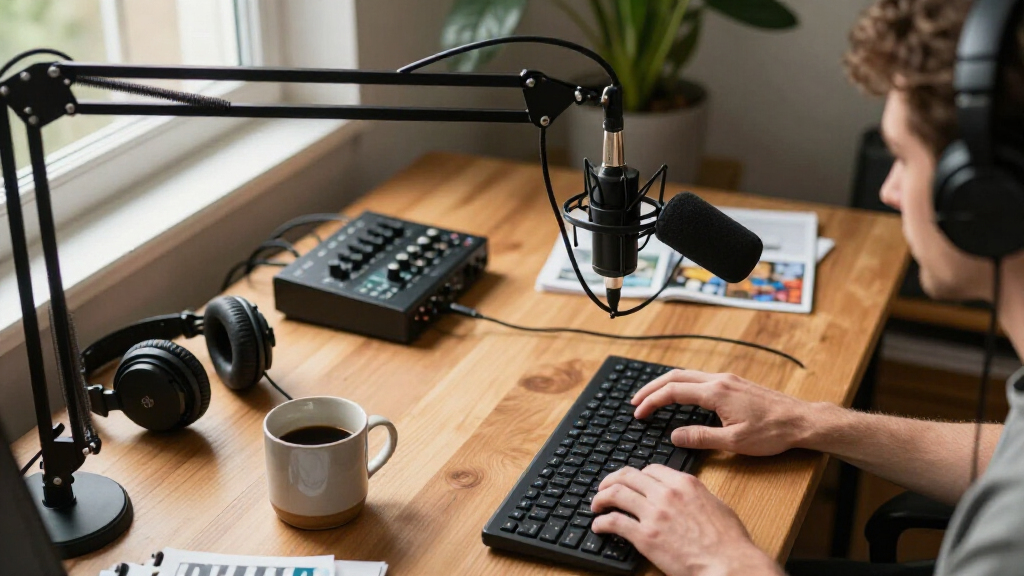
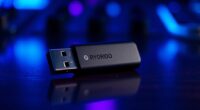
For most creators, I’d start with the Shure MV7+: its USB-C and XLR connections suit a simple desk setup now and a more involved recording chain later. The FIFINE AmpliGame AM8 is a more approachable USB/XLR alternative, while the MAONO PD200W stands out for creators who want wireless flexibility. The main tradeoff is between plug-and-play convenience, control over recording, and how much gear you want on your desk. Dynamic models can help focus close-miked speech in less controlled rooms, while USB condensers offer a different, more direct setup. Read on for the full breakdown and help matching a microphone to your recording space and workflow.

Get audio and creator gear delivered free with Prime
- Fast, free delivery on millions of items
- Prime Video, Amazon Music and more included
- Member-only deals all year
Complete the kit



Key Takeaways
- The Shure MV7+ leads for adaptable creator setups because it offers both USB-C and XLR connections, unlike XLR-only studio choices or USB-only models.
- The FIFINE AM8 is the value-minded flexible pick: it combines USB and XLR without requiring a creator to commit to an XLR setup from the start.
- The MAONO PD200W fills a distinct role for creators who want wireless recording options rather than another fixed desk microphone.
- Bundle contents change the buying decision. The AM8T, TONOR TD510 Air H+, and other kits add mounting gear, which can matter more to a new desk setup than another control on the mic.
- USB convenience and XLR expandability are different priorities. The Blue Yeti and ZealSound K66 simplify direct computer use, while XLR models call for extra equipment but offer a more adaptable signal path.
| FIFINE AmpliGame AM8 USB/XLR Dynamic Microphone |  | Best Value for a USB-to-XLR Upgrade | Microphone type: Dynamic | Connectivity: USB and XLR | Polar pattern: Cardioid, unidirectional | VIEW LATEST PRICE | See Our Full Breakdown |
| Shure MV7+ USB-C and XLR Podcast Dynamic Microphone, White |  | Best for Hands-Off Voice Processing | Microphone type: Dynamic | Connections: USB-C and XLR | Voice features: Voice Isolation Technology, Auto Level Mode, real-time denoiser | VIEW LATEST PRICE | See Our Full Breakdown |
| ZealSound K66 USB Condenser Microphone |  | Best for Mobile-Friendly USB Recording | Microphone type: USB condenser | Pickup pattern: Cardioid | Frequency response: 40 Hz–18 kHz | VIEW LATEST PRICE | See Our Full Breakdown |
| FIFINE AmpliGame AM8T USB/XLR Dynamic Gaming Microphone Kit with Boom Arm |  | Best Starter Kit with Boom Arm | Microphone type: Dynamic | Connectivity: USB and XLR | Polar pattern: Cardioid | VIEW LATEST PRICE | See Our Full Breakdown |
| MAONO PD200W Hybrid Wireless Dynamic Podcast Microphone |  | Best for Wireless and Multi-Format Recording | Microphone type: Dynamic | Connectivity: Wireless, USB, and XLR | Capsule size: 30 mm | VIEW LATEST PRICE | See Our Full Breakdown |
| Podcast Recording Bundle with Microphones, Audio Mixer, and Voice Changer |  | Best for Two-Person Shows and Live Variety | Microphones: Two condenser microphones | Connectivity: USB-C | Voice variations: Four: female, male, child, and monster | VIEW LATEST PRICE | See Our Full Breakdown |
| ZealSound K66 USB Podcast Microphone with Noise Reduction, Gain and Volume Controls, Mute Button, and Headphone Monitoring |  | Best for Beginners | Microphone type: USB condenser | Pickup pattern: Cardioid | Frequency response: 40 Hz–18 kHz | VIEW LATEST PRICE | See Our Full Breakdown |
| TONOR TD510 Air H+ Dynamic Podcast Microphone with Boom Arm |  | Best for a USB-to-XLR Upgrade Path | Microphone type: Dynamic | Polar pattern: Cardioid | Connectivity: USB and XLR | VIEW LATEST PRICE | See Our Full Breakdown |
| TONOR TC310+ USB Gaming Microphone Kit with Boom Arm |  | Best for a Desk-Ready Gaming and Podcast Setup | Connectivity: USB-A | Polar pattern: Unidirectional | Audio sensitivity: 10 dB | VIEW LATEST PRICE | See Our Full Breakdown |
| FIFINE AmpliGame AM8PROT USB/XLR Dynamic Gaming Microphone Kit |  | Best for Feature-Rich USB Recording | Microphone type: Dynamic | Polar pattern: Unidirectional (cardioid) | Connectivity: USB and XLR | VIEW LATEST PRICE | See Our Full Breakdown |
| Shure MV7X XLR Dynamic Podcast and Recording Microphone, Black |  | Best for XLR-Ready Creators | Microphone type: Dynamic cardioid | Connection: XLR output | Construction: All-metal | VIEW LATEST PRICE | See Our Full Breakdown |
| FIFINE AmpliTank K688CT USB/XLR Dynamic Podcast Microphone Kit |  | Best Complete Starter Kit | Connectivity: USB and XLR | Microphone type: Dynamic | Polar pattern: Unidirectional (cardioid) | VIEW LATEST PRICE | See Our Full Breakdown |
| Logitech Blue Yeti USB Microphone with Blue VO!CE Effects, Midnight Blue |  | Best for Multi-Format Recording | Microphone type: USB condenser | Capsule array: Three capsules | Pickup patterns: Cardioid, omnidirectional, bidirectional, and stereo | VIEW LATEST PRICE | See Our Full Breakdown |
| podcast microphones for creator | Microphone type | Connectivity |
|---|---|---|
| FIFINE AmpliGame AM8 USB/XLR D | Dynamic | USB and XLR |
| Shure MV7+ USB-C and XLR Podca | Dynamic | — |
| ZealSound K66 USB Condenser Mi | USB condenser | USB with USB-C and Lightning adapters |
| FIFINE AmpliGame AM8T USB/XLR | Dynamic | USB and XLR |
| MAONO PD200W Hybrid Wireless D | Dynamic | Wireless, USB, and XLR |
| Podcast Recording Bundle with | — | USB-C |
| ZealSound K66 USB Podcast Micr | USB condenser | USB; USB-C and Lightning adapters included |
| TONOR TD510 Air H+ Dynamic Pod | Dynamic | USB and XLR |
| TONOR TC310+ USB Gaming Microp | — | USB-A |
| FIFINE AmpliGame AM8PROT USB/X | Dynamic | USB and XLR |
| Shure MV7X XLR Dynamic Podcast | Dynamic cardioid | — |
| FIFINE AmpliTank K688CT USB/XL | Dynamic | USB and XLR |
| Logitech Blue Yeti USB Microph | USB condenser | — |
More Details on Our Top Picks
FIFINE AmpliGame AM8 USB/XLR Dynamic Microphone
I’d choose the FIFINE AmpliGame AM8 for creators who want one microphone to work with a computer now and an XLR interface later. Its cardioid dynamic capsule favors sound arriving from the front, which can help keep a nearby keyboard or room noise from competing with a spoken voice. In USB mode, tap-to-mute, gain control, and headphone monitoring put routine recording adjustments on the mic. Compared with the Shure MV7+, the AM8 has fewer software-assisted voice tools, but its straightforward controls suit a simpler setup. The tradeoff is that RGB lighting and function keys are USB-only, and an XLR cable is not included. I’d pass if you need built-in voice processing or want to move between USB and XLR without losing those extras.
Pros:- USB and XLR connections support both computer-first and interface-based setups
- Tap-to-mute, gain control, and headphone monitoring are available in USB mode
- Cardioid dynamic pickup helps focus on a close-miked voice
- Built-in 3/8-inch and 5/8-inch threads fit common microphone stands
Cons:- XLR cable is not included
- RGB lighting and function keys are inactive in XLR mode
- USB mode’s onboard controls do not provide the voice processing available on the Shure MV7+
Best for: New podcasters who want onboard USB controls today and the option to add an XLR interface later
Not ideal for: Creators who need automatic voice leveling, extensive noise processing, or RGB and control functions while connected by XLR
- Microphone type:Dynamic
- Connectivity:USB and XLR
- Polar pattern:Cardioid, unidirectional
- Frequency response:50 Hz–16 kHz
- Signal-to-noise ratio:80 dB
- Controls and features:Tap-to-mute, headphone monitoring, monitoring volume, gain control, RGB lighting
- Mount threads:3/8-inch and 5/8-inch
- Enclosure material:ABS plastic and metal
Our verdict“Choose the AM8 if you want a practical USB microphone with a clear path to XLR, and skip it if you need advanced voice processing in either connection mode.”
Shure MV7+ USB-C and XLR Podcast Dynamic Microphone, White
The Shure MV7+ is the strongest fit here for creators who want help keeping spoken audio consistent without building a separate processing chain. Voice Isolation Technology, Auto Level Mode, and real-time denoising are aimed at voice recording where distance, delivery, or background sound may vary. USB-C makes it suited to a direct computer setup, while XLR keeps a more conventional recording path open. Compared with the FIFINE AM8, the MV7+ offers more built-in audio processing and a touch panel for level monitoring and muting; the AM8 is the simpler choice if basic controls matter more than automated adjustments. The MV7+ also adds reverb options, though those effects may be unnecessary for a straightforward podcast voice. Its feature-rich approach makes it a better match for creators who will use the extra control, not those seeking only a basic mic connection.
Pros:- USB-C and XLR outputs accommodate computer and interface-based recording
- Voice Isolation Technology and Auto Level Mode help manage vocal clarity and consistency
- Real-time denoising offers another tool for controlling unwanted background sound
- Touch LED panel provides level monitoring and tap-to-mute control
Cons:- Its processing and reverb features may be unnecessary for creators who want a simple, minimally processed signal
- Creators seeking a basic USB-to-XLR option may find the FIFINE AM8’s simpler control set a better fit
Best for: Solo podcasters and streamers recording directly to a computer who want automatic level adjustment and noise control
Not ideal for: Budget-conscious beginners who want only basic USB controls, or creators who prefer to manage all processing externally
- Microphone type:Dynamic
- Connections:USB-C and XLR
- Voice features:Voice Isolation Technology, Auto Level Mode, real-time denoiser
- Reverb effects:Plate, Hall, and Studio
- LED panel:Full-color touch panel with level monitoring and tap-to-mute
- LED color options:16.8 million
- Color:White
- Certification:Certified for OBS
Our verdict“Pick the MV7+ if built-in voice management is a priority, while the AM8 is a better fit for creators who want a simpler hybrid microphone.”
ZealSound K66 USB Condenser Microphone
The ZealSound K66 is a flexible pick for creators recording voice on a computer, tablet, or supported iPhone or iPad. Its USB condenser design differs from the dynamic FIFINE AM8 and Shure MV7+: it offers a broader frequency response on paper, while the dynamic options are more naturally suited to close-miked spoken-word setups in untreated rooms. The K66’s practical advantage is its cluster of onboard controls: gain, headphone volume, echo, mute, and selectable noise reduction, plus zero-latency headphone monitoring. That makes it easier to hear and adjust a recording without reaching for separate software controls. The tradeoff is that noise reduction is described as helping with common distractions, not removing all room sound, and mobile use depends on compatible devices and adapters. I’d choose it for adaptable USB recording, not for an XLR-based studio path.
Pros:- USB-C and Lightning adapters support a range of compatible devices
- Gain, headphone volume, echo, mute, and noise-reduction controls are onboard
- Zero-latency headphone monitoring supports real-time listening
- Cardioid pickup is suited to a single speaker in front of the mic
Cons:- Noise reduction is not described as eliminating all background noise
- Mobile recording depends on compatible devices and adapters
- USB-only connectivity does not offer the XLR upgrade path of the FIFINE AM8
Best for: Creators who record podcasts, calls, or voice content across a computer and supported mobile devices and want direct monitoring
Not ideal for: Podcasters planning an XLR mixer setup or recording in a noisy room that needs stronger acoustic control
- Microphone type:USB condenser
- Pickup pattern:Cardioid
- Frequency response:40 Hz–18 kHz
- Sensitivity:−45 dB ±3 dB
- Connectivity:USB with USB-C and Lightning adapters
- Monitoring:3.5 mm headphone jack with zero-latency monitoring
- Controls:Mic gain, headphone volume, echo, mute, and noise reduction
- Compatibility:Windows, Mac, PS4/PS5, tablets, and supported iPhone/iPad devices
Our verdict“Choose the K66 for adaptable USB recording and onboard monitoring across supported devices, but look elsewhere if you need XLR connectivity.”
FIFINE AmpliGame AM8T USB/XLR Dynamic Gaming Microphone Kit with Boom Arm
The FIFINE AmpliGame AM8T makes the most sense when a creator needs both a microphone and a way to position it over a desk. The included boom arm, clamp, windscreen, and USB cable reduce the need to source basic mounting pieces separately, while USB provides plug-and-play recording and XLR supports a later move to a mixer or audio interface. Like the standalone FIFINE AM8, it uses a cardioid dynamic design and puts mute, gain, and headphone monitoring controls on the mic. The distinction is the bundled arm, not a different connection strategy. That convenience comes with desk-fit limits: the clamp is specified for surfaces up to 2 inches thick, and there is no XLR cable in the box. I’d pick this kit for a new desk setup; creators who already own a stand may prefer the standalone AM8.
Pros:- Includes a boom arm, desk clamp, windscreen, and USB cable
- USB and XLR connectivity support both direct computer use and an interface-based setup
- Onboard mute, gain, headphone volume, and real-time monitoring aid recording adjustments
- Cardioid pickup suits close, single-speaker podcast recording
Cons:- XLR cable is not included
- Desk clamp supports desktops only up to 2 inches thick
- The bundled arm adds little value for creators who already have a compatible mounting setup
Best for: First-time podcasters building a desk recording setup who want a boom arm and USB/XLR microphone together
Not ideal for: Creators with desktops thicker than 2 inches, or those who already own a suitable boom arm and want only the microphone
- Microphone type:Dynamic
- Connectivity:USB and XLR
- Polar pattern:Cardioid
- Sensitivity:-50 dB
- Controls:Mute button, gain knob, and headphone volume control
- Monitoring:Headphone jack with real-time monitoring
- Included accessories:Boom arm, C-clamp, windscreen, 8.2 ft USB-to-USB-C cable, and user manual
- Desk clamp capacity:Desktops up to 2 inches thick
Our verdict“Choose the AM8T if you need a complete desk-mount starting point; choose the standalone AM8 if you already have a boom arm.”
MAONO PD200W Hybrid Wireless Dynamic Podcast Microphone
The MAONO PD200W stands apart from the other picks by combining wireless, USB, and XLR connectivity. That flexibility suits creators who record at a desk one day and want freedom from a cable for another setup. Its cardioid dynamic pickup, three-stage noise cancellation, and MaonoLink app controls give creators ways to shape and focus the signal; the listed wireless range reaches up to 60 m, and battery life is up to 60 hours with RGB off. It also supports two wireless microphones with separate tracks, a useful capability for interviews that the single-mic-focused FIFINE AM8 and Shure MV7+ do not offer in their listed features. The tradeoff is a more involved setup, and camera and Lightning accessories are sold separately. I’d choose it for flexible recording, not for the simplest wired desktop workflow.
Pros:- Wireless, USB, and XLR connections support varied recording setups
- Supports two wireless microphones with separate tracks
- Up to 60 m wireless range and up to 60 hours of battery life with RGB off
- MaonoLink app offers preset modes and EQ and reverb adjustments
Cons:- Camera and Lightning accessories are sold separately
- Wireless operation and app controls add setup considerations compared with the wired FIFINE AM8
- Listed maximum battery life applies with RGB lighting off
Best for: Mobile podcasters and interview creators who need wireless recording, USB or XLR options, and separate tracks for two wireless microphones
Not ideal for: Creators who record only at a fixed desk and want the simplest plug-in setup, or those who need camera or Lightning accessories included
- Microphone type:Dynamic
- Connectivity:Wireless, USB, and XLR
- Capsule size:30 mm
- Pickup pattern:Cardioid
- Signal-to-noise ratio:82 dB
- Maximum SPL:128 dB
- Wireless range:Up to 60 m
- Battery life:Up to 60 hours with RGB off
- Noise cancellation:Three-stage; MaonoLink app
Our verdict“Pick the PD200W for wireless flexibility and two-mic interview recording, but choose a wired option if you want a simpler desk setup.”
Podcast Recording Bundle with Microphones, Audio Mixer, and Voice Changer
This bundle suits creators who want a shared recording setup with playful live-production tools. Its two condenser microphones and suspension arms give co-hosts separate positions, while the mixer adds 10 sound effects, four voice variations, and noise reduction. That makes it more geared toward conversational shows, streams, and character-driven segments than a simple solo USB mic such as the ZealSound K66.
The tradeoff is a more involved setup: the bundle needs charging before first use, and driver installation may require help from customer support. Its wide device compatibility and instrument inputs are useful for creators who also stream from consoles or record guitar and bass, but the supplied details do not spell out the mixer’s recording controls in depth. Choose it for a flexible two-person setup, not a minimalist desk recording chain.
Pros:- Includes two condenser microphones and suspension arms for co-host recording.
- Mixer provides noise reduction, 10 sound effects, and four voice variations.
- USB-C connectivity supports computers, phones, and tablets across several operating systems.
- Instrument inputs allow direct connections for electric guitar, bass, and electronic drums.
Cons:- The battery should be fully charged before first use.
- Driver installation may require contacting customer support.
- The added mixer and two-microphone setup is more involved than a single-mic option such as the ZealSound K66.
Best for: Two-person podcast hosts and livestreamers who want included microphones, arms, sound effects, and the option to connect instruments.
Not ideal for: Solo creators seeking a simple, clearly documented plug-and-play microphone with minimal setup or a compact desk footprint.
- Microphones:Two condenser microphones
- Connectivity:USB-C
- Voice variations:Four: female, male, child, and monster
- Sound effects:10
- Compatibility:Windows, Mac OS, Android, iOS, Chrome OS, smartphones, PC, PS5, and Xbox
- Instrument inputs:Electric guitar, bass, and electronic drums
Our verdict“Pick this bundle if you need two mic positions and live audio effects; skip it for a straightforward solo recording setup.”
ZealSound K66 USB Podcast Microphone with Noise Reduction, Gain and Volume Controls, Mute Button, and Headphone Monitoring
The K66 is a straightforward starting point for creators who want to hear their voice while recording and adjust basic levels without a separate mixer. Its plug-and-play USB connection, physical gain and headphone-volume controls, and zero-latency monitoring make it easier to catch an audio problem during a take rather than after it. Compared with the bundled two-mic system, it is the simpler choice for a solo podcast desk.
The cardioid pickup pattern and noise-reduction mode can help focus a recording, but noise reduction is not a substitute for a quiet room or close mic placement. The included USB-C and Lightning adapters add phone and tablet flexibility; however, the product information does not specify a stand or mounting accessories. Creators wanting the XLR upgrade path of the TONOR TD510 Air H+ should choose that dynamic model instead.
Pros:- Plug-and-play USB setup with USB-C and Lightning adapters for compatible devices.
- Zero-latency headphone monitoring helps catch recording issues in real time.
- Dedicated microphone gain, headphone volume, echo, and mute controls.
- Cardioid pickup pattern and noise-reduction mode support focused voice recording.
Cons:- Noise reduction can help with background sounds but does not eliminate them.
- The product information does not specify an included stand or mounting accessories.
- USB-only connectivity offers less upgrade flexibility than the XLR-capable TONOR TD510 Air H+.
Best for: First-time solo podcasters who want simple USB setup, headphone monitoring, and hands-on level controls for a computer or compatible phone.
Not ideal for: Creators who need a supplied boom arm, an XLR connection for future audio-interface use, or strong isolation from a noisy room.
- Microphone type:USB condenser
- Pickup pattern:Cardioid
- Frequency response:40 Hz–18 kHz
- Sampling rate:46 kHz
- Monitoring:3.5 mm headphone jack, zero-latency
- Controls:Microphone volume, monitoring volume, echo, and mute
- Connectivity:USB; USB-C and Lightning adapters included
- Compatibility:Windows PC, Mac, PS4, PS5, iPhone, iPad, and compatible USB-C devices
Our verdict“Choose the K66 for an approachable solo USB setup with live monitoring, but plan for separate mounting gear if needed.”
TONOR TD510 Air H+ Dynamic Podcast Microphone with Boom Arm
The TD510 Air H+ is the strongest fit here for creators who want to begin over USB and later move to an XLR sound card. Its dynamic cardioid design, included boom arm, and three audio-enhancement modes make it a more podcast-focused step up from the condenser-based TONOR TC310+, which is aimed more at gaming and desk convenience. Bass roll-off, vocal clarity, and mid-range emphasis offer ways to shape a voice without relying only on post-production.
There are practical limits: the XLR cable is not included, and this mic is not compatible with Xbox. It has headphone monitoring and separate mic and headphone volume controls, but its larger stated dimensions and 850 g weight call for a stable desk mount. Choose it if connection flexibility and voice-shaping modes matter more than console-wide compatibility or a compact footprint.
Pros:- USB and XLR connectivity supports a move from direct computer recording to an audio interface.
- Three selectable modes tailor the sound toward bass roll-off, vocal clarity, or mid-range emphasis.
- Included boom arm and headphone monitoring support an adjustable recording position.
- Tap mute and separate microphone and headphone volume controls simplify session adjustments.
Cons:- XLR cable is not included, adding a separate requirement for XLR use.
- Not compatible with Xbox.
- At 850 g with substantial stated dimensions, it needs a suitable mounting setup.
Best for: Podcast creators who want to start with USB, add an XLR sound card later, and adjust vocal character with selectable enhancement modes.
Not ideal for: Xbox streamers, buyers who need an XLR cable included, or creators who want a compact and lightweight desk microphone.
- Microphone type:Dynamic
- Polar pattern:Cardioid
- Connectivity:USB and XLR
- Audio enhancement modes:Bass Roll-off, Vocal Clarity, and Mid-Range Emphasis
- Noise reduction:AI noise reduction
- Monitoring:3.5 mm headphone jack
- Controls:Tap mute, microphone volume, and headphone volume
- Included accessory:Boom arm
- Compatible devices:Laptop, personal computer, PS4, and PS5; not compatible with Xbox
Our verdict“Choose the TD510 Air H+ if you want a boom-arm dynamic mic with USB now and XLR flexibility later, provided Xbox support is not needed.”
TONOR TC310+ USB Gaming Microphone Kit with Boom Arm
The TC310+ makes the most sense for creators who want a microphone already paired with a desk clamp and adjustable metal boom arm. That mounting kit gives it an out-of-the-box positioning advantage over the ZealSound K66, whose supplied details do not identify a stand or arm. One-tap mute and gain control also make quick recording or streaming adjustments easy, while the four RGB lighting modes suit a visible gaming setup.
For a podcast-first buyer, the gaming emphasis brings tradeoffs: this is a USB-A condenser with one audio channel, rather than the USB/XLR dynamic flexibility of the FIFINE AM8PROT. Its unidirectional pickup and noise-cancellation feature support focused use, but the listing calls the form factor shotgun or gooseneck and gives limited voice-recording detail. Choose it for a simple, adjustable PC or console desk rig, not a future-proof audio chain.
Pros:- Includes a metal boom arm and desk clamp for flexible microphone positioning.
- One-tap mute and gain control support quick adjustments during recording.
- Four RGB modes with adjustable brightness suit a visible streaming setup.
- USB-A plug-and-play compatibility covers PC, Mac, PS4, and PS5.
Cons:- USB-A-only connectivity lacks the XLR option offered by the FIFINE AM8PROT.
- The single-channel design is suited to a solo setup rather than multi-mic recording.
- Requires a USB 2.0 or 3.0 port and a fully connected Type-C plug.
Best for: Gaming creators who record solo podcasts at a fixed desk and want an included boom arm, quick mute, and adjustable lighting.
Not ideal for: Creators who need XLR connectivity, more than one audio channel, or a podcast-focused dynamic mic with a clearly stated upgrade path.
- Connectivity:USB-A
- Polar pattern:Unidirectional
- Audio sensitivity:10 dB
- Signal-to-noise ratio:78 dB
- Channels:1
- Special features:One-tap mute, volume control, RGB effect and brightness controls, noise cancellation, and plug and play
- Boom arm material:Metal
- Maximum desk thickness:2.36 in
- Compatible devices:Desktop computer, laptop, Mac OS, PS4, and PS5
Our verdict“Pick the TC310+ for an adjustable, gaming-oriented solo desk setup, but choose an XLR-capable mic if you expect your podcast rig to grow.”
FIFINE AmpliGame AM8PROT USB/XLR Dynamic Gaming Microphone Kit
The AM8PROT stands out for creators who want a dynamic microphone with more hands-on control while recording over USB. Its tap-to-mute, headphone monitoring, mix and volume controls, plus software EQ, let a creator shape and monitor a session without adding a separate mixer. Compared with the TONOR TD510 Air H+, it adds software EQ and customizable RGB, while retaining both USB and XLR connections for a later equipment change.
The main catch is that its extra controls are tied to USB: mixing and RGB features are unavailable over XLR. The included boom arm, windscreen, and long cable make the package more desk-ready than the TC310+, but the listing does not specify XLR accessories or a power source. Its single-channel design fits solo creators best; choose it for USB control and customization, not for a multi-mic production.
Pros:- USB and XLR connections allow direct computer use now and an XLR setup later.
- Includes a boom arm, windscreen, and 8.2-foot USB cable.
- USB mode adds tap-to-mute, headphone monitoring, mix and volume controls, and customizable RGB.
- Desktop software supports EQ and lighting customization.
Cons:- Mix controls and RGB features are available only over USB.
- The product details do not specify XLR accessories or a power source.
- One-channel operation is aimed at solo recording rather than multi-mic production.
Best for: Solo podcast and gaming creators who record over USB, want live headphone monitoring and software EQ, and may add XLR gear later.
Not ideal for: Creators who plan to rely on the mic’s mix and RGB controls while using XLR, or who need a multi-channel setup.
- Microphone type:Dynamic
- Polar pattern:Unidirectional (cardioid)
- Connectivity:USB and XLR
- Audio resolution:48 kHz/24-bit
- Maximum SPL:115 dB
- Frequency response:20 Hz–20 kHz
- USB cable length:8.2 ft
- Boom arm extension:Up to 30 in
- Compatible devices:Laptop, PC, PS4, and PS5
Our verdict“Choose the AM8PROT for a feature-rich solo USB workflow with an XLR option in reserve, but do not expect its USB controls to carry over to XLR.”
Shure MV7X XLR Dynamic Podcast and Recording Microphone, Black
The Shure MV7X is the focused choice for creators who already record through an audio interface or mixer and want a dedicated XLR microphone. Its dynamic cardioid design emphasizes a close voice while helping limit surrounding room sound, a useful fit for untreated home studios. Compared with the FIFINE AmpliTank K688CT, it gives up USB convenience and the included boom arm, but keeps the setup centered on conventional XLR gear rather than dual-mode controls. The all-metal body, integrated shock mount, and adjustable yoke suit a fixed recording station, and the supplied adapter adds stand compatibility. The tradeoff is straightforward: this model has no listed USB output, so creators need an XLR input and may need to supply their own stand or arm.
Pros:- Cardioid pickup is suited to close spoken-word recording and can help reduce room sound.
- XLR output connects to audio interfaces and mixers.
- All-metal construction and integrated shock mount support a durable studio setup.
- Adjustable yoke and included 3/8-inch adapter offer mounting flexibility.
Cons:- Requires an audio interface or mixer with an XLR input.
- No USB output is listed, so it cannot serve as a direct-to-computer USB mic.
- A boom arm or stand is not listed among the included accessories.
Best for: Podcast hosts and voice creators who already own an XLR interface or mixer and want a durable, voice-focused microphone for a regular recording setup.
Not ideal for: New creators seeking direct USB recording or an all-in-one desk kit; this microphone needs XLR equipment and does not list a USB connection or included boom arm.
- Microphone type:Dynamic cardioid
- Connection:XLR output
- Construction:All-metal
- Mounting:Adjustable yoke mount
- Included accessory:3/8-inch adapter
- Color:Black
Our verdict“Choose the MV7X if you already record through XLR and value a sturdy, voice-focused setup over USB convenience.”
FIFINE AmpliTank K688CT USB/XLR Dynamic Podcast Microphone Kit
The FIFINE AmpliTank K688CT is the most ready-to-record package here for creators who want a desk setup without choosing between USB today and XLR later. In USB mode, its mute, gain, and headphone-volume controls keep routine adjustments close at hand; switch to XLR and those controls move to the mixer or interface. That flexibility makes it more approachable than the Shure MV7X, which has no listed USB output, while its included metal boom arm, shock mount, and windscreen cut down on accessory hunting. The cardioid dynamic design suits close voice work, but the best input level calls for a short 2–6-inch speaking distance. The desk clamp also fits only desks under 2 inches thick, so check your setup before choosing this kit.
Pros:- USB and XLR connectivity support both plug-and-play recording and interface-based setups.
- Includes a metal boom arm, windscreen, and shock mount.
- USB mode provides tap-to-mute, gain, and headphone-volume controls.
- Unidirectional cardioid pickup is suited to focused voice recording.
Cons:- Microphone controls are unavailable in XLR mode and must be handled through external equipment.
- The desk clamp fits desks under 2 inches thick.
- Best input volume calls for close placement, about 2–6 inches away.
Best for: First-time podcasters and streamers who want a supplied boom arm and the choice of USB recording now or XLR connection to an interface later.
Not ideal for: Creators with desks 2 inches thick or thicker, or speakers who need to stay far from the mic; the clamp has a thickness limit and the recommended close placement may not fit every workflow.
- Connectivity:USB and XLR
- Microphone type:Dynamic
- Polar pattern:Unidirectional (cardioid)
- Maximum SPL:130 dB
- Frequency response:50 Hz–16 kHz
- Signal-to-noise ratio:80 dB
- USB-mode controls:Tap-to-mute, gain, and headphone volume
- Included accessories:Metal boom arm, windscreen, and shock mount
- Desk clamp capacity:Fits desks under 2 inches thick
Our verdict“Pick the K688CT if you want a bundled desktop setup with USB simplicity and an XLR path for later.”
Logitech Blue Yeti USB Microphone with Blue VO!CE Effects, Midnight Blue
The Blue Yeti suits creators whose recordings extend beyond a single close-mic podcast voice. Its four selectable pickup patterns let one USB microphone handle solo narration, a face-to-face conversation, or stereo capture, while onboard mute and gain controls make quick changes easy during a session. Compared with the FIFINE AmpliTank K688CT, the Yeti offers more pickup-pattern choices but lacks the listed XLR connection and bundled boom arm. Its condenser design and desktop stand make it convenient for Mac or PC recording, and no-latency headphone monitoring helps creators hear their signal as they speak. The tradeoff is that its broader recording options may be unnecessary for a solo host, and full functionality requires Logitech G HUB software.
Pros:- Four pickup patterns support solo voice, multi-person, and stereo recording setups.
- Onboard mute, gain, pattern selection, and headphone-volume controls allow quick adjustments.
- No-latency headphone monitoring helps track audio while recording.
- USB plug-and-play setup includes a desktop stand.
Cons:- Full functionality requires downloading and installing Logitech G HUB.
- No XLR connection is listed for use with an audio interface or mixer.
- The included desktop stand may be less suitable than a boom arm for creators who need more desk space.
Best for: USB-first creators who record solo episodes, interviews, or stereo content and want to change pickup patterns without adding a separate microphone.
Not ideal for: Creators seeking an XLR-based upgrade path or a bundled boom-arm setup; the Yeti is USB-only in the supplied data and relies on its desktop stand.
- Microphone type:USB condenser
- Capsule array:Three capsules
- Pickup patterns:Cardioid, omnidirectional, bidirectional, and stereo
- Controls:Headphone volume, pattern selection, mute, and microphone gain
- Monitoring:No-latency headphone monitoring
- Compatibility:Mac and PC
- Software:Logitech G HUB required for full functionality
- Color:Midnight Blue
Our verdict“Choose the Blue Yeti if you want one USB microphone for varied recording formats and can work within its software and desktop-stand setup.”
How We Picked
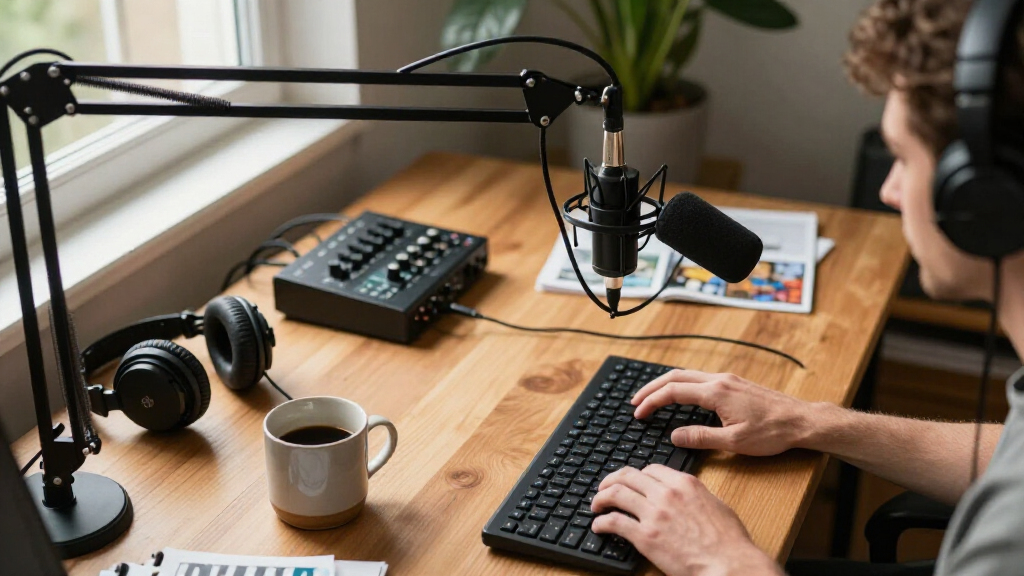
I ranked these microphones around how well they serve creators recording spoken content, not gaming labels or feature count alone. I compared connection choices, setup demands, included mounting gear, onboard controls, monitoring options, and how easily a buyer could adapt the mic as a show or workspace changes. Dynamic and condenser designs were judged by their fit for different recording environments rather than treated as direct substitutes.
The order favors useful flexibility and clear buyer fit. The Shure MV7+ takes the lead for its USB-C/XLR choice; the FIFINE AM8 follows as a more accessible hybrid option. Dedicated wireless, bundle, beginner-friendly USB, and XLR-only picks rank according to the audience they serve, with tradeoffs made explicit. Similar models, including the two K66 listings, are separated by the controls and positioning described in their names rather than treated as identical.
| podcast microphones for creator | Microphone type | Connectivity |
|---|---|---|
| FIFINE AmpliGame AM8 USB/XLR D | Dynamic | USB and XLR |
| Shure MV7+ USB-C and XLR Podca | Dynamic | — |
| ZealSound K66 USB Condenser Mi | USB condenser | USB with USB-C and Lightning adapters |
| FIFINE AmpliGame AM8T USB/XLR | Dynamic | USB and XLR |
| MAONO PD200W Hybrid Wireless D | Dynamic | Wireless, USB, and XLR |
| Podcast Recording Bundle with | — | USB-C |
| ZealSound K66 USB Podcast Micr | USB condenser | USB; USB-C and Lightning adapters included |
| TONOR TD510 Air H+ Dynamic Pod | Dynamic | USB and XLR |
| TONOR TC310+ USB Gaming Microp | — | USB-A |
| FIFINE AmpliGame AM8PROT USB/X | Dynamic | USB and XLR |
| Shure MV7X XLR Dynamic Podcast | Dynamic cardioid | — |
| FIFINE AmpliTank K688CT USB/XL | Dynamic | USB and XLR |
| Logitech Blue Yeti USB Microph | USB condenser | — |
Factors to Consider When Choosing Podcast Microphones For Creators
Choosing a creator microphone is less about collecting features and more about matching the mic to the room, recording routine, and equipment you already own. I’d settle those choices before deciding whether a bundle or premium model is worth adding to the setup.
Match the connection to your current setup
A USB microphone connects directly to a computer, which keeps a solo creator’s setup compact and quick to operate. XLR models need an audio interface or mixer, so count that added equipment, desk space, and setup work before choosing one. A hybrid mic can start over USB and later join an XLR chain, but that flexibility only helps if you expect your workflow to change. Avoid buying XLR solely because it sounds more professional; the connector alone does not improve a recording. If guests, instruments, or several microphones are part of the plan, an interface or mixer may be useful for reasons beyond the mic itself. Choose the connection you can operate reliably for every recording session.
Choose for your room, not just your voice
Room noise, reflections, and microphone placement shape spoken audio as much as the microphone model. Dynamic mics are often a practical fit for untreated rooms when used close to the speaker, but they still pick up sound and need sensible positioning. Condenser microphones can suit controlled rooms and creators who want a straightforward USB format, though a reflective space may become more obvious in the recording. Before buying, listen for computer fans, hard-surface echo, and street noise where you plan to record. A quieter room or basic acoustic treatment can help more than changing microphones. Don’t expect a microphone advertised with noise reduction to fix every room problem.
Prioritize placement before extra effects
A microphone that can sit at the right distance and angle is easier to use consistently than one with a long feature list but awkward placement. Boom arms and included mounts can clear desk space and keep the mic near the speaker, but check that the kit suits your desk and recording position. Headphone monitoring helps catch clipping, cable issues, or unwanted noise while recording rather than after an episode is finished. Mute buttons and gain controls are useful when they are easy to reach without bumping the mic. Effects and voice-processing features may help shape a sound, but they cannot replace a stable mic position. Spend attention on the mounting arrangement before treating software controls as the main upgrade.
Think through solo, guest, and mobile recording
A desk microphone that works well for a solo host may not be the simplest choice for interviews or recordings away from the computer. Multiple speakers usually call for separate microphones and a plan for recording each voice; a single USB mic may not fit that workflow neatly. Wireless options can reduce cable constraints for mobile or flexible setups, but check how the system fits your recording and monitoring routine. Bundle listings that include a mixer or voice changer may offer more pieces at once, yet they can also add controls you do not need. Map out who will speak, where recording happens, and how tracks will be captured before choosing a kit. A simpler setup is often easier to repeat reliably.
Pay for flexibility only when you will use it
USB/XLR flexibility, wireless operation, and bundled accessories can justify a more involved purchase when they solve a real workflow need. If you record alone at one desk, a USB model may cover the job without an interface or extra routing. If you plan to add guests, move between locations, or connect to a mixer, those additional options may be worth the added setup. Check what a bundle actually includes rather than assuming every arm, cable, or accessory will fit your use. Also distinguish a microphone upgrade from a room upgrade: better mounting or quieter surroundings may matter more than additional onboard controls. Buy for the next practical step in your workflow, not a hypothetical studio.
Frequently Asked Questions
Should I choose a USB/XLR microphone or a USB-only model?
I’d choose USB/XLR if you expect to move from direct computer recording to an interface or mixer, or if you want both connection routes available. A USB-only model is simpler when your routine is solo recording at one computer and you do not need an XLR chain. Hybrid models such as the Shure MV7+ and FIFINE AM8 offer room to change setups, but XLR use requires additional gear. That added flexibility can sit unused if your recording needs stay the same. Start with the setup you can run consistently, then pay for expansion options only when they solve a real need.
Is a dynamic microphone the right choice for recording in a bedroom?
A dynamic model is often a sensible starting point for a bedroom or home office because close placement can help keep attention on the speaker. It will not erase room echo, traffic, or a loud computer, so the space and mic position still matter. Condenser microphones can work well too, especially in a quieter, less reflective room. Test where you can place the microphone and whether you can speak close to it without blocking your view or working space. If the room is the main problem, adjusting placement and reducing noise may do more than switching microphone types.
Do I need an audio interface to start a podcast?
No: a USB microphone can connect directly to a computer, which is enough for many solo creator setups. An interface becomes relevant when you use an XLR microphone or need more routing options for several sources. XLR-only picks such as the Shure MV7X need compatible equipment, so include that requirement in your setup plan. Hybrid models let you begin with USB and add an interface later if your workflow changes. Avoid buying an interface before you know what inputs and controls your recordings actually require.
Are microphone bundles a better choice for a new creator?
A bundle can simplify getting a microphone and mounting gear together, particularly if you have no arm or stand yet. It is only a better fit when its included parts match your desk, recording position, and computer setup. Kits that add mixers or voice-changing controls may include functions you never use, while a standalone mic can be a cleaner choice if you already own accessories. Check the listed contents and connection requirements rather than choosing by the word “kit.” If you are unsure, prioritize stable placement and a workable connection over extra components.
Can one microphone handle both podcasting and streaming?
Many of the microphones in this roundup can serve both spoken podcast recording and live streaming, but the best fit depends on how you connect and control the setup. USB models are convenient for a single computer, while USB/XLR options can adapt to a more involved recording chain. A mute button, headphone monitoring, or included arm can be particularly handy during live sessions. For a podcast with several speakers, the bigger question is whether the mic and recording system can capture each voice the way you need. Choose for the less forgiving use case in your schedule, then confirm the connection works with your streaming or recording software.
Conclusion
Best overall: I’d choose the Shure MV7+ for creators who want a capable USB-C starting point with XLR available for a later setup change. Best value: the FIFINE AmpliGame AM8 offers the hybrid connection approach in a more approachable package. Best premium: the MV7+ is also my premium-leaning choice for creators who prioritize flexibility; the Shure MV7X makes more sense if you already have XLR gear. Best for beginners: the ZealSound K66 or Logitech Blue Yeti suits buyers who want direct USB operation, while a bundle such as the AM8T can help when mounting gear is missing. For wireless recording, pick the MAONO PD200W; for a more complete desk kit, compare the included accessories in the TONOR and FIFINE bundles. My final choice would come down to whether you need simplicity, future connection options, or freedom from a fixed desk setup.
Halloween Picks
halloween
As an affiliate, we earn on qualifying purchases.