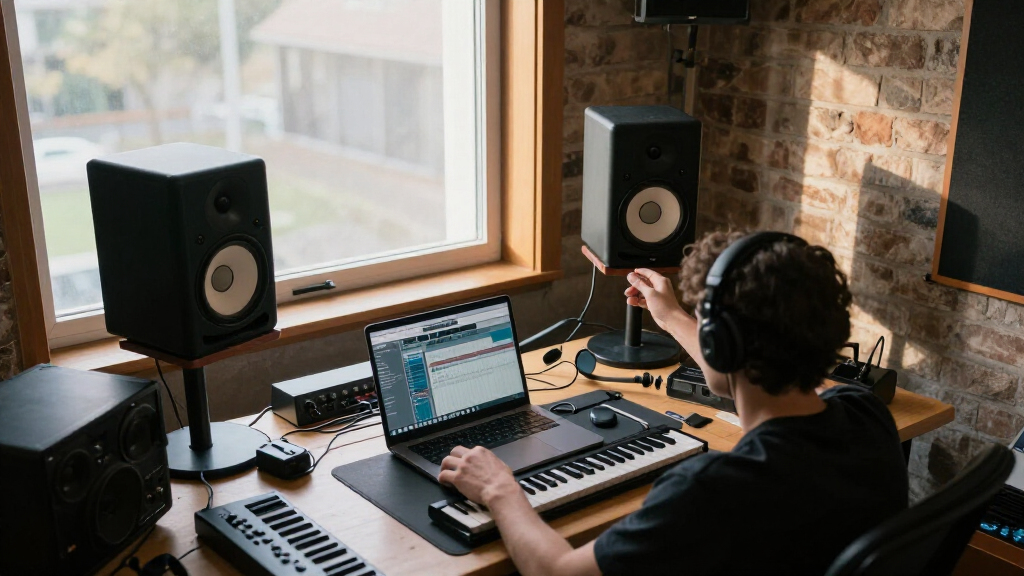

Studio monitor speakers are built to tell you the truth about your mix, and the right pair depends on your room, your desk space, and how much low-end accuracy you actually need. After comparing these 12 options, the Yamaha HS5 stands out as the best overall pick for its honest midrange and industry-standard translation. If budget leads your decision, the PreSonus Eris 3.5 delivers surprising clarity for desktop work, while the JBL 305P MkII makes the most sense for producers who want a bigger, more detailed stereo image without jumping to premium pricing. The core tradeoff in this category is simple: smaller monitors fit desks and small rooms but sacrifice bass depth, while larger woofers reveal low-end detail that cheap monitors hide. Read on for the full breakdown of every pair.

Get audio and creator gear delivered free with Prime
- Fast, free delivery on millions of items
- Prime Video, Amazon Music and more included
- Member-only deals all year
Complete the kit



Key Takeaways
- The Yamaha HS5 earned the top spot because its slightly larger 5-inch woofer and neutral tuning translate mixes reliably across car speakers, earbuds, and club systems — the HS4 and HS3 trade some of that accuracy for a smaller footprint and lower price.
- Below roughly $200, differences shrink dramatically: the Eris 3.5, Mackie CR3.5, and M-Audio BX3 are all competent desktop monitors, and choosing between them comes down to input options and tone controls rather than raw sound quality.
- Bluetooth emerged as a genuine differentiator in this lineup — only the Edifier MR3 offers it among the studio-focused picks, making it the strongest hybrid for producers who also want casual listening without switching systems.
- The JBL 305P MkII was the only budget-class monitor with a waveguide design that competes with the Yamaha HS5 for imaging, making it the smart upgrade path for anyone outgrowing 3.5-inch desktop models.
- White finishes (Yamaha HS4, Eris 3.5) cost and perform identically to their black counterparts — treat color as a free choice, not a product difference.
| Yamaha HS4 Powered Studio Monitor, Black, Pair |  | Best Compact Pick for Serious Beginners | Woofer: 4.5 inches | Tweeter: 1-inch dome | Frequency Response: 60 Hz – 22 kHz | VIEW LATEST PRICE | See Our Full Breakdown |
| Yamaha HS3 Powered Studio Monitor (Pair, Black) |  | Best for the Tightest Desks | Woofer: 3.5 inches | Tweeter: 0.75-inch dome | Frequency Response: 70 Hz – 22 kHz | VIEW LATEST PRICE | See Our Full Breakdown |
| PreSonus Eris E4.5 2-Way 4.5-Inch Near Field Studio Monitor (Pair) |  | Best Overall Value | Woofer: 4.5 inches | Tweeter: 1-inch silk-dome | Power: 50W | VIEW LATEST PRICE | See Our Full Breakdown |
| PreSonus Eris 3.5 Powered Studio Monitors (Pair) |  | Best Budget Starter Pair | Woofer: 3.5 inches | Type: Active, 2-way | Power Output: 50W | VIEW LATEST PRICE | See Our Full Breakdown |
| Edifier MR3 Powered Studio Monitor Speakers (Pair, Black) |  | Best for Dual-Duty Studio and Streaming | Drivers: 3.5-inch mid-woofer, 1-inch tweeter | Power Output: 18W x 2 RMS | Peak SPL: 92.5 dB | VIEW LATEST PRICE | See Our Full Breakdown |
| Edifier R1280T Powered Bookshelf Speakers – 2.0 Near Field Studio Monitor |  | Best Budget Hybrid Pick | Power Output: 42 Watts RMS | Woofer Diameter: 4 inches | Tweeter Diameter: 13 mm silk dome | VIEW LATEST PRICE | See Our Full Breakdown |
| JBL 305P MkII 5-Inch 2-Way Powered Studio Monitors (Pair) |  | Best Overall | Number of Monitors: 2 | Woofer Size: 5 inches | Amplifier Power: 41 Watts per monitor | VIEW LATEST PRICE | See Our Full Breakdown |
| Yamaha HS4 White Powered Studio Monitor (Pair) |  | Best Compact Studio Pick | Woofer Diameter: 4.5 inches | Power Output: 26 W + 26 W | Frequency Response: 60 Hz – 22 kHz | VIEW LATEST PRICE | See Our Full Breakdown |
| Yamaha HS5 Powered Studio Monitor, Pair |  | Best for Mixing Accuracy | Woofer Diameter: 5 inches | Tweeter Diameter: 2.54 cm (1 inch) | Power Output: 70 watts | VIEW LATEST PRICE | See Our Full Breakdown |
| M-AUDIO BX3 3.5-inch Wired Studio Monitors Pair |  | Best for Beginner Creators | Driver Size: 3.5 inches | Woofer Material: Kevlar | Tweeter Type: Silk dome | VIEW LATEST PRICE | See Our Full Breakdown |
| Mackie CR3.5 Studio Monitors (Pair), 3.5″ Woofers, Tone Knob, Black |  | Best Budget Desktop Pair | Woofer Size: 3.5 inches | Tweeter Size: 1 inch | Inputs: RCA, TRS | VIEW LATEST PRICE | See Our Full Breakdown |
| PreSonus Eris 3.5 Powered Desktop Studio Monitors, Pair – 50W, White |  | Best Small-Space Tuning Control | Power: 50W total (25W per speaker) | Woofer Size: 3.5 inches | Tweeter Size: 1-inch silk dome | VIEW LATEST PRICE | See Our Full Breakdown |
| studio monitor speaker | Inputs | Frequency Response | Power Output |
|---|---|---|---|
| Yamaha HS4 Powered Studio Moni | XLR, TRS, RCA | 60 Hz – 22 kHz | 26W |
| Yamaha HS3 Powered Studio Moni | — | 70 Hz – 22 kHz | 26W |
| PreSonus Eris E4.5 2-Way 4.5-I | 1/4-inch TRS, RCA, 1/8-inch TRS | — | — |
| PreSonus Eris 3.5 Powered Stud | — | 80 Hz – 20 kHz | 50W |
| Edifier MR3 Powered Studio Mon | — | 52 Hz – 40 kHz | 18W x 2 RMS |
| Edifier R1280T Powered Bookshe | — | 80 Hz and up | 42 Watts RMS |
| JBL 305P MkII 5-Inch 2-Way Pow | XLR, TRS | — | — |
| Yamaha HS4 White Powered Studi | XLR/TRS combo, RCA, stereo mini | 60 Hz – 22 kHz | 26 W + 26 W |
| Yamaha HS5 Powered Studio Moni | XLR and TRS (balanced/unbalanced) | 54 Hz to 30 kHz | 70 watts |
| M-AUDIO BX3 3.5-inch Wired Stu | 1/4-inch, 1/8-inch, RCA | — | — |
| Mackie CR3.5 Studio Monitors | RCA, TRS | — | — |
| PreSonus Eris 3.5 Powered Desk | Balanced TRS, RCA, aux | — | — |
More Details on Our Top Picks
Yamaha HS4 Powered Studio Monitor, Black, Pair
The Yamaha HS4 brings the white-cone DNA of Yamaha’s professional HS line down to a desk-friendly footprint, and that lineage shows in its clean, honest midrange. Compared with the PreSonus Eris E4.5, the HS4 gives you the more trusted neutral voicing — mixes that translate well to other systems — but gives up the Eris’s tuning controls and slightly fuller low end. The 4.5-inch woofer means bass rolls off around 60 Hz, so kick drums lose some weight; anyone producing hip-hop or EDM will want a subwoofer eventually. Still, at 26 watts per side it plays plenty loud on a desktop, and the XLR/TRS/RCA input trio covers interfaces, phones, and TVs alike. This pick makes the most sense for producers who want a recognizable studio sound without the footprint or price of the HS5.
Pros:- Recognized Yamaha HS-series tuning that translates reliably to other playback systems
- XLR, TRS, and RCA inputs cover both pro and consumer gear
- Compact footprint fits cramped desks and bedroom setups
- 26W per side is plenty of volume for near-field desktop work
Cons:- Bass response stops at 60 Hz, masking low-end mixing decisions
- No acoustic tuning controls to adjust for room placement
Best for: Beginner producers and video editors working at a small desk who want the Yamaha studio sound on a budget
Not ideal for: Bass-heavy music producers — the 60 Hz low-end limit means 808s and sub-bass frequencies simply aren’t there
- Woofer:4.5 inches
- Tweeter:1-inch dome
- Frequency Response:60 Hz – 22 kHz
- Power Output:26W
- Inputs:XLR, TRS, RCA
- Enclosure:Stainless steel
- Mounting:Tabletop
Our verdict“Buy the HS4 if you want an authentic studio monitor sound in the smallest serious package; skip it if your mixes live below 60 Hz.”
Yamaha HS3 Powered Studio Monitor (Pair, Black)
The Yamaha HS3 is the smallest speaker in this roundup, and it owns that role completely. Where the HS4 steps up to a 4.5-inch woofer, the HS3’s 3.5-inch driver and 0.75-inch tweeter trade low-end reach for sheer space efficiency — think dorm rooms, podcast corners, or a keyboard-station monitor pair. Yamaha includes room control and high trim switches, a feature the comparably sized PreSonus Eris 3.5 matches but the simpler M-Audio BX3 does not, and those switches matter when you’re placing speakers against a wall. The honest tradeoff is bass: 70 Hz roll-off means these are translation tools for vocals, dialogue, and acoustic material rather than dance-floor checkers. The front stereo mini input is a welcome touch for laptop-first creators.
Pros:- Smallest footprint in the roundup with genuine Yamaha studio voicing
- Room control and high trim switches help compensate for wall placement
- Stereo mini input makes laptop and phone connections effortless
- Full input spread: XLR, TRS, RCA, and mini
Cons:- Bass rolls off at 70 Hz, the earliest in this lineup
- 26W output struggles to fill anything beyond a small room
Best for: Podcasters, streamers, and laptop producers who need honest sound from speakers that barely take up desk space
Not ideal for: Anyone mixing full-range music — 70 Hz roll-off and modest power output leave the bottom octave unmonitored
- Woofer:3.5 inches
- Tweeter:0.75-inch dome
- Frequency Response:70 Hz – 22 kHz
- Power Output:26W
- Connectivity:XLR, TRS, RCA, stereo mini
- Tuning Controls:Room control, high trim
- Enclosure:Wood
Our verdict“The HS3 is the right call when desk space is the deciding factor and your content lives in the midrange.”
PreSonus Eris E4.5 2-Way 4.5-Inch Near Field Studio Monitor (Pair)
The PreSonus Eris E4.5 hits the sweet spot this roundup keeps circling: size, power, and flexibility without a premium price. With 50 watts of Class AB amplification, it nearly doubles the output of the Yamaha HS4 at the same woofer size, which translates to cleaner headroom when you push a dense mix. Unlike the HS4, the Eris ships with high- and low-frequency tuning controls, so you can tame boominess from desk placement — a genuinely useful feature the Yamaha omits. The front-panel headphone output also makes it a natural hub for late-night sessions. Its weakness mirrors every 4.5-inch monitor here: the lowest octave is thin, and producers of bass-forward genres will still want a sub. Compared with the smaller Eris 3.5, the E4.5’s added low-end reach and volume make it the smarter one-time buy.
Pros:- 50W Class AB amplification delivers noticeably more headroom than the 26W Yamahas
- High- and low-frequency tuning controls adapt the speakers to your room
- Front headphone output for private monitoring
- Blends pro (TRS) and consumer (RCA, aux) inputs in one box
Cons:- Still needs a subwoofer for serious low-end work
- Tuning controls add a learning curve for true beginners
Best for: Home studio owners who want one purchase that handles production, gaming, and casual listening well
Not ideal for: Producers in large or untreated rooms — 4.5-inch drivers won’t pressurize the space or resolve deep bass
- Woofer:4.5 inches
- Tweeter:1-inch silk-dome
- Power:50W
- Amplifier:Class AB
- Inputs:1/4-inch TRS, RCA, 1/8-inch TRS
- Tuning:High- and low-frequency controls
- Extras:Headphone output
Our verdict“The Eris E4.5 is the best all-around buy here — the most capable monitor per dollar for typical desktop studios.”
PreSonus Eris 3.5 Powered Studio Monitors (Pair)
The PreSonus Eris 3.5 is the entry point I’d hand a first-time creator, and the reason is simple: it sounds more expensive than it is. Against rivals like the Mackie CR3.5 and M-Audio BX3, the Eris 3.5 distinguishes itself with adjustable high- and low-frequency cut controls — rare at this price — plus a front headphone jack that turns any desk into a two-zone monitoring station. It shares the 50W power rating of its bigger sibling, the Eris E4.5, but the smaller woofer rolls off at 80 Hz, so kick and bass lines lose definition the E4.5 retains. For gaming, content creation, and learning to mix, that limitation is livable. The honest caveat: these are desk speakers, full stop. Push them in a living room and the low end evaporates.
Pros:- Tuning controls rare at this price point
- Front headphone output for private listening without re-routing cables
- TRS, RCA, and aux inputs handle every consumer and semi-pro source
- Compact cabinets fit even the shallowest desks
Cons:- 80 Hz frequency floor leaves the bottom octave unheard
- Output suitable only for desktop near-field distances
Best for: First-time music makers, gamers, and content creators who want studio-style sound for under the cost of most beginner interfaces
Not ideal for: Anyone with a dedicated treated room or bass-centric mixing work — the 80 Hz floor is too high for real low-end judgment
- Woofer:3.5 inches
- Type:Active, 2-way
- Power Output:50W
- Frequency Response:80 Hz – 20 kHz
- Connectivity:TRS, RCA, Aux
- Tuning:Adjustable high- and low-frequency controls
- Extras:Built-in headphone jack
Our verdict“The Eris 3.5 is the smartest first pair in the roundup — capable enough to learn on, cheap enough to outgrow guilt-free.”
Edifier MR3 Powered Studio Monitor Speakers (Pair, Black)
The Edifier MR3 takes a different bet than everything else here: it’s the only monitor in this batch with Bluetooth 5.4 and Hi-Res certification extending to 40 kHz. That makes it the natural choice for creators whose desks double as listening stations — mix on the balanced TRS inputs, then stream casually over Bluetooth without touching a cable. Compared with the PreSonus Eris 3.5, the MR3 reaches dramatically lower (52 Hz versus 80 Hz) despite the same 3.5-inch driver class, though its 18W per channel rating means it runs out of breath sooner at volume. The app-based EQ and sound modes are genuinely flexible but add a layer of complexity the plug-and-play Eris avoids. The MDF cabinet does real acoustic work, keeping the midrange composed where plastic-bodied rivals get boxy.
Pros:- Deepest frequency extension in the compact class: 52 Hz – 40 kHz
- Bluetooth 5.4 plus balanced TRS for true dual-duty use
- MDF cabinet reduces resonance and boxy coloration
- App-based EQ and sound modes allow detailed customization
Cons:- 18W per channel is modest headroom compared with the 50W Eris line
- Full feature set requires engaging with the companion app
Best for: Streamers, producers, and desktop listeners who want one pair of speakers for both critical monitoring and casual Bluetooth playback
Not ideal for: Producers who distrust wireless workflows and app-dependent EQ — or anyone needing high volume in a larger room
- Drivers:3.5-inch mid-woofer, 1-inch tweeter
- Power Output:18W x 2 RMS
- Peak SPL:92.5 dB
- Frequency Response:52 Hz – 40 kHz
- Connectivity:Bluetooth 5.4, RCA, AUX, balanced TRS, headphone out
- Cabinet:MDF
- Certification:Hi-Res Audio
Our verdict“Choose the MR3 if your desk serves double duty as a studio and a listening station; choose a wired-only monitor if you need maximum output.”
Edifier R1280T Powered Bookshelf Speakers – 2.0 Near Field Studio Monitor
The Edifier R1280T occupies a different lane than most monitors in this roundup: it’s a speaker that listens like hi-fi rather than a strict mixing tool. Compared with the M-AUDIO BX3, the R1280T trades front-panel convenience and desktop footprint for a warmer, more forgiving wood-cabinet sound — which is exactly why casual producers and gamers like it. The tone controls and remote make it easy to tune to a room without touching software.
The tradeoff is honesty. Its frequency response starts at 80 Hz, so sub-bass detail vanishes — a real problem if you’re mixing bass music, where the JBL 305P MkII reveals far more low-end. Think of this as a lifestyle speaker with monitor ambitions, not the reverse.
Pros:- Warm, natural sound from a real wood enclosure at a very low price
- Dual AUX and RCA inputs plus remote control for everyday convenience
- Adjustable bass and treble lets you tune to any room without software
- Attractive walnut finish that fits living spaces, not just studios
Cons:- Frequency response stops at 80 Hz, hiding deep bass content from your mixes
- Colored, forgiving sound signature — not accurate enough for critical mixing decisions
- No balanced XLR/TRS inputs, limiting clean connections to professional interfaces
Best for: Budget-conscious buyers, gamers, and desk listeners who want pleasant, adjustable sound and home-decor-friendly looks for under $150
Not ideal for: Producers mixing bass-heavy genres — the 80 Hz floor and uncolored-response gaps hide low-end problems that dedicated monitors expose
- Power Output:42 Watts RMS
- Woofer Diameter:4 inches
- Tweeter Diameter:13 mm silk dome
- Frequency Response:80 Hz and up
- Enclosure Material:Wood
- Connectivity:Auxiliary, RCA, PC audio inputs
- Control Method:Remote control
Our verdict“Buy these if you want great-sounding desktop speakers for listening and light production; skip them if mixing accuracy is the priority.”
JBL 305P MkII 5-Inch 2-Way Powered Studio Monitors (Pair)
This is the pick I’d point most home-studio builders toward. The JBL 305P MkII pairs a 5-inch woofer with dual 41-watt amplifiers and — the real differentiator — JBL’s Image Control Waveguide, which produces a sweet spot wide enough that you don’t lose the stereo image every time you shift in your chair. Against the Yamaha HS5, its closest rival here, the 305P MkII offers friendlier tuning and onboard Boundary EQ and HF Trim controls, so it adapts to imperfect rooms instead of exposing them.
The tradeoff is power headroom. Peak SPL of 108 dB per pair handles bedroom and project studios easily, but larger rooms or loud tracking sessions may strain it, and the front-ported design means placement against walls still colors the bass unless you engage the boundary settings.
Pros:- Exceptionally wide sweet spot with precise stereo imaging thanks to the waveguide design
- Boundary EQ and HF Trim room controls let you correct placement issues without acoustic treatment
- Dual 41W Class-D amplifiers deliver clean, dynamic output for small and mid rooms
- Balanced XLR and TRS inputs integrate cleanly with any audio interface
Cons:- Requires thoughtful placement and calibration to sound its best
- Slightly hyped top end that some engineers find fatiguing over long sessions
Best for: Home and project studio owners producing music, podcasts, or sound design who want professional imaging at a mid-range price
Not ideal for: Casual listeners and total beginners — the flat, revealing tuning makes ordinary streaming audio sound unforgiving, and the price buys accuracy you may never use
- Number of Monitors:2
- Woofer Size:5 inches
- Amplifier Power:41 Watts per monitor
- Inputs:XLR, TRS
- Peak SPL:108 dB
- Enclosure Material:MDF
- Dimensions:11.7 x 7.3 x 9.1 inches
Our verdict“The most balanced choice in this lineup — professional accuracy and flexibility for serious home studios without premium pricing.”
Yamaha HS4 White Powered Studio Monitor (Pair)
The Yamaha HS4 distills the company’s famous white-cone HS sound into a package small enough for a cramped desk or bedroom video-editing station. Its 4.5-inch woofer still reaches down to 60 Hz — deeper than the Edifier R1280T’s 80 Hz floor — so low-end content doesn’t disappear entirely, something rare at this cabinet size. Connectivity is unusually generous for a compact monitor: XLR/TRS combo, RCA, and stereo mini inputs cover interfaces, laptops, and phones without adapters.
Compared with its sibling the Yamaha HS5, the HS4 sacrifices low-end extension and volume for footprint. At 26W per side, it will run out of breath in larger rooms or loud environments, so it’s best understood as a desktop tool rather than a main pair for a treated control room.
Pros:- Genuinely compact footprint that fits crowded desktops and small edit bays
- 60 Hz low-end extension beats most monitors this size
- Three input types (XLR/TRS combo, RCA, stereo mini) plus bundled cables and pads
- Room control and high trim response controls inherited from the bigger HS models
Cons:- 26W per channel limits volume and dynamics in anything beyond a near-field desktop setup
- No Bluetooth — wired connections only, which may annoy casual listeners
- Small woofer can’t represent sub-bass content accurately for mixing
Best for: Content creators, video editors, and podcasters working at a small desk who need honest sound without giving up much space
Not ideal for: Producers in larger rooms or anyone mixing bass-heavy tracks — the 26W output and compact woofer lack the headroom and low-end authority of the HS5 or JBL 305P MkII
- Woofer Diameter:4.5 inches
- Power Output:26 W + 26 W
- Frequency Response:60 Hz – 22 kHz
- Inputs:XLR/TRS combo, RCA, stereo mini
- Dimensions:8.4″D x 5.9″W x 9.4″H
- Weight:15 pounds (pair)
- Additional Features:Room control, high trim response controls
Our verdict“The right choice for desktop-based creators who want real studio accuracy in the smallest practical cabinet Yamaha makes.”
Yamaha HS5 Powered Studio Monitor, Pair
When the goal is hearing exactly what your mix sounds like — nothing flattered, nothing hidden — the Yamaha HS5 is the reference point. Its bi-amplified design and famously flat frequency response (54 Hz to 30 kHz) mean there’s no baked-in smile curve, which is why so many professional rooms trust the HS line. Next to the JBL 305P MkII, the HS5 is the more neutral and slightly more revealing tool: less flattering to rough mixes, but better at telling you the truth about harsh vocals or muddy low mids.
That honesty cuts both ways. Unfinished demos sound unfinished, and rooms without acoustic treatment will hear the reflections the HS5 faithfully reports. Bass extension also bottoms out above true sub territory, so hip-hop and EDM mixers may still want a subwoofer alongside.
Pros:- Genuinely flat response for trustworthy mixing and translation decisions
- Bi-amplified design delivers clean headroom with clear separation at volume
- 54 Hz low-end extension reaches deeper than most 5-inch monitors in this roundup
- Balanced XLR and TRS inputs support long cable runs without noise
Cons:- Ruthlessly honest tuning exposes flaws in both your mixes and your room’s acoustics
- Requires solid stands and careful placement to perform as intended, adding setup cost
- Lowest octave below 54 Hz still needs a subwoofer for bass-critical genres
Best for: Mixing engineers and serious producers in treated or semi-treated rooms who prioritize neutral, uncolored truth over listening pleasure
Not ideal for: Anyone wanting speakers for enjoyment-first listening — the flat tuning makes casual playback feel clinical, and untreated rooms amplify its weaknesses
- Woofer Diameter:5 inches
- Tweeter Diameter:2.54 cm (1 inch)
- Power Output:70 watts
- Frequency Response:54 Hz to 30 kHz
- Amplification:Bi-amplified
- Inputs:XLR and TRS (balanced/unbalanced)
- Enclosure Material:MDF
- Weight:5.3 kg per monitor
Our verdict“The accuracy benchmark of this lineup — choose it when your mixes must translate, not when your music must sound pretty.”
M-AUDIO BX3 3.5-inch Wired Studio Monitors Pair
The M-AUDIO BX3 is the easiest on-ramp into real monitoring in this batch. Its 3.5-inch Kevlar woofers and silk dome tweeters deliver a focused near-field image right at desk distance, and the front-panel headphone and AUX jacks mean you can plug in a phone or headphones without crawling behind your desk — a convenience the Yamaha HS4 and JBL 305P MkII don’t offer. The bundled MPC Beats software lowers the barrier further: you’re making music the day the box arrives.
Compared with the Edifier R1280T, the BX3 is the more honest tool; compared with everything pricier here, it’s the more limited one. Small drivers mean modest low-end reach and a soundstage that collapses outside the sweet spot, so treat it as a first pair you’ll eventually outgrow, not a lifetime investment.
Pros:- Front-panel headphone and AUX inputs make desktop workflow genuinely convenient
- Kevlar woofers and silk dome tweeters produce clean, focused near-field sound
- Bundled MPC Beats software gets beginners producing immediately
- Compact footprint suits dorms, bedrooms, and small streaming setups
Cons:- Limited bass extension from the 3.5-inch drivers restricts low-end mixing judgments
- Narrow sweet spot that demands precise desk positioning
Best for: First-time producers, streamers, and gamers who want a genuine step up from desktop speakers without a big budget or steep learning curve
Not ideal for: Intermediate-to-advanced mixers — the small drivers and modest low-end detail can’t support critical mixing decisions the way the HS5 or 305P MkII can
- Driver Size:3.5 inches
- Woofer Material:Kevlar
- Tweeter Type:Silk dome
- Power:120W
- Inputs:1/4-inch, 1/8-inch, RCA
- Cabinet Material:Acoustically-inert MDF
- Included Software:MPC Beats
Our verdict“The smartest first pair for new creators — buy it to learn on, and upgrade once your ears outgrow it.”
Mackie CR3.5 Studio Monitors (Pair), 3.5″ Woofers, Tone Knob, Black
Mackie’s CR3.5 lands near the bottom of this roundup’s price ladder, and that’s precisely its strength. Where the Yamaha HS5 demands both space and budget for true near-field mixing, this pair is built for the desktop reality of streamers, podcasters, and bedroom producers. The tone knob is a genuinely useful addition — it lets you flip between a flatter voicing for mixing and a warmer curve for casual listening without touching software EQ, something the Edifier R1280T can’t match with its remote-only adjustments. Mackie also bundles isolation pads and cables, so the box is a complete kit rather than a starting point.
The tradeoff is fundamental: 3.5-inch woofers simply run out of air below roughly 80 Hz, so bass-heavy genres will feel thin without a subwoofer. Compared with the M-AUDIO BX3, the two are near-twins on paper, and buyers should treat them as interchangeable based on price that day.
Pros:- Complete kit includes isolation pads and cables, rare at this price
- Tone knob allows quick switching between mixing and casual listening voicings
- Multiple inputs (RCA, TRS) handle interfaces, phones, and TVs simultaneously
- Compact footprint fits cramped desks where 5-inch monitors won’t
Cons:- 3.5-inch woofers roll off early, leaving bass-heavy mixes under-represented
- Plastic-heavy build feels less durable than the MDF enclosures of pricier rivals
- Tone control is a blunt instrument compared to the HF/LF trim on the PreSonus Eris 3.5
Best for: Streamers, podcasters, and beginners who want a complete plug-and-play desktop monitoring kit under a tight budget
Not ideal for: Producers mixing bass-driven electronic music — the 3.5-inch woofers can’t reproduce low frequencies accurately without adding a subwoofer
- Woofer Size:3.5 inches
- Tweeter Size:1 inch
- Inputs:RCA, TRS
- Controls:Tone knob, switchable modes
- Enclosure:Metal and plastic with black vinyl wrap
- Mounting:Tabletop
- Included Accessories:Isolation pads, cables
Our verdict“If you need honest desktop sound and everything in the box for the least money, this Mackie pair is the smart entry point — just add a subwoofer later if your music lives below 80 Hz.”
PreSonus Eris 3.5 Powered Desktop Studio Monitors, Pair – 50W, White
The white Eris 3.5 is the same capable speaker as its black sibling, so the real question is how it stacks up against the rest of this lineup — and its distinct edge is tuning. The independent high- and low-frequency trim controls let you correct for desk placement and room reflections, a feature the Mackie CR3.5 only approximates with its single tone knob. That makes this the better pick when your monitors sit against a wall or on a reflective desktop, situations that fool cheaper fixed-EQ speakers into sounding boomy or harsh.
Against the Eris E4.5, the difference is scale: the larger model digs deeper and plays louder, but costs more and needs more desk depth. At 25W per side, the 3.5 is fine for near-field work at arm’s length, yet it will strain to fill a treated room, and the 80 Hz low-end limit means kick drum fundamentals live at the edge of its reach.
Pros:- Independent HF and LF tuning controls compensate for imperfect room placement
- Three input types (balanced TRS, RCA, aux) allow simultaneous source connections
- Clean, accurate midrange that punches above its price class
- White finish suits bright, modern workspaces where black boxes look bulky
Cons:- 25W per speaker limits maximum volume and dynamics in larger rooms
- Frequency response stops at 80 Hz, requiring a subwoofer for full-range mixing
- Physically small cabinets may look and feel insubstantial in professional setups
Best for: Producers and gamers in dorms or small bedrooms who need placement-correcting EQ controls and a bright, modern aesthetic
Not ideal for: Anyone mixing in a mid-size or larger room — 25W per speaker and an 80 Hz floor leave bass and volume wanting without a subwoofer
- Power:50W total (25W per speaker)
- Woofer Size:3.5 inches
- Tweeter Size:1-inch silk dome
- Frequency Range:80 Hz – 20 kHz
- Inputs:Balanced TRS, RCA, aux
- Controls:High- and low-frequency tuning
- Color:White
Our verdict“Pick the Eris 3.5 in white if desktop space is scarce and you want adjustable tuning the Mackie can’t offer — but step up to the Eris E4.5 if your room or bass expectations are bigger.”

How We Picked
I ranked these monitors on four factors that actually change buying decisions: frequency accuracy (does the speaker flatter the mix or tell the truth), low-end reach (a 3.5-inch woofer physically cannot reproduce sub-bass, which matters for EDM and hip-hop mixing), connectivity and room controls (balanced TRS/XLR inputs and EQ trim switches let you adapt the speaker to an untreated room), and value per watt. I also weighed desk footprint, because many buyers in this price range work in bedrooms rather than treated studios.
The ranking logic favors monitors that scale with your skills. The Yamaha HS5 leads because it is the cheapest pair here that professionals actually use as a reference. Mid-tier picks like the JBL 305P MkII and Yamaha HS4 earn their positions with accurate imaging and room-control features. The compact models fill a distinct niche: they are honest about their limits and priced accordingly, which is why they sit lower without being bad products. Lifestyle-leaning speakers like the Edifier R1280T rank last for studio use because their warmer, consumer-friendly tuning colors what you hear.
Factors to Consider When Choosing Studio Monitor Speakers
Before locking in a pair, it helps to understand what actually separates a good monitoring setup from an expensive mistake. These are the factors I weighed most heavily, and the ones buyers most often get wrong.Woofer Size and Your Room
The most common mistake is buying monitors too big for the space. A 5-inch woofer like the HS5 or 305P MkII produces bass energy that bounces around an untreated bedroom, creating false low-end that leads you to under-mix bass. In a small room or on a shallow desk, a 3.5- to 4.5-inch pair like the Eris 3.5 or Mackie CR3.5 will actually give you a more honest picture, because the speaker is not exciting room modes it cannot control. Match the woofer to the room first, then think about genre — bass-heavy production benefits from larger drivers regardless, but plan to add acoustic treatment or headphones to check low frequencies.
Room Control and EQ Adjustments
Monitors with rear-panel trim switches — high-cut and low-cut filters, plus midrange adjustment — let you compensate for placement against a wall or in a corner. The Yamaha HS series and JBL 305P MkII include these controls; most of the sub-$150 compact models do not, offering only a simple tone knob. This matters more than it sounds: a monitor without room controls in an untreated room will always lie to you in the same direction. If your setup places speakers within a foot of a wall, treat room EQ controls as a must-have feature, not a bonus.
Inputs: Balanced vs. Unbalanced
Balanced TRS or XLR inputs reject the electrical noise that computers, cheaper audio interfaces, and dimmer switches introduce. Unbalanced RCA connections — standard on the Edifier and compact PreSonus models — are fine for short cable runs but can pick up hiss or buzz in a studio full of gear. If you already own an audio interface with balanced outputs, buying monitors without balanced inputs wastes half your interface’s capability. Bluetooth, as on the Edifier MR3, is a convenience for listening, never for mixing — the compression alters what you hear.
When to Pay More
The performance jump from a $100 compact pair to a $200 5-inch pair is real and audible: tighter bass, cleaner midrange, and better stereo imaging. The jump from $200 to $400 is smaller and mostly buys headroom, refinement, and room controls rather than a transformed sound. My advice for anyone serious about mixing: buy at the 5-inch tier once instead of upgrading through the compact tier twice. Casual podcasters, streamers, and hobbyists, however, will never extract the extra value — the cheaper tier is the honest choice for them.
Active Monitors and What ‘Powered’ Means
Every pair in this roundup is powered, meaning amplification is built into the speaker cabinet — no separate amp needed. But note the distinction: in most budget pairs, only one speaker contains the amp and drives the second through speaker wire, while pairs like the Yamahas amplify each cabinet individually. Bi-amped designs (separate amps for woofer and tweeter, as on the HS5 and 305P MkII) reduce distortion at high volume and generally last longer under daily use. This is invisible on a spec sheet thumbnail but affects long-term reliability and resale value.
Placement Essentials Most Buyers Skip
Even the best monitor here will sound wrong placed badly. Aim the tweeters at ear level, form an equilateral triangle with your listening position, and keep the speakers off the wall if possible — a cheap pair of isolation pads often improves accuracy more than spending $100 more on speakers. Decoupling the cabinets from the desk reduces bass smear through the surface, a problem especially noticeable with the heavier 5-inch models. Budget $30–50 for pads and stands before assuming the speakers themselves are the weak link.
Frequently Asked Questions
Do I need 5-inch monitors, or are 3.5-inch models enough?
It depends on what you are monitoring. For podcasting, voiceover, streaming, and general music listening, 3.5-inch monitors like the Eris 3.5 or Mackie CR3.5 are plenty — they reproduce speech and midrange clearly and fit a desk comfortably. For music production, especially any genre with meaningful sub-bass content, a 3.5-inch woofer rolls off around 60–80 Hz, meaning you simply cannot hear what is happening in the lowest octave. That is how bass-heavy mixes end up either nonexistent or bloated on other systems. If you produce EDM or hip-hop, either step up to the HS5 or 305P MkII tier or plan to check low end on headphones.
Are the Yamaha HS5 worth nearly double the price of the HS3 or HS4?
For anyone mixing music seriously, yes — the HS5’s larger woofer, bi-amped design, and rear room-control switches put it in a different performance class, and it is the model you are least likely to outgrow. The HS3 and HS4 are not cut down in character; they share the same honest Yamaha tuning but physically cannot resolve the same low-end detail. Casual users, video editors, and hobby musicians will be perfectly served by the smaller models and would be overpaying for capability they cannot use in a small room anyway. The honest framing: the HS5 is an investment in not upgrading later, while the HS4 is a decision to buy for the space you have today.
Can I use bookshelf speakers like the Edifier R1280T as studio monitors?
You can, but you will be mixing through a colored lens, and that is the whole problem. The R1280T is tuned to sound pleasant — boosted bass, smoothed treble — which is lovely for listening but hides the very flaws you are trying to catch, like muddiness or harsh sibilance. A true monitor is designed to sound flat and slightly unforgiving so that problems are obvious. If your primary use is 80% music enjoyment and 20% casual editing, the R1280T is a reasonable compromise. If you deliver mixes to clients or publish music anywhere, the mismatch will show up in how your work translates.
Do I need a subwoofer with any of these monitors?
Not at first, and adding one too early often makes things worse. A subwoofer in an untreated room is notoriously hard to calibrate — you will either miss the crossover point or drown the space in standing waves, and small rooms under about 10×10 feet handle sub-bass poorly. The better sequence is: buy the largest monitors your room supports, add acoustic treatment, learn your monitors’ weaknesses by referencing commercial tracks, and only then consider a sub. Practically, if you own HS3, HS4, or any 3.5-inch pair and produce bass-driven music, a sub becomes relevant sooner; HS5 or 305P MkII owners can go years without one.
Are white and black versions of the same monitor identical in performance?
Yes — the white Yamaha HS4 and the white Eris 3.5 share every component with their black siblings apart from the finish, and I would treat them as the same product for decision-making purposes. Price occasionally drifts between colors due to stock levels, so it is worth checking both listings before buying; the cheaper color is a free discount. The only practical difference is aesthetic: white cabinets show scuffs and yellowing over years of use more readily, which matters if you plan to resell. Choose based on your space and whichever listing is cheaper that day.
Conclusion
Mapping these twelve pairs to real buyers: the Yamaha HS5 is the best overall pick — it is the least expensive monitor here that doubles as a professional reference, and its room controls make it adaptable as your space improves. For best value, the PreSonus Eris 3.5 delivers accurate, unfussy desktop monitoring at a price that leaves room in the budget for isolation pads and treatment, with the JBL 305P MkII as the value pick one tier up for producers who need real low-end reach. As the closest thing to a premium choice in this lineup, the HS5 again takes it, with the 305P MkII as the imaging-focused alternative. Beginners and desktop users should start with the Eris 3.5, Mackie CR3.5, or M-Audio BX3 depending on which inputs they need. For specific needs: the Edifier MR3 for anyone wanting one system that mixes and streams Bluetooth audio, the Yamaha HS3 or HS4 for tight desks that still want honest tuning, and the R1280T strictly for listening rather than mixing. Whatever you choose, spend the difference on placement and treatment first — it improves every pair on this list.
Halloween Picks
halloween
As an affiliate, we earn on qualifying purchases.