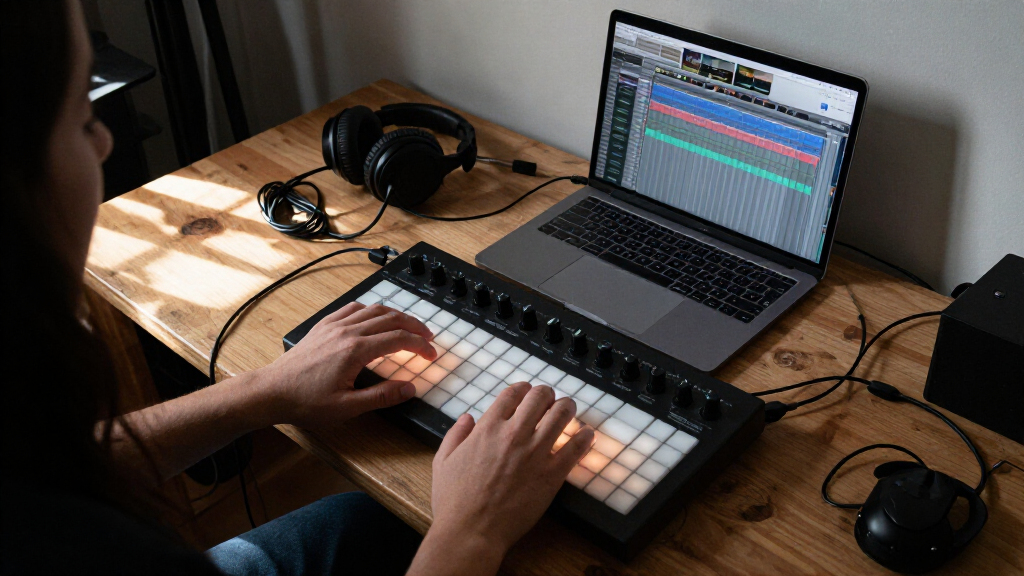
Music production controllers give you hands-on control of beats, instruments, and mixing, but the right choice depends on what you need to control most. I’d make the Akai MPK Mini Plus my best overall pick for its keyboard, pads, and additional hands-on controls in one unit. The Novation Launch Control XL 3 is a stronger fit for detailed mixer and device control, while the Akai APC Mini MK2 suits clip-focused Ableton sessions. The main tradeoff is between an all-purpose controller and a specialized surface that fits one task better. Read on for how all 10 options compare and which kind of workflow each one supports.

Get audio and creator gear delivered free with Prime
- Fast, free delivery on millions of items
- Prime Video, Amazon Music and more included
- Member-only deals all year
Complete the kit


Key Takeaways
- The MPK Mini Plus is the roundup’s most versatile all-in-one choice: its 37-key layout and pads suit producers who want to play notes and trigger beats without assembling separate controllers.
- Clip launching and mixing call for different layouts: the APC Mini MK2 is organized around grid-based performance, while the Launch Control XL 3 puts more emphasis on faders, knobs, and mixer-style control.
- Software fit matters as much as control count: the ATOM includes Studio One Artist and Ableton Live Lite, making its bundled software a distinguishing factor for buyers choosing a starting setup.
- Compact pad controllers trade range for portability: the LPD8 and Donner STARRYPAD take up less space than keyboard or fader surfaces, but they do not replace those controls.
- Wireless operation is a workflow choice, not an automatic upgrade: the Korg nanoKONTROL Studio and Donner STARRYCTRL add wireless options, while wired controllers can make for a simpler, more predictable desk setup.
| Akai Professional APC Mini MK2 USB MIDI Pad Controller |  | Best for Ableton Live Clip Launching | Pad matrix: 8 × 8, 64 RGB-backlit pads | Faders: 9 assignable: 8 channel faders and 1 master fader | Performance modes: Drum mode and Note mode with Smart Scale View | VIEW LATEST PRICE | See Our Full Breakdown |
| Akai Professional MPK Mini Plus 37-Key USB MIDI Keyboard Controller |  | Best for Hybrid Keyboard and Hardware Setups | Keys: 37 velocity-sensitive mini keys | Key range: 3 octaves | Drum pads: 8 RGB MPC pads | VIEW LATEST PRICE | See Our Full Breakdown |
| Novation Launch Control XL 3 USB MIDI Control Surface |  | Best for Deep DAW and Hardware Mixing Control | Faders: 8 × 60 mm | Encoders: 24 endless encoders | Buttons: 16 customizable buttons | VIEW LATEST PRICE | See Our Full Breakdown |
| PreSonus ATOM MIDI Pad Controller with Studio One Artist and Ableton Live Lite |  | Best for Expressive Pad Performance | Pads: 16 full-size, velocity- and pressure-sensitive RGB pads | Assignable pad banks: 8 | Assignable buttons: 20 | VIEW LATEST PRICE | See Our Full Breakdown |
| Akai Professional MPK Mini MK3 25-Key USB MIDI Keyboard Controller |  | Best Compact Starter Keyboard | Keys: 25 velocity-sensitive mini keys | Drum pads: 8 backlit velocity-sensitive MPC-style pads | Knobs: 8 assignable 360-degree knobs | VIEW LATEST PRICE | See Our Full Breakdown |
| Akai Professional MIDImix USB MIDI Mixer Controller |  | Best for Hands-On DAW Mixing | Controls: 8 channel faders, 1 master fader, 24 knobs, 16 buttons | Connectivity: USB | DAW mapping: One-to-one Ableton Live mapping | VIEW LATEST PRICE | See Our Full Breakdown |
| Donner STARRYPAD USB MIDI Pad Controller with 16 Backlit Pads |  | Best for Flexible Pad Performance | Pads: 16 velocity-sensitive silicone pads | Assignable banks: 3 banks, up to 48 pad assignments | Additional controls: 2 faders, 2 knobs, 3 buttons, and Shift key | VIEW LATEST PRICE | See Our Full Breakdown |
| Korg nanoKONTROL Studio Bluetooth/USB MIDI Control Surface w/ 8 Faders |  | Best Compact Wireless Mixer Surface | Faders: 8 | Connectivity: Bluetooth and USB | Compatible devices: Smartphones, tablets, and computers | VIEW LATEST PRICE | See Our Full Breakdown |
| Akai Professional LPD8 USB MIDI Pad Controller |  | Best for Portable Beat Making | Pads: 8 velocity-sensitive RGB-backlit pads | Knobs: 8 assignable Q-Link knobs | Presets: 4 programmable preset slots | VIEW LATEST PRICE | See Our Full Breakdown |
| Donner STARRYCTRL Wireless MIDI Controller with 43 Assignable Buttons, 8 Faders, and 8 Knobs |  | Best for Wireless DAW Control | Assignable controls: 43 | Faders: 8 | Knobs: 8 | VIEW LATEST PRICE | See Our Full Breakdown |
| music production controller | Connectivity | Included software |
|---|---|---|
| Akai Professional APC Mini MK2 | USB 2.0 Type B | Ableton Live Lite, Hybrid 3, Mini Grand, and Velvet |
| Akai Professional MPK Mini Plu | USB, MIDI I/O, and CV/Gate | MPC Beats |
| Novation Launch Control XL 3 U | USB Type-C, MIDI In, MIDI Out, and MIDI Out 2/Thru | — |
| PreSonus ATOM MIDI Pad Control | USB 2.0 | Studio One Artist, Ableton Live Lite, and Studio Magic Plug-in Suite |
| Akai Professional MPK Mini MK3 | USB 2.0 Type B | — |
| Akai Professional MIDImix USB | USB | Ableton Live Lite |
| Donner STARRYPAD USB MIDI Pad | USB-C and MIDI in/out | Melodics courses and Cubase LE |
| Korg nanoKONTROL Studio Blueto | Bluetooth and USB | — |
| Akai Professional LPD8 USB MID | USB | — |
| Donner STARRYCTRL Wireless MID | Wireless | — |
More Details on Our Top Picks
Akai Professional APC Mini MK2 USB MIDI Pad Controller
The APC Mini MK2 is the clearest fit here for producers who build songs by launching clips and scenes in Ableton Live. Its 8 × 8 grid gives each clip a visible place, while RGB lighting helps distinguish parts during a session or performance. Compared with the PreSonus ATOM, which centers on expressive finger drumming with 16 pressure-sensitive pads, this Akai gives up pad-playing nuance for a much larger launch surface and nine assignable faders. Those faders add direct control of mixer channels and parameters without reaching for a mouse. The tradeoff is focus: its listed software support is Ableton Live, so it is a less flexible choice for producers committed to another DAW. It is also USB-powered, with no standalone power option specified.
Pros:- The 64-pad RGB grid makes clip and scene launching visually organized.
- Eight channel faders and a master fader provide hands-on level control.
- Drum and Note modes add beat-making and melodic input options.
- Compact, USB-powered setup suits laptop-based production.
Cons:- Its stated software compatibility is focused on Ableton Live.
- USB is required for power and operation; standalone power is not specified.
- It has no piano-style keyboard for conventional melodic performance.
Best for: Ableton Live producers and performers who want a compact controller for launching clips and adjusting mixer levels.
Not ideal for: Producers who primarily use another DAW or want keyboard performance, external MIDI ports, or a controller that runs without USB.
- Pad matrix:8 × 8, 64 RGB-backlit pads
- Faders:9 assignable: 8 channel faders and 1 master fader
- Performance modes:Drum mode and Note mode with Smart Scale View
- Connectivity:USB 2.0 Type B
- Power:USB-powered
- Software compatibility:Ableton Live
- Platform compatibility:Mac and Windows
- Included software:Ableton Live Lite, Hybrid 3, Mini Grand, and Velvet
Our verdict“Choose the APC Mini MK2 if Ableton clip launching and mixer control matter more than broad DAW flexibility or keyboard playing.”
Akai Professional MPK Mini Plus 37-Key USB MIDI Keyboard Controller
For producers who want keys, sequencing, and connections beyond a computer, the MPK Mini Plus covers more ground than the 25-key MPK Mini MK3. Its 37 mini keys span three octaves, giving chord and melody parts more room before octave shifts become necessary. The built-in 64-step sequencer can capture a drum part and a melody or chord part, while MIDI I/O and CV/Gate let it work with external synthesizers and modular gear. That makes it the most hardware-ready keyboard in this group. The compromise is portability at the playing surface: the keys are mini-sized, not full-sized. Compared with the APC Mini MK2, it is better for note entry and external gear, but offers no 8 × 8 clip-launch grid. Computer-based use also depends on USB.
Pros:- Three octaves of keys provide more melodic range than a 25-key controller.
- MIDI I/O and CV/Gate support external synths and modular equipment.
- The 64-step sequencer supports drum and melodic or chord patterns.
- Combines eight RGB pads, eight assignable knobs, and performance modes.
Cons:- Mini keys offer less playing space than a full-size keyboard.
- It lacks the APC Mini MK2’s large clip-launch matrix.
- USB is required for computer-based use.
Best for: Producers who want a compact keyboard for composing parts while also controlling MIDI or CV/Gate hardware.
Not ideal for: Players who need full-size keys, a large clip-launch grid, or a USB-free computer setup.
- Keys:37 velocity-sensitive mini keys
- Key range:3 octaves
- Drum pads:8 RGB MPC pads
- Rotary knobs:8 assignable
- Connectivity:USB, MIDI I/O, and CV/Gate
- Sequencer:64-step; one drum track and one melody or chord track, up to 8 notes each
- Additional features:Built-in arpeggiator, Chords and Scales modes, and digital display
- Included software:MPC Beats
Our verdict“Pick the MPK Mini Plus if you need a compact composing keyboard that can also connect to external MIDI and CV/Gate gear.”
Novation Launch Control XL 3 USB MIDI Control Surface
The Launch Control XL 3 is the strongest choice here for producers who want a configurable control surface rather than a keyboard or pad instrument. Its combination of eight 60 mm faders, 24 endless encoders, and 16 customizable buttons puts mixer levels, plugin parameters, and mapped actions within reach. The OLED display supplies feedback, and up to 15 custom modes allow different assignments for software, hardware, or hybrid sessions. Compared with the APC Mini MK2, this Novation model has fewer faders but a broader set of encoders and stated support for several DAWs, including Ableton Live, Logic Pro, FL Studio, and Cubase. MIDI In and two MIDI outputs also make it more suited to external gear. The tradeoffs are that it has no pads or keys, and the listed platform information specifies Windows rather than confirming other systems.
Pros:- Eight long-throw faders and 24 encoders offer detailed hands-on parameter control.
- OLED feedback helps show control information during operation.
- Up to 15 custom modes can adapt the surface to different workflows.
- MIDI In, MIDI Out, and MIDI Out 2/Thru support external hardware.
Cons:- It provides no keyboard or drum pads for direct note and beat performance.
- Listed platform support specifies Windows without naming other operating systems.
- Its plastic construction may not suit buyers seeking a metal-bodied surface.
Best for: Producers who mix with physical controls, map plugins, or need one surface for DAW and external MIDI hardware.
Not ideal for: Beatmakers seeking pads or a keyboard, and buyers who need clearly confirmed support for a non-Windows computer.
- Faders:8 × 60 mm
- Encoders:24 endless encoders
- Buttons:16 customizable buttons
- Display:OLED
- Custom modes:Up to 15
- Connectivity:USB Type-C, MIDI In, MIDI Out, and MIDI Out 2/Thru
- Supported software:Ableton Live, Logic Pro, FL Studio, Cubase, and HUI
- Listed platform:Windows
- Weight:2.1 pounds
Our verdict“Choose the Launch Control XL 3 if configurable fader, encoder, and hardware control matter more than keys or pads.”
PreSonus ATOM MIDI Pad Controller with Studio One Artist and Ableton Live Lite
The PreSonus ATOM favors expressive pad playing over the broad clip grid of the APC Mini MK2. Its 16 full-size pads respond to both velocity and pressure, making it a better fit for nuanced drum hits and playable virtual instruments than a controller focused on launching many clips at once. Eight assignable pad banks expand what those pads can control, while 20 buttons and four endless encoders add room for mapped commands and adjustments. The included Studio One Artist and Ableton Live Lite software also give new producers a starting point for trying two different production workflows. The tradeoff is that its pad count is modest next to the APC’s 64-pad matrix, and some modes depend on the application. It is USB bus-powered, so it remains tied to a connected compatible device.
Pros:- Full-size pads respond to both velocity and pressure for expressive playing.
- Eight assignable pad banks extend the controller’s available pad functions.
- Twenty buttons and four endless encoders add flexible control beyond the pads.
- Includes Studio One Artist, Ableton Live Lite, and Studio Magic Plug-in Suite.
Cons:- Sixteen pads provide a smaller launch surface than the APC Mini MK2’s 64 pads.
- Software integration and some operating modes depend on the application.
- USB bus power requires a connection to a compatible device.
Best for: Producers who prioritize expressive finger drumming and want a pad controller with included Studio One and Ableton software.
Not ideal for: Ableton performers who need a large clip-launch grid, or users who want a keyboard or standalone operation.
- Pads:16 full-size, velocity- and pressure-sensitive RGB pads
- Assignable pad banks:8
- Assignable buttons:20
- Rotary encoders:4 endless encoders
- Connectivity:USB 2.0
- Power:USB bus-powered
- Compatible platforms:Windows, macOS, iOS, and Android
- Included software:Studio One Artist, Ableton Live Lite, and Studio Magic Plug-in Suite
- Included content:MVP Loops
Our verdict“Choose the ATOM if pressure-sensitive finger drumming is more important than a large clip grid or keyboard.”
Akai Professional MPK Mini MK3 25-Key USB MIDI Keyboard Controller
The MPK Mini MK3 is the most compact keyboard option in this group, pairing 25 velocity-sensitive mini keys with eight MPC-style pads and eight assignable knobs. That mix lets a beginner move between basic melodies, drum programming, and plugin adjustments without adding separate controllers. The four-way joystick and built-in arpeggiator add pitch, modulation, and sequencing gestures in a small footprint. Compared with the MPK Mini Plus, the MK3 is easier to keep compact, but its two-octave key range gives less space for extended parts, and it lacks the Plus model’s MIDI I/O, CV/Gate, and built-in 64-step sequencer. Its stated DAW compatibility is broad, and the included MPC Beats, virtual instruments, and sound content give new users material to start with. The tradeoff is that mini keys are less suited to players who want a full-size keyboard feel.
Pros:- Combines 25 velocity-sensitive keys, eight pads, and eight assignable knobs.
- The four-way joystick and arpeggiator provide pitch, modulation, and note-pattern control.
- Compact design suits small desks and portable production setups.
- Includes MPC Beats, virtual instruments, and sound content.
Cons:- Two octaves of mini keys limit range and playing space compared with the MPK Mini Plus.
- No MIDI I/O or CV/Gate connections are listed for controlling external hardware.
- USB is the listed connection, so it depends on a compatible USB setup.
Best for: Beginning producers and mobile beatmakers who want a small keyboard, drum pads, and knobs in one USB controller.
Not ideal for: Keyboard players who need full-size keys or wider range, and hardware-focused producers who need CV/Gate or MIDI I/O.
- Keys:25 velocity-sensitive mini keys
- Drum pads:8 backlit velocity-sensitive MPC-style pads
- Knobs:8 assignable 360-degree knobs
- Connectivity:USB 2.0 Type B
- Additional controls:Four-way pitch and modulation joystick
- Arpeggiator:Built-in, with adjustable resolution, range, and modes
- Software compatibility:DAW software compatible with Windows and Mac
- Included software and content:MPC Beats, 3 virtual instruments, and 2 GB of sound content
- Platform compatibility:Mac and Windows
Our verdict“Pick the MPK Mini MK3 for a compact starter setup with keys, pads, and knobs, but choose the MPK Mini Plus for more range and hardware connections.”
Akai Professional MIDImix USB MIDI Mixer Controller
The MIDImix makes the most sense for producers who want to shape a mix with faders and knobs instead of a mouse. Its eight channel faders, master fader, and 24 knobs give each track a practical set of controls for level, effects, and other mapped parameters. Compared with the Korg nanoKONTROL Studio, it offers more knobs for per-channel adjustments, while the Korg adds Bluetooth for cable-free setups. Akai’s one-button Ableton Live mapping is a particular advantage for users of that DAW; other software may take more setup. The compact, metal-bodied unit is suited to a portable workstation, but it is a mixer surface, not a keyboard or performance-pad controller. Choose it for tactile mix work; skip it if triggering samples or composing melodies is your priority.
Pros:- Eight channel faders plus a master fader support direct level balancing.
- Twenty-four knobs provide three assignable controls per channel.
- Sixteen buttons support mute, solo, and record-arm functions across channels.
- One-button mapping with Ableton Live streamlines setup for that DAW.
Cons:- Its mixer-focused layout lacks pads and keys for note or sample performance.
- The advertised instant mapping is specifically for Ableton Live; other DAWs may require manual configuration.
Best for: Ableton Live producers who want dedicated channel faders, mute/solo/record-arm buttons, and per-track knob control in a compact setup.
Not ideal for: Beatmakers who need a large velocity-sensitive pad grid, or producers who want wireless control and are drawn to the Korg nanoKONTROL Studio’s Bluetooth connection.
- Controls:8 channel faders, 1 master fader, 24 knobs, 16 buttons
- Connectivity:USB
- DAW mapping:One-to-one Ableton Live mapping
- Included software:Ableton Live Lite
- Compatibility:Mac and Windows
- Material:Metal
- Design:Compact and lightweight
Our verdict“Choose the MIDImix for compact, tactile DAW mixing, especially in Ableton Live, but pick a pad controller if performance triggering matters more.”
Donner STARRYPAD USB MIDI Pad Controller with 16 Backlit Pads
The Donner STARRYPAD suits producers who want a playable pad layout with more control options than a basic trigger surface. Its 16 velocity-sensitive pads and three banks give access to as many as 48 assignments, useful for switching between sample sets or MIDI functions without adding another controller. Compared with the Akai Professional LPD8, it offers twice the physical pad count and MIDI in/out, while the LPD8 is lighter and simpler to carry. Two faders and two knobs add some hands-on parameter control, though they do not provide the channel-by-channel mixing depth of the Akai MIDImix. The STARRYPAD requires a DAW or other sound source, and iPhone or iPad use requires a separately purchased Lightning-to-USB adapter. It is a flexible entry point, not a standalone instrument.
Pros:- Three banks expand 16 physical pads to as many as 48 assignments.
- Velocity sensitivity and adjustable response curves support expressive pad playing.
- Customizable seven-color lighting helps distinguish pad functions.
- MIDI in/out and extra controls broaden its use beyond pad triggering.
Cons:- It needs DAW software or another sound-producing device; it makes no sound on its own.
- Connecting to an iPhone or iPad requires a separately purchased Apple Lightning-to-USB adapter.
Best for: Producers who want a multi-bank pad controller for triggering samples, playing drum parts, and connecting to external MIDI gear.
Not ideal for: iPhone or iPad users who need a ready-to-connect setup, or DAW mixers who need numerous dedicated faders and knobs.
- Pads:16 velocity-sensitive silicone pads
- Assignable banks:3 banks, up to 48 pad assignments
- Additional controls:2 faders, 2 knobs, 3 buttons, and Shift key
- Lighting:7 customizable colors
- Connectivity:USB-C and MIDI in/out
- Compatible platforms:Android, iOS, Mac, and Windows
- Included software:Melodics courses and Cubase LE
- Standalone operation:Requires DAW software to produce sound
Our verdict“Pick the STARRYPAD if you want a configurable 16-pad performance surface with MIDI connections, and skip it if you need a self-contained instrument or extensive mixing controls.”
Korg nanoKONTROL Studio Bluetooth/USB MIDI Control Surface w/ 8 Faders
The Korg nanoKONTROL Studio is a strong fit for producers who need basic mixer control on a small desktop or mobile setup. Its eight-fader layout and Bluetooth connectivity offer a convenient alternative to the USB-only Akai MIDImix, particularly when reducing cables matters more than having extra per-channel knobs. It also supports USB, so it can join a wired computer setup when wireless operation is not needed. The supplied information identifies compatibility with several DAWs, including Ableton Live, Pro Tools, and FL Studio, but does not detail the full control layout or mapping process; buyers who need extensive hands-on parameter control should check the manual before choosing it. Compared with the Donner STARRYCTRL, it is the simpler mobile control-surface option, while the Donner advertises a broader set of assignable controls.
Pros:- Bluetooth and USB connection options support both wireless and wired workflows.
- Eight faders provide direct control over multiple mixer channels.
- Compact, lightweight design fits mobile and small-desk setups.
- Listed compatibility includes Ableton Live, Pro Tools, and FL Studio.
Cons:- The supplied product information does not specify a knob count or detailed button layout.
- Its mixer-surface focus does not provide pads or keys for playing notes and triggering samples.
Best for: Mobile and desktop producers who want eight physical faders and Bluetooth or USB connection for compatible DAW control.
Not ideal for: Producers who require clearly specified banks of knobs, extensive control customization, or pad and keyboard performance features.
- Faders:8
- Connectivity:Bluetooth and USB
- Compatible devices:Smartphones, tablets, and computers
- Supported software:Ableton Live, Avid Pro Tools, and FL Studio
- Control type:MIDI control surface
- Platform support:PC, Mac, and iOS
- Design:Compact and lightweight
Our verdict“Choose the nanoKONTROL Studio for a compact wireless fader surface, but look to the MIDImix or STARRYCTRL if you need more clearly defined hands-on controls.”
Akai Professional LPD8 USB MIDI Pad Controller
The Akai LPD8 is the straightforward choice for producers who want a small, USB-powered pad-and-knob controller they can keep beside a laptop or carry between sessions. Its eight velocity-sensitive RGB pads handle sample hits and drum parts, while eight assignable knobs add control over effects or instrument parameters. Compared with the Donner STARRYPAD, it has fewer pads and no MIDI in/out, but its compact 0.4 kg body and plug-and-play USB connection favor quick, portable sessions. The four programmable presets help organize mappings, although creating and managing them from a computer limits on-device workflow. This is not a substitute for a full mixer surface like the MIDImix, nor is it ideal for players who want a larger pad grid. Its strength is focused, uncomplicated control in a small footprint.
Pros:- Eight velocity-sensitive, RGB-backlit pads support expressive triggering with clear visual feedback.
- Eight assignable knobs control software instruments, effects, and DAW parameters.
- USB-powered operation avoids a separate AC adapter.
- Four programmable presets organize alternate control mappings.
Cons:- Eight pads may be limiting for users who want a larger performance layout.
- Preset creation and management are handled from a computer.
Best for: Laptop-based beatmakers who want portable sample triggering, velocity response, and assignable parameter knobs without an external power supply.
Not ideal for: Performers who need more than eight pads, MIDI connections for external hardware, or extensive control without using a computer to manage presets.
- Pads:8 velocity-sensitive RGB-backlit pads
- Knobs:8 assignable Q-Link knobs
- Presets:4 programmable preset slots
- Connectivity:USB
- Power:USB-powered
- Compatibility:Mac and Windows
- Dimensions:12.12 x 3.24 x 1.32 inches
- Weight:0.4 kg
Our verdict“Choose the LPD8 for compact laptop-based beat making and quick pad-and-knob control, but choose the STARRYPAD if you need more pads or MIDI hardware connections.”
Donner STARRYCTRL Wireless MIDI Controller with 43 Assignable Buttons, 8 Faders, and 8 Knobs
The Donner STARRYCTRL is aimed at producers who want a broad set of DAW controls without being tethered to USB during a session. Its 43 assignable controls, including eight faders and eight knobs, give it more stated mixing hardware than the compact Korg nanoKONTROL Studio, while wireless operation and a rechargeable battery support a cable-light workstation. LED indicators on the faders and knobs help users match physical positions to software values, reducing abrupt parameter jumps when control states differ. Mackie Control Universal mapping and support for several DAWs add flexibility, though exact setup can still depend on the software. The plastic body is a tradeoff against sturdier metal options such as the Akai MIDImix. It suits adaptable control, not pad performance or keyboard playing.
Pros:- Wireless operation and a rechargeable battery reduce cable dependence during sessions.
- Forty-three assignable controls allow broad customization for DAW workflows.
- Eight faders and eight knobs provide hands-on mixing and parameter adjustment.
- LED indicators help align physical controls with software values, and MCU mapping supports DAW integration.
Cons:- Plastic construction may feel less robust than metal-bodied controllers such as the Akai MIDImix.
- USB-C is needed to recharge the battery.
Best for: Producers using multiple DAWs who want wireless mixer and parameter control with faders, knobs, and broad assignability.
Not ideal for: Musicians who prioritize a metal-bodied controller, a pad grid, or a keyboard for playing notes and melodies.
- Assignable controls:43
- Faders:8
- Knobs:8
- Connectivity:Wireless
- Connector:USB Type-C
- Battery:Rechargeable 780 mAh lithium battery
- Control mapping:Mackie Control Universal
- Supported platforms:Android, Mac, Windows, and iOS
- Material:Plastic
Our verdict“Pick the STARRYCTRL if wireless flexibility and a large assignable control set matter most, but choose a pad or keyboard controller for note-based performance.”
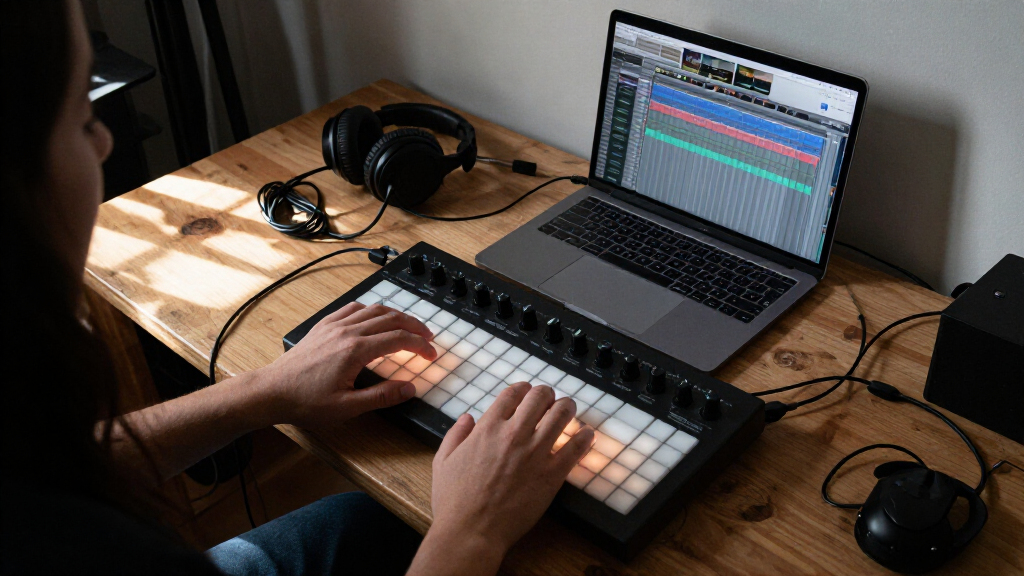
How We Picked
I compared these music production controllers by the tasks they make easier: playing notes, finger-drumming, launching clips, and shaping mixes. I also weighed control layout, physical footprint, connectivity, bundled software, and how much setup or mapping a buyer may need. A controller with fewer controls can still be a better pick if its layout fits one job and keeps the desk uncluttered.
The ranking favors useful versatility and clear workflow fit over raw button counts. That puts the MPK Mini Plus first as a balanced instrument-and-control option, while specialized surfaces rank for the work they serve best. I also account for tradeoffs: smaller models sacrifice range, wireless models add flexibility but may not suit every setup, and a surface designed around one software workflow may be less convenient elsewhere.
| music production controller | Included software |
|---|---|
| Akai Professional APC Mini MK2 | Ableton Live Lite, Hybrid 3, Mini Grand, and Velvet |
| Akai Professional MPK Mini Plu | MPC Beats |
| Novation Launch Control XL 3 U | — |
| PreSonus ATOM MIDI Pad Control | Studio One Artist, Ableton Live Lite, and Studio Magic Plug-in Suite |
| Akai Professional MPK Mini MK3 | — |
| Akai Professional MIDImix USB | Ableton Live Lite |
| Donner STARRYPAD USB MIDI Pad | Melodics courses and Cubase LE |
| Korg nanoKONTROL Studio Blueto | — |
| Akai Professional LPD8 USB MID | — |
| Donner STARRYCTRL Wireless MID | — |
Factors to Consider When Choosing Music Production Controllers
Before choosing, I’d start with the part of music-making you want to move away from the mouse. A controller is most useful when its physical layout matches that task and works naturally with your software. These broader checks can help prevent buying overlapping gear or a control surface that needs more setup than you want.
Choose the Main Job Before Counting Controls
Decide whether your priority is playing melodies, finger-drumming, launching clips, or mixing. These are different jobs, and a large number of buttons does not make a controller equally good at all of them. A keyboard-led setup benefits from playable keys, while clip performance calls for an easy-to-scan grid. For mixing, reachable faders and knobs matter more than extra pads. A common mistake is buying a general-purpose controller when one dedicated layout would improve the daily workflow more. If you regularly switch between tasks, then a hybrid design can justify the extra footprint.
Check DAW Compatibility and Mapping
Controller labels and advertised compatibility do not always mean every control will map to your preferred DAW automatically. Check the manufacturer’s supported software, control scripts, and setup instructions before buying. A well-matched controller can save repeated manual assignments, while a less integrated surface may still work if you are willing to map it yourself. That setup effort matters more when you want to record ideas quickly or perform live. Do not assume that a controller marketed for one program is unusable elsewhere, but verify what functions carry over. The best fit is the one whose controls behave predictably in the software you actually use.
Balance Desk Space Against Hands-On Range
Measure the space where the controller will sit, including room for a computer keyboard, mouse, and other instruments. Compact pad models are easy to place beside existing gear, but they cannot offer the key range or mixer reach of larger surfaces. A wider controller can reduce the need to switch between devices, yet it may crowd a small desk or travel setup. Think about whether the controller will stay connected or be packed away after each session. Buyers sometimes prioritize portability without checking whether the reduced layout still supports their main task. Pick the smallest unit that gives you enough access to the controls you will use often.
Treat Wireless as a Convenience, Not a Requirement
Wireless control can reduce cable clutter and make it easier to place a surface away from the computer. It also adds another connection method to configure and maintain, so consider whether your sessions benefit from that freedom. A wired USB controller may be the more direct choice for a fixed studio desk. For live work, confirm how the controller connects and whether the setup suits the stage or rehearsal environment. Do not pay attention to wireless capability in isolation; weigh it against battery or pairing needs and your preferred cable layout. Choose wireless when flexible placement solves a real problem, not just because it appears more advanced.
Check What Comes in the Box and What You Already Own
Bundled software can add meaningful value when it fills a gap in your setup, but it matters less if you already have a DAW and a working instrument library. Check whether included software is a full application, a lighter edition, or a set of tools with specific system requirements. Also make an inventory of existing controllers before adding another device with the same pads or knobs. Overlapping controls can be useful for separate performance and studio roles, but they can also leave one controller unused. Factor in the time needed to install software and configure mappings. The strongest purchase is the one that extends your existing setup rather than duplicating it.
Frequently Asked Questions
Should I buy a keyboard controller or a pad controller first?
I’d choose based on how you create most of your parts. A keyboard controller is the more direct starting point if you play melodies, chords, or bass lines, while a pad controller suits beat triggering and finger-drumming. If you are unsure and want one unit to cover both kinds of input, the MPK Mini Plus combines keys and pads, though it takes more desk space than a small pad-only model. A pad controller will not provide the same playing range as keys, and a compact keyboard may not provide enough pads for a performance-focused setup. Start with the action you currently perform most often with a mouse or computer keyboard.
Can one controller work with more than one DAW?
Often, yes, but the experience can differ between programs. Basic MIDI controls may be assignable in many DAWs, while automatic transport, mixer, or clip functions can depend on supported integrations. Before choosing, check the controller’s software support and whether its control layout can be remapped for your preferred applications. If you use multiple DAWs, a flexible surface may be more useful than one built around a single workflow. Plan for some setup time unless the manufacturer specifically supports your software and intended functions. Compatibility should mean more than simply being able to connect over USB or Bluetooth.
Is a wireless controller a good choice for live performance?
It can be useful when you need freedom to position the controller away from your computer or want to avoid a cable across a performance area. For a fixed setup, wired USB may be easier to configure and less dependent on pairing or battery status. Consider how you will power the device, how the connection behaves in your venue, and whether a cable backup is practical. Wireless support alone does not make a controller performance-ready; the layout and software mapping still need to suit your set. I’d choose wireless when placement is a real constraint and test the connection in the intended setup before relying on it on stage.
Do I need a controller with keys, pads, faders, and knobs?
Not unless your workflow regularly uses all those controls. A hybrid controller can cut down on device switching, but it may be larger and less focused than a purpose-built surface. Producers who mainly mix may get more from dedicated faders and knobs, while beatmakers may value responsive pads and a compact footprint. If you already own a keyboard, adding a specialized mixer or pad controller can fill a clearer gap than buying another device with keys. Consider which controls you will reach for in a typical session. A smaller, well-matched layout can be more useful than a controller with features you rarely touch.
How much should bundled DAW software influence my choice?
Bundled software matters most when you are starting out or your current setup lacks a DAW. A package such as the ATOM’s included Studio One Artist and Ableton Live Lite can give a new producer software to begin making music with, subject to the bundle’s terms and system requirements. If you already work in a different DAW, the controller’s layout and compatibility should carry more weight than software you may not use. Check which features are included and whether the software matches your computer before treating it as added value. A bundle can lower setup friction, but it should not outweigh a poor fit for your daily workflow.
Conclusion
For most producers seeking one controller to cover several tasks, I recommend the Akai MPK Mini Plus as best overall, thanks to its combination of keys and pads. The Akai MIDImix is my best value pick for buyers who mainly want hands-on mixer control, while the Novation Launch Control XL 3 is the best premium-style choice here for a more extensive fader-and-knob workflow. Beginners who want a pad-centered controller with bundled software should look at the PreSonus ATOM. For specific needs, choose the APC Mini MK2 for clip launching, the LPD8 or STARRYPAD for compact pad duties, or the nanoKONTROL Studio and STARRYCTRL when wireless operation is a priority. Match the controller to your main task first; the best fit is not the one with the most controls, but the one you will use regularly.