

TL;DR

Get audio and creator gear delivered free with Prime
- Fast, free delivery on millions of items
- Prime Video, Amazon Music and more included
- Member-only deals all year
This article explains how local-first video tools turn one video into a complete publishing package—clips, captions, thumbnails, and more—without needing cloud services. It boosts speed, maintains privacy, and cuts costs, making content creation more efficient and secure.
Imagine finishing a video and having a whole batch of assets ready to post—short clips, captions, thumbnails, social posts—all without uploading a single file to the cloud. That’s the promise of a local-first, AI-powered publishing kit. It’s a game-changer for creators who want control, speed, and privacy, especially when dealing with sensitive content or unreliable internet.
In this article, I’ll walk you through how these tools work, what they can produce, and why they’re becoming the new standard for efficient, private content publishing. Spoiler: it’s all about doing more, faster, with less dependency on third-party servers.
Key Takeaways
- Local-first AI tools can automatically generate a complete set of publishing assets from one video—clips, captions, thumbnails, descriptions—without cloud dependence.
- Processing on your own hardware ensures faster turnaround, enhanced privacy, and lower long-term costs, especially for sensitive or proprietary content.
- Provenance tracking in assets offers transparency, builds trust, and helps refine your automation process over time.
- A typical setup requires a mid-range GPU-enabled PC; processing a 20-minute video takes roughly 8-10 minutes.
- One purchase or license often replaces ongoing subscription fees, giving you full ownership and control over your content pipeline.
Popular right now

iRobot Roomba Max 715 Pet Robot Vacuum with AutoEmpty Dock

Samsung 42-Inch Class OLED S90F 4K Smart TV (2025)

Breville Bambino Espresso Machine, Brushed Stainless Steel
As an affiliate, we earn on qualifying purchases.
How One Video Turns Into Dozens of Assets—Without the Cloud
Creating multiple assets from a single video used to mean hours of manual work—transcribing, editing, cropping, and uploading. Now, local AI tools like ChannelHelm automate the process by analyzing every pixel, word, and scene directly on your machine. Think of it as having a personal media assistant that works entirely offline.
It reads the audio at a word level, detects scene changes, recognizes on-screen text, and aligns all that info into a structured dashboard. From there, it drafts titles, descriptions, clips, and thumbnails—ready for your review. This process is similar to the capabilities described in ChannelHelm. This deep understanding allows for precise, high-quality assets tailored to each platform’s needs.
Why does this matter? Because automation reduces manual labor, freeing creators from tedious tasks. It also minimizes human error and inconsistency, ensuring a more professional and uniform output. However, the tradeoff is that initial setup and calibration are crucial—if the AI misinterprets a scene or text, manual correction may be necessary. Still, the overall efficiency gain outweighs these minor adjustments, especially for high-volume content creators.

Why Going Local Is a Smart Move for Video Creators
Processing everything on your own hardware means fewer delays, better privacy, and no ongoing cloud fees. Unlike cloud services that send your footage to third-party servers, local workflows keep your content locked inside your network. For more insights on local processing, visit artnewsnviews.com. This is especially appealing for sensitive projects—think corporate training, product demos, or personal content you don’t want floating around online.
Plus, local processing is lightning-fast. A 20-minute video can be analyzed, segmented, and assets generated in under 10 minutes—faster than waiting for cloud uploads and conversions. This speed isn’t just about convenience; it can fundamentally change how quickly you can iterate on ideas, respond to feedback, or publish timely content. The downside? It requires a capable machine, and the initial setup might be more involved than simply uploading to a cloud platform. Learn more about content creation tools at worldfinecrafts.com. But for those prioritizing control, privacy, and cost savings, the benefits are compelling. In scenarios where internet bandwidth is unreliable or data sensitivity is high, local processing becomes not just advantageous but essential.
In essence, choosing local workflows means trading some upfront investment and technical familiarity for long-term gains in security, speed, and autonomy—traits increasingly valued in today’s content landscape.

What Assets Are Actually Created From One Video?
| Asset Type | What It Is | How It’s Used |
|---|---|---|
| Titles & Descriptions | AI drafts catchy titles and detailed descriptions with chapters and hashtags. | Boosts searchability and engagement on platforms like YouTube and blogs. |
| Clips & Shorts | Highlights high-retention moments into short-form videos for TikTok, Reels, Shorts. | Increases reach on social platforms with minimal extra editing. |
| Thumbnails | Auto-generated concept images based on key moments and hooks. | Grab attention instantly, boosting click-through rates. |
| Captions & Transcripts | Accurate subtitles and transcripts aligned with spoken words. | Improve accessibility and SEO, diversify content use. |
| Social Posts & Threads | Platform-tailored snippets and posts for Twitter, LinkedIn, Instagram, etc. | Streamlined distribution across multiple networks from one analysis. |
Understanding what assets are generated and how they fit into your overall content strategy is crucial. These assets aren’t just byproducts; they are strategic tools that enhance your reach, engagement, and branding. For example, well-crafted thumbnails and compelling clips can dramatically increase viewer retention and click-through rates. Transcripts and captions improve accessibility, expanding your audience to include those with hearing impairments or language barriers. Social snippets allow you to repurpose content efficiently, maintaining consistency across channels. The key implication is that automation doesn’t just save time—it enables a more holistic and strategic approach to content distribution. The tradeoff is that quality control remains essential; AI-generated assets may need manual refinement to align perfectly with your brand voice and objectives. For more on branding and content strategy, see artnewsnviews.com.

Can You Do All This Offline? Yes, and Here’s How
The big selling point is that all processing happens on your local machine. No need for an internet connection once you’ve installed your tools. You simply drop in your video or paste a link, and the software takes it from there—analyzing, generating, and preparing assets.
For instance, ChannelHelm runs on your hardware, leveraging local AI models that do the heavy lifting. The result? Everything is stored right on your device, and you maintain complete control—and privacy—over your content.
This offline capability means that you’re not vulnerable to internet outages or data breaches that could occur when uploading sensitive footage. It also allows for rapid iteration; you can process multiple videos quickly and securely, similar to the approach discussed at Impossible Gears.os back-to-back without waiting for uploads or server responses. The tradeoff is that you need a reasonably powerful computer and some familiarity with local software setups, but for many users, the security and speed benefits outweigh these considerations.

Speed Up Your Workflow by Automating Publishing—Without the Cloud
Imagine finishing a video and having a package of ready-to-publish assets within minutes. That’s what automation offers. You drop the video, and the system handles the rest—drafts titles, creates clips, writes descriptions, and even suggests thumbnails. All done locally, instantly.
This integrated automation transforms the publishing process from a series of manual steps into a seamless pipeline. It minimizes human intervention, which reduces errors and accelerates content release cycles. For small teams or solo creators, this means more frequent posting without sacrificing quality. For larger operations, it streamlines workflows, freeing up time for creative development. The key implication is that local automation reduces reliance on external servers, cutting down latency and potential points of failure, and providing a more predictable publishing schedule. The tradeoff is that initial setup and configuration might be more complex, but the long-term efficiency gains are substantial.

The Complete Package: What Do You Get for One Video?
The core unit of this workflow is a **Publishing Package**. It includes every asset you need to push your content across platforms. For example, a YouTube package might include a set of optimized titles, descriptions, tagged thumbnails, short clips, and a full transcript—all generated from one analysis.
This package isn’t just a collection; it’s a strategic toolkit tailored to maximize your content’s performance on each platform. By automating the generation of platform-specific assets, you ensure consistency and save time. It also allows for rapid testing and iteration—if a thumbnail or title isn’t performing well, you can quickly regenerate and swap it out. The benefit is a unified brand presence across channels with minimal manual effort. The tradeoff? You need to understand the scope of each asset type and occasionally perform manual tweaks to align outputs with your branding standards.

How to Review and Approve Assets Fast and Confidently
Reviewing assets is streamlined through versatile interfaces. The main view shows a pipeline with progress indicators, so you see what’s ready and what’s still processing. You can switch to a detailed editor to compare generated assets side-by-side or inspect provenance details.
For example, if you don’t like a generated title, you can regenerate it or tweak the prompt. Every change is tracked with provenance info—model version, prompt used, and input data—so you always know exactly how each asset was created. This transparency is vital because it allows you to identify patterns or issues in the AI’s outputs and refine your prompts or settings accordingly. It also builds trust, as you’re not blindly accepting outputs but actively managing the quality and relevance of each asset. The tradeoff is that detailed review processes require some familiarity with the tools and a disciplined approach to quality control, but the payoff is more consistent, high-quality results.

The Hidden Power of Provenance: Trust What You See
Every asset in this system records where it came from—model, prompt, inputs. This transparency means you’re never flying blind. If a thumbnail looks off or a caption is inaccurate, you can trace it back to the source and adjust accordingly.
Provenance data isn’t just about accountability; it’s a powerful tool for continuous improvement. By analyzing patterns in generated assets and their origins, you can refine your prompts, choose better models, or adjust parameters to enhance quality over time. It also reassures clients or team members that the outputs are traceable and controllable, which is crucial for professional workflows. The tradeoff is that managing and interpreting provenance data adds a layer of complexity, but this complexity is offset by increased confidence and the ability to iteratively improve your automation process.

What Hardware Do You Need to Run This at Home or in Your Office?
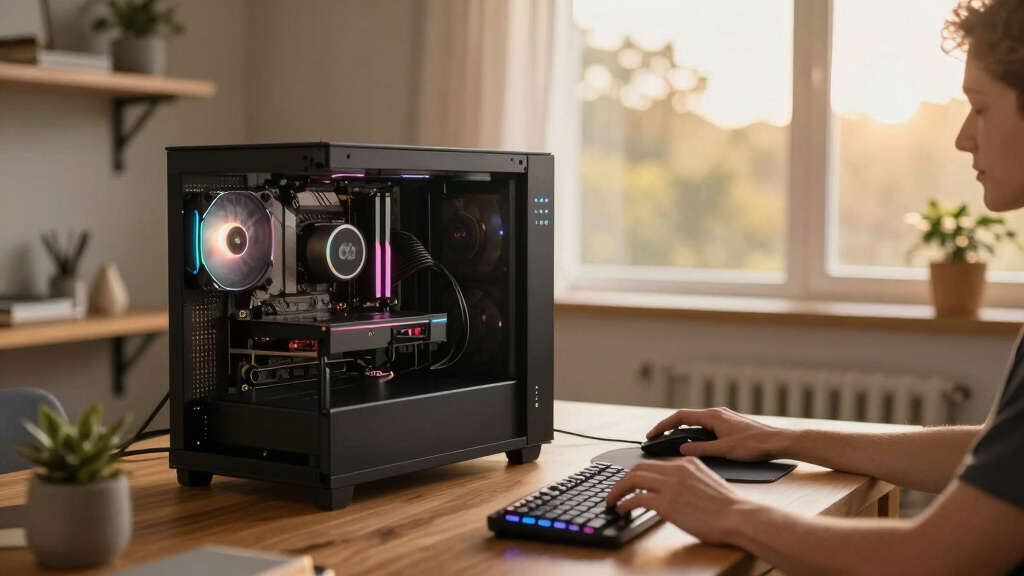
Running a local, AI-powered publishing system requires a decent PC or workstation with a good GPU—think at least an NVIDIA RTX 3060 or higher for smooth processing. The system leverages local models, which means you don’t need a server farm or high-end cloud accounts.
For example, a typical setup might be a mid-range desktop with 16GB RAM and a solid SSD. The software can process a 15-minute video in about 8-10 minutes, turning it into a full publishing kit without leaving your desk. This setup strikes a balance between cost and performance, making it accessible for most serious creators and small teams. However, if you work with longer videos or higher volumes, investing in more powerful hardware—such as a higher-tier GPU or additional RAM—can significantly reduce processing times and improve reliability, ensuring your workflow remains smooth and efficient.
Is It a One-Time Purchase or Subscription? What’s the Cost?
Many local tools, like ChannelHelm, operate on a one-time license or a modest upfront payment. There’s generally no ongoing cloud subscription, which saves money over time. Some add-on features or models might have optional fees, but core processing is yours after purchase.
This model appeals to those who prefer ownership and predictability—no recurring charges mean you can budget more effectively. It also reduces dependency on external services, decreasing vulnerability to outages or policy changes. The tradeoff is that you bear the initial cost and are responsible for updates or maintenance, which may require some technical know-how. Still, the long-term savings and control often outweigh these concerns, especially for small businesses or independent creators seeking a sustainable content pipeline.

Keep Your Content Secure and Private—Always
With local-first workflows, your media stays on your hardware. No third-party servers are involved, so proprietary footage, sensitive projects, or client content remains under your control. You decide who accesses what and when.
For example, a corporate training video can be analyzed and published without ever leaving the secure office network. This reduces risk and builds trust with clients who value confidentiality. The ability to keep sensitive data offline is increasingly important as data breaches and privacy regulations tighten. It also means you can work with highly confidential content without fear of leaks or unauthorized access, which is vital for industries like finance, healthcare, or government. The tradeoff is that managing security locally requires disciplined data practices and regular updates to your security protocols, but it offers peace of mind that your content remains fully under your control.

Can Teams Collaborate on Assets Without Cloud? Absolutely
Yes, local-first tools support collaboration via shared folders, network drives, or local servers. Multiple users can review, edit, and approve assets on the same network, maintaining control without relying on cloud platforms.
This approach fosters a secure, controlled environment for teams working on sensitive or proprietary content. For example, a small production team can share assets via a shared network drive, ensuring all members have access to the latest versions without exposing files to external servers. This method also reduces latency, as data transfer happens within a local network, allowing for quicker feedback and iteration cycles. The main tradeoff is that it requires proper network setup and some coordination among team members, but it offers significant advantages in security, control, and cost-efficiency for organizations that prioritize privacy over cloud-based collaboration.
Frequently Asked Questions
What exactly gets generated from one video?
From a single video, you can get titles, descriptions, clips, thumbnails, transcripts, and social media posts—all tailored for each platform. Automation handles the heavy lifting, so you spend more time on creative tweaks.
Does this system need an internet connection at all?
No. Once installed, all processing runs locally on your hardware. You can analyze, generate, and review assets without any cloud connection, keeping everything private and secure.
What hardware do I need to run this smoothly?
A mid-range PC with a dedicated GPU—like an NVIDIA RTX 3060 or higher—works well. Processing a typical 15-20 minute video takes about 8-10 minutes, depending on your setup.
Is it a one-time purchase or subscription?
Most local tools, including ChannelHelm, operate on a one-time license or purchase, with optional add-ons. This means no recurring cloud fees and full ownership of your workflow.
Can I collaborate with my team without cloud storage?
Absolutely. Files can be shared via local networks or shared drives, supporting team review and editing without relying on cloud services, which enhances security and control.
Conclusion
Switching to local-first video publishing isn’t just about avoiding cloud costs. It’s about reclaiming control, speeding up your workflow, and safeguarding your work. As tools become more capable, they’re turning complex, manual tasks into fast, reliable automation—right on your desk.
Imagine a future where every video you create instantly becomes a multi-platform package, all offline, all under your control. That future is here, and it’s changing how we produce and publish content every day.