
TL;DR

Get audio and creator gear delivered free with Prime
- Fast, free delivery on millions of items
- Prime Video, Amazon Music and more included
- Member-only deals all year
Prebuilt AI workstations now often match or beat DIY builds on price, thanks to component shortages and bulk buying. The real choice depends on whether you want customization and control or speed and support.
Choosing between building or buying your AI workstation used to be simple: build to save money, buy to save time. But today, that calculus has flipped. With AI technology booming and component prices surging, the traditional rules no longer apply.
If you’re eyeing a rig for local AI tasks like training, inference, or data crunching, understanding the real tradeoffs helps you avoid costly mistakes. Are you willing to tinker, or do you prefer a machine that works right out of the box? That’s what this guide will clarify.
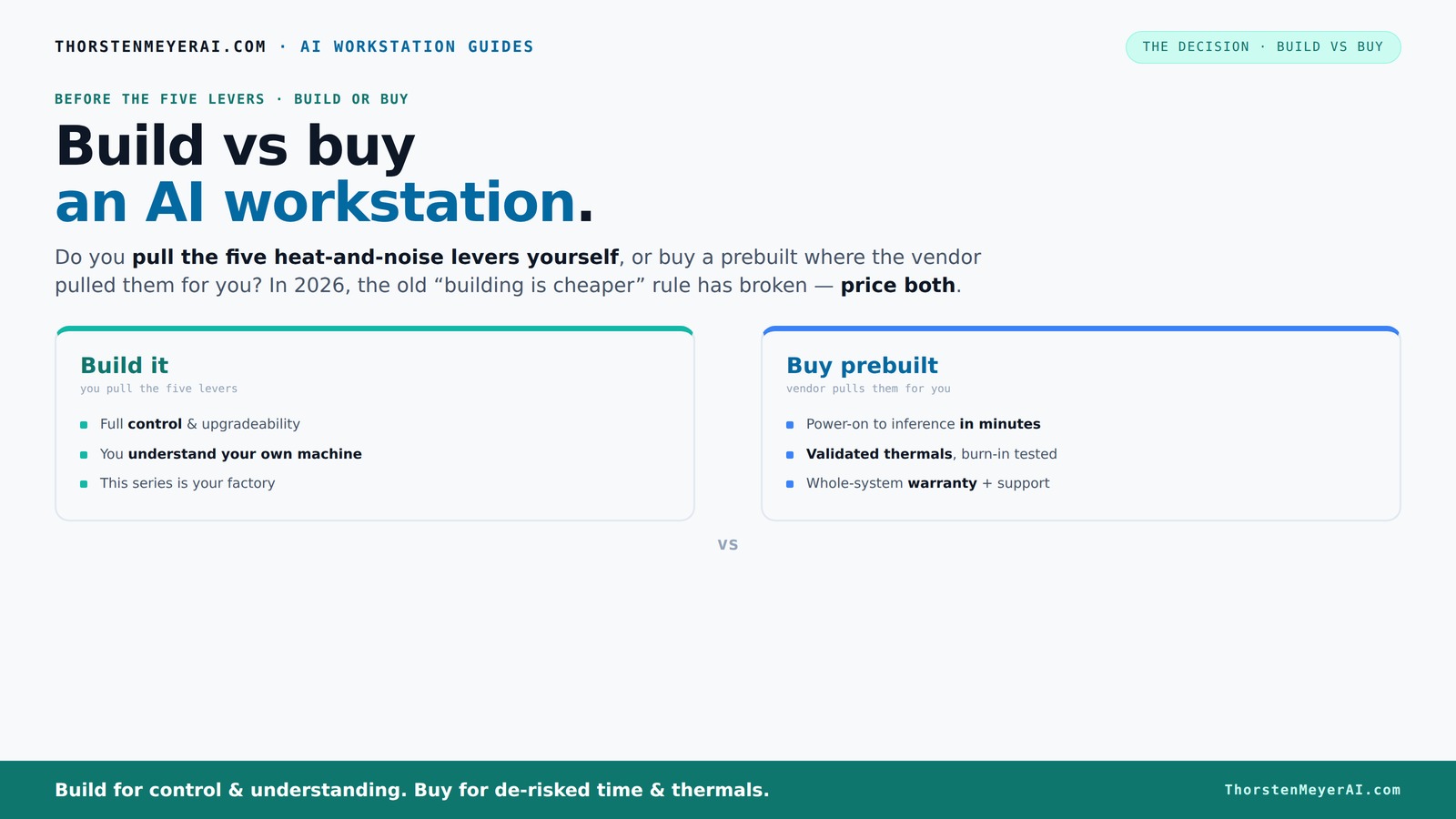
Build vs buy
an AI workstation.
The real question behind this whole series: do you pull the five heat-and-noise levers yourself, or buy a prebuilt where the vendor pulled them for you? And in 2026, the old “building is cheaper” rule has broken. Match your situation in Part 3.
Key Takeaways
- Component shortages in 2026 make prebuilt AI workstations often as cost-effective as DIY builds.
- Prebuilts offer validated thermals, warranty support, and plug-and-play convenience — ideal for urgent or high-stakes projects.
- DIY lets you customize every part, tune performance, and plan upgrades, perfect for hobbyists or budget-conscious users.
- Thermal management and noise control are major levers you can pull yourself or have optimized by the vendor.
- The right choice depends on your workload, technical skills, and support needs, not just price.
As an affiliate, we earn on qualifying purchases.
Why 2026 Changes Everything About Building vs Buying
Building your own AI workstation was once a no-brainer for saving cash. Today, the landscape shifts because component prices for GPUs, RAM, and SSDs have skyrocketed due to shortages and demand spikes. A build that used to cost around $1,000 can now easily top $1,250 or more, making DIY less attractive on price.
Meanwhile, big vendors who bought components in bulk before prices soared can offer prebuilt systems at prices that rival or beat DIY. This flips the script — now, the choice isn’t just about saving money but balancing cost against convenience, support, and control.
Understanding these market dynamics is crucial because it directly impacts your decision-making. If you’re considering a build, you need to weigh the higher upfront costs and potential delays against the benefits of total customization. Conversely, opting for a prebuilt might mean accepting some limitations in upgrade paths but gaining reliable support and quicker deployment.
As an affiliate, we earn on qualifying purchases.
The 'Heat and Noise' Levers: Who Controls the Tuning?
Building your own AI rig means pulling all five levers to keep it cool and quiet: undervolting the GPU, matching the cooler, optimizing airflow, tuning fans, and placement. Imagine sitting in front of a machine you built, tweaking fans and settings until it hums softly in a quiet corner.
Buy a prebuilt, and the vendor pulls these levers for you. Companies like Lambda or BIZON run extensive burn-in tests, tune fans for lower noise, and even include water-cooling. They turn what’s a delicate balancing act into a black box — you pay for reliability and quiet operation that’s been validated before shipping.
Why does this matter? Because thermal management directly impacts performance longevity, noise levels, and energy efficiency. Poor thermal design can cause thermal throttling, reducing GPU performance during long training sessions, or lead to overheating and hardware failure. Vendors who optimize these factors save you from the complex trial-and-error process, giving you peace of mind and a quieter workspace.
high performance GPU for AI training
As an affiliate, we earn on qualifying purchases.
As an affiliate, we earn on qualifying purchases.
When Does Prebuilt Make the Most Sense?
If you need a machine fast, with minimal fuss, prebuilt is often the way to go. It arrives ready with the OS and AI stack installed, so you can start training models or running inference in minutes — no troubleshooting or component sourcing required. Learn more about building vs buying your AI workstation.
Support and warranty are other big pluses. If a GPU fails during a critical project, a reputable vendor stands behind its systems with up to 5 years of support, reducing downtime and headaches. For multi-GPU setups, where thermal management becomes complex, prebuilt systems often include validated cooling solutions that DIY builders can’t easily match.
Choosing prebuilt also reduces the risk of compatibility issues, which can be a significant concern in DIY builds. Vendors test their configurations extensively, ensuring that all components work together seamlessly, saving you the time and frustration of troubleshooting hardware conflicts or bottlenecks.
As an affiliate, we earn on qualifying purchases.
When Building Yourself Is Still the Better Choice
If your goal is maximum control, cost savings, or customization, DIY remains compelling. You pick every part, from the GPU VRAM to the motherboard slots, ensuring it fits your workload perfectly.
For example, if you’re a hobbyist experimenting with different GPUs or planning upgrades over years, building allows you to tailor every detail. Plus, with the right knowledge, you can often get better hardware value, especially if you shop sales or secondhand parts. Check out guides on DIY AI workstation builds.
However, it’s essential to understand the tradeoffs. DIY builds require time, technical skill, and ongoing maintenance. If you’re not comfortable troubleshooting hardware issues or tuning system performance, the potential savings and customization might come with increased complexity and risk of incompatibility or hardware failure.
Check out guides like this one for tuning tips or this for cooling tricks.
Compare: Build vs Buy — What Really Matters
| Feature | Prebuilt AI Workstation | DIY Build |
|---|---|---|
| Cost | Often similar or higher due to assembly and validation fees | Usually cheaper for the same specs, especially if you shop smart |
| Time to Deploy | Minutes to hours — plug in and go | Hours to days, depending on experience and parts availability |
| Support & Warranty | Single vendor, support up to 5 years possible | Limited support; warranty depends on individual parts |
| Component Transparency | Less control; proprietary parts may limit upgrades | Full control; choose every part |
| Customization | Limited to vendor options | Complete freedom to tune and upgrade |
Who Should Buy Prebuilt, Who Should Build?
Prebuilt systems suit those who prioritize speed, support, and simplicity. Freelancers, small teams, or labs with urgent deadlines often choose ready-to-run machines. They prefer the assurance of tested thermals and warranty support, especially for high-end, multi-GPU setups.
On the other hand, DIY is perfect for hobbyists, students, or anyone with a tight budget who loves tinkering. If you enjoy fine-tuning, upgrading, and controlling every detail, building your own rig offers unmatched flexibility.
Key Factors to Consider Before Buying or Building
- Exact GPU model and VRAM — critical for AI workloads
- Power supply wattage and quality — avoid bottlenecks or failures
- Motherboard expandability — future upgrades matter
- Cooling design and noise levels — especially for multi-GPU rigs
- Warranty and support — reduce risk of downtime
Choosing the right components is more than just matching specs. For AI workloads, the implications of component choices extend to performance stability, energy efficiency, and future scalability. A high-quality power supply ensures consistent power delivery, preventing system crashes under load. Good cooling design not only maintains performance but also prolongs hardware lifespan. Considering these factors upfront can save you time and money later, especially when planning upgrades or troubleshooting issues.
Check detailed guides like this for airflow setup or this for case selection.
Final Take: Build or Buy, Your Call
In 2026, the smart move depends on your workload, skills, and priorities. Do you want a machine that’s ready to go, backed by support? Or do you want full control and potentially better value? Neither choice is wrong — just right for different needs.
Remember, the best AI workstation is the one that fits your work, budget, and patience. The market now makes it easier than ever to get a powerful, reliable system — whether you build it or buy it.
Frequently Asked Questions
Is a prebuilt AI workstation worth the extra cost?
For many, yes. Prebuilts save time, come with validated thermals, and include support, making them a smart choice for urgent projects or those who prefer plug-and-play convenience.Will I get better performance building my own?
Potentially, if you select high-quality parts and tune everything perfectly. But often, prebuilts are optimized for thermal and power efficiency, giving similar or better performance with less hassle.How much more do prebuilts cost compared to DIY?
It varies, but with component shortages, prebuilts frequently match or exceed DIY costs. The real value is in the time saved and the support provided.Can I upgrade a prebuilt later?
Yes, but it depends. Some OEM prebuilts use proprietary parts or limited expandability, so check compatibility before buying if future upgrades matter.What components matter most for AI workloads?
GPU VRAM, CPU cores, and RAM speed are key. Prioritize quality power supplies and good cooling to maintain performance under load.Conclusion
The decision to build or buy your AI workstation isn’t about which is universally better — it’s about what fits your specific needs. In 2026, market shifts mean that prebuilt systems often match DIY on price while winning on speed, support, and reliability.
Think about your workload, your patience for tuning, and your support expectations. Then pick the path that makes you confident and ready to push your AI projects forward. Your perfect machine is out there, waiting for you to find it.
Halloween Picks
halloween
As an affiliate, we earn on qualifying purchases.