To control stereo bus width on headphones, you can use mid-side (M/S) processing to adjust the stereo image precisely. By enhancing or reducing the side channel, you create a more immersive or focused soundstage without affecting tonal balance. This technique helps you shape the spatial perception, making your mixes sound more natural and engaging through headphones. Keep exploring these methods, and you’ll discover how to craft a polished, balanced stereo image.
Key Takeaways
- Mid-side processing allows precise control of stereo bus width by adjusting the balance between mid (center) and side (stereo spread) signals.
- Increasing the side component enhances spaciousness, creating a wider stereo image for headphone listening.
- Reducing the side channel narrows the stereo image, focusing sounds and improving clarity in headphone mixes.
- Proper use of M/S tools helps maintain a natural, balanced stereo image, preventing unnatural or disjointed soundstage.
- Fine-tuning bus width with M/S techniques enhances immersion and spatial perception when listening on headphones.

Panasonic Stereo Headphones On Ear Headphones with XBS Port, Integrated Volume Controller and Lightweight Foldable Design – RP-HT227-K (Black & Silver)
High-Quality Sound: On ear headphones with dual 28mm HD drivers delivers clear, natural-sounding midst and highs along with…
As an affiliate, we earn on qualifying purchases.
As an affiliate, we earn on qualifying purchases.
Understanding Stereo Imaging and Its Impact on Headphone Listening

Understanding stereo imaging is essential because it directly affects how you perceive the placement and depth of sounds when listening on headphones. Good stereo imaging creates a sense of space, making it easier to identify where each instrument or sound source is located. When audio is properly panned, it feels like the sounds are happening around you, not just coming from a single point. This spatial awareness enhances your listening experience, making music, movies, or games more immersive. Properly tuning your headphones can significantly improve stereo image quality, allowing for a more realistic and engaging soundstage. Additionally, the quality of your headphones and the audio source play crucial roles in achieving accurate stereo imaging. Poor stereo imaging, on the other hand, can make sounds seem flat or misplaced, reducing clarity and realism. Achieving optimal stereo imaging often involves adjusting headphone positioning and settings to match the specific characteristics of your audio setup. Proper calibration of your equipment can also help to optimize channel balance, further improving the spatial accuracy of the sound. By paying attention to stereo image, you can better appreciate the subtle nuances of a mix and even influence how emotionally engaged you feel with the audio.

Botesty Sound Headphones Wired with Microphone, Over Ear Foldable 3.5mm Plug in Headphones with 4.9ft Tangle-Free Nylon Cord for Tablet, Laptop, MP3/4, School, Airplane Travel (Black)
【Wired Headphones with Mic】The wired headphones with a built-in mic for clear, hands-free calls, online learning and music…
As an affiliate, we earn on qualifying purchases.
As an affiliate, we earn on qualifying purchases.
The Fundamentals of Mid-Side (M/S) Processing in Audio Production
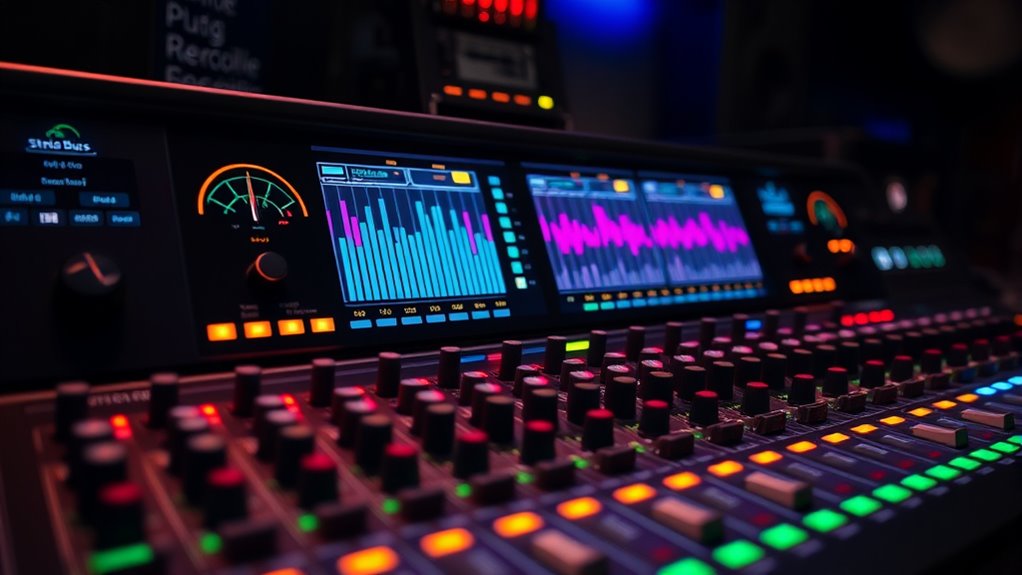
Mid-side (M/S) processing allows you to control the stereo image by separating the mono (mid) and stereo (side) components of your audio. You can adjust these signals to shape width and focus with precision. Understanding the key techniques helps you achieve a more balanced and dynamic mix. Incorporating local ingredients ideas can inspire creative ways to organize your workspace for better productivity and clarity.
M/S Signal Components
M/S signal components form the core of Mid-Side processing by splitting your stereo signal into two distinct parts: the mid (center) and the side (stereo width). The mid component combines the left and right channels, emphasizing sounds that are centered or equally present in both channels. The side component captures the difference between the left and right channels, representing the stereo image‘s width. When you process these components separately, you can control the balance between the mono and stereo information more precisely. This separation allows for targeted adjustments, such as narrowing or widening the stereo image without affecting the overall tonal balance. Understanding these components helps you manipulate your mix’s spatial qualities with greater accuracy and flexibility, especially when tailoring sound for headphones.
Stereo Image Control
Ever wondered how you can precisely shape the stereo image in your mix? Mid-side processing gives you direct control over the stereo field’s width and placement. By adjusting the balance between the mid (center) and side (stereo) signals, you can make your mix feel wider, narrower, or more focused. Increasing the side component enhances the stereo spread, making elements sound more spacious. Conversely, reducing it tightens the image, pulling sounds toward the center. This technique allows you to fine-tune the stereo image without affecting the overall loudness or tonal balance. It’s a powerful tool for achieving clarity and depth, especially when working on headphone mixes. With careful control, you can craft a more immersive and balanced stereo experience tailored to your creative goals. Both techniques can be used to subtly improve the spatial perception of your mix, especially when working with headphones. Additionally, understanding how to manipulate the stereo width can help in creating more natural and pleasing soundscapes.
Practical Processing Techniques
To effectively shape your stereo image, understanding how to apply practical processing techniques is key. Mid-side (M/S) processing allows you to manipulate stereo width precisely. Begin by converting your stereo signal into mid and side channels using a dedicated M/S encoder or plugin. You can then process these channels separately: widen the side channel to enhance stereo spread or reduce it to tighten the image. Equalization can help balance frequencies between mid and side, while compression can control dynamics without affecting the overall width. When adjusting, listen carefully on headphones to ensure your changes translate well. After processing, decode the mid and side signals back into left and right channels. This approach offers nuanced control over your stereo image, making it more natural and immersive.

Sharper Image TV Wireless Headphones Black
Compatible with virtually all TVs, including Smart TVs Reliable UHF stereo with no Wi-Fi or Bluetooth required 160-ft…
As an affiliate, we earn on qualifying purchases.
As an affiliate, we earn on qualifying purchases.
How Adjusting Bus Width Shapes Your Soundstage

Adjusting your bus width directly impacts how your soundstage feels, making it more spacious or focused. By fine-tuning this setting, you can enhance spatial perception and create a sense of depth or intimacy. Finding the right balance between center and sides helps shape your mix’s overall clarity and immersion. When you master passive voice detection, your writing becomes clearer and more engaging. Additionally, understanding how headphone jacks influence connection quality can contribute to achieving optimal sound performance.
Enhancing Spatial Perception
When you modify the stereo bus width, you directly influence how spacious and immersive your soundstage feels. Narrowing the width brings sounds closer together, emphasizing intimacy and focus, while widening the stereo image enhances the sense of space and separation. Adjusting the width affects how you perceive the placement of instruments and vocals, making the soundstage feel more expansive or more contained. By fine-tuning the bus width, you can highlight subtle spatial cues that improve your sense of depth and realism. This control allows you to craft a more natural or dramatic listening experience, depending on your preference. Ultimately, small adjustments to stereo width can notably enhance your perception of spatial cues, making your listening environment more engaging and lifelike. Stereo image adjustment can also influence how clearly individual elements are distinguished within the mix.
Creating Depth and Focus
Have you ever wondered how changing the stereo bus width can dramatically reshape your soundstage? Adjusting this width influences how sounds are perceived in depth and focus. Narrowing the bus makes elements more centralized, creating a tight, focused image. Widening it spreads sounds across the stereo field, enhancing spaciousness. To visualize, consider this:
| Effect | Result |
|---|---|
| Narrow width | Increased focus, depth behind |
| Wide width | Broader, more immersive scene |
Additionally, understanding how sound perception varies with adjustments can help you tailor your listening experience for better clarity and immersion. Recognizing the influence of audio spatial awareness can further enhance how you manipulate the soundstage to your preference.
Balancing Center and Sides
Balancing the center and sides of your stereo image is key to shaping a natural and engaging soundstage. When you adjust the width, you’re controlling how much of the sound feels anchored in the center versus spread across the sides. Narrowing the image emphasizes vocals or solos in the center, making them feel more direct and focused. Widening the image spreads instruments and effects across the stereo field, creating a sense of space and ambiance. If the sides overpower the center, the sound can feel disjointed or unnatural. Conversely, too much focus on the center might make the soundstage feel flat. Finding the right balance guarantees your music feels both immersive and cohesive, giving each element its proper place without sacrificing clarity or realism.
AOYUTC Metal Tube Headphone Plug Extraction Tool- Headphone Tip Removal Tool,Remove Broken Plug from Headphone Jack of Mobile Devices
Applicable To:models of mobile phones, ipads and computers headphone jack, is built to easily remove broken 3.5mm headphone…
As an affiliate, we earn on qualifying purchases.
As an affiliate, we earn on qualifying purchases.
Practical Techniques for Enhancing Headphone Audio With M/S Manipulation
Mid/Side (M/S) manipulation offers a straightforward way to enhance headphone audio by controlling stereo image width and clarity. You can tighten or widen the stereo field, making elements more focused or expansive. For example, reducing the Side component can center vocals, while boosting it adds spaciousness. Experiment with gain adjustments or EQ to emphasize certain frequencies in the Mid or Side channels. Here’s a quick guide:
| Technique | Effect | Use Case |
|---|---|---|
| Reduce Side gain | Focuses audio centrally | Vocal clarity |
| Increase Side gain | Expands stereo image | Creating a sense of space |
| EQ boost Mid frequencies | Enhances presence | Brightening vocals and instruments |
| EQ cut Side frequencies | Removes clutter | Cleaning up the stereo field |
| Combine adjustments | Tailored soundscape | Custom headphone mixes |
Additionally, understanding stereo imaging can help you better manipulate the spatial qualities of your audio for a more immersive listening experience.
Common Tools and Plugins for Stereo Width Control
To effectively control stereo width, you can rely on a variety of specialized tools and plugins designed for this purpose. Mid/Side (M/S) processors are popular choices, allowing you to adjust the stereo image independently in the mid and side channels. Plugins like iZotope Ozone Imager, Waves S1 Stereo Imager, and FabFilter Pro-Q3 include width controls that let you widen or narrow the stereo field easily. Some plugins provide visual feedback, helping you see the changes in real-time. Additionally, stereo spread tools enable precise placement of sounds within the stereo spectrum. These tools are versatile and user-friendly, giving you immediate control over your mix’s width. Incorporating stereo imaging techniques into your workflow can help you achieve a more immersive and balanced headphone listening experience. Understanding grocery store hours can also assist in planning your sessions to avoid interruptions, especially if you need to purchase equipment or supplies for your audio setup. Proper knowledge of audio processing tools can further enhance your ability to craft the perfect stereo image for any project.
Tips for Achieving a Natural and Balanced Stereo Image
Achieving a natural and balanced stereo image requires careful attention to the placement and level of individual elements within your mix. To do this effectively, start by panning instruments thoughtfully, avoiding extreme positions that can feel unnatural. Use subtle level adjustments to ensure no single element dominates or gets lost. Incorporate gentle EQ to clarify each sound without overly sculpting the stereo field. Regularly check your mix on headphones to preserve a sense of space and coherence. Finally, consider using mid-side processing to fine-tune the stereo width while maintaining a solid mono foundation.
- Panning with purpose, avoiding extreme placements
- Balancing levels for clarity and cohesiveness
- Applying subtle EQ to prevent masking
- Using headphone checks for spatial accuracy
- Employing mid-side techniques to refine width
Frequently Asked Questions
How Does Stereo Bus Width Affect Mono Compatibility?
When you adjust stereo bus width, it directly impacts mono compatibility. Narrowing the width makes the mix more centered, reducing phase issues and ensuring it sounds good on mono systems. Widening the stereo image can cause elements to phase cancel when summed to mono, leading to loss of clarity or missing sounds. So, balancing width helps you maintain a clear, mono-compatible mix while preserving your stereo image.
Can M/S Processing Improve Headphone Mixing in Live Recordings?
Ever wondered if mid-side processing could transform your headphone mixes for live recordings? It can, actually. By adjusting the stereo image with mid-side processing, you gain precise control over width and clarity. This technique lets you tighten or widen the soundstage, making your mix more immersive and balanced for headphone listeners. If you want a more engaging and professional live recording, give mid-side processing a try—you’ll notice the difference instantly.
What Are Common Mistakes When Adjusting Stereo Width?
When adjusting stereo width, you might overdo it, making your mix sound unnatural or disjointed. Avoid narrowing the stereo field too much, which can cause sounds to become mono and lose spatial depth. Conversely, widening excessively can introduce phase issues, leading to a hollow sound. Be cautious not to alter the balance of elements, and always listen on headphones to confirm the effect enhances the mix without creating confusion or imbalance.
How Does Stereo Width Influence Perceived Loudness?
When you adjust stereo width, it directly impacts perceived loudness. Narrower widths tend to focus sound in the center, making it feel more intimate and potentially louder in the middle channels. Wider settings spread sounds across the stereo field, which can create a sense of space but might reduce the perceived loudness of individual elements. You should experiment to find a balance that enhances clarity without sacrificing perceived volume.
Are There Specific Genres That Benefit Most From M/S Manipulation?
Did you know jazz and acoustic genres often benefit most from M/S manipulation? These styles thrive on clarity and space, making stereo width adjustments more noticeable. When you widen the stereo image, you create a more immersive experience, especially on headphones. So, if you’re mixing jazz or acoustic tracks, experimenting with M/S can help you highlight subtle details, giving your music a richer, more engaging sound.
Conclusion
By mastering mid-side processing, you open the true potential of your headphone mixes. Don’t believe the myth that wider always equals better; a natural, balanced stereo image often feels more immersive and authentic. When you carefully shape your bus width, you create a compelling soundstage that draws listeners in. Trust the process, experiment, and you’ll discover that subtle adjustments can evoke powerful emotional responses—proving that sometimes, less really is more.