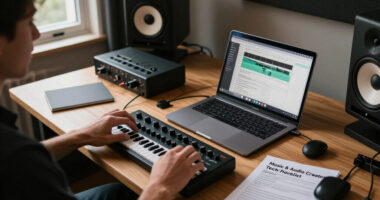
For most buyers, the Novation Launchpad Mini MK3 is the best overall compact MIDI pad controller for grid-based music making, while the Akai LPD8 is a strong pick when a small footprint and hands-on knobs matter more. The Akai APC Mini MK2 stands out for Ableton Live control, and the Arturia MiniLab 3 suits players who want keys as well as pads. The main tradeoffs are pad count, control layout, software workflow, and whether wireless operation matters more than a direct USB connection. Smaller controllers save desk space but can limit expressive control or require more setup to match your software. Read on for the full comparison and recommendations by setup and playing style.

Get audio and creator gear delivered free with Prime
- Fast, free delivery on millions of items
- Prime Video, Amazon Music and more included
- Member-only deals all year
Complete the kit


Key Takeaways
- The lineup splits by workflow: the Launchpad Mini MK3 favors grid-based performance, while the APC Mini MK2 is more specifically oriented toward Ableton Live control.
- Small footprint does not mean the same thing for every player: the LPD8 keeps pads and knobs close at hand, while the MiniLab 3 adds a keyboard and takes a different approach to compactness.
- Wireless models target cable-light setups: the BEEONE and Umelody options may suit mobile use, but buyers should check device compatibility and connection needs before choosing wireless over USB.
- Pad controllers vary in purpose: the MPX8 focuses on triggering samples, whereas the MPD218 and Xjam are more suited to expressive pad-based input.
- More controls can mean more setup: models with broader control layouts may offer greater flexibility, but a beginner may prefer a controller whose layout closely matches their software workflow.
| BEEONE Bluetooth MIDI Pad Controller with 16 RGB Velocity-Sensitive Drum Pads |  | Best for Pocket-Sized Wireless Drumming | Pads: 16 velocity-sensitive RGB pads | Connectivity: Bluetooth and USB-C | Compatibility: iOS, Android, Windows, macOS | VIEW LATEST PRICE | See Our Full Breakdown |
| Donner STARRYPAD MIDI Pad Controller |  | Best for Beginners and Hands-On Control | Pads: 16 velocity-sensitive pads | Assignable inputs: 48 across three switchable banks | Controls: 2 faders, 2 knobs, 3 buttons | VIEW LATEST PRICE | See Our Full Breakdown |
| Korg nanoPAD2 Slim-Line USB MIDI Pad Controller |  | Best Slim Wired Pick | Pads: 16 velocity-sensitive pads | Control interface: X-Y touchpad | Connectivity: USB | VIEW LATEST PRICE | See Our Full Breakdown |
| Umelody JP-MINI Wireless MIDI Pad Controller with 16 Velocity-Sensitive RGB Pads |  | Best for Expressive Mobile Control | Pads: 16 velocity-sensitive RGB pads | Connectivity: Wireless MIDI and USB-C | Compatibility: Windows, macOS, iOS, Android, HarmonyOS | VIEW LATEST PRICE | See Our Full Breakdown |
| Akai Professional APC Mini MK2 USB MIDI Pad Controller |  | Best Compact Ableton Clip Launcher | Pads: 64 RGB-backlit pads | Faders: 9 assignable | Modes: Drum and Note | VIEW LATEST PRICE | See Our Full Breakdown |
| Akai Professional LPD8 USB MIDI Pad Controller |  | Best Compact Controller with Knobs | Pads: 8 RGB-backlit velocity-sensitive MPC pads | Knobs: 8 assignable Q-Link rotary knobs | Connectivity: USB | VIEW LATEST PRICE | See Our Full Breakdown |
| Umelody JP-1 MIDI Pad Controller with Wireless Connection |  | Best for Wireless Mobile Sessions | Pads: 16 velocity-sensitive RGB pads | Connectivity: Bluetooth and USB Type-C | Compatibility: Windows, Mac, iOS, and Android | VIEW LATEST PRICE | See Our Full Breakdown |
| Arturia MiniLab 3 Compact MIDI Keyboard and Pad Controller, White, with MIDI Cable and Cleaning Cloth |  | Best Hybrid Keyboard and Pad Controller | Keys: 25 velocity-sensitive slim keys | Pads: 16 backlit pads in 2 banks | Controls: 8 rotary encoders and 4 sliders | VIEW LATEST PRICE | See Our Full Breakdown |
| Novation Launchpad Mini MK3 MIDI USB Grid Controller |  | Best for Compact Clip Launching | Pads: 64 RGB pads | Connectivity: USB-C | Power: Bus-powered | VIEW LATEST PRICE | See Our Full Breakdown |
| Akai Professional MPX8 USB MIDI Sample Pad Controller |  | Best for Standalone Sample Playback | Pads: 8 backlit velocity- and pressure-sensitive pads | Sample format: 16-bit mono WAV | Storage support: SD or SDHC cards up to 32 GB, FAT16/FAT32 | VIEW LATEST PRICE | See Our Full Breakdown |
| ESI Xjam Mobile Studio MIDI Pad Controller |  | Best for Expressive Mobile Control | Pads: 16 velocity-sensitive pads with polyphonic aftertouch | Assignable knobs: 18 | Connectivity: USB-C | VIEW LATEST PRICE | See Our Full Breakdown |
| Donner STARRYPAD PRO MIDI Pad Controller |  | Best for Cable-Free Sessions | Pads: 16 velocity-sensitive RGB pads with polyphonic aftertouch | Assignable knobs: 8 | Connectivity: USB-C and wireless MIDI | VIEW LATEST PRICE | See Our Full Breakdown |
| Akai Professional MPD218 USB MIDI Pad Controller |  | Best for Multi-Bank Pad Control | Pads: 16 velocity- and pressure-sensitive MPC pads | Pad banks: 3 | Assignable pad positions: Up to 48 across three banks | VIEW LATEST PRICE | See Our Full Breakdown |
| compact MIDI pad controller | Pads | Connectivity | Compatibility |
|---|---|---|---|
| BEEONE Bluetooth MIDI Pad Cont | 16 velocity-sensitive RGB pads | Bluetooth and USB-C | iOS, Android, Windows, macOS |
| Donner STARRYPAD MIDI Pad Cont | 16 velocity-sensitive pads | USB-C, MIDI In/Out | Windows, Mac, iOS, Android |
| Korg nanoPAD2 Slim-Line USB MI | 16 velocity-sensitive pads | USB | Mac OS X 10.10+, Windows 11 |
| Umelody JP-MINI Wireless MIDI | 16 velocity-sensitive RGB pads | Wireless MIDI and USB-C | Windows, macOS, iOS, Android, HarmonyOS |
| Akai Professional APC Mini MK2 | 64 RGB-backlit pads | USB 2.0 Type B | — |
| Akai Professional LPD8 USB MID | 8 RGB-backlit velocity-sensitive MPC pads | USB | Mac and Windows |
| Umelody JP-1 MIDI Pad Controll | 16 velocity-sensitive RGB pads | Bluetooth and USB Type-C | Windows, Mac, iOS, and Android |
| Arturia MiniLab 3 Compact MIDI | 16 backlit pads in 2 banks | USB | — |
| Novation Launchpad Mini MK3 MI | 64 RGB pads | USB-C | — |
| Akai Professional MPX8 USB MID | 8 backlit velocity- and pressure-sensitive pads | USB MIDI and standard MIDI In/Out | — |
| ESI Xjam Mobile Studio MIDI Pa | 16 velocity-sensitive pads with polyphonic aftertouch | USB-C | macOS, iOS, Windows, Android, Linux, and Chrome OS |
| Donner STARRYPAD PRO MIDI Pad | 16 velocity-sensitive RGB pads with polyphonic aftertouch | USB-C and wireless MIDI | Android, iOS, Mac, and Windows |
| Akai Professional MPD218 USB M | 16 velocity- and pressure-sensitive MPC pads | USB | — |
More Details on Our Top Picks
BEEONE Bluetooth MIDI Pad Controller with 16 RGB Velocity-Sensitive Drum Pads
The BEEONE is the smallest pick here, making it a natural fit when a full-size pad surface would take too much room in a travel bag. Its Bluetooth and USB-C connections let mobile producers choose wireless convenience or a wired link, while polyphonic aftertouch adds expressive control beyond the initial hit. Compared with the similarly wireless Umelody JP-MINI, BEEONE lists a longer battery life of up to 15 hours, which suits longer sessions away from an outlet. That tiny footprint comes with a real ergonomic compromise: the pads may feel cramped for larger hands or broad finger-drumming gestures. It also lacks the knobs and faders found on the Donner STARRYPAD, and full configuration requires the KuSuite app. I’d choose it for portable triggering, not hands-on mixing.
Pros:- Pocket-sized dimensions and a weight of 7.36 ounces suit travel and tight workspaces.
- Bluetooth and USB-C provide wireless and wired connection options.
- Up to 15 hours of stated battery life supports sessions away from a power source.
- Polyphonic aftertouch and customizable RGB lighting add expressive and visual control.
Cons:- Small pads may feel cramped during fast or wide finger-drumming patterns.
- No dedicated knobs or faders for immediate parameter adjustments.
- Full configuration requires the KuSuite app.
Best for: Mobile beat makers who want a very small wireless controller for triggering samples and loops on a phone, tablet, or laptop.
Not ideal for: Finger drummers with larger hands or producers who need physical knobs and faders for real-time DAW control.
- Pads:16 velocity-sensitive RGB pads
- Connectivity:Bluetooth and USB-C
- Compatibility:iOS, Android, Windows, macOS
- Dimensions:4.53 × 4.17 × 0.65 inches
- Weight:7.36 ounces
- Battery life:Up to 15 hours
- Additional features:Polyphonic aftertouch, bank switching, MIDI clock sync
Our verdict“Choose the BEEONE if portability and wireless use matter more than roomy pads or hands-on mixing controls.”
Donner STARRYPAD MIDI Pad Controller
The Donner STARRYPAD earns its place by combining a compact pad controller with controls that help newcomers learn a DAW without relying on a mouse for every adjustment. Its three banks turn 16 pads into 48 assignable inputs, while two faders and two knobs provide tactile control absent from the smaller BEEONE. That makes it more adaptable for a desk-based beginner who wants to trigger sounds and adjust parameters from one unit. The tradeoff is a more involved footprint than the pocket-sized BEEONE or Korg nanoPAD2, and its USB connection makes it less convenient for untethered mobile sessions. It also needs DAW or instrument software to make sound; the included Cubase LE and Melodics courses are useful starting points, not a substitute for standalone audio.
Pros:- Three banks expand the 16 pads to 48 assignable inputs.
- Two faders, two knobs, and three buttons add hands-on control.
- Class-compliant USB-C supports Windows, Mac, iOS, and Android.
- Cubase LE and Melodics courses provide a starting point for learning.
Cons:- USB connection limits untethered use compared with the wireless BEEONE and Umelody JP-MINI.
- Requires a DAW or virtual instrument to produce sound.
- iPhone and iPad connection requires a separate Lightning to USB adapter.
Best for: New DAW users who want a compact learning setup with assignable pads, physical controls, and bundled introductory software.
Not ideal for: Traveling producers who prioritize wireless operation or musicians seeking a controller that produces sound on its own.
- Pads:16 velocity-sensitive pads
- Assignable inputs:48 across three switchable banks
- Controls:2 faders, 2 knobs, 3 buttons
- Connectivity:USB-C, MIDI In/Out
- Compatibility:Windows, Mac, iOS, Android
- Pad lighting:7-color backlighting
- Included software:Cubase LE and Melodics courses
Our verdict“Pick the STARRYPAD if you’re learning a DAW and want more physical control than the smaller Korg nanoPAD2 offers.”
Korg nanoPAD2 Slim-Line USB MIDI Pad Controller
The Korg nanoPAD2 is a straightforward choice for a narrow desk or travel setup where a simple USB controller is enough. Its 16 velocity-sensitive pads cover drum entry and triggering, while the X-Y touchpad adds expressive MIDI control without adding knobs and faders to the layout. That touch surface gives it a different role from the Donner STARRYPAD, which offers more dedicated controls and banked pad assignments but takes a more feature-heavy approach. Korg keeps things slim and simple, though the listed plastic construction and USB-only connection mean fewer options for wireless mobile use than the BEEONE or Umelody JP-MINI. Buyers should also check operating-system compatibility against their setup: the supplied data lists Mac OS X 10.10+ and Windows 11. I’d pick it for compact wired MIDI input, not expanded control.
Pros:- Slim-line form makes it easy to fit beside a laptop or keyboard.
- Sixteen velocity-sensitive pads support dynamic drum input.
- X-Y touchpad provides an additional way to control MIDI parameters.
- Listed support includes major DAWs such as Ableton Live, Pro Tools, and FL Studio.
Cons:- USB-only connectivity offers less mobile flexibility than the BEEONE or Umelody JP-MINI.
- Plastic construction may feel less substantial than a more robust controller.
- No dedicated knobs or faders for direct parameter adjustments.
Best for: Producers who need a slim, wired pad surface with an X-Y controller for a laptop-based DAW setup.
Not ideal for: Mobile musicians who want Bluetooth, a rechargeable battery, or additional physical knobs and faders.
- Pads:16 velocity-sensitive pads
- Control interface:X-Y touchpad
- Connectivity:USB
- Weight:0.36 kg
- Material:Plastic
- Compatibility:Mac OS X 10.10+, Windows 11
- Supported software:Ableton Live, Avid Pro Tools, FL Studio
Our verdict“Choose the nanoPAD2 for slim wired pad input and X-Y control when wireless operation and extra controls aren’t priorities.”
Umelody JP-MINI Wireless MIDI Pad Controller with 16 Velocity-Sensitive RGB Pads
The Umelody JP-MINI gives mobile beat makers more performance tools than a basic compact pad grid. Its polyphonic aftertouch, four velocity curves, and Note Repeat offer ways to shape hits and patterns from the controller, while Bluetooth and USB-C cover wireless and wired setups. Compared with the BEEONE, it lists more performance features such as tap tempo and latch/hold, but the BEEONE specifies a longer battery life; Umelody lists a 750mAh rechargeable battery without a runtime. At 150 g and roughly 106.5 × 115 × 16.5 mm, it remains portable, though the BEEONE’s stated dimensions are smaller. There are no built-in sounds, and wired use with Lightning devices needs a separate adapter. I’d favor this model when expressive control matters more than the smallest possible footprint.
Pros:- Bluetooth and USB-C accommodate wireless and wired workflows.
- Polyphonic aftertouch and four velocity curves allow varied response.
- Note Repeat, tap tempo, and latch/hold support performance without constant mouse use.
- 150 g weight and compact dimensions suit portable setups.
Cons:- Battery capacity is listed, but no battery runtime is provided.
- Requires a DAW or virtual instrument to produce sound.
- Wired connection to Lightning devices requires a separate adapter.
Best for: Mobile producers who want wireless pad triggering with Note Repeat, velocity options, and aftertouch for more expressive patterns.
Not ideal for: Buyers who need a stated long battery runtime, built-in sounds, or a pad controller smaller than the BEEONE.
- Pads:16 velocity-sensitive RGB pads
- Connectivity:Wireless MIDI and USB-C
- Compatibility:Windows, macOS, iOS, Android, HarmonyOS
- Dimensions:106.5 × 115 × 16.5 mm
- Weight:150 g
- Battery:750mAh rechargeable
- Features:Polyphonic aftertouch, four velocity curves, Note Repeat, tap tempo, latch/hold
Our verdict“Pick the JP-MINI for portable wireless performance controls if you value its Note Repeat and response options over a specified battery runtime.”
Akai Professional APC Mini MK2 USB MIDI Pad Controller
The Akai Professional APC Mini MK2 is the specialist of this group: its 64 RGB pads are arranged for launching clips and scenes in Ableton Live, while nine assignable faders bring mixer and parameter control within reach. That layout is a different proposition from the 16-pad drum-focused Donner STARRYPAD or the portable wireless Umelody JP-MINI. It makes more sense for a compact live or studio Ableton rig than for someone seeking a pocket-sized finger-drumming controller. Drum and Note modes add sample and melody triggering, but the listed software support centers on Ableton Live, so buyers using other DAWs should check their workflow before choosing it. The unit is USB-powered, which keeps setup simple at a desk or stage computer but ties operation to a connected power source.
Pros:- A 64-pad RGB grid provides visual feedback for clip launching.
- Nine assignable faders support hands-on mixing and parameter control.
- Drum and Note modes extend use to sample triggering and melody playing.
- USB-powered plug-and-play setup suits a compact computer-based rig.
Cons:- Stated software support is centered on Ableton Live.
- USB power requires a connected computer or another USB power source.
- The clip-launch grid is less focused on portable, standalone-style finger drumming than 16-pad options such as the JP-MINI.
Best for: Ableton Live performers who want a compact clip-launch grid with fader control for mixer channels and device parameters.
Not ideal for: Traveling finger drummers who want wireless operation, or producers whose main DAW is outside the stated Ableton Live support.
- Pads:64 RGB-backlit pads
- Faders:9 assignable
- Modes:Drum and Note
- Connectivity:USB 2.0 Type B
- Power:USB-powered
- Supported software:Ableton Live
- Platforms:Mac, Windows
Our verdict“Choose the APC Mini MK2 if Ableton clip launching and fader control matter more than wireless portability or a simple drum-pad layout.”
Akai Professional LPD8 USB MIDI Pad Controller
The LPD8 pairs eight velocity-sensitive MPC pads with eight assignable Q-Link knobs, making it a strong fit when a small footprint still needs hands-on control of instruments or effects. At 12.12 inches wide and 0.4 kg, it is easy to pack; USB power also means there is no separate adapter to bring. Compared with the Novation Launchpad Mini MK3, it has far fewer pads and is less suited to launching many clips at once, but velocity response makes it better suited to dynamic finger drumming. Its knobs also give it an edge over simpler pad-only layouts. The tradeoff is a narrow control set: there are no faders or transport buttons, and the plastic construction may feel less substantial than larger studio gear.
Pros:- Eight velocity-sensitive RGB MPC pads support expressive finger drumming
- Eight assignable knobs provide direct control of DAW parameters and effects
- Lightweight 0.4 kg body is easy to carry
- USB connection supplies power and supports plug-and-play use
Cons:- Eight pads offer less clip-launching capacity than the Novation Launchpad Mini MK3
- No faders or transport controls, so some DAW tasks still require a mouse
- Plastic construction feels less substantial than larger studio controllers
Best for: Traveling producers who want expressive drum pads and assignable controls for shaping DAW parameters in a small workspace
Not ideal for: Ableton performers who need a large clip-launch grid, or producers who want onboard transport controls and faders
- Pads:8 RGB-backlit velocity-sensitive MPC pads
- Knobs:8 assignable Q-Link rotary knobs
- Connectivity:USB
- Compatibility:Mac and Windows
- Dimensions:12.12 × 3.24 × 1.32 inches
- Weight:0.4 kg
- Power:USB-powered
Our verdict“Choose the LPD8 if you want a highly portable set of expressive pads plus knobs, and skip it if your workflow depends on a broad clip grid or transport controls.”
Umelody JP-1 MIDI Pad Controller with Wireless Connection
The Umelody JP-1 is the most flexible pick here for making beats away from a computer desk: its 16 velocity-sensitive RGB pads work over Bluetooth or USB-C, and the listed compatibility includes phones and tablets as well as Mac and Windows computers. Battery power removes the need to stay tethered to a USB port, which suits quick sketching or a compact mobile setup. Compared with the Akai Professional LPD8, it doubles the pad count and adds wireless use, while the LPD8 offers eight assignable knobs for more direct DAW parameter control. The JP-1’s tradeoff is a simpler control layout: the supplied details do not list knobs, faders, or onboard sequencing features. Battery charging and its plastic construction may also be less appealing for long studio sessions.
Pros:- Bluetooth and USB-C connectivity support both wireless and wired setups
- 16 velocity-sensitive RGB pads provide expressive input and visual feedback
- Listed compatibility includes iOS and Android as well as Mac and Windows
- Battery power supports use away from a computer’s USB port
Cons:- No knobs, faders, or other parameter controls are listed
- Battery use requires charging and may interrupt longer sessions
- Plastic construction may feel less durable than studio-focused gear
Best for: Beginners and mobile beatmakers who want a wireless, battery-powered pad surface for a phone, tablet, or laptop
Not ideal for: Studio producers who need assignable knobs, faders, or a more substantial controller for extended sessions
- Pads:16 velocity-sensitive RGB pads
- Connectivity:Bluetooth and USB Type-C
- Compatibility:Windows, Mac, iOS, and Android
- Power:Battery-powered
- Included components:MIDI pad controller, USB cable, and user manual
- Supported software:Ableton Live, FL Studio, Pro Tools, GarageBand, Logic, Cubase, Reaper, and more
- Warranty:1 year
Our verdict“Pick the JP-1 for wireless beatmaking across mobile devices; choose the LPD8 instead if direct knob control matters more than pad count and portability.”
Arturia MiniLab 3 Compact MIDI Keyboard and Pad Controller, White, with MIDI Cable and Cleaning Cloth
The Arturia MiniLab 3 stretches the meaning of a compact pad controller by combining 16 pads with 25 slim keys, eight encoders, and four sliders. That makes it the most capable choice in this group for someone who wants to play melodies and chords as well as trigger drums, without carrying a full-size keyboard. Its arpeggiator, hold, and chord modes can help turn a small setup into a more complete sketching station. Compared with the Umelody JP-1, it trades wireless, battery-powered use for a broader set of physical controls and keys. This is a meaningful size-versus-flexibility choice: the MiniLab is still compact, but it is wider and more involved than a dedicated pad unit. The 25-key range can constrain two-handed parts, and the plastic body is less substantial than metal gear.
Pros:- Combines 16 backlit pads with 25 velocity-sensitive keys
- Eight encoders and four sliders offer hands-on parameter control
- Arpeggiator, hold, and chord modes add performance options
- Includes music software and USB and MIDI cables
Cons:- The 25-key range can limit wider or two-handed keyboard parts
- Wired USB operation is less flexible for mobile use than the Umelody JP-1
- Plastic construction may feel less substantial than metal controllers
Best for: Songwriters and producers with limited desk space who need one compact controller for keys, pads, and DAW controls
Not ideal for: Finger drummers seeking a dedicated pad surface, or mobile users who need wireless operation and battery power
- Keys:25 velocity-sensitive slim keys
- Pads:16 backlit pads in 2 banks
- Controls:8 rotary encoders and 4 sliders
- Connectivity:USB
- Performance features:Arpeggiator, hold mode, and chord mode
- Included software:Analog Lab Intro, UVI Grand Piano Model D, The Gentleman, and Ableton Live Lite
- Material:Plastic
Our verdict“Choose the MiniLab 3 when pads are only part of your needs and you also want keys and DAW controls in one compact unit.”
Novation Launchpad Mini MK3 MIDI USB Grid Controller
The Launchpad Mini MK3 prioritizes grid control: its 64 RGB pads give clip-based performers far more launch points than the eight-pad Akai LPD8 or 16-pad Umelody JP-1. That density makes it easier to see and trigger multiple clips and scenes in a compact, bus-powered unit, with custom modes for adapting the grid. Its strongest fit is a small Ableton Live setup; the listed software support also includes Logic Pro and HUI, though the product details emphasize Ableton integration. The tradeoff is that the pads are not velocity-sensitive, so it is less suited to expressive finger drumming than the LPD8 or JP-1. Its compact layout can feel cramped for larger hands, and advanced customization requires Novation Components. Choose it for visual clip performance, not for nuanced drum dynamics.
Pros:- 64 RGB pads provide a dense clip and scene launching grid
- Three custom modes allow alternate controller layouts
- USB-C bus power avoids a separate power adapter
- Lightweight design suits travel and small workspaces
Cons:- Pads lack velocity sensitivity for expressive drum performance
- Compact pad spacing may feel cramped, especially for larger hands
- Advanced customization requires Novation Components software
Best for: Ableton Live performers with a small desk or travel setup who need a dense grid for launching clips and scenes
Not ideal for: Finger drummers who need velocity-sensitive pads, or users who prefer larger pads and broad hands-on controls
- Pads:64 RGB pads
- Connectivity:USB-C
- Power:Bus-powered
- Custom modes:3
- Compatible software:Ableton Live, Logic Pro, and HUI
- Compatible platforms:Mac and Windows 7 or Windows 10
- Included software:Ableton Live Lite
Our verdict“Choose the Launchpad Mini MK3 for compact, visual clip launching; pick the LPD8 or JP-1 if velocity-sensitive drumming matters more.”
Akai Professional MPX8 USB MIDI Sample Pad Controller
The Akai Professional MPX8 is the specialist in this group: it can trigger samples directly from an SD or SDHC card, so playback does not have to depend on a computer running a DAW. Eight velocity- and pressure-sensitive pads, standard MIDI In and Out, and audio outputs give it a different job from the LPD8, whose eight pads focus on controlling software and whose standout addition is assignable knobs. Compared with the 64-pad Novation Launchpad Mini MK3, the MPX8 offers far fewer triggers, but its onboard sample playback and dedicated outputs suit live rigs that need self-contained cues or hits. There are real limits: it supports only 16-bit mono WAV files, sample assignment is capped at 30 MB, and pressure sensitivity affects MIDI output rather than its internal sample playback.
Pros:- Plays 16-bit mono WAV samples from SD or SDHC cards without relying on a DAW
- Velocity- and pressure-sensitive pads can send expressive MIDI data
- Standard MIDI In and Out support connections to external gear
- Dedicated audio outputs and headphone output support live playback
Cons:- Sample playback is limited to 16-bit mono WAV files
- Sample assignment is capped at 30 MB
- Pad pressure sensitivity affects MIDI output, not internal sample playback
Best for: Live performers who want a compact sample trigger with SD-card playback, audio outputs, and standard MIDI connections
Not ideal for: Producers who need stereo sample playback, large sample assignments, or a broad clip-launch grid
- Pads:8 backlit velocity- and pressure-sensitive pads
- Sample format:16-bit mono WAV
- Storage support:SD or SDHC cards up to 32 GB, FAT16/FAT32
- Maximum sample assignment:30 MB
- Connectivity:USB MIDI and standard MIDI In/Out
- Audio outputs:2 balanced 1/4-inch outputs and 1 1/8-inch headphone output
- Power:USB-powered
Our verdict“Choose the MPX8 when direct SD-card sample playback and live connections matter more than pad count or broad software control.”
ESI Xjam Mobile Studio MIDI Pad Controller
The ESI Xjam pairs a slim aluminum body with 16 velocity-sensitive pads and polyphonic aftertouch, giving mobile producers expressive input without taking up much bag space. Its 18 assignable knobs offer more hands-on parameter control than the Donner STARRYPAD PRO’s eight, which favors users who want to shape several software controls from the hardware. The Xjam also works across a notably broad range of operating systems and connects over USB-C, while the Donner adds wireless MIDI and a built-in battery for untethered sessions. The tradeoff is that the Xjam depends on a host device and may need external power if that device cannot supply enough through USB. Its 16-pad layout also offers fewer trigger positions than the Akai MPD218’s three banks.
Pros:- Thin aluminum frame is easy to pack and suited to regular travel.
- Polyphonic aftertouch and velocity sensitivity support nuanced pad performance.
- 18 assignable knobs provide more direct control than the Donner STARRYPAD PRO’s eight.
- USB-C compatibility spans multiple operating systems, and bundled software supports getting started.
Cons:- Only 16 pads are available, fewer than the Akai MPD218 offers across its three banks.
- May require an external power source when a connected device supplies insufficient USB power.
- Does not include an audio interface or microphone inputs.
Best for: Mobile producers who want expressive pads, plenty of assignable controls, and a slim USB-C controller for use with a laptop or tablet.
Not ideal for: Performers who need wireless operation or a built-in battery, or producers who need more than 16 pad positions available at once.
- Pads:16 velocity-sensitive pads with polyphonic aftertouch
- Assignable knobs:18
- Connectivity:USB-C
- Dimensions:7.8 × 5.3 × 0.5 inches
- Weight:14.4 ounces
- Material:Aluminum
- Compatibility:macOS, iOS, Windows, Android, Linux, and Chrome OS
- Included software:Bitwig Studio 8-Track, Cubasis LE, and WaveLab LE
- Warranty:1 year limited
Our verdict“Choose the Xjam if expressive pads and extensive knob control matter more than wireless use or additional pad banks.”
Donner STARRYPAD PRO MIDI Pad Controller
The Donner STARRYPAD PRO is the mobile pick for producers who want to play without keeping the controller tethered: it combines wireless MIDI with a built-in battery rated for up to 10 hours. Its 16 velocity-sensitive RGB pads include polyphonic aftertouch, so portability does not mean giving up expressive response. Compared with the USB-C-only ESI Xjam, the Donner is better suited to untethered setups, while the Xjam offers 18 knobs to the Donner’s eight for deeper hands-on parameter control. The Donner includes Cubase LE, WaveLab LE, and Melodics, giving new users software and a learning tool to start with. It remains a MIDI controller, not a sound source, so a compatible device and music software are still needed.
Pros:- Built-in battery supports up to 10 hours of use.
- Wireless MIDI and USB-C provide flexible connection options.
- Polyphonic aftertouch and customizable velocity curves allow expressive playing.
- Cubase LE, WaveLab LE, and Melodics provide production and learning software.
Cons:- Eight assignable knobs provide fewer hands-on controls than the ESI Xjam’s 18.
- The 16-pad layout has fewer assignable trigger positions than the Akai MPD218’s three-bank setup.
- Requires external software or compatible hardware to produce sound.
Best for: Tablet and phone producers who want wireless MIDI, battery-powered sessions, and RGB pads for portable beat-making.
Not ideal for: Producers who need extensive hardware parameter control or expect the controller to generate audio without a DAW or other sound source.
- Pads:16 velocity-sensitive RGB pads with polyphonic aftertouch
- Assignable knobs:8
- Connectivity:USB-C and wireless MIDI
- Battery life:Up to 10 hours
- Compatibility:Android, iOS, Mac, and Windows
- Included software:Cubase LE, WaveLab LE, and Melodics
- Color:Black
- Warranty:1 year
Our verdict“Pick the STARRYPAD PRO if battery-powered wireless playing is a higher priority than having a large set of assignable knobs.”
Akai Professional MPD218 USB MIDI Pad Controller
The Akai Professional MPD218 stands apart from the ESI Xjam and Donner STARRYPAD PRO by letting users switch among three pad banks, for up to 48 assignable triggers from a 16-pad surface. That makes it a stronger fit for drum programming or live sets that call for many mapped sounds without adding a larger controller. Its velocity- and pressure-sensitive MPC pads, plus Note Repeat and Full Level controls, put performance-oriented functions within reach. The tradeoff is a more computer-centered setup: it uses USB, and iOS connection requires a separately sold Camera Connection Kit. The ESI Xjam has USB-C and broader listed operating-system support, while the Donner offers wireless MIDI and battery power. The MPD218’s listed dimensions and two-pound weight also make it less of an ultra-slim travel choice.
Pros:- Three pad banks provide up to 48 assignable triggers from 16 physical pads.
- Velocity- and pressure-sensitive pads support expressive playing.
- Note Repeat and Full Level offer dedicated performance controls.
- MPC Beats, Ableton Live Lite, and Drum Synth 500 are included.
Cons:- iOS use requires a separately sold Camera Connection Kit.
- USB connection and reliance on external music software make it less suited to untethered sessions than the Donner STARRYPAD PRO.
- At two pounds and a listed 8 × 18 × 2 inches, it is less suited to minimal-bag travel than the slim ESI Xjam.
Best for: Beatmakers and performers who want multiple pad banks and MPC-style performance controls in a USB-powered controller.
Not ideal for: Travelers seeking an especially thin, light controller or iOS users who do not want to add a Camera Connection Kit.
- Pads:16 velocity- and pressure-sensitive MPC pads
- Pad banks:3
- Assignable pad positions:Up to 48 across three banks
- Assignable knobs:18 across three banks
- Performance controls:MPC Note Repeat and Full Level
- Connectivity:USB
- Compatible platforms:Windows, Mac, and iOS
- Included software:MPC Beats, Ableton Live Lite, and Drum Synth 500
- Dimensions and weight:8 × 18 × 2 inches; 2 pounds
Our verdict“Choose the MPD218 if switching among 48 mapped pad assignments matters more than wireless operation or a particularly slim travel profile.”
How We Picked
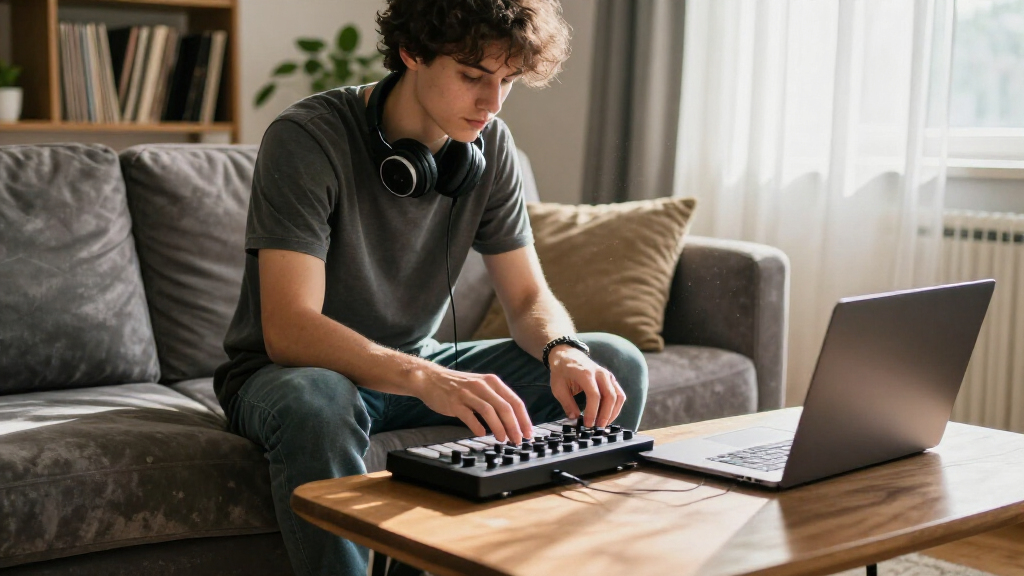
I ranked these compact MIDI pad controllers by how usefully they combine a small footprint with practical control. I weighed pad response and layout, the presence of extra controls such as knobs or keys, connection options, portability, and how clearly each controller suits a particular workflow. I also separated general-purpose MIDI input from more specialized uses such as Ableton grid control or standalone sample triggering.
The ranking favors versatility and a clear role over the largest feature list. A controller that suits a common workflow and gives buyers useful control in a compact space ranks ahead of one that depends on a narrower use case. Wireless operation, added keys, and specialized functions can be valuable, but they do not automatically make a product a better fit for every setup; each option also has tradeoffs in flexibility, setup, or intended use.
Factors to Consider When Choosing Compact MIDI Pad Controllers
Before choosing a compact controller, I would match its layout to the way I make music rather than count pads alone. These broader checks can help prevent a small device from becoming an awkward fit once it is connected to a DAW or used away from a desk.
Match the Layout to Your Main Workflow
Start with the task you want to control most often: finger drumming, launching clips, triggering samples, or entering notes. A grid layout can make clip launching feel direct, while pads paired with knobs give you more immediate access to parameter changes. A controller built around sample playback may not offer the same flexibility as a general MIDI pad surface. Common mistake: buying by pad count alone, then finding that the physical arrangement does not match your software. I would prioritize a layout that reduces menu changes during the task I do most.
Check Software Support Before Buying
MIDI compatibility does not guarantee that every button and control will map automatically in your chosen DAW. Look for the controller’s supported modes, mapping tools, and any software-specific integration you expect to use. A device with a clear fit for one program may be easier to set up than a more flexible controller that needs custom assignments. If you switch between applications, check whether mappings can be saved or recalled without repeating the setup. That small compatibility check can matter more than an extra row of pads.
Think Beyond Desk Footprint
Compact dimensions help only if the controller remains comfortable to play and easy to connect. Check how much space your hands need, whether the device can sit securely on your desk, and how its cable exits relative to nearby equipment. For a mobile rig, account for the cable, computer or tablet, and any required adapter rather than judging portability by the controller alone. Wireless models can cut cable clutter, but they also make compatibility and power arrangements part of the decision. A slightly larger unit may be the better compact choice if it keeps controls accessible.
Choose Pad Feel for the Way You Play
Velocity sensitivity matters when you want softer and harder hits to produce different MIDI values, but it is less central for actions such as launching a clip or firing a fixed sample. Consider whether you need expressive dynamics, consistent triggering, or both. Pad spacing and surface size also affect playability, especially when using several fingers at once. A dense layout saves room but may feel cramped during fast patterns. If possible, compare the physical arrangement with your typical playing technique before placing too much weight on a feature list.
Decide Whether Extra Controls Earn Their Space
Knobs, faders, keys, and transport controls can reduce reliance on a mouse, but each addition takes space and may bring more mapping work. Extra controls are worthwhile when they serve tasks you perform repeatedly, such as changing a filter or adjusting a mix. If you mainly trigger drum sounds, a simpler pad-focused device may be faster to use and easier to carry. Buyers sometimes pay for added controls that remain unmapped after setup. I would choose the smallest layout that covers the actions I genuinely expect to use.
Factor in Setup and Future Flexibility
A controller that is quick to connect today may still feel limiting if your workflow changes. Consider whether it can send the MIDI messages your software needs, whether its mappings can be edited, and whether it can work across more than one setup. Specialized devices can be an efficient fit when their purpose matches yours, but they may leave fewer options for other tasks. Broader control surfaces offer flexibility, though they can take longer to configure. Paying for adaptability makes the most sense when you expect to change software or use cases; otherwise, a focused controller can be the simpler choice.
Frequently Asked Questions
Which compact MIDI pad controller should I choose for Ableton Live?
I would start by deciding whether you mainly launch clips or play notes and drum parts. The APC Mini MK2 is the more workflow-specific option in this lineup for Ableton Live control, while the Launchpad Mini MK3 is a strong alternative for grid-based interaction. Check the control layout and software support against the version and features you use. If you want knobs or a keyboard as part of the same compact setup, compare those needs separately rather than assuming a grid controller covers them.
Is a wireless MIDI pad controller a better choice for a mobile setup?
Wireless can reduce cable clutter, but it is not automatically the easiest mobile option. Confirm that the controller supports your computer or mobile device and that the connection method fits your music software. You may still need adapters, charging, or a wired connection in some situations. For a setup where dependable plug-in operation matters most, USB models can be simpler; for a cable-light rig, a wireless model may suit you if its compatibility matches your devices.
Do I need velocity-sensitive pads for beat making?
Velocity sensitivity is useful when you want repeated hits to vary in loudness or trigger different sample layers. It matters less if you use pads mainly to launch clips, trigger fixed sounds, or send simple commands. Also check whether your software responds to velocity the way you expect; the feature only helps when the instrument or mapping uses that information. If expressive drum performance is central to your work, treat pad response and spacing as important buying factors, not just the presence of velocity sensitivity.
Should I choose a pad-only controller or one with a keyboard?
A pad-only controller usually dedicates more of its surface to pads or performance controls, which can suit finger drumming and clip launching. A compact keyboard-and-pad model such as the Arturia MiniLab 3 can cover note entry and basic pad control in one device, reducing the number of items on a desk. The tradeoff is that neither control type may be as spacious as on a dedicated unit. Choose based on which task you perform more often, and check whether the combined layout leaves the controls you use most within easy reach.
Can an Akai MPX8 replace a general-purpose MIDI pad controller?
The MPX8 is a more specialized choice because its emphasis is triggering samples, so it may fit a task-focused playback setup better than a broad control surface. A general-purpose controller is usually a safer match if you want to map pads across different software tasks or use additional hands-on controls. Before treating the MPX8 as a full replacement, check how its workflow handles your intended MIDI assignments and whether it supports the way you perform. Buyers who only need reliable sample triggering may prefer its focused role; those seeking wider control should compare it with options such as the MPD218 or LPD8.
Conclusion
For the best all-around fit in this roundup, I would choose the Novation Launchpad Mini MK3 if grid-based control is central to the setup; the Akai APC Mini MK2 is the stronger pick for buyers focused on Ableton Live. For value-oriented simplicity and a compact pad-and-knob layout, the Akai LPD8 is a sensible shortlist option. Beginners should favor a controller whose layout fits their software and main task, with the Arturia MiniLab 3 making sense when keys are useful too. For specific needs, I would look at the MPX8 for sample triggering, the BEEONE or Umelody wireless models for cable-light setups, and the MPD218 when expressive pad input is the priority. Pick the one that matches your actual workflow first; extra controls only help when you will use them.