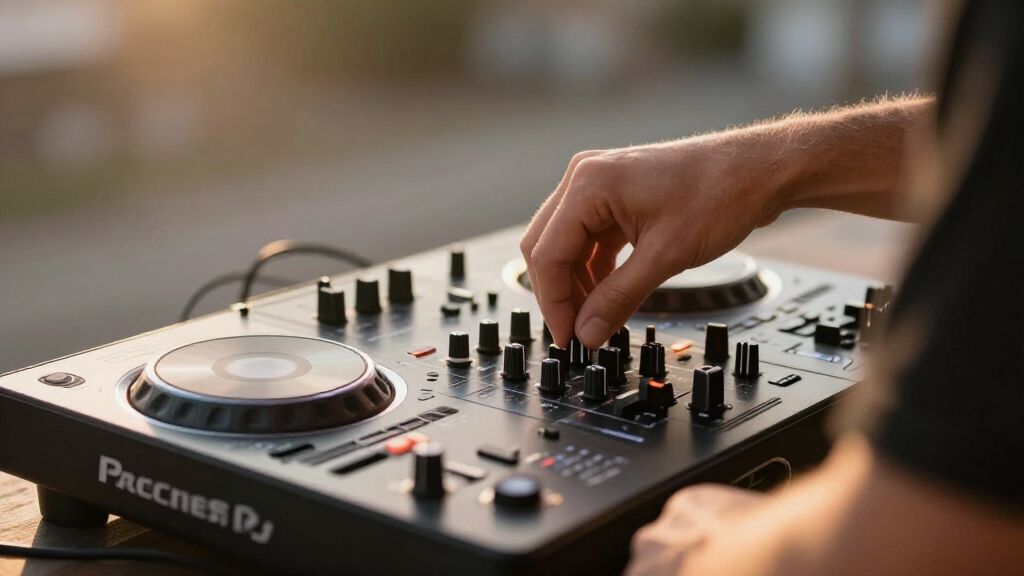

Choosing among DJ controllers for beginners comes down to three tradeoffs: software ecosystem (Serato vs. rekordbox vs. standalone), build quality versus price, and whether you want a learning tool or something you’ll keep using as you improve. The Pioneer DJ DDJ-FLX4 stands out as the best overall pick because it mirrors the layout of professional club gear, works with both Serato and rekordbox, and grows with you well past the beginner stage. If budget is the deciding factor, the Hercules DJControl Inpulse 200 MK3 packs genuinely useful coaching features into one of the smallest price tags in the category, while the Numark Mixstream Pro Go justifies its premium cost by working completely standalone — no laptop required. Cheaper models like the Party Mix line trade jog wheel size and pad quality for lights and portability, so knowing your priorities matters before you buy. Keep reading for the full breakdown of all 13 controllers and which one fits your situation.
Complete the kit


Key Takeaways
- The DDJ-FLX4 and DDJ-FLX2 dominated the top of the comparison because their layout, pad quality, and dual-software support mean beginners won’t outgrow them within a year — the cheapest controllers in the lineup largely can’t say the same.
- Hercules consistently wins on built-in learning tools: the Inpulse 500 and Inpulse 200 MK3 include light-guided beat matching and DJ Academy integration that Pioneer and Roland simply don’t offer.
- The Numark Mixstream Pro Go is the only truly standalone option — its built-in streaming, WiFi, and battery make it the pick for learners who don’t want to manage a laptop, but that convenience carries a premium.
- Several entries are bundles or variants rather than distinct products (the white FLX4, the Roland DJ-202 bundle, the DJLearning Kit), and bundles only make sense when the included speakers and headphones are ones you’d actually buy separately.
- Sub-$130 controllers like the Party Mix II/III and Starlight all share the same weaknesses — small jog wheels, limited pad count, and short upgrade paths — so they’re best treated as test-the-waters purchases, not long-term gear.
| Numark Mixstream Pro Go Portable DJ Controller |  | Best Standalone Pick | Decks: 2 | Jog Wheels: 6 inches | Touchscreen: 7-inch HD with adjustable brightness | VIEW LATEST PRICE | See Our Full Breakdown |
| Hercules DJControl Inpulse 500 2-Deck DJ Controller |  | Best Value for Serious Learners | Decks: 2 | Connection: USB | Audio Interface: Built-in | VIEW LATEST PRICE | See Our Full Breakdown |
| Pioneer DJ DDJ-FLX4 2-Channel DJ Controller |  | Best Overall | Channels: 2 | Decks: 2 | Performance Pads: 16 | VIEW LATEST PRICE | See Our Full Breakdown |
| Pioneer DJ DDJ-FLX4 2-Channel DJ Controller, White |  | Best Overall, Style Pick | Channels: 2 | Decks: 2 | Performance Pads: 16 | VIEW LATEST PRICE | See Our Full Breakdown |
| Hercules DJLearning Kit MK II – Beginner DJ Controller Set |  | Best Complete Starter Bundle | Controller: DJControl Inpulse 200 MK2 (2-channel) | Speakers: DJMonitor 32 | Headphones: HDP DJ45 | VIEW LATEST PRICE | See Our Full Breakdown |
| Hercules DJControl Inpulse 200 MK3 |  | Best for Learning Beatmatching | Decks: 2 | Software: Serato DJ Lite and DJUCED with DJ Academy tutorials | Pads: 8 per controller (4 modes: Hot Cue, Stems, FX, Sampler) | VIEW LATEST PRICE | See Our Full Breakdown |
| Hercules DJControl Starlight |  | Best Ultra-Portable Pick | Channels: 2 | Connectivity: USB | Output: RCA main output with headphone cueing | VIEW LATEST PRICE | See Our Full Breakdown |
| Numark MixTrack Go |  | Best for Phone and Tablet DJing | Decks: 2 with capacitive touch jog wheels | Connectivity: Bluetooth MIDI plus USB-C power/data | Pads: 8 backlit per deck (Hot Cues, Loops, Samples, Stems) | VIEW LATEST PRICE | See Our Full Breakdown |
| Numark Party Mix II |  | Best Budget Party Starter | Decks: 2 | Connectivity: USB Type B, plug and play (Mac and Windows) | Outputs: 1/8-inch main output and headphone output | VIEW LATEST PRICE | See Our Full Breakdown |
| Roland DJ-202 DJ Controller Bundle |  | Best for Scratching and Beat Making | Configuration: 2-channel, 4-deck | Software: Serato DJ Lite | Platters: Large low-latency, optimized for scratching | VIEW LATEST PRICE | See Our Full Breakdown |
| AlphaTheta Pioneer DJ DDJ-FLX2 2-Channel DJ Controller with Smart Fader |  | Best for Streaming-First Beginners | Channels: 2 | Connectivity: Bluetooth, USB-C | Power: USB-C bus power (phone, tablet, PC/Mac) | VIEW LATEST PRICE | See Our Full Breakdown |
| Pioneer DJ DDJ-REV1 2-Deck Serato DJ Controller, Black |  | Best for Scratch and Hip-Hop Beginners | Channels: 2 | Software: Serato DJ Lite (included) | Connectivity: Auxiliary, USB | VIEW LATEST PRICE | See Our Full Breakdown |
| Numark Party Mix III Bluetooth DJ Controller with Built-in Lights |  | Best Party-Starter Value | Decks: 2 | Connectivity: USB-C, Bluetooth MIDI | Power: USB-C bus power (laptop, tablet, smartphone, or power bank) | VIEW LATEST PRICE | See Our Full Breakdown |
| DJ controllers for beginner | Connectivity | Decks | Software |
|---|---|---|---|
| Numark Mixstream Pro Go Portab | Wi-Fi, Bluetooth audio in | 2 | Engine DJ OS, Serato DJ, Virtual DJ |
| Hercules DJControl Inpulse 500 | — | 2 | — |
| Pioneer DJ DDJ-FLX4 2-Channel | USB, Bluetooth | 2 | — |
| Pioneer DJ DDJ-FLX4 2-Channel | USB, Bluetooth | 2 | — |
| Hercules DJLearning Kit MK II | — | — | — |
| Hercules DJControl Inpulse 200 | USB with built-in sound card (master + headphone outputs) | 2 | Serato DJ Lite and DJUCED with DJ Academy tutorials |
| Hercules DJControl Starlight | USB | — | — |
| Numark MixTrack Go | Bluetooth MIDI plus USB-C power/data | 2 with capacitive touch jog wheels | Serato DJ Lite and Algoriddim djay included; supports Serato DJ Pro and VirtualDJ |
| Numark Party Mix II | USB Type B, plug and play (Mac and Windows) | 2 | Serato DJ Lite (included) |
| Roland DJ-202 DJ Controller Bu | — | — | Serato DJ Lite |
| AlphaTheta Pioneer DJ DDJ-FLX2 | Bluetooth, USB-C | — | — |
| Pioneer DJ DDJ-REV1 2-Deck Ser | Auxiliary, USB | — | Serato DJ Lite (included) |
| Numark Party Mix III Bluetooth | USB-C, Bluetooth MIDI | 2 | Serato DJ Lite, Algoriddim djay |
More Details on Our Top Picks
Numark Mixstream Pro Go Portable DJ Controller
Numark’s Mixstream Pro Go is the only controller in this lineup that works with no laptop at all, and that changes the entire learning experience. The 7-inch touchscreen, Wi-Fi streaming, and onboard speakers mean a beginner can be mixing tracks within minutes of unboxing. Compared with the Pioneer DJ DDJ-FLX4, which still needs a phone or computer attached, this model feels closer to a self-contained instrument than a peripheral. The built-in battery and onboard Stems — for isolating vocals, bass, and drums — give it room to grow well beyond novice level. The tradeoff is complexity and weight: it costs and carries more than laptop-tethered rivals, and Stems requires a separate license purchase. Streaming also depends on paid subscriptions.
Pros:- Fully standalone operation with built-in rechargeable battery
- Onboard speakers and touchscreen remove the need for extra gear
- Streaming from TIDAL, Beatport, Apple Music and more via Wi-Fi
- Balanced XLR outputs and mic input for real gigging
Cons:- Stems functionality requires a one-time license purchase
- Streaming services need their own paid subscriptions
- Heavier and pricier than basic laptop controllers like the Hercules Inpulse 500
Best for: Beginners who want a laptop-free, all-in-one setup they can carry to parties and practice anywhere
Not ideal for: Buyers on a tight budget or those who already DJ from a laptop — the standalone features add cost they won’t use
- Decks:2
- Jog Wheels:6 inches
- Touchscreen:7-inch HD with adjustable brightness
- Connectivity:Wi-Fi, Bluetooth audio in
- Outputs:Balanced XLR, RCA main outs, mic in, dual headphone outs
- Power:12V/3.0A supply with built-in rechargeable battery
- Software:Engine DJ OS, Serato DJ, Virtual DJ
Our verdict“Buy this if you want to learn DJing without ever opening a laptop; skip it if you’re happy mixing from a computer you already own.”
Hercules DJControl Inpulse 500 2-Deck DJ Controller
The Hercules Inpulse 500 punches above its bracket with hardware usually reserved for pricier units: a built-in audio interface, a hardware input mixer, and 16 RGB pads. Compared with the Pioneer DJ DDJ-FLX4, the Hercules trades away Pioneer’s Smart Fader hand-holding in favor of a more traditional workflow — which actually helps beginners build genuine beatmatching skills rather than relying on automation. The large touch-detecting jog wheels make scratching practice satisfying, and the retractable feet are a small but clever touch that lifts the electronics above spill-zone height. The main drawback is software lock-in: it’s built around Serato and DJUCED, so DJs who want rekordbox or Virtual DJ should look elsewhere.
Pros:- Built-in audio interface and hardware input mixer
- 16 backlit RGB pads across multiple performance modes
- Large touch-sensitive jog wheels suited to scratching
- Retractable feet protect against spilled drinks
Cons:- Limited software compatibility outside Serato and DJUCED
- No laptop-free or streaming-first workflow like the Numark Mixstream Pro Go
Best for: Budget-conscious beginners who want to learn manual DJ skills on hardware that feels more premium than its price suggests
Not ideal for: DJs planning to standardize on rekordbox or Virtual DJ — the controller is built around Serato and DJUCED
- Decks:2
- Connection:USB
- Audio Interface:Built-in
- Pads:16 backlit RGB pads
- Jog Wheels:Large, touch-detecting
- Features:Vinyl function, loop controls, Filter/FX area, retractable feet
- Compatible Software:Serato DJ, DJUCED
Our verdict“The strongest choice for learners who want real skills, real jog wheels, and pro-style hardware without paying Pioneer prices.”
Pioneer DJ DDJ-FLX4 2-Channel DJ Controller
The DDJ-FLX4 earns the top spot because it removes nearly every friction point a beginner faces. Its layout is inherited from Pioneer’s pro CDJ gear, so skills learned here transfer directly to club equipment — something no Hercules model in this roundup can claim. Smart Fader automatically balances volume, bass, and BPM so complete novices can produce clean transitions on day one, and the controller works across PC, Mac, iOS, and Android with streaming built in. Compared with the Numark Mixstream Pro Go, you give up standalone operation and speakers, but gain a lighter, cheaper, more software-flexible platform. The honest tradeoff: two channels cap long-term growth, and leaning on Smart Fader can delay learning manual beatmatching.
Pros:- Layout inherited from professional Pioneer DJ hardware
- Smart Fader enables smooth mixes before beatmatching skills develop
- Works with PC, Mac, iPhone, iPad, and Android
- Built-in sound card with streaming and live-stream support
Cons:- Only 2 channels limits advanced setups
- Smart Fader reliance can slow development of manual skills
Best for: First-time DJs who want the smoothest on-ramp with a layout that prepares them for professional Pioneer gear
Not ideal for: DJs who want to grow into advanced multi-channel setups or work without any laptop or phone attached
- Channels:2
- Decks:2
- Performance Pads:16
- Connectivity:USB, Bluetooth
- Compatible Devices:PC, Mac, iPhone, iPad, Android
- Built-in Sound Card:Yes
- Streaming Services:Apple Music, Tidal, Beatport
Our verdict“The safest first controller for most beginners — accessible now, credible later, and carried by the Pioneer ecosystem.”
Pioneer DJ DDJ-FLX4 2-Channel DJ Controller, White
Functionally, the white DDJ-FLX4 is the same award-worthy beginner controller as the graphite version — same Smart Fader automation, same 16 performance pads, same cross-platform support for rekordbox, Serato DJ Pro, and DJay. What sets it apart is aesthetic: the white finish photographs beautifully for bedroom streamers and content creators, where the standard DDJ-FLX4 in graphite can disappear into a dark desk setup. Its broad software compatibility actually beats the Hercules Inpulse 500, which is locked to Serato and DJUCED. The tradeoffs are practical rather than performance-based — light-colored surfaces show scuffs and grime faster — and Bluetooth audio brings slight latency that USB avoids.
Pros:- Same pro-inherited layout and Smart Fader as the graphite FLX4
- Supports rekordbox, Serato DJ Pro, and DJay
- Works across PC, Mac, iOS, and Android
- Built-in sound card with headphone monitoring and mic mixing
Cons:- White finish shows scuffs and dirt more readily
- Bluetooth connection adds latency versus USB
- Only 2 channels limits advanced growth
Best for: Beginners who stream or create content and want their setup to look as polished as it performs
Not ideal for: Rough-and-tumble mobile DJs — the white finish shows wear, and 2 channels caps long-term expansion
- Channels:2
- Decks:2
- Performance Pads:16
- Connectivity:USB, Bluetooth
- Compatible Devices:PC, Mac, iPhone, iPad, Android
- Supported Software:rekordbox, Serato DJ Pro, DJay
- Built-in Sound Card:Yes
- Color:White
Our verdict“Choose this over the graphite FLX4 only if looks matter to your setup; otherwise they’re the same excellent beginner controller.”
Hercules DJLearning Kit MK II – Beginner DJ Controller Set
Every other pick in this roundup assumes you already own headphones and speakers — the DJLearning Kit MK II doesn’t. Pairing the Inpulse 200 MK2 controller with DJMonitor 32 speakers and HDP DJ45 headphones, it’s the only truly plug-and-play path from box to first mix. The Beatmatch Guide LEDs sit right on the controller and walk beginners through tempo alignment, a teaching feature even the pricier Pioneer DDJ-FLX4 lacks. Compared with the standalone Hercules Inpulse 500, the included controller here is a step down in build and features, so you’re trading upgrade headroom for completeness. Expect to outgrow this setup within a year or two of serious practice — that’s the cost of buying everything at once at this level.
Pros:- Includes controller, speakers, and headphones — nothing else to buy
- Beatmatch Guide LEDs teach tempo matching directly on the hardware
- Both Serato DJ Lite and DJUCED software included
- Compact and portable for bedroom practice and streaming
Cons:- Controller will be outgrown as skills advance
- Only 2 decks/channels limits complex mixing
- PC-focused compatibility may frustrate Mac users
Best for: Total beginners who own no audio gear and want everything needed to start mixing in a single box
Not ideal for: Anyone who already owns headphones or monitors, or intermediate DJs who will quickly outgrow the 2-channel controller
- Controller:DJControl Inpulse 200 MK2 (2-channel)
- Speakers:DJMonitor 32
- Headphones:HDP DJ45
- Included Software:Serato DJ Lite, DJUCED
- Compatibility:PC
- Weight:14.3 pounds
- Dimensions:20.87 x 14.44 x 10.83 inches
Our verdict“The easiest and cheapest way to go from zero to mixing in one purchase — just plan to upgrade the controller eventually.”
Hercules DJControl Inpulse 200 MK3
The Inpulse 200 MK3 stands out for a feature no other entry here matches: Beatmatch Guide LEDs built right into the hardware that show you exactly where to move the tempo fader and which way to nudge the jog wheel. That turns beatmatching — the skill beginners struggle with most — into something you learn by doing instead of guessing. Compared with the Numark Party Mix II, which shares the beginner-first ethos, the Hercules adds dedicated Stems controls and an Intelligent Music Assistant that suggests tracks by BPM and energy, so your sets flow without deep library knowledge. The bundled DJ Academy tutorials mean you can go from unboxing to a real mix the same evening. The tradeoff is that the lightweight build feels less rugged than the Roland DJ-202, and the compact layout cramps larger hands during long sessions.
Pros:- Beatmatch Guide LEDs teach tempo and jog correction directly on the hardware
- Dedicated stems controls for live vocal/instrumental isolation and mashups
- Streams from Spotify, TIDAL, Beatport, SoundCloud GO+ and more without extra gear
- Built-in virtual sound card for direct live streaming to any platform
Cons:- Lightweight plastic construction won’t survive rough transport the way larger units do
- Compact control spacing is tight for extended practice sessions
- 2-band EQ per channel limits tonal shaping as your mixing skills grow
Best for: Complete beginners who want guided, on-hardware help actually learning to beatmatch rather than relying purely on sync
Not ideal for: DJs with bigger hands or those wanting scratch-focused platters — the small jogs and light build won’t suit turntablist practice
- Decks:2
- Software:Serato DJ Lite and DJUCED with DJ Academy tutorials
- Pads:8 per controller (4 modes: Hot Cue, Stems, FX, Sampler)
- EQ:2-band per channel with filter
- Learning Tools:Beatmatch Guide LEDs, tempo guide, Intelligent Music Assistant
- Connectivity:USB with built-in sound card (master + headphone outputs)
- Streaming:Spotify, Apple Music, Beatport, SoundCloud GO+, TIDAL, Beatsource
Our verdict“If your goal is genuinely learning to DJ rather than just pressing sync, this is the most instructive controller in the lineup.”
Hercules DJControl Starlight
At 1.1 pounds, the Starlight is the lightest controller in this roundup by a wide margin — the Party Mix II is over half a pound heavier, and the Roland DJ-202 weighs four times as much. This model makes the most sense for buyers whose priority is grabbing a controller, a laptop, and a backpack on the way out the door. The built-in sound card handles headphone cueing and RCA speaker output, so there’s nothing extra to buy, and the pressure-sensitive jog wheels give the pads and pitch bends a genuinely playable feel for something this small. The signature RGB and strobe light show synced to your mix is fun at house parties, though it’s cosmetic rather than functional. Be realistic about the ceiling here: the slim control set runs out of room quickly, and anyone who has touched the Inpulse 200 MK3 will notice the missing learning guides and stems.
Pros:- Featherweight 1.1-pound body slips into any backpack
- Built-in sound card with true headphone pre-listening and RCA main output
- Pressure-sensitive jog wheels feel surprisingly playable for the size
- Beat-synced RGB and strobe lighting adds atmosphere at small gatherings
Cons:- Very limited control surface with no dedicated stems or learning guides
- Entry-level feature set is quickly outgrown as skills improve
- Light show adds nothing functional and can feel gimmicky
Best for: Students, travelers, and casual party DJs who want the smallest possible kit that still supports proper headphone cueing
Not ideal for: Anyone planning to develop scratch technique or advanced routines — the tiny jogs and minimal pad count will hold you back within months
- Channels:2
- Connectivity:USB
- Output:RCA main output with headphone cueing
- Jog Wheels:Pressure-sensitive
- Weight:1.1 pounds
- Included Software:Serato DJ Lite
- Special Features:RGB and strobe base lighting synced to the mix
Our verdict“The Starlight wins on portability alone, but treat it as a starter or travel board rather than a long-term instrument.”
Numark MixTrack Go
Most controllers here assume a laptop; the MixTrack Go is built around the idea that your phone might be the computer. Its Bluetooth MIDI connectivity pairs cable-free with Algoriddim djay on iOS and Android, and a single USB-C connection can power it from a tablet, power bank, or laptop — a flexibility no other pick in this batch offers. Where the Hercules Starlight ties you to a USB laptop chain, the MixTrack Go lets you DJ from a coffee table or picnic blanket. The feature set punches upward too: eight backlit pads per deck with real-time stems control, plus dedicated filter knobs per channel, which is more hands-on control than the Party Mix II provides. The downsides are the small-diameter jog wheels that limit scratch precision, and the 1/8-inch outputs mean you’ll want adapters for larger speaker setups.
Pros:- Bluetooth MIDI works cable-free with Algoriddim djay on iOS and Android
- Single USB-C power from laptops, tablets, or power banks for true mobile use
- Eight performance pads per deck with real-time stems isolation
- Dedicated filter knobs and channel gain in a standardized mixer layout
Cons:- Compact jog wheels lack the size and precision for serious scratching
- 1/8-inch main and headphone outputs require adapters for pro audio gear
- Mobile-app workflow depends on device compatibility and battery life
Best for: Mobile-first beginners who want to DJ from a phone or tablet using djay, or anyone who values cable-free setup flexibility
Not ideal for: Laptop-based beginners aiming at club-style mixing — the small jogs and mini-jack outputs make it feel like a mobile accessory rather than a studio hub
- Decks:2 with capacitive touch jog wheels
- Connectivity:Bluetooth MIDI plus USB-C power/data
- Pads:8 backlit per deck (Hot Cues, Loops, Samples, Stems)
- Software:Serato DJ Lite and Algoriddim djay included; supports Serato DJ Pro and VirtualDJ
- Audio:Built-in sound card with 1/8-inch main and headphone outputs
- Mixer:Per-channel filter knobs, channel gain, master volume, crossfader
- In the Box:USB-C cable, software card, device stand, 1/8-inch to RCA adapter
Our verdict“This is the pick if your DJ setup lives on a phone or tablet — just don’t expect it to double as a full studio controller.”
Numark Party Mix II
The Party Mix II earns its spot by nailing the basics at the friendliest entry point: plug-and-play USB setup, touch jog wheels, pitch sliders, filter knobs, and performance pads with FX, all working out of the box with Serato DJ Lite. Its signature trick is the beat-synced RGB LED light show that fills a dorm room or backyard with color — compared with the Starlight’s base-mounted lighting, the Party Mix II’s array is brighter and more room-filling, which matters if the controller will double as party décor. Streaming support across Spotify, Apple Music, TIDAL, SoundCloud and Beatport means you don’t need to build a music library before your first mix. Compared with the MixTrack Go, you lose stems control and Bluetooth, but gain a slightly roomier layout. The all-plastic build and 2-band EQ are the honest tradeoffs at this tier.
Pros:- Genuinely plug-and-play setup with Serato DJ Lite on Mac and Windows
- Bright beat-synced RGB light show that transforms small venues
- Compact 1.76-pound body with touch jog wheels and pitch sliders
- Streams from Spotify, Apple Music, TIDAL, SoundCloud and Beatport Link
Cons:- Plastic construction feels less durable than metal-framed alternatives
- Basic 2-band EQ and limited controls cap how far your mixing can develop
- No stems or advanced performance features found on newer rivals
Best for: Casual hosts and first-time DJs who want an easy, fun setup for house parties without investing in serious gear
Not ideal for: Aspiring club or scratch DJs — the basic EQ, plastic construction, and party-first lighting won’t support long-term technical growth
- Decks:2
- Connectivity:USB Type B, plug and play (Mac and Windows)
- Outputs:1/8-inch main output and headphone output
- Software:Serato DJ Lite (included)
- Streaming:Apple Music, TIDAL, Spotify, Beatport Link, SoundCloud GO, Beatsource Link
- Weight:1.76 pounds
- Dimensions:7.83 x 12.82 x 2.04 inches
- Lighting:Built-in beat-synced RGB LED show
Our verdict“For pure fun-per-dollar at house parties, this is the easy choice — but serious skill-building is better served by the Inpulse 200 MK3.”
Roland DJ-202 DJ Controller Bundle
The DJ-202 is the only controller in this batch that takes turntablism and production seriously. Its large low-latency platters are sized for scratching and beat juggling in a way the tiny jogs on the Starlight or MixTrack Go simply can’t replicate, and it manages two channels across four decks in Serato. The standout difference is onboard Roland TR-series drum kits — 909, 808, 707, and 606 sounds powered by ACB modeling — plus a built-in sequencer, so you can construct beats live instead of just blending finished tracks. That makes it better suited to hip-hop and electronic producers who want a controller that doubles as an instrument. The Austin Bazaar bundle softens the starter burden with a case, headphones, and polishing cloth. Tradeoffs: at 4.63 pounds it’s the least portable here, and Serato DJ Lite’s limited feature set gates some advanced tools behind a paid upgrade.
Pros:- Large low-latency platters genuinely suited to scratching and beat juggling
- Built-in TR-909, 808, 707 and 606 drum kits with ACB modeling
- Onboard sequencer enables live beat creation, not just track blending
- Bundle includes protective case and monitoring headphones
Cons:- Heaviest and bulkiest option here at 4.63 pounds, hurting portability
- Serato DJ Lite limits features that a production workflow will eventually demand
- Steeper learning curve than guided models like the Inpulse 200 MK3
Best for: Beginners drawn to hip-hop, scratching, and beat production who want platters big enough to learn real technique on
Not ideal for: Travel-focused or casual party DJs — at nearly five pounds with a production-heavy workflow, it’s overkill for backpack mixing
- Configuration:2-channel, 4-deck
- Software:Serato DJ Lite
- Platters:Large low-latency, optimized for scratching
- Drum Kits:TR-909, TR-808, TR-707, TR-606 (ACB technology)
- Sequencer:Onboard, for real-time beat creation
- Weight:4.63 pounds
- Dimensions:11.69 x 18.82 x 2.44 inches
- Bundle Includes:Protective case, headphones, polishing cloth
Our verdict“If scratching and making your own beats are part of the plan, this bundle justifies its extra weight where pure-mixing controllers fall short.”
AlphaTheta Pioneer DJ DDJ-FLX2 2-Channel DJ Controller with Smart Fader
The DDJ-FLX2 stands out for how little it asks of a first-time DJ. Its Smart Fader automatically balances volume, BPM, and bass levels, which means someone who has never learned beatmatching can still pull off transitions that sound intentional. Where the Pioneer DJ DDJ-FLX4 assumes you’ll eventually do the mixing work yourself, the FLX2 leans into assistance as a feature, not a shortcut. Its other big differentiator is direct streaming from Apple Music, Spotify, and Tidal — a beginner without a curated local library can start mixing within minutes of unboxing. USB-C bus power from a phone or tablet makes it a genuinely portable practice tool. The tradeoff is longevity: only 2 channels and a consumer-grade 3.5 mm output mean this is a learning device you’ll likely outgrow, not a controller you’ll gig with.
Pros:- Smart Fader automates volume, BPM, and bass matching for smooth beginner transitions
- Streams from Apple Music, Spotify, and Tidal so no purchased music library is needed
- USB-C bus power works from a phone, tablet, or laptop with no power brick
- Lightweight and compact enough to practice anywhere
Cons:- Only 2 channels limits advanced setups and long-term growth
- 3.5 mm output falls short of professional XLR or RCA audio quality
Best for: Complete beginners who stream their music and want automated help making clean transitions from day one
Not ideal for: DJs who want a controller to grow into — the 2-channel limit and 3.5 mm output cap its ceiling
- Channels:2
- Connectivity:Bluetooth, USB-C
- Power:USB-C bus power (phone, tablet, PC/Mac)
- Compatible Apps:rekordbox, djay, Serato DJ Lite
- Streaming Services:Apple Music, Spotify, Tidal
- Outputs:3.5 mm external speaker output, headphone cue
- Portability:Lightweight, compact design
Our verdict“If your music lives in a streaming app and you want automated transitions while you learn, the DDJ-FLX2 removes nearly every barrier to starting.”
Pioneer DJ DDJ-REV1 2-Deck Serato DJ Controller, Black
Most beginner controllers, like the Pioneer DJ DDJ-FLX4, arrange pitch faders along the top edge for blend-style mixing. The DDJ-REV1 takes the opposite approach with a battle-style layout that mirrors a professional DJM-S mixer and PLX turntable rig — jog wheels placed front and center, long pitch faders running vertically. That geometry matters if your goal is scratching and open-format sets, because it puts the platters where your hands naturally fall. Compared with the Hercules DJControl Starlight, which is smaller and more casual, the REV1 feels closer to the gear you’d actually use in a club. It ships with free Serato DJ Lite, so the software hurdle is zero. The compromise: this layout is specialized. House and EDM DJs may find the reversed configuration awkward, and experienced DJs will bump against its entry-level feature ceiling quickly.
Pros:- Battle-style layout mirrors professional DJM-S and PLX turntable setups
- Tall pitch faders make precise tempo adjustments and scratch techniques easier
- Free Serato DJ Lite included for immediate out-of-box use
- Compact and affordable as a first serious controller
Cons:- Entry-level feature set that experienced DJs will outgrow
- Locked into the Serato ecosystem with a 2-deck limit
Best for: Hip-hop, scratch, and open-format beginners who want to learn on a layout that matches pro battle gear
Not ideal for: Blend-focused house or EDM beginners — the battle layout works against traditional top-edge mixing
- Channels:2
- Software:Serato DJ Lite (included)
- Connectivity:Auxiliary, USB
- Compatible Devices:PC/Mac
- USB Ports:1
- Dimensions:10.6″ D x 20.7″ W x 2.33″ H
- Weight:5 pounds
- Color:Black
Our verdict“The DDJ-REV1 is the right first controller only if scratching is your endgame — its layout is a feature, not a quirk.”
Numark Party Mix III Bluetooth DJ Controller with Built-in Lights
The Party Mix III makes the list because it understands that many beginners want to be the life of a party before they’ve mastered anything technical. Its built-in, beat-synced LED light show turns a bedroom setup into something that feels like an event, and unlike the Numark Party Mix II, this version adds Bluetooth MIDI so you can DJ wirelessly from a phone or tablet via djay. It also includes real-time Stems control — a feature normally found on pricier gear — letting a beginner strip vocals or drums live, plus eight backlit performance pads per deck. Compared with the AlphaTheta DDJ-FLX2, it offers more hands-on creative tools at the cost of the FLX2’s polished Smart Fader automation. The compromises are real, though: build quality is lightweight consumer-grade, and RCA-only outputs mean it won’t slot into a proper sound system gracefully.
Pros:- Built-in beat-synced LED light show energizes rooms without extra gear
- Bluetooth MIDI enables wireless DJing from iOS and Android via djay
- Real-time Stems control isolates vocals, drums, and instruments on the fly
- Eight backlit performance pads per deck for cues, loops, and samples
Cons:- Lightweight construction feels less durable than premium controllers
- RCA and 1/8-inch outputs only — no professional connection options
Best for: Casual and first-time DJs who want to play parties with lights, stems tricks, and minimal setup
Not ideal for: Aspiring club DJs — the plastic build and consumer outputs won’t survive serious gigging
- Decks:2
- Connectivity:USB-C, Bluetooth MIDI
- Power:USB-C bus power (laptop, tablet, smartphone, or power bank)
- Software:Serato DJ Lite, Algoriddim djay
- Performance Pads:8 backlit pads per deck
- Lighting:Built-in beat-synced LED light show
- Outputs:RCA main output, 1/8-inch headphone output
- Special Features:Stems control, Beat Assist indicators, Smart Fader
Our verdict“For the beginner whose real goal is throwing memorable parties rather than mastering booth-grade technique, the Party Mix III delivers the most fun per dollar.”

How We Picked
My evaluation started with one question: does this controller help a beginner learn, and will they still want it six months later? That meant weighing software ecosystem and upgrade path above raw features. Controllers that work with Serato Lite or rekordbox in a layout resembling club-standard gear scored higher, because skills transfer directly when you step up. I also weighed learning aids — Hercules’ guided tempo and beatmatch lights, Pioneer’s Smart Fader on the FLX2, and Stem separation on newer Numark models all shorten the frustrating early phase.
From there, I judged build quality, jog wheel size, pad response, and portability against each controller’s likely buyer. A $100 controller with small platters is acceptable for a curious teen; the same design at $300 would not be. Finally, I factored in ecosystem lock-in and total cost of ownership — controllers that require paid software subscriptions or bundle mediocre accessories were marked down, while standalone and battery-powered options were credited for reducing the gear a beginner needs to buy at all. The ranking reflects the balance of these factors at each price point, not just feature counts.
| DJ controllers for beginner | Software |
|---|---|
| Numark Mixstream Pro Go Portab | Engine DJ OS, Serato DJ, Virtual DJ |
| Hercules DJControl Inpulse 500 | — |
| Pioneer DJ DDJ-FLX4 2-Channel | — |
| Pioneer DJ DDJ-FLX4 2-Channel | — |
| Hercules DJLearning Kit MK II | — |
| Hercules DJControl Inpulse 200 | Serato DJ Lite and DJUCED with DJ Academy tutorials |
| Hercules DJControl Starlight | — |
| Numark MixTrack Go | Serato DJ Lite and Algoriddim djay included; supports Serato DJ Pro and VirtualDJ |
| Numark Party Mix II | Serato DJ Lite (included) |
| Roland DJ-202 DJ Controller Bu | Serato DJ Lite |
| AlphaTheta Pioneer DJ DDJ-FLX2 | — |
| Pioneer DJ DDJ-REV1 2-Deck Ser | Serato DJ Lite (included) |
| Numark Party Mix III Bluetooth | Serato DJ Lite, Algoriddim djay |
Factors to Consider When Choosing DJ Controllers For Beginners
Before clicking buy on any of the 13 controllers above, it helps to understand the bigger decisions that shape your first year behind the decks. The wrong choice here doesn’t just waste money — it can slow down how fast you actually learn.Software Lock-In Is the Decision Most Beginners Skip
Every controller in this lineup is built around a specific DJ platform, and that choice shapes everything downstream. Pioneer’s controllers pair with rekordbox or Serato, Hercules leans on DJUCED or Serato Lite, and Numark’s standalone units run their own onboard software. The mistake I see most often is buying a controller for its hardware and ignoring the software, only to discover the platform doesn’t match what local venues or friends use. If your goal is playing out eventually, Serato and rekordbox are the two ecosystems worth learning because they dominate in clubs and at events. If your goal is bedroom fun and house parties, the ecosystem matters far less and cheaper options become more defensible. Also check whether the included software is the full version or a limited ‘Lite’ edition — upgrades often cost real money later.
The Real Cost Isn’t the Controller
Your first controller is only one line in the budget. You’ll also need headphones, ideally monitors or speakers, possibly a laptop stand, and in some cases a software license. This is why bundles like the Hercules DJLearning Kit and the Roland DJ-202 package exist — but be honest about whether the bundled extras are ones you’d buy on their own. A mediocre pair of bundled headphones can hold back your learning more than a slightly better controller would help it, because cueing and beatmatching live in your ears. My general advice: allocate roughly a third of your total budget to monitoring, even if that means choosing a cheaper deck. The Numark Mixstream Pro Go sidesteps part of this problem by handling playback internally, which is exactly why it earns its premium price for some buyers.
Jog Wheels and Pads: Where Cheap Controllers Cut Corners
The single biggest quality difference between a $100 and $300 beginner controller isn’t feature count — it’s the feel of the jog wheels and the response of the pads. Small, loose platters make scratch and pitch-bend techniques harder to learn and can teach bad habits with pressure. Performance pads with mushy response make hot cues and loops feel imprecise. If you’re serious about learning technique, prioritize a controller with full-size or near-full-size jogs like the FLX4, FLX2, or Inpulse 500, even if it means skipping the built-in light shows and Bluetooth extras. Light-up decks like the Party Mix line are fun and genuinely lower the intimidation factor, but understand what you’re trading: those lights cost money that otherwise would have gone into the platters and pads.
Standalone vs. Laptop: Know Your Learning Style
Beginners tend to assume DJing means a laptop, but the standalone route changes the entire experience. A controller like the Mixstream Pro Go loads tracks from streaming services and internal storage, so you practice without managing files, USB sticks, or a computer that could stutter mid-session. The tradeoff is cost and a less transferable skill set — club workflows still revolve around laptops and USB-prepared libraries. Laptop-based controllers are cheaper, more flexible, and teach the workflow you’d use professionally, but they add setup friction that kills spontaneous practice sessions. If you know you’re prone to abandoning hobbies that require setup effort, the standalone premium may actually protect your investment by keeping you practicing.
Don’t Pay Twice: The Upgrade-Path Trap
The most expensive mistake in beginner DJ gear is buying cheap twice. Entry controllers with two tiny channels, minimal pads, and Lite-only software often get replaced within months once the basics click, meaning you spend more overall than if you’d bought a mid-tier deck initially. Ask yourself honestly: is this a curiosity, or a commitment? If you’re genuinely unsure, a sub-$130 controller like the Inpulse 200 MK3 or Party Mix is a rational experiment. If you’ve already watched tutorials for weeks and know you’ll stick with it, starting at the FLX4 or Inpulse 500 level saves money in the long run because those decks stay useful for years. The REV1 sits in an interesting middle position — its scratch-oriented battle layout makes it the right ‘first upgrade-proof deck’ only for buyers drawn to that style.
Frequently Asked Questions
Is the Pioneer DDJ-FLX4 worth the extra money over the Hercules Inpulse 200 MK3?
For most beginners who plan to stick with DJing, yes. The FLX4’s larger jog wheels, better pad response, and dual compatibility with both Serato DJ Lite and rekordbox mean your muscle memory builds on the same layout you’d encounter on club-standard Pioneer gear. The Inpulse 200 MK3 counters with genuinely excellent teaching tools — its light-guided beatmatch system literally shows you which direction to push the tempo — so it’s the stronger choice if you learn best with hand-holding. The honest framing: the FLX4 is a deck you keep, while the Inpulse is a deck you learn on and likely replace. If the price gap matters to you, the Hercules won’t hold you back from learning the fundamentals correctly.
What’s the difference between the standard DDJ-FLX4 and the white version?
Functionally, nothing — the white DDJ-FLX4 is the same controller with the same 16 performance pads, channel layout, and software support, just in a different finish. The decision is purely aesthetic and practical: the white finish looks sharp in streaming setups and bedroom studios where the deck is visible, but it shows scuffs, dust, and fingerprints faster than the black model. If you’re planning to gig or transport the controller regularly, black hides travel wear noticeably better. Since the internals are identical, choose whichever fits your space and be confident you’re not sacrificing performance either way. One small note: matching accessories and cases are sometimes easier to find for the black version.
Do I need a laptop to learn DJing, or should I get a standalone controller?
It depends on how you’ll actually practice. Laptop-based controllers like the FLX4 or Inpulse 500 are cheaper per feature and teach the library-management workflow used by working DJs, but every session requires setup and a capable computer. The Numark Mixstream Pro Go eliminates the laptop entirely — you browse and load tracks on its touchscreen, stream from compatible services, and can run it on battery — which removes almost all friction from casual practice. The catch is price and skill transfer: standalone workflow doesn’t map one-to-one onto club setups. If your sessions tend to be short and spontaneous, standalone keeps you practicing; if you’re methodical and career-curious, learn with a laptop.
Are bundle deals like the Hercules DJLearning Kit a good way to start?
Bundles make sense only when you’d buy the included items anyway — and the DJLearning Kit is one of the better examples because it includes the controller plus speakers and headphones in one coordinated package. For a true first-time buyer with nothing on hand, that solves the ‘hidden cost’ problem immediately and everything is guaranteed to work together. The compromise is quality: bundled speakers and headphones are typically entry-level, and serious learners usually upgrade them within a year. My suggestion is to price the controller alone plus a decent beginner headphone you’d choose yourself, then compare. If the bundle saves meaningful money and you accept the extras as ‘good enough to start,’ it’s a rational first purchase rather than a trap.
Can I actually learn to DJ on a very cheap controller like the Numark Party Mix or Hercules Starlight?
Yes — the core skills of beatmatching, phrasing, EQ blending, and basic cueing don’t require expensive hardware, and models like the Party Mix III and Starlight cover all of them. What you sacrifice is refinement: small jog wheels make fine pitch control and scratching harder, fewer pads limit hot-cue creativity, and the build won’t survive heavy transport. These decks are best understood as low-risk entry points for testing whether DJing holds your interest at all. The Inpulse 200 MK3 is my preferred budget choice among them because its coaching features add real learning value at a similar price point. If you already know you’re committed, skip this tier entirely — you’ll feel the limitations within a couple of months.
Conclusion
After comparing all 13 controllers, the right choice depends on who you are as a buyer rather than which deck has the longest spec sheet. For best overall, the Pioneer DJ DDJ-FLX4 is the clearest winner — professional-style layout, dual software support, and enough quality to stay relevant for years. The AlphaTheta DDJ-FLX2 earns best for technique learners thanks to Smart Fader, which makes smooth transitions achievable from day one. For best value, the Hercules DJControl Inpulse 200 MK3 delivers guided learning at a bargain price, while the Inpulse 500 is the stronger pick if you want a budget deck with full-size controls. Best premium goes to the Numark Mixstream Pro Go — its standalone, laptop-free operation justifies the cost for buyers who value frictionless practice. True first-timers who want everything in one box should look at the Hercules DJLearning Kit MK II, scratch-curious beginners should consider the DDJ-REV1, and the Party Mix line and Starlight remain honest, low-risk experiments for the still-unsure. Whatever you choose, match the deck to your commitment level — that’s the decision that saves you the most money and frustration.